
ClinicalTrials.gov MCP. Find every active study and protocol detail.
 Gemini
 Works with every AI agent you already use
…and any MCP-compatible client









Just plug in your AI agents and start using Vinkius.
ClinicalTrials.gov MCP Server connects your AI client directly to the NIH's global database of clinical research studies. It lets you search over 500,000 registered trials by condition, drug, or sponsor.
You can find trials actively recruiting participants, pull full protocols, and filter results by phase or status. Essential for biomed researchers and patient advocates.
What your AI agents can do
Find recruiting trials
Finds clinical trials that are actively enrolling participants for a specified medical condition.
Get trial details
Retrieves the complete study profile using a specific clinical trial NCT identifier.
Search clinical trials
Searches the entire database by keywords, conditions, drug names, or sponsor, allowing filters for phase and status.
Search the entire ClinicalTrials.gov database using keywords, drug names, or sponsoring organizations.
Filter the database to find trials that are actively enrolling participants for a specific medical condition.
Pull the complete details—including eligibility criteria and intervention plans—for a specific, registered clinical trial using its NCT identifier.
Ask AI about this MCP
Supported MCP Clients
Gemini Waiting for input…
ClinicalTrials.gov MCP Server: 3 Tools for Trial Data Retrieval
Use these three tools to search the global registry, find active enrollment opportunities, and pull complete study protocols for biomedical analysis.
019d7573find recruiting trials
Finds clinical trials that are actively enrolling participants for a specified medical condition.
019d7573get trial details
Retrieves the complete study profile using a specific clinical trial NCT identifier.
019d7573search clinical trials
Searches the entire database by keywords, conditions, drug names, or sponsor, allowing filters for phase and status.
Choose How to Get Started
Build a custom MCP for your own tools, or connect a ready-made integration from our catalog.
Build Your Own
Turn any API into an MCP. Import a spec, define Agent Skills, or deploy with MCPFusion.
- Import from OpenAPI, Swagger, or YAML specs
- Create Agent Skills with progressive disclosure
- Deploy to edge with MCPFusion framework
- Built in DLP, auth, and compliance on every call
- Real time usage dashboard and cost metering
- Publish to catalog or keep private
Make Your AI Do More
Start with ClinicalTrials.gov, then connect any of our 4,700+ other servers whenever your AI needs more. One click, no limits.
- Use this MCP plus 4,700+ others, all in one place
- Add new capabilities to your AI anytime you want
- Every connection is secured and compliant automatically
- Track usage and costs across all your servers
- Works with Claude, ChatGPT, Cursor, and more
- New servers added to the catalog every week
What you can do with this MCP connector
Yo, this MCP Server hooks your AI client up straight to the NIH's massive database for clinical research studies. It lets ya dig through over 500,000 registered trials. You can find trials actively looking for people, pull full protocols, and filter results by phase or status. It's essential gear for biomed researchers and patient advocates.
Use search_clinical_trials to query the whole ClinicalTrials.gov database by keywords, drug names, or the organization sponsoring the study. You can narrow that search using filters for the trial's phase and status.
If you need to know what's going on with a specific condition, run find_recruiting_trials; it'll pull up trials that are actively enrolling participants for that medical condition.
To grab the full scoop on a single study, use get_trial_details with a specific NCT identifier. That'll give ya the complete study profile, including eligibility criteria and intervention plans.
How ClinicalTrials.gov MCP Works
- 1 Start by telling your AI client what you need: e.g., 'Show me Phase 3 trials for Alzheimer's disease.'
- 2 Your agent uses the
search_clinical_trialstool, passing keywords, condition names, and desired filters (like phase or status). - 3 The server returns a filtered list of studies. If you need more detail, you pass a specific NCT ID to the
get_trial_detailstool for the full protocol.
The bottom line is that your agent handles the complex, multi-step search process for you, giving you structured, actionable data on medical research.
Who Is ClinicalTrials.gov MCP For?
This is for researchers who deal with complex biomedical data, and for patient advocates who need reliable, up-to-date information. If your job requires tracking drug development or understanding eligibility criteria for a specific disease, you need this. It cuts out the manual work of cross-referencing disparate public health databases.
Uses the server to query the full scope of registered studies, filtering by specific biomarkers, drug classes, or trial phases to inform their research hypotheses.
Uses the find_recruiting_trials tool to locate active opportunities for patients who fit specific inclusion criteria in a given medical condition.
Uses the search_clinical_trials tool to monitor the competitive landscape, tracking the status and sponsors of new drug development efforts.
What Changes When You Connect
- Find active trials immediately. The
find_recruiting_trialstool focuses only on enrollment opportunities, saving time compared to general searches. - Deep data retrieval is instant. Use
get_trial_detailsto pull full study protocols—eligibility criteria, interventions, and targets—for a single NCT ID. - Scope everything.
search_clinical_trialslets you query over 500,000 records by condition, drug, or sponsor, giving you a full market view. - Filter by status. You don't just search by keyword; you filter by trial phase (e.g., Phase 3) or recruitment status, making results immediately actionable.
- No setup required. The data is public and maintained by the NIH, so there's zero authentication overhead when using any of the three tools.
- Cross-reference easily. Combine
search_clinical_trialsresults withget_trial_detailsto build a complete profile of a study's scope and status.
Real-World Use Cases
Identifying immediate patient options for a rare disease.
A clinical coordinator needs to know if there are any trials open right now for a patient with a specific genetic marker. They ask their agent to run find_recruiting_trials. The agent returns a list of actively enrolling studies, allowing the coordinator to immediately narrow down options and consult with the patient.
Comparing drug development across multiple competitors.
A pharmaceutical analyst needs to track how several companies are approaching the same therapeutic area. They run search_clinical_trials, filtering by 'drug name' and 'sponsor'. They then use get_trial_details on the top results to compare specific enrollment targets and intervention methods, creating a competitive analysis.
Researching the full scope of a novel biomarker.
A biomedical researcher wants to understand every study related to a newly identified biomarker. They use search_clinical_trials with the biomarker as a keyword, then use the filtering options to isolate only Phase 2 trials, getting a structured view of early-stage research.
Checking the status of a known trial.
A team member knows the NCT ID for a study but needs to confirm if it's still open. They simply pass the ID to get_trial_details. The agent retrieves the full, current protocol, confirming the enrollment timeline and eligibility criteria without needing a broad search.
The Tradeoffs
Searching only by keyword.
Asking the agent to 'Find studies on cancer' and accepting the first 20 results. You waste time sifting through irrelevant phases or completed trials.
→
Always use search_clinical_trials and narrow the search. Filter by 'Condition' AND 'Phase' (e.g., Phase 3) to get only the most relevant, advanced studies.
Over-relying on a single search tool.
Using only search_clinical_trials for a patient search. The results will be too broad and won't guarantee the trial is accepting new participants.
→
For immediate patient needs, always run find_recruiting_trials. This tool specifically filters for active enrollment, which is what matters most to patients and coordinators.
Trying to get details without an ID.
Asking the agent to 'Give me details on that drug trial.' The system fails because it needs a precise identifier to pull the full protocol.
→
First, use search_clinical_trials to find the relevant study and get its NCT ID. Then, pass that specific ID to get_trial_details to retrieve the full, accurate protocol.
When It Fits, When It Doesn't
Use this server if your job requires precise, verifiable data on medical research protocols. You need to filter by specific criteria (like Phase 3 or 'Actively Recruiting').
Don't use this if you are just looking for general background information on a disease. For that, general web searches are fine. If you only need to check if a study is still running, the get_trial_details tool is perfect. But if you need to find new opportunities, always start with find_recruiting_trials to ensure the patient cohort is currently accepting participants. The three tools work together: search_clinical_trials for breadth, find_recruiting_trials for immediacy, and get_trial_details for depth.
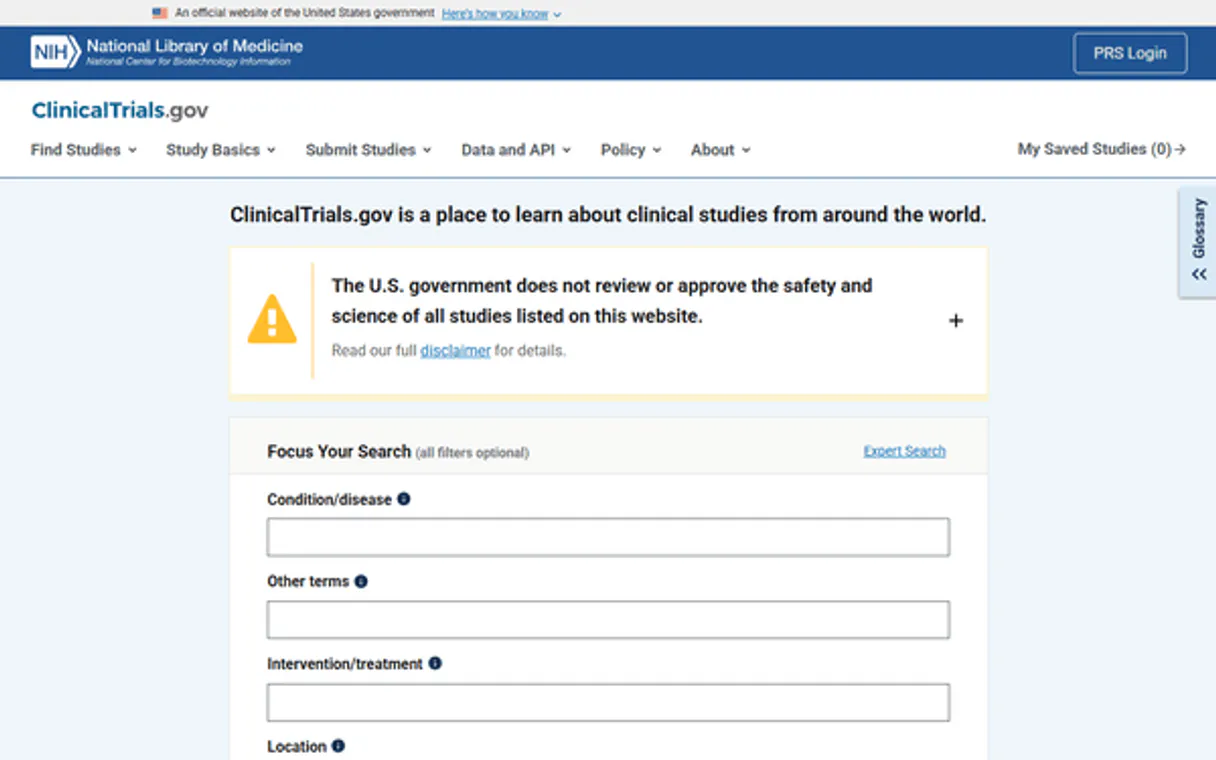
Independent Platform Disclaimer: Vinkius is an independent platform and is not affiliated with, endorsed by, sponsored by, verified by, or otherwise authorized by ClinicalTrials.gov. All third-party trademarks, logos, and brand names are the property of their respective owners. Their use on this website is strictly for informational purposes to identify service compatibility and interoperability.
VINKIUS INFRASTRUCTURE
Cloud Hosted
Managed infra
V8 Isolated
Sandboxed per request
Zero-Trust Proxy
No stored credentials
DLP Enforced
Policy on every call
GDPR Compliant
EU data residency
Token Compression
~60% cost reduction
Works with Claude, ChatGPT, Cursor, and more
The Model Context Protocol standardizes how applications expose capabilities to LLMs. Instead of operating in isolation, your AI gains direct access to external platforms, live data, and real-world actions through secure, standardized connections.
This server provides 3 capabilities that interface natively with Claude, ChatGPT, Cursor, and any MCP client. No middleware. No custom integration required.
Available Capabilities
Tracking clinical research is a massive, manual chore.
Right now, tracking a single drug’s journey means logging into the NIH website, running multiple keyword searches, and then manually clicking through dozens of pages. You're sifting through completed studies, inactive trials, and general research announcements, wasting hours just to find a single, relevant Phase 3 study.
With the ClinicalTrials.gov MCP Server, you just ask your agent. It runs the necessary filters and queries the entire registry, bringing back only the studies that meet your criteria, complete with their status and sponsor. You get the structured, actionable data you need, instantly.
Use `get_trial_details` to pull full study protocols.
Instead of finding an NCT ID and then having to copy-paste the link into a second tab to read the criteria, you give your agent the ID. The server pulls the full study protocol, including eligibility requirements, intervention details, and the enrollment timeline, all in one response.
The key point is: you move from managing links and tabs to managing pure, structured data. You get the full picture without the manual click-through.
Common Questions About ClinicalTrials.gov MCP
How do I use the `search_clinical_trials` tool to find studies? +
You run search_clinical_trials and provide the required filters (keywords, condition, drug name, or sponsor). You can also specify filters like 'Phase 3' or 'Active'. This gives you a broad list of potential studies.
What is the difference between `find_recruiting_trials` and `search_clinical_trials`? +
The difference is scope. find_recruiting_trials only returns studies that are currently accepting participants. search_clinical_trials searches everything—it might return studies that are completed or paused.
Do I need to provide an NCT ID to use `get_trial_details`? +
Yes, get_trial_details requires the specific NCT identifier. This ID points to one unique study, ensuring the agent pulls the exact, correct protocol for you.
Can I find trials for a specific drug and filter by phase? +
Yes. Use search_clinical_trials. You pass the drug name as the keyword and specify 'Phase' in the filters. This combination gives you a highly focused set of results.
How do I ensure the data I get from `get_trial_details` is up to date? +
The data is pulled directly from the NIH's public database, meaning it reflects the most recent records available. However, because external databases can change, we recommend running the tool periodically for critical research. You can always check the documentation for the specific API update cadence.
Does `search_clinical_trials` handle complex filtering, like combining condition and sponsor? +
Yes, the tool handles complex queries. You simply combine keywords, conditions, and sponsor names in a single request. The underlying search logic supports boolean operations, letting you pinpoint exact intersections of criteria.
If I run `find_recruiting_trials` too often, are there rate limits? +
The underlying public API generally has high limits, but we advise batching your requests. If you encounter repeated failure messages, wait 60 seconds and try again. The tool's documentation provides specific guidelines on calling frequency.
Can I use `search_clinical_trials` for non-medical or general research topics? +
The search_clinical_trials tool is strictly limited to the United States National Institutes of Health (NIH) database. It indexes clinical studies, drugs, and human health conditions. It cannot search general web content or non-health-related topics.
Do I need an API Key or registration? +
No. ClinicalTrials.gov is a fully public service maintained by the US National Library of Medicine. All data is accessible without any authentication.
What types of studies can I search for? +
The database covers interventional trials (testing drugs, devices, procedures), observational studies, and expanded access programs. You can search across all phases, from early Phase 1 research to post-market Phase 4 surveillance.
Is the trial recruiting status updated in real time? +
The data reflects what is currently published on the ClinicalTrials.gov database. Sponsors typically update the registry directly, so you will see the latest status logged in their system.
Use it with your favorite AI tools
Connect this server to Cursor, Claude, VS Code, and more.
More in this category

Bureau of Labor Statistics Full — The Mega Server
The ultimate BLS Mega-Server: Access all 6 major datasets including CPI (Inflation), CES (Jobs), CPS (Unemployment), JOLTS (Turnover), LAUS (Local metrics), and OEWS (Wages by Profession).

Open-Meteo Marine Weather
Empower your AI with ocean intelligence: wave height, swell forecasts, ocean currents, tides, and sea surface temperature at 5km resolution — built for maritime professionals.
NIST NVD
Access authoritative vulnerability and product data via NIST NVD — track CVEs, CPEs, and security history directly from your AI agent.
You might also like

Infracost
Cloud cost estimates for Terraform — manage cost guardrails, tagging policies, and custom enterprise price books directly through your AI agent.

Togai (Usage Metering & Pricing)
Automate usage-based billing and metering — ingest events, manage customers, and track entitlements directly from your AI agent.

Wolfram Alpha Solver
Empower your AI with the world's most powerful computational engine. Solve complex calculus, extract exact scientific facts, and eliminate mathematical hallucinations.