
ItemPath MCP. Audit stock, track orders, and manage warehouse flow.
 Gemini
 Works with every AI agent you already use
…and any MCP-compatible client









Just plug in your AI agents and start using Vinkius.
ItemPath: Manage warehouse inventory, track orders, and audit stock movements through one API. This server lets your AI client list all materials, check specific SKUs, and trace every inventory change using tools like `list_materials` and `list_transactions`.
It's built for supply chain visibility, giving you real-time data on what's stored, who ordered it, and where it is.
What your AI agents can do
Get material
Returns SKU details, storage rules, and current quantity-on-hand for a specific material.
Get me
Checks the connection health and returns the currently authenticated user's identity.
Get order
Retrieves materials, target locations, and picker info for a specific order ID.
Retrieves SKU details, storage rules, and current quantity-on-hand for a single material ID.
Returns the materials, target locations, and picker information tied to a single order ID.
Provides a full audit log, including timestamps, material IDs, quantity changes, and user IDs for every stock movement.
Retrieves a list of all material batches, necessary for tracking perishable or regulated goods.
Gives a map view of the warehouse, showing all available storage locations.
Pulls a master list of all available product names, descriptions, and IDs.
Ask AI about this MCP
Supported MCP Clients
Gemini Waiting for input…
ItemPath MCP Server: 10 Tools for Inventory Management
Use these tools to query material status, list orders, track batches, and audit every inventory transaction directly through your AI agent.
019d75bcget material
Returns SKU details, storage rules, and current quantity-on-hand for a specific material.
019d75bcget me
Checks the connection health and returns the currently authenticated user's identity.
019d75bcget order
Retrieves materials, target locations, and picker info for a specific order ID.
019d75bclist batches
Lists all material batches, required when tracking perishable or regulated goods.
019d75bclist calls
Shows a history of recent API requests, useful for debugging integrations.
019d75bclist locations
Lists every storage location within the warehouse for layout planning.
019d75bclist materials
Returns a list of all materials, including their names, descriptions, and unique IDs.
019d75bclist orders
Lists all current and historical orders, including their IDs, type, and current status.
019d75bclist transactions
Provides a log of all inventory movements, detailing timestamps, material IDs, quantity changes, and user IDs.
019d75bclist users
Lists all system users who have access to the inventory system.
Choose How to Get Started
Build a custom MCP for your own tools, or connect a ready-made integration from our catalog.
Build Your Own
Turn any API into an MCP. Import a spec, define Agent Skills, or deploy with MCPFusion.
- Import from OpenAPI, Swagger, or YAML specs
- Create Agent Skills with progressive disclosure
- Deploy to edge with MCPFusion framework
- Built in DLP, auth, and compliance on every call
- Real time usage dashboard and cost metering
- Publish to catalog or keep private
Make Your AI Do More
Start with ItemPath, then connect any of our 4,700+ other servers whenever your AI needs more. One click, no limits.
- Use this MCP plus 4,700+ others, all in one place
- Add new capabilities to your AI anytime you want
- Every connection is secured and compliant automatically
- Track usage and costs across all your servers
- Works with Claude, ChatGPT, Cursor, and more
- New servers added to the catalog every week
What you can do with this MCP connector
ItemPath lets your agent manage warehouse inventory and track orders using one API. You'll use this server to list materials, check stock, and audit every inventory change.
Check specific material status: You can use get_material to pull an SKU's details, storage rules, and current quantity-on-hand. list_materials pulls a master list of all product names, descriptions, and unique IDs.
Track orders: Use list_orders to see all current and historical orders, including their IDs, type, and status. For deep dives, get_order pulls the materials, target locations, and picker info tied to a specific order ID.
Audit history: list_transactions gives you a full audit log of every stock movement, showing timestamps, material IDs, quantity changes, and user IDs. You can use list_batches to list all material batches, which is necessary if you're tracking perishable or regulated goods.
Know your system: list_locations shows every storage spot in the warehouse for layout planning. list_users lists all system users who have access to the inventory system.
Debugging and Health: You can check connection health and the authenticated user's identity with get_me. list_calls shows a history of recent API requests, which is useful for debugging your integrations.
How ItemPath MCP Works
- 1 Your AI client identifies the required data (e.g., 'Show me the stock for SKU 123').
- 2 It calls the relevant tool, such as
get_material, passing the necessary SKU as an argument. - 3 The server executes the API call and returns a structured JSON response containing the material's current status, which your AI client then uses to formulate a human-readable answer.
The bottom line is that your AI client gets structured data directly from ItemPath, letting it answer complex inventory questions without you ever leaving your chat window.
Who Is ItemPath MCP For?
The operations manager who needs to audit stock levels across multiple locations. The supply chain analyst who spends hours cross-referencing order data with inventory logs. Warehouse personnel who need to verify material availability instantly. Anyone whose job requires knowing exactly what material is where and when it moved.
Uses list_orders and list_transactions to check throughput and identify bottlenecks in the fulfillment process.
Calls list_materials and get_material repeatedly to build reports on product usage and stock variances.
Runs list_locations and get_order to guide pickers and confirm inventory placement before shipping.
What Changes When You Connect
- Audit Stock Movements:
list_transactionsgives you a perfect audit trail. You see who changed the stock, when they changed it, and exactly how much, making compliance checks simple. - Real-Time Inventory Checks: Instead of guessing, call
get_materialto get the exact quantity-on-hand and storage rules for any SKU. This is immediate data, not a dashboard estimate. - Order Fulfillment Tracking: Use
get_orderto pull all details for a specific order. You immediately know the target location, the materials needed, and which person is assigned to pick it. - Master Material List:
list_materialspulls a comprehensive, up-to-date list of every product ID and name in the system. This is the single source of truth for your product catalog. - Location Mapping:
list_locationsgives you a complete list of every available storage zone. This helps route new materials or understand why a specific item might be missing. - Compliance Tracking:
list_batchesensures you never lose track of regulated items. You list every batch, which is mandatory for certain industries like food or pharmaceuticals.
Real-World Use Cases
Identifying a missing item in an order.
The supervisor notices an order (ID: ORD-456) is missing a component. They ask their agent to check the item's status. The agent calls get_order to confirm the materials needed, then calls get_material to see the current stock. If the stock is low, they cross-reference list_transactions to find out when the last shipment came in, solving the mystery.
Performing a quarterly inventory audit.
The analyst needs to verify stock accuracy. They use list_materials to get all SKUs. Then, they call list_transactions to pull every single movement log for the last 90 days. Finally, they use list_users to attribute every change to a specific employee, completing the audit trail.
Planning a new warehouse layout.
The warehouse team needs to know all available spots. They run list_locations to get a full map of every zone. They then use list_materials and get_material to see which materials are currently in stock and need a designated spot, optimizing the layout before the next shipment arrives.
Troubleshooting a failed order shipment.
The fulfillment team gets a call about a late shipment. They ask the agent to check the order using get_order. They see the materials were allocated but the status is stuck. They then check list_batches to ensure the correct, non-expired batch was assigned, resolving the logistical failure.
The Tradeoffs
Assuming the stock count is correct.
Looking only at a printed spreadsheet or a single dashboard number. This data doesn't account for recent movements or pending adjustments.
→
Always run list_transactions first. This shows every recorded material movement and helps verify the current stock against the audit log.
Forgetting to track regulated goods.
Treating all inventory the same. You might ship a perishable item without confirming its lot number, leading to compliance issues.
→
Use list_batches to pull all lot numbers and get_material to confirm the stock details before fulfilling any order.
Relying on manual user logs.
Asking a human employee to write down who moved an item and when. This process is slow, prone to errors, and never complete.
→
Let the agent run list_users and list_transactions together. This immediately gives you the official, immutable record of who performed the action and when it happened.
When It Fits, When It Doesn't
Use this MCP server if your core need is inventory accountability. You need to know the absolute truth about material location, quantity, and movement history. You need to audit why a stock count is what it is.
Don't use this if your goal is just general reporting or simple data aggregation. If you only need a summary view of 'Total Stock Value,' a separate BI tool might be better. If you just need to know which materials exist, list_materials works. But if you need to know how many and where they are, you must use get_material or list_transactions.
Always check the list_calls tool first if you are building a multi-step agent process. It shows you exactly what API calls were made, which is crucial for debugging complex workflows.
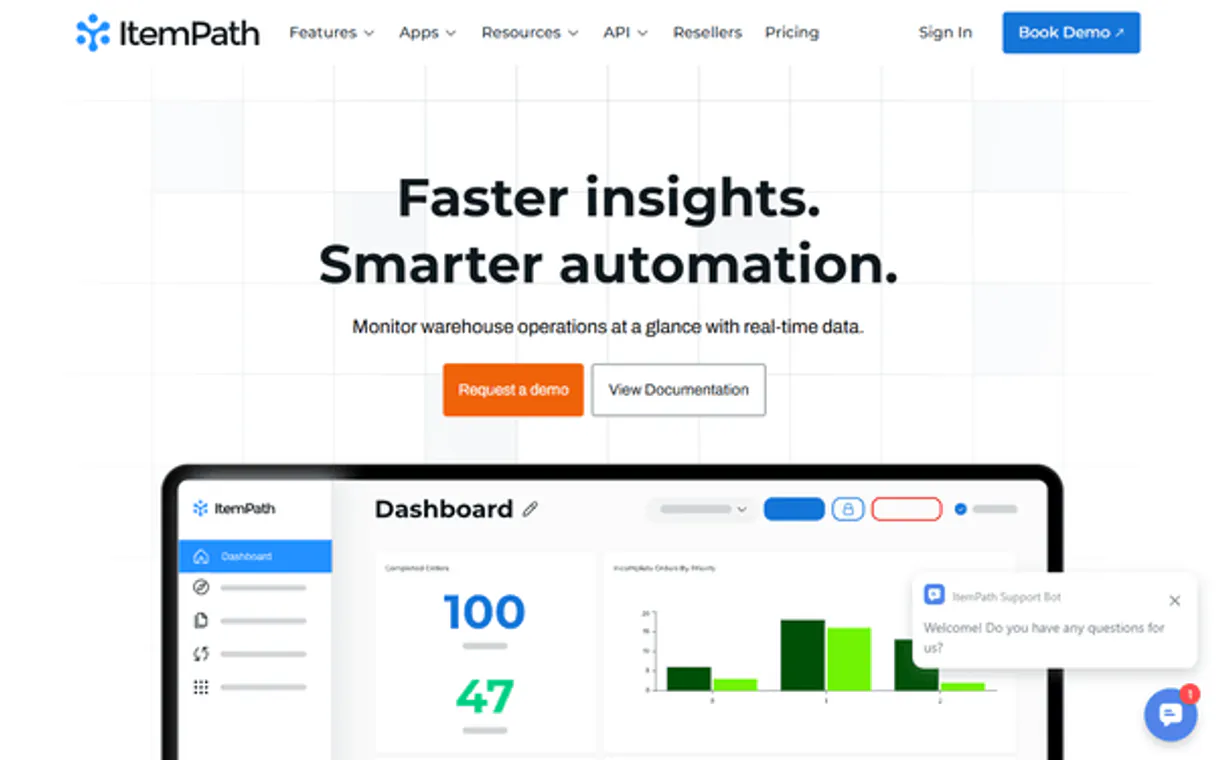
Independent Platform Disclaimer: Vinkius is an independent platform and is not affiliated with, endorsed by, sponsored by, verified by, or otherwise authorized by ItemPath. All third-party trademarks, logos, and brand names are the property of their respective owners. Their use on this website is strictly for informational purposes to identify service compatibility and interoperability.
VINKIUS INFRASTRUCTURE
Cloud Hosted
Managed infra
V8 Isolated
Sandboxed per request
Zero-Trust Proxy
No stored credentials
DLP Enforced
Policy on every call
GDPR Compliant
EU data residency
Token Compression
~60% cost reduction
Works with Claude, ChatGPT, Cursor, and more
The Model Context Protocol standardizes how applications expose capabilities to LLMs. Instead of operating in isolation, your AI gains direct access to external platforms, live data, and real-world actions through secure, standardized connections.
This server provides 10 capabilities that interface natively with Claude, ChatGPT, Cursor, and any MCP client. No middleware. No custom integration required.
Available Capabilities
Manual inventory checks take hours of clicking through dashboards.
Today, figuring out the status of a single SKU means jumping between the master catalog, the open order screen, and the physical location map. You copy the SKU, switch tabs, and wait for three different screens to load before you even know if the item is in stock.
With ItemPath, your agent handles the jumps. You ask, 'What's the status of SKU 456?' and it runs `get_material`. You get the quantity, the storage rules, and the current location in one clean response. No switching tabs, no waiting.
ItemPath MCP Server: Track stock and audit movements.
Instead of generating a massive spreadsheet by manually pulling records from the order module and then cross-referencing the warehouse logs, your agent runs `list_orders` and `list_transactions`. It merges the data instantly, showing you if the order status matches the material movement history.
The system doesn't just show data; it connects the dots. It links the order requirement directly to the transaction history, giving you a clear path from 'Ordered' to 'Shipped' in a single query.
Common Questions About ItemPath MCP
How do I check the current stock for a specific item using the `get_material` tool? +
You pass the material's unique SKU ID to get_material. The tool returns the quantity-on-hand, storage rules, and current availability status immediately.
What is the difference between `list_orders` and `get_order`? +
list_orders gives you a summary list of all orders and their general status. Use get_order when you need the deep details—like the exact materials, target locations, and pickers—for a single, specific order ID.
Can I use `list_transactions` to track historical stock changes? +
Yes. list_transactions is the audit log. It provides a record of timestamps, material IDs, quantity changes, and user IDs, letting you trace the entire history of a product.
What if I need to check who made the last inventory change? +
The list_transactions tool includes the user ID. You can cross-reference that ID with the output of list_users to know exactly which staff member made the change.
Is `list_batches` necessary for all inventory? +
No, but it is required if your inventory includes regulated or perishable items. It ensures you track the specific lot numbers needed for compliance.
How do I find out where all the available storage locations are using the `list_locations` tool? +
The list_locations tool returns a list of all storage sites. This lets you map out your entire warehouse layout and see where materials can be put.
What is the best way to check the connection status and user identity with the `get_me` tool? +
You call get_me to verify the connection health and confirm the current authenticated user. It's a quick way to make sure your agent has the right permissions before running big jobs.
Should I use `list_materials` or `get_material` when auditing inventory data? +
Use list_materials first to get a complete list of all product names and IDs. Then, use get_material on specific IDs to check the current quantity-on-hand and storage rules.
How do I get ItemPath API credentials? +
Log in to your ItemPath instance, navigate to your user profile or security settings, and generate a new Application Token or Access Token.
What is the subdomain? +
The subdomain is the first part of your ItemPath URL (e.g., if you access ItemPath at acme.itempath.com, your subdomain is 'acme').
Can I see real-time inventory levels? +
Yes, the list_materials and list_batches tools provide real-time information on your current stock and material availability.
Use it with your favorite AI tools
Connect this server to Cursor, Claude, VS Code, and more.
More in this category

Moz (SEO Metrics & Link Research)
Manage SEO metrics via Moz — audit Domain Authority (DA), analyze backlinks, and track site rankings.

QWeather / 和风天气
Leading professional weather data service in China — retrieve forecasts, air quality, and life indices via AI.

Amazon Marketing Cloud
Advanced advertising analytics — execute SQL queries and monitor workflows via AI.
You might also like

Eventbrite Alternative
Manage your Eventbrite events — audit organizations, attendees, and orders via AI.

Carbonara
Transform code snippets into beautiful, high-quality images with syntax highlighting, custom themes, and window controls directly from your AI agent.
Pipedrive Activities
Create and manage calls, meetings, tasks, emails, and deadlines — full activity tracking for your Pipedrive account.