
Kentico MCP. Manage DXP content and system objects via conversation.
 Gemini
 Works with every AI agent you already use
…and any MCP-compatible client









Just plug in your AI agents and start using Vinkius.
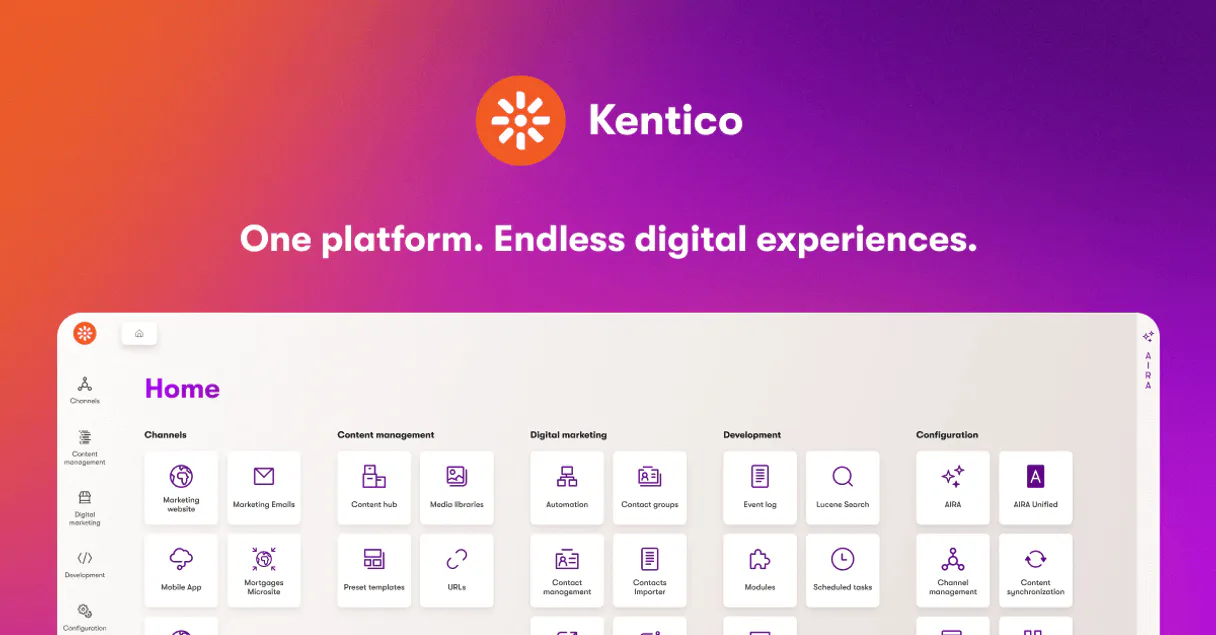
Kentico (CMS & DXP) MCP Server connects your AI client to your entire digital experience platform (DXP) and CMS. You can manage content, audit system objects, and extract data directly from Kentico Xperience—all through natural conversation.
It lets you retrieve documents by alias, list global users, and modify system settings without touching the REST API manually.
It's full control over your content and backend structure, right from your agent.
What your AI agents can do
Create system object
Creates a new system object within Kentico.
Delete system object
Removes an existing system object in Kentico.
Get single object
Retrieves a specific system object by its unique ID.
Retrieves or updates entire site pages and documents using their alias paths, culture, and site name.
Creates, reads, updates, or deletes core system components like roles, templates, and site settings.
Lists all global Kentico users and fetches detailed profiles, including their assigned roles and metadata.
Pulls rows of data from custom Kentico tables for analytics and internal record keeping.
Discovers and reads the object types and properties within the Kentico CMS to understand the data model.
Ask AI about this MCP
Supported MCP Clients
Gemini Waiting for input…
Kentico (CMS & DXP) MCP Server: 10 Tools for Content Management
Use these 10 tools to perform every major content and system action in Kentico Xperience, from reading documents to deleting system templates.
019d75c0create system object
Creates a new system object within Kentico.
019d75c0delete system object
Removes an existing system object in Kentico.
019d75c0get single object
Retrieves a specific system object by its unique ID.
019d75c0get site document
Retrieves a specific document from the Kentico CMS using its path details.
019d75c0get user
Gets detailed information for a specific user account in Kentico.
019d75c0list custom table rows
Lists all visible rows of data from a specific custom Kentico table.
019d75c0list system objects
Lists available system objects, such as roles and page templates, by type.
019d75c0list users
Lists all global user accounts registered in Kentico.
019d75c0update site document
Modifies the content or properties of an existing site document.
019d75c0update system object
Changes the properties of an existing system object in Kentico.
Choose How to Get Started
Build a custom MCP for your own tools, or connect a ready-made integration from our catalog.
Build Your Own
Turn any API into an MCP. Import a spec, define Agent Skills, or deploy with MCPFusion.
- Import from OpenAPI, Swagger, or YAML specs
- Create Agent Skills with progressive disclosure
- Deploy to edge with MCPFusion framework
- Built in DLP, auth, and compliance on every call
- Real time usage dashboard and cost metering
- Publish to catalog or keep private
Make Your AI Do More
Start with Kentico (CMS & DXP), then connect any of our 4,700+ other servers whenever your AI needs more. One click, no limits.
- Use this MCP plus 4,700+ others, all in one place
- Add new capabilities to your AI anytime you want
- Every connection is secured and compliant automatically
- Track usage and costs across all your servers
- Works with Claude, ChatGPT, Cursor, and more
- New servers added to the catalog every week
What you can do with this MCP connector
Kentico (CMS & DXP) MCP Server lets your AI client manage your entire digital experience platform. You don't gotta mess with REST APIs or write complex code; you just talk to it. list_users pulls a list of every global user account registered in Kentico. get_user lets you grab detailed info for a specific user, including their assigned roles and metadata. list_system_objects shows you what system objects exist, like roles or page templates, by type.
You can create_system_object to build a new system component, or update_system_object and delete_system_object to change or remove existing ones. For site documents, you can get_site_document to retrieve a specific page using its alias path, culture, and site name, and you can update_site_document to change its content or properties. You'll also find list_custom_table_rows lets you list all rows of data from any custom Kentico table.
If you need to check the data model, get_single_object lets you retrieve any specific system object by its unique ID. You can also list_custom_table_rows for internal record keeping or analytics. You can talk to your agent and get it to handle all this stuff.
How Kentico MCP Works
- 1 1. Subscribe to this server and provide your Kentico REST URL. You must also enter an Authentication Header (e.g., Basic base64).
- 2 2. Your AI client uses the provided credentials to connect to the Kentico API endpoints.
- 3 3. You interact with the system using natural conversation; the agent invokes the correct tool (e.g.,
get_userorupdate_site_document) and returns the structured data.
The bottom line is, you tell your agent what you want to change or check in Kentico, and it handles the secure connection, authentication, and API calls for you.
Who Is Kentico MCP For?
This is for full-stack developers who need to test REST service queries without opening a manual API tool. It’s also for content architects who need to audit document properties and custom table schemas across multiple environments. System administrators use it to monitor user accounts and manage system-level objects across their entire Kentico instance.
Writes code that needs to read or write Kentico data. They test service queries and inspect system objects through natural conversation instead of writing boilerplate API calls.
Audits content properties and custom table schemas across various cultures and sites. They check if document structures match business requirements.
Manages user accounts and core system objects (roles, templates). They perform global checks and updates across the entire Kentico instance.
What Changes When You Connect
- Update content immediately: Use
update_site_documentto change a page's name or metadata without writing a single API request. - Audit users easily: Running
list_usersandget_userlets you audit every account, see their roles, and check their metadata, all in one conversation. - Manage the backend structure: Use
create_system_object,delete_system_object, orupdate_system_objectto control roles and templates without needing a developer terminal. - Analyze custom data:
list_custom_table_rowspulls records from private custom tables. This lets you check internal business data that lives outside the main content model. - Inspect content structure:
get_site_documentretrieves a page's full structure. You see exactly which properties and templates are attached to the content. - Keep the system clean: Use
delete_system_objectwhen you know a template or role is obsolete. You can optimize the repository structure directly through your agent.
Real-World Use Cases
A Content Architect needs to check all page metadata.
The architect needs to verify the 'About Us' page across three different cultures (en-us, fr-ca, es-mx). Instead of running three separate manual queries, they ask their agent to run get_site_document three times, passing the alias and culture for each. The agent returns the structured metadata for all three, letting them compare versions instantly.
A Dev needs to see what data is in a custom inventory table.
A developer needs to verify the current stock levels in a custom table called 'Inventory'. They ask the agent to run list_custom_table_rows on 'Inventory'. The agent returns the 50 most recent entries, allowing the dev to confirm data integrity without needing to write a specific SQL query or use a database GUI.
A SysAdmin needs to update a user's role and clean up old templates.
A system administrator detects an obsolete user role and needs to update a document's template. They first use list_users to identify the user, then update_system_object to modify the role's permissions, and finally update_site_document to apply the new template to the target page. It’s a three-step process managed by the agent.
Creating a new site section requires a new system object.
A content lead decides the site needs a new 'Careers' section, requiring a new page template. They instruct their agent to run create_system_object for the 'Careers' template. The agent creates the object, confirming the ID and structure, which the content lead can then use to build the actual content.
The Tradeoffs
Treating the system like a simple key-value store
Trying to update a page's content by just listing its alias and expected text. The agent needs more context than that, and the call will fail because it can't infer the full payload required by update_site_document.
→
Always provide the target alias, culture, and the full set of properties you intend to change. For example, specify: 'Update the DocumentName of /About-Us to Our Team on currentsite.' This gives the agent the necessary parameters for update_site_document.
Forgetting to scope the object lookup
Asking the agent to 'get the document' without mentioning the specific site name or culture. The agent won't know which of your multiple sites to query, resulting in an ambiguous error.
→
Always specify the target environment. When getting a document, use get_site_document and include the required site name and culture parameters. For users, use get_user and specify the user's unique ID.
Over-relying on manual REST explorer tools
Manually opening the Kentico REST explorer, finding the endpoint for user roles, and then constructing the request payload. This is slow, error-prone, and requires knowing the exact endpoint path.
→
Just tell your agent what you need. Instead of manual setup, ask the agent to list_system_objects to see what roles exist, then get_user to inspect a profile, or update_system_object to modify a setting.
When It Fits, When It Doesn't
Use this if you need to treat Kentico as a fully manageable data source. You need to read, write, or audit content and system data without leaving your AI client. If your task is simple—like just reading a single document's title—you might only need get_site_document. However, if you need to manage the underlying structure (e.g., creating a new role, or deleting an old template), you must use the system object tools (create_system_object, delete_system_object, update_system_object). Don't use this if you just need to browse the Kentico UI; this is for programmatic interaction. Use it if your workflow requires programmatic control over data boundaries and object lifecycles.
Independent Platform Disclaimer: Vinkius is an independent platform and is not affiliated with, endorsed by, sponsored by, verified by, or otherwise authorized by Kentico Xperience. All third-party trademarks, logos, and brand names are the property of their respective owners. Their use on this website is strictly for informational purposes to identify service compatibility and interoperability.
VINKIUS INFRASTRUCTURE
Cloud Hosted
Managed infra
V8 Isolated
Sandboxed per request
Zero-Trust Proxy
No stored credentials
DLP Enforced
Policy on every call
GDPR Compliant
EU data residency
Token Compression
~60% cost reduction
Works with Claude, ChatGPT, Cursor, and more
The Model Context Protocol standardizes how applications expose capabilities to LLMs. Instead of operating in isolation, your AI gains direct access to external platforms, live data, and real-world actions through secure, standardized connections.
This server provides 10 capabilities that interface natively with Claude, ChatGPT, Cursor, and any MCP client. No middleware. No custom integration required.
Available Capabilities
Content management used to mean switching between the CMS and the API documentation.
Today, updating a page or checking a document's properties means logging into Kentico, navigating to the content, and then checking the properties tab. If you need to compare that content against an internal data model, you copy the page ID and then switch to a separate API tool, construct the correct REST call, and manually map the response fields. It’s a multi-tab, copy-paste nightmare.
With this MCP server, you just talk to your agent. You say, 'Get the page structure for /About-Us.' The agent runs `get_site_document`, fetches the data, and presents the full, structured payload right in your chat. You never leave the conversation.
Kentico (CMS & DXP) MCP Server: Manage system objects and user data.
Before, modifying a user's role or creating a new template meant finding the right internal endpoint, figuring out the required JSON body, and then executing the API call manually. It was highly technical and often required developer assistance.
Now, you just ask your agent to `create_system_object` or `update_system_object`. The agent handles the complex API body generation and execution. You manage the DXP using plain English, not JSON payloads.
Common Questions About Kentico MCP
How do I check if a user account exists using the get_user tool? +
You provide the user's unique ID to get_user. The agent returns their full profile, confirming existence and providing details like their roles and metadata. If the user doesn't exist, the agent reports the failure.
Can I list all custom data tables using list_custom_table_rows? +
No, list_custom_table_rows requires you to specify the exact custom table name (e.g., 'MyCompany.Inventory'). You need to know the table name beforehand to pull the data.
What's the difference between get_site_document and get_single_object? +
Use get_site_document when you are dealing with published content on a specific site path (like a page). Use get_single_object when you are dealing with a generic system object that isn't tied to a specific web page.
How do I delete an old system object safely? +
Use delete_system_object. The agent will handle the deletion request. Remember to check the object type and ensure nothing depends on it before you run this.
What is the difference between list_system_objects and get_single_object? +
The list_system_objects tool shows you all object types, like roles or templates. get_single_object lets you pull the specific data for one object you already know the ID of.
How do I ensure the data I get from list_custom_table_rows is secure? +
Security depends on your Kentico permissions. You must authenticate the server with credentials that only grant read access to the specific custom tables you need.
Can I use update_site_document to change content that isn't a document? +
No. update_site_document is strictly for site pages and documents. Use update_system_object if you need to modify a system object like a role or setting.
If I run get_user and it returns an empty list, what does that mean? +
It means no users matched the criteria you sent. Check your filters—you might need to narrow the search by role, status, or date range.
Can I update a specific page property using my agent? +
Yes. Use the update_site_document tool. You just need to provide the site name, culture, and alias path, along with a JSON block of the fields you want to mutate. Your agent will process the update through the Kentico REST service instantly.
How do I list rows from a custom table defined in Kentico? +
The list_custom_table_rows tool allows your agent to extract tabular data contents from any custom table item structured within your project. You just need to provide the target table name to retrieve the current entries.
Can my agent manage system objects like user roles? +
Absolutely. Use tools like list_system_objects and update_system_object with the object type cms.role. Your agent can help you audit current roles and mutate their properties through natural conversation.
Use it with your favorite AI tools
Connect this server to Cursor, Claude, VS Code, and more.
More in this category

Squarespace Commerce
Bring your Squarespace Commerce backend into your AI. Manipulate inventory, track orders, and fulfill shipments programmatically.

FareHarbor
Manage tour and activity bookings via FareHarbor — list companies, query availability, and handle bookings directly from your AI agent.

WooCommerce Coupon Creator
This MCP allows your AI agent to instantly generate custom discount coupons for your WooCommerce store. Perfect for empowering AI customer support bots to offer appeasement discounts or single-use retention codes.
You might also like

Loom (Async Video Messaging)
Manage video messages via Loom — retrieve metadata, handle timeline comments, and track viewer analytics.

Semgrep
Equip your AI agent with read/write access to Semgrep's SAST platform to audit code security findings, update triage statuses, and enforce custom semantic rules.
Datadog
Monitor applications via Datadog — query performance metrics, search logs, and list active monitors directly from any AI agent.