
SEC EDGAR Financials MCP. Extract structured financials from public filings.
 Gemini
 Works with every AI agent you already use
…and any MCP-compatible client









Just plug in your AI agents and start using Vinkius.
SEC EDGAR Financials extracts structured XBRL data directly from U.S. public company filings. Use it to pull key metrics—like revenue, net income, and assets—or compare a specific financial metric across entire industries using standardized accounting frames.
It gives you the raw numbers needed for deep financial analysis.
What your AI agents can do
Get all company facts
Retrieves a complete data dump containing hundreds of XBRL financial facts across multiple years for any company.
Get financial metric
Pulls the historical values for one specific US-GAAP concept, such as Revenue or NetIncomeLoss, for a given company.
Get industry comparison
Compares a selected financial metric across all companies within an entire industry group using standardized XBRL frames.
Compare a single financial measure (like revenue) against every other company in an industry using get_industry_comparison.
Get the five most recent reported values for core metrics—revenue, net income, and assets—for a specific company using get_key_financials.
Target a precise US-GAAP concept (like Research & Development Expense) and pull its historical data for any company via get_financial_metric.
Retrieve the entire dataset dump of XBRL facts, including hundreds of concepts over multiple years using get_all_company_facts.
Ask AI about this MCP
Supported MCP Clients
Gemini Waiting for input…
SEC EDGAR Financials: 4 Tools for Corporate Analysis
Pull structured XBRL data, compare metrics across sectors, or get key financials from any U.S. public company's filings.
019d7604get all company facts
Retrieves a complete data dump containing hundreds of XBRL financial facts across multiple years for any company.
019d7604get financial metric
Pulls the historical values for one specific US-GAAP concept, such as Revenue or NetIncomeLoss, for a given company.
019d7604get industry comparison
Compares a selected financial metric across all companies within an entire industry group using standardized XBRL frames.
019d7604get key financials
Returns the most recent five reported values for core metrics: revenue, net income, assets, equity, EPS, and cash.
Choose How to Get Started
Build a custom MCP for your own tools, or connect a ready-made integration from our catalog.
Build Your Own
Turn any API into an MCP. Import a spec, define Agent Skills, or deploy with MCPFusion.
- Import from OpenAPI, Swagger, or YAML specs
- Create Agent Skills with progressive disclosure
- Deploy to edge with MCPFusion framework
- Built in DLP, auth, and compliance on every call
- Real time usage dashboard and cost metering
- Publish to catalog or keep private
Make Your AI Do More
Start with SEC EDGAR Financials — Revenue, Income, Assets, EPS & Industry Comparison, then connect any of our 4,700+ other servers whenever your AI needs more. One click, no limits.
- Use this MCP plus 4,700+ others, all in one place
- Add new capabilities to your AI anytime you want
- Every connection is secured and compliant automatically
- Track usage and costs across all your servers
- Works with Claude, ChatGPT, Cursor, and more
- New servers added to the catalog every week
What you can do with this MCP connector
This server pulls structured XBRL data straight from U.S. public company filings, giving you access to core financials that'll make your analysis airtight. You won't be stuck with glossy summaries; you get the raw numbers needed for serious deep-dive work.
When you use this service, you can pull metrics—like revenue, net income, and assets—or compare a specific financial figure across entire industries using standardized accounting frames. It’s built to give you the absolute bedrock data points for any major financial analysis.
We've got four tools here that let you target exactly what you need:
Getting Quick Benchmarks: If you just wanna see where a company stands right now, get_key_financials returns the five most recent reported values for core metrics. You can quickly check revenue, net income, assets, equity, EPS, and cash flow without digging through years of filing history.
Deep Diving into Specific GAAP Accounts: Need to track a niche account over time? Use get_financial_metric. This tool lets you target one precise US-GAAP concept—say, Research & Development Expense or Long-Term Debt—and it pulls that historical data for any company you point it at. It’s surgical.
Benchmarking Across Entire Industries: Don't wanna just look at one company? Use get_industry_comparison. You can compare a single financial measure, like Revenue or total Assets, against every other public company in an entire industry group for a given time period. It’s the definitive way to benchmark.
Pulling Complete Financial History: If you need the whole picture—the deep historical context—you use get_all_company_facts. This tool gives you a complete data dump of hundreds of XBRL financial facts across multiple years for any company, letting you build out comprehensive timelines and models.
How SEC EDGAR Financials MCP Works
- 1 Tell your agent what you need: Specify the company (by name or ticker) and the required scope (e.g., 'Compare revenue for 2024' or 'Get Apple’s R&D expense').
- 2 Your AI client calls the correct tool—for example, it routes the request to
get_industry_comparisonwhen you need a sector view. - 3 The server returns structured XBRL data, giving you clean tables of figures and historical metrics ready for analysis.
The bottom line is: You stop digging through PDFs; you start pulling clean, comparable financial numbers directly into your workflow.
Who Is SEC EDGAR Financials MCP For?
This is built for the serious analyst who needs to move past superficial summaries. If your job involves comparing company health across multiple sectors or validating specific GAAP accounting details, you need this. Stop wasting time on manual data extraction from PDFs and start working with clean, structured metrics.
Uses get_industry_comparison to benchmark a target company against its peers, checking how their revenue growth stacks up in the sector.
Relies on get_key_financials and get_financial_metric to pull specific historical data points (like debt or equity) into a financial forecast model.
Uses get_all_company_facts when evaluating potential merger targets, needing access to the full scope of historical filings for due diligence.
What Changes When You Connect
- Stop manual data entry. Instead of jumping through PDFs to find a single number, use
get_financial_metricto target specific concepts like ResearchAndDevelopmentExpense and get the full historical trend immediately. - Benchmark performance instantly. Use
get_industry_comparisonto show how Company A's revenue stacks up against its competitors across the whole sector—it’s perfect for quick peer analysis. - See a company's core health at a glance.
get_key_financialssummarizes the five most vital numbers (revenue, net income, assets, etc.), giving you a mini-Bloomberg view without leaving your chat window. - Get the full picture. When you need deep due diligence on an acquisition target,
get_all_company_factsprovides the complete XBRL data dump for context and history. - Compare apples to apples. The system standardizes metrics using US-GAAP frames, meaning you don't worry about different accounting methodologies when running comparisons.
Real-World Use Cases
Comparing a target company against its sector average
You need to know if Acme Corp is performing well in the energy sector. Instead of finding 30 individual reports, ask your agent to run get_industry_comparison for 'Revenue' across all companies in that industry for CY2024. You get a ranked list and immediate context.
Tracking a specific cost center over time
You suspect a competitor is suddenly increasing their spending on AI infrastructure. Use get_financial_metric to check the 'ResearchAndDevelopmentExpense' for that company across the last five years, giving you a clear historical trend line.
Quickly assessing overall market size
You are starting an investment thesis and need general numbers. Use get_key_financials to pull revenue, assets, and EPS for the top five players in a market instantly. It's faster than opening any terminal.
Performing deep due diligence on filing scope
Your team needs every data point possible on a company before making an investment decision. Run get_all_company_facts to dump all available XBRL concepts, ensuring no piece of historical financial context is missed.
The Tradeoffs
Asking for 'all financials' vaguely
I need the company's finances. Show me everything about their money.
→
Be specific. If you want a summary, use get_key_financials. If you are comparing sectors, call get_industry_comparison and specify the metric (e.g., Revenue).
Confusing general data with industry benchmarks
Just give me Apple's revenue for 2024.
→
If you only need one company, get_key_financials is fine. But if you want to see how Apple measures up against its rivals in the sector, use get_industry_comparison.
Overwhelming the agent with too many calls
Run get_all_company_facts, then get_financial_metric for debt, and also run industry comparison.
→
Start small. If you need context, use get_key_financials first to narrow down your focus. Then decide if you need the full dump (get_all_company_facts) or a specific metric check (get_financial_metric).
When It Fits, When It Doesn't
Use this server when financial data needs structure, comparison, or historical depth. If you just want to know if a company exists, you don't need it. Use get_key_financials if speed is paramount and you only need the top 5 core metrics for one company. However, if your goal is comparative analysis (e.g., 'Who in this sector has the best margins?'), you must use get_industry_comparison. Never forget that get_all_company_facts is a massive data dump and should only be used when standard summary tools fail to provide necessary context.
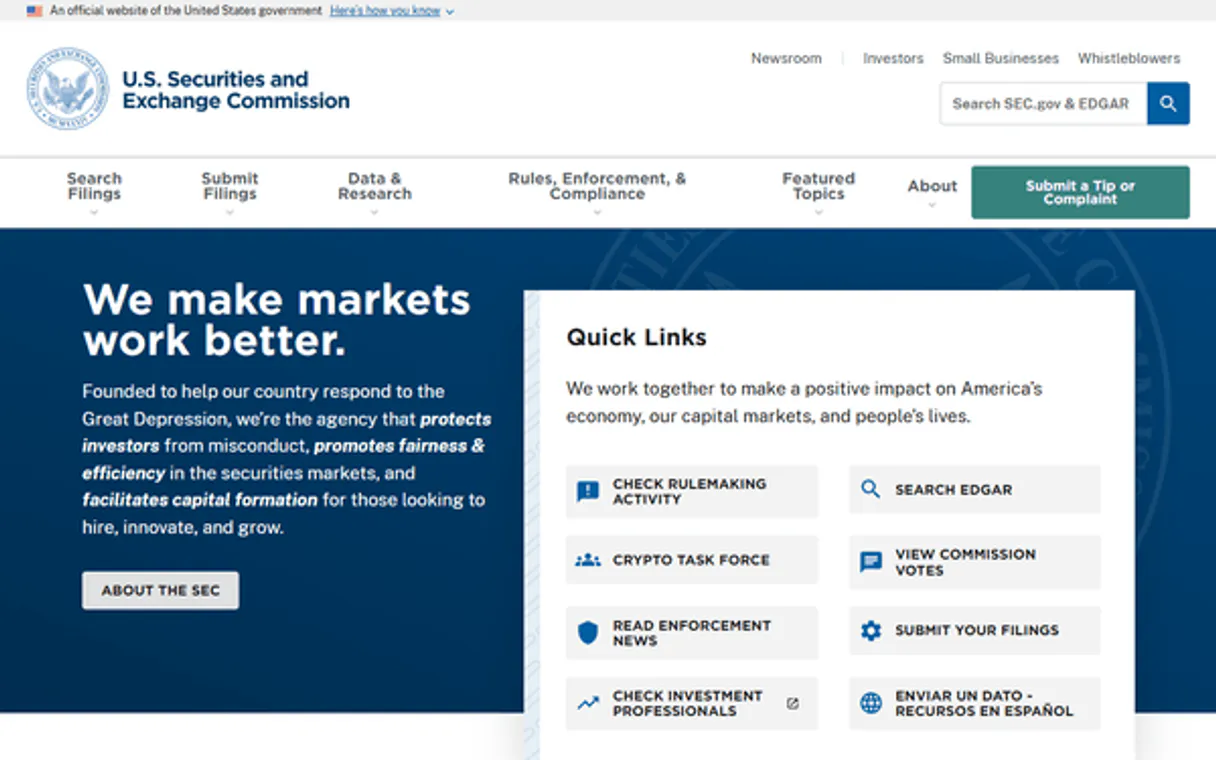
Independent Platform Disclaimer: Vinkius is an independent platform and is not affiliated with, endorsed by, sponsored by, verified by, or otherwise authorized by U.S. Securities and Exchange Commission (SEC). All third-party trademarks, logos, and brand names are the property of their respective owners. Their use on this website is strictly for informational purposes to identify service compatibility and interoperability.
VINKIUS INFRASTRUCTURE
Cloud Hosted
Managed infra
V8 Isolated
Sandboxed per request
Zero-Trust Proxy
No stored credentials
DLP Enforced
Policy on every call
GDPR Compliant
EU data residency
Token Compression
~60% cost reduction
Works with Claude, ChatGPT, Cursor, and more
The Model Context Protocol standardizes how applications expose capabilities to LLMs. Instead of operating in isolation, your AI gains direct access to external platforms, live data, and real-world actions through secure, standardized connections.
This server provides 4 capabilities that interface natively with Claude, ChatGPT, Cursor, and any MCP client. No middleware. No custom integration required.
Available Capabilities
Manual financial research requires jumping between five different tabs and three separate spreadsheets.
Right now, analyzing one company means pulling up the 10-K filing PDF, opening a spreadsheet for historical data, finding the right GAAP concept (like Stockholders' Equity), and then cross-referencing that number against an industry report. It’s slow, it’s manual, and you lose time on formatting alone.
With this MCP server, your agent handles all that legwork. You ask for a comparison of Revenue across the tech sector for CY2024. The agent calls `get_industry_comparison` and spits out a clean, ranked list. No clicking through PDFs—just the answer.
SEC EDGAR Financials MCP Server: Benchmark performance with industry data.
Before this tool, comparing metrics was a nightmare of mismatched formats and missing filings. You'd find Company A reported 'Total Assets,' but Company B called it 'Book Value.' It took hours just to normalize the fields.
Now, you use `get_industry_comparison`. The server handles the normalization across thousands of records using standardized XBRL frames. You get clean, comparable data points right away.
Common Questions About SEC EDGAR Financials MCP
How do I compare Revenue for multiple companies in a single industry? +
You use get_industry_comparison. This tool pulls the specified metric (like Revenue) and displays it across all companies in the defined sector, letting you spot trends immediately.
Is get_key_financials the same as getting all company facts? +
No. get_key_financials is a curated summary—it gives you the five most important metrics (revenue, net income, etc.). get_all_company_facts is the full data dump with hundreds of concepts and years of history.
What if I want to check a niche metric like Deferred Tax Liability? +
Run get_financial_metric. You just need to provide the specific US-GAAP concept name. If it exists in their filings, this tool pulls the historical data for you.
Can I compare metrics across different years using get_industry_comparison? +
Yes. You specify both the metric and the period format (like CY2024 or CY2023) to run a historical, comparative benchmark.
Does running `get_key_financials` require API keys or authentication? +
No. This server runs with zero authorization requirements. You don't need to manage credentials; your AI client connects and accesses the data immediately.
What happens if I use `get_financial_metric` for a concept that doesn't exist? +
It won't fail. If the specific US-GAAP concept isn't found, the tool returns a list of all available concepts instead. This lets you know what metrics are actually trackable.
How can I best use `get_industry_comparison` for large groups of companies? +
Send requests iteratively. Since you're comparing many entities, run the comparison in batches rather than trying to do it all in one massive prompt. This keeps your agent stable.
Is there a limit on the data volume when I call `get_all_company_facts`? +
The tool delivers a complete XBRL dump, which contains hundreds of concepts across multiple years. Treat this as raw, deep analysis; it's huge and needs careful filtering.
What is XBRL? +
XBRL (eXtensible Business Reporting Language) is a standardized format for financial data required by the SEC since 2009. It tags every financial number (revenue, assets, debt, etc.) with a machine-readable label, making it possible to extract and compare financial data across companies automatically.
What is a US-GAAP concept? +
US-GAAP comprises the standard accounting principles in the US. Each accounting term (like 'Revenues' or 'NetIncomeLoss') maps directly to specific facts filed in XBRL format.
What are frames? +
The SEC provides 'Frames' to view an entire industry's metric at once (e.g., all revenues in Q1 2024) instead of polling company-by-company.
Use it with your favorite AI tools
Connect this server to Cursor, Claude, VS Code, and more.
More in this category
SEC EDGAR Companies — Ticker Lookup & Company Search
Look up any U.S. public company on SEC EDGAR: resolve stock tickers (AAPL, TSLA, MSFT) to CIK numbers, search 8,000+ registered companies by name, and retrieve full SEC registration profiles including SIC industry codes, exchanges, and fiscal year details.
Serper
Fast, affordable Google Search API — get real-time SERP results, news, and images with 2,500 free searches per month.
SEC EDGAR Full — The Ultimate Free Bloomberg Alternative for AI Agents
The definitive SEC EDGAR Mega-Server: 13 tools spanning company lookup (8,000+ tickers), all filing types (10-K, 10-Q, 8-K), insider trading (Form 4), XBRL financial data extraction (revenue, income, assets, EPS), industry-wide comparison frames, and full-text search across every document ...
You might also like

ncScale
Monitor and observe your no-code stack via ncScale — track logs, alerts, and tickets directly from your AI agent.

Cyberimpact Alternative
Manage email marketing lists and members — list subscribers, update profiles, and organize groups directly from any AI agent.

Harvard Art Museums
Search museum collections — audit art objects, artists, and exhibitions via AI.