
Monnify MCP. Manage Nigerian payments, accounts, and settlements.
 Gemini
 Works with every AI agent you already use
…and any MCP-compatible client









Just plug in your AI agents and start using Vinkius.
Monnify connects your AI agent directly to Nigeria's payment infrastructure. Manage virtual accounts and track every Naira transaction in real time—all from a chat window.
You can list settlements, reserve customer accounts for immediate payments, or initialize full transfers without leaving your client.
What your AI agents can do
Get account details
Retrieves specific details for an account that was reserved through Monnify.
Get transaction
Gets the complete status and reference data for a single, specified transaction.
Init payment
Starts a new payment process flow and generates required checkout URLs for card payments or transfers.
Get a full history of payments, settlements, and transfers using tools like list_transactions and list_settlements.
reserve_account instantly provisions dedicated virtual bank numbers for new customers requiring payment collection.
Start a payment cycle and generate the necessary checkout URLs for card or direct transfer payments via init_payment.
list_banks provides a current list of all Nigerian banks Monnify supports, useful for validation checks.
List historical disbursements (list_disbursements) and review digital invoices (list_monnify_invoices) to reconcile funds.
Ask AI about this MCP
Supported MCP Clients
Gemini Waiting for input…
Monnify MCP Server: 10 Tools for Finance Ops
Use these ten specific tools to manage every aspect of your payments lifecycle—from reserving customer accounts to tracking final bank settlements.
019d75d8get account details
Retrieves specific details for an account that was reserved through Monnify.
019d75d8get transaction
Gets the complete status and reference data for a single, specified transaction.
019d75d8init payment
Starts a new payment process flow and generates required checkout URLs for card payments or transfers.
019d75d8list banks
Provides an up-to-date list of all Nigerian banks supported by the Monnify platform.
019d75d8list disbursements
Lists historical bank transfers, useful for tracking outgoing payouts from your corporate account.
019d75d8list monnify invoices
Retrieves and lists digital invoices generated within the Monnify payment platform.
019d75d8list reserved accounts
Lists all virtual accounts that have been created and reserved for future use by customers.
019d75d8list settlements
Provides a list of merchant settlements, showing how funds move from Monnify to your bank account.
019d75d8list transactions
Lists all transactions associated with the merchant account within a specified date range.
019d75d8reserve account
Creates and reserves a brand new virtual bank account for an intended customer or use case.
Choose How to Get Started
Build a custom MCP for your own tools, or connect a ready-made integration from our catalog.
Build Your Own
Turn any API into an MCP. Import a spec, define Agent Skills, or deploy with MCPFusion.
- Import from OpenAPI, Swagger, or YAML specs
- Create Agent Skills with progressive disclosure
- Deploy to edge with MCPFusion framework
- Built in DLP, auth, and compliance on every call
- Real time usage dashboard and cost metering
- Publish to catalog or keep private
Make Your AI Do More
Start with Monnify, then connect any of our 4,700+ other servers whenever your AI needs more. One click, no limits.
- Use this MCP plus 4,700+ others, all in one place
- Add new capabilities to your AI anytime you want
- Every connection is secured and compliant automatically
- Track usage and costs across all your servers
- Works with Claude, ChatGPT, Cursor, and more
- New servers added to the catalog every week
What you can do with this MCP connector
This server hooks your AI client right up to Monnify's payment infrastructure for Nigeria. You manage virtual accounts and track every single Naira movement—all from a chat window, no need to jump between tabs or log into another system.
Virtual Account Management & Setup
You can provision dedicated virtual bank numbers instantly when you use reserve_account to create a reserved account for any customer. If you need the specifics on one of those accounts, run get_account_details. To see every single virtual account currently held or waiting in the queue, list them all with list_reserved_accounts.
Processing Payments & Initializing Funds
When it's time to collect cash, you start a new payment flow using init_payment, which generates the necessary checkout URLs for both card payments and direct transfers. For monitoring incoming money, your agent uses get_transaction to pull the complete status and reference data on any specific transaction ID.
Tracking Financial Movements & Reconciliation
To get a full history of what happened, you can list every single payment that hit the merchant account within a set date range using list_transactions. To track where your money came from or went to, run list_settlements to see how funds move from Monnify into your bank. For tracking outgoing payouts—the money leaving your corporate account—you use list_disbursements.
You can also pull up all the digital invoices that got generated through the platform by calling list_monnify_invoices.
Auditing and Verification
Need to audit everything? You've got tools to list historical bank transfers (list_disbursements) alongside listing every reserved virtual account (list_reserved_accounts). To make sure payments are legit, you can verify the current supported Nigerian banks with list_banks. If you just need a big picture of all transactions and how money moved over time, start by checking out list_transactions or reviewing your settlement history via list_settlements.
How You Use It
You subscribe to this server on Vinkius, dropping in your Monnify API Key and Secret Key. Your AI agent gets the green light to run financial operations against your live account. When you prompt your agent—saying something like 'What's up with transaction REF-123?' or 'Show me all reserved accounts'—the agent calls the right tool, grabs the data, and spits out a clean summary in plain English.
How Monnify MCP Works
- 1 Subscribe to the Monnify MCP Server and provide your API Key and Secret Key.
- 2 Direct your AI agent: 'List all transactions for last week.'
- 3 The server executes
list_transactions, pulls the data, and sends you a clean summary of payments.
The bottom line is that your agent handles the API calls, so you just talk to it like you're talking to an employee.
Who Is Monnify MCP For?
Fintech startups and merchant operations teams need this. If you spend time manually cross-referencing bank statements with internal payment logs, this server saves hours. It’s for anyone who needs real-time visibility into Naira cash flow without logging into a separate dashboard.
Uses list_reserved_accounts to quickly provision and manage temporary virtual accounts for beta users, ensuring zero downtime during testing.
Routs payments through the agent to run list_settlements, confirming that payouts match expected corporate bank receipts before month-end closing.
Uses get_transaction and get_account_details when a customer calls, instantly verifying the status of their payment reference without transferring them to another department.
What Changes When You Connect
- Instant Customer Onboarding: Instead of manual sign-ups, use
reserve_accountto instantly provision a virtual bank number for any new user. Your AI agent handles the API call; you just ask for it. - Deep Transaction Visibility: Don't waste time switching tabs. Use
list_transactionsorget_transactionto pull real-time payment status and references directly into your conversation flow. You get the answer immediately. - Financial Audit Trail: Reconciling payouts is a nightmare. Running
list_settlementsgives you a clear view of merchant settlements, allowing you to compare platform totals against your bank's ledger instantly. - Proactive Payment Initiation: When a client needs to pay, use
init_payment. The agent generates the correct checkout URLs and starts the payment process—no need for manual form filling or link generation. - Bank Verification at Scale: Need to check where funds are going? Use
list_banksto validate bank codes before running any disbursement commands. This prevents failed transfers and speeds up reconciliation.
Real-World Use Cases
The Support Ticket Triage
A customer calls, worried their payment didn't clear. Instead of forcing them to email screenshots, you ask your agent: 'Check the status for reference ABC-123.' The agent runs get_transaction, pulls the details, and tells the customer exactly what happened (Pending/Success/Failure), solving the issue in one chat turn.
End-of-Week Reconciliation
It's Friday. You need to confirm all collected funds match your expected bank deposits. You prompt your agent: 'List settlements for this week.' The server runs list_settlements, giving you the necessary data points right away, drastically cutting down reconciliation time.
Onboarding a New Enterprise Client
A new client needs dedicated payment streams. You instruct your agent: 'Reserve three virtual accounts for our top three partners.' The server runs reserve_account multiple times, giving you the full account numbers and details needed to hand off to their internal finance team.
Mass Payout Verification
You need to confirm a batch of payouts went through successfully. You ask: 'List all disbursements over ₦10,000 today.' The agent runs list_disbursements, filtering the results and giving you an actionable list of completed transfers.
The Tradeoffs
Manually listing transaction types
A user tries to guess which tools track payments (is it list_transactions or list_settlements?). This leads to fragmented, incomplete data and confusion about the true source of funds.
→
Always use both list_transactions for individual payment events and list_settlements for confirmed payouts from Monnify. Use get_transaction only when you have a specific reference number.
Assuming an account exists
Trying to check details on an account without first ensuring it's reserved or active leads to 404 errors and broken workflows.
→
Before checking any account, run list_reserved_accounts to confirm the existence of a virtual number. Then use get_account_details with the returned ID.
Handling payments in batches
Attempting to process multiple payouts using simple chat commands without tracking them, leading to missed records and reconciliation gaps.
→
Use a combination: Run list_banks for validation; then use init_payment for the core action, followed by checking the results with get_transaction.
When It Fits, When It Doesn't
Use this Monnify MCP Server if your primary bottleneck is getting real-time visibility into Nigerian financial flows. If you need to confirm a payment status, check settlement amounts, or provision virtual accounts—this is it.
Don't use this server if all you need is general global payment data (e.g., SWIFT transfers). For that, look at generalized banking APIs. Also, don't use it for purely internal bookkeeping tasks; use it when the source of truth is Monnify. If your issue is simply 'I need to write a report about payments,' run list_transactions first. If your issue is 'How do I get that data into my database?' then you might consider a general ETL (Extract, Transform, Load) tool instead.
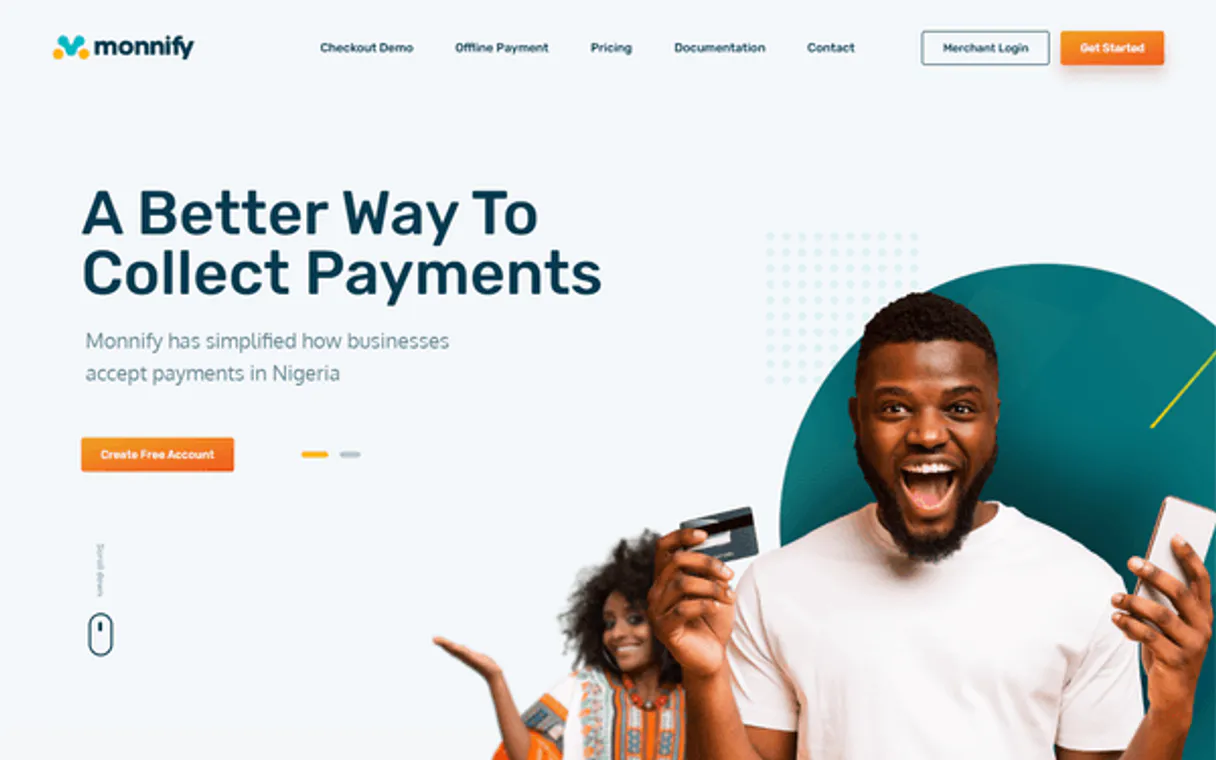
Independent Platform Disclaimer: Vinkius is an independent platform and is not affiliated with, endorsed by, sponsored by, verified by, or otherwise authorized by Monnify. All third-party trademarks, logos, and brand names are the property of their respective owners. Their use on this website is strictly for informational purposes to identify service compatibility and interoperability.
VINKIUS INFRASTRUCTURE
Cloud Hosted
Managed infra
V8 Isolated
Sandboxed per request
Zero-Trust Proxy
No stored credentials
DLP Enforced
Policy on every call
GDPR Compliant
EU data residency
Token Compression
~60% cost reduction
Works with Claude, ChatGPT, Cursor, and more
The Model Context Protocol standardizes how applications expose capabilities to LLMs. Instead of operating in isolation, your AI gains direct access to external platforms, live data, and real-world actions through secure, standardized connections.
This server provides 10 capabilities that interface natively with Claude, ChatGPT, Cursor, and any MCP client. No middleware. No custom integration required.
Available Capabilities
Tracking Nigerian funds shouldn't require logging into three different dashboards.
Today, if your team needs to know the status of a payment, you open the main Monnify dashboard. Then you jump over to the accounting portal to check the settlement history. Finally, if it’s a customer issue, you pull up the CRM just to verify the initial virtual account number. It's a cycle of 5-7 clicks and three different login screens.
With this MCP server, all that happens in one conversation. You ask your agent: 'What happened with payment ABC?' The agent runs `get_transaction`, pulls the data from Monnify, confirms if it was paid out via `list_settlements`, and gives you a single-source answer. It's instant.
Monnify MCP Server: Get full control over payments with list_transactions.
Without this server, listing transactions means navigating complex filters—date ranges, statuses (Success/Failed), and payment types. You often miss records or waste time exporting CSVs that need manual cleaning anyway.
Now, you just ask for 'all successful payments last week.' The agent runs `list_transactions` and returns a clean list of data points directly in your chat. No exports, no filters, just the facts.
Common Questions About Monnify MCP
How do I find out all my recent payment records using list_transactions? +
You tell your agent to 'List my transactions for the last 30 days.' The tool retrieves a comprehensive log of payments, status updates, and references from Monnify.
What is the difference between list_disbursements and list_settlements? +
list_transactions shows all activity; list_disbursements tracks money leaving your account (payouts). list_settlements specifically monitors how Monnify moves funds into your corporate bank.
Can I create a virtual account for a new client using reserve_account? +
Yes. You ask the agent to 'Reserve an account for John Doe.' The tool runs reserve_account and immediately provides you with a usable, dedicated bank number.
Which tool do I use to start a new payment flow? +
Use init_payment. This function initiates the entire process, generates the necessary checkout URLs, and prepares the transaction for card or transfer payments.
When I need to know which Nigerian banks are supported for transfers, what should I use with list_banks? +
You call list_banks. This tool retrieves the comprehensive, current roster of all supported Nigerian banks and their associated codes. Use this before any disbursement operation to confirm compatibility.
If a customer claims a payment failed, how do I check its exact status using get_transaction? +
Pass the unique transaction reference ID into get_transaction. This tool retrieves all specific details—status, amount, and time stamps—for that single record. It's better than listing everything just to find one piece of data.
Where do I access digital invoices for payments using list_monnify_invoices? +
The list_monnify_invoices tool pulls all generated digital invoice records. You get immediate access to the documents needed for reconciliation and billing purposes through your agent.
Before initiating a transfer, how do I verify an existing virtual account's current balance with get_account_details? +
Call get_account_details and provide the reserved account ID. The tool returns the real-time available balance and confirms if the account is active and ready for outgoing payments.
Can I use this server with the Monnify Sandbox? +
This implementation defaults to the live production URL. To use the sandbox, the underlying engine code would need to be updated to point to 'sandbox.monnify.com'.
What information is required to reserve a virtual account? +
You need to provide a unique account reference, the account name to display, and the customer's full name and email address.
Are all Nigerian banks supported? +
Most major commercial banks in Nigeria are supported. You can use the list_banks tool to see the current list of supported institutions for transfers and reservations.
Use it with your favorite AI tools
Connect this server to Cursor, Claude, VS Code, and more.
More in this category

Holded
Run your business in Spain and Latin America with invoicing, accounting, CRM, and inventory that speaks your language natively.
Recurly
Equip your AI to directly manage subscriptions, billing accounts, and invoices within your Recurly ecosystem without shifting interfaces.

Lucca (HR & Finance Suite)
Manage your HRIS via Lucca — track employee data, leave requests (Timmi), and expense reports (Cleemy).
You might also like

watsonx Discovery
Search and analyze complex data with AI-powered insights on IBM watsonx Discovery — the cognitive search engine.

JobScore
Manage jobs, candidates, and hiring teams via JobScore ATS API.

Gatling
Manage load testing via Gatling Enterprise — list and start simulations, monitor test runs and request stats, and handle generator pools directly from any AI agent.