
Nominatim MCP. Map addresses and coordinates using OpenStreetMap data.
 Gemini
 Works with every AI agent you already use
…and any MCP-compatible client









Just plug in your AI agents and start using Vinkius.
Nominatim connects your AI client to the OpenStreetMap database for location data. Use it to search for places by name or address, convert GPS coordinates back into human-readable addresses, and extract detailed geographical information—all without needing a paid API key.
It’s pure geocoding power.
What your AI agents can do
Get details
Retrieves rich, detailed information for a given OSM object, including its full name, importance score, and parent place hierarchy.
Get status
Checks the server's operational status and reports current response latency before you run other queries.
Lookup osm
Looks up an OpenStreetMap object using its unique ID (formatted as type{id}) to get basic properties like coordinates and display name.
Tell your agent to search for a location (e.g., 'Starbucks on Elm Street'). It runs the search tool and returns coordinates, address components, and bounding boxes.
Give it latitude/longitude pairs. The agent uses reverse_geocode to return the nearest structured address, including city, state, and country details.
If you have a specific OSM ID (e.g., 'W12345'), the agent runs lookup_osm to pull all associated properties like display name, coordinates, and bounding box.
Use get_details when you need more than just a basic address—this tool returns the place rank, importance score, and linked Wikipedia articles for deeper context.
Run get_status first. It reports latency and confirms the server is operational before you start running complex queries.
Ask AI about this MCP
Supported MCP Clients
Gemini Waiting for input…
Nominatim MCP Server: 5 Tools for Geo-Location Data
Use these five specialized tools—`search`, `reverse_geocode`, `lookup_osm`, `get_details`, and `get_status`—to run complex OpenStreetMap queries directly from your AI client.
019d8460get details
Retrieves rich, detailed information for a given OSM object, including its full name, importance score, and parent place hierarchy.
019d8460get status
Checks the server's operational status and reports current response latency before you run other queries.
019d8460lookup osm
Looks up an OpenStreetMap object using its unique ID (formatted as type{id}) to get basic properties like coordinates and display name.
019d8460reverse geocode
Converts latitude/longitude coordinates into a full, readable address structure, supporting different levels of detail granularity.
019d8460search
Finds places by name or address, returning coordinates, bounding box data, and structured components. Note: This tool is rate-limited to 1 request/second.
Choose How to Get Started
Build a custom MCP for your own tools, or connect a ready-made integration from our catalog.
Build Your Own
Turn any API into an MCP. Import a spec, define Agent Skills, or deploy with MCPFusion.
- Import from OpenAPI, Swagger, or YAML specs
- Create Agent Skills with progressive disclosure
- Deploy to edge with MCPFusion framework
- Built in DLP, auth, and compliance on every call
- Real time usage dashboard and cost metering
- Publish to catalog or keep private
Make Your AI Do More
Start with Nominatim, then connect any of our 4,700+ other servers whenever your AI needs more. One click, no limits.
- Use this MCP plus 4,700+ others, all in one place
- Add new capabilities to your AI anytime you want
- Every connection is secured and compliant automatically
- Track usage and costs across all your servers
- Works with Claude, ChatGPT, Cursor, and more
- New servers added to the catalog every week
What you can do with this MCP connector
Nominatim connects your AI client straight to OpenStreetMap data for serious location work. You don't need a paid API key; it’s pure geocoding power right here.
You gotta use this when you need to find, map, or verify addresses and places using OSM standards. Here's how the tools run:
If you wanna search for a place—say, "The corner deli on 5th Street"—you fire off a query that runs search. That tool zips back coordinates, bounding box data, and all the structured address components immediately. Remember, you can only run one of those searches every second.
Need to figure out what an address means? Give your agent raw latitude/longitude pairs, and it uses reverse_geocode to spit out a full, readable address structure. It gives you city, state, country details—the whole nine yards.
If you're working with known OpenStreetMap IDs (like 'W12345'), you can run lookup_osm. This pulls basic properties for that object, including its display name and coordinates.
But sometimes you need more than just the basics. To get deep context—the place rank, importance score, or how it fits into a parent location's hierarchy—you use get_details. It returns rich information about the specific OSM object's full name and associated Wikipedia links. For instance, if you know an ID but need to confirm its status, you run lookup_osm first for coordinates, then maybe get_details later for context.
Before you start running any big queries, always check the system health. Just use get_status. It reports the server's current latency and confirms it’s up and running before you waste time on complex calls.
You can chain these actions together: You might first run search to find a general area, then take those resulting coordinates and pass them straight into reverse_geocode to get the exact street address. Or you could use lookup_osm to grab a specific object's ID, feed that into get_details for max context, and finally check everything with get_status.
It’s all about connecting those data points seamlessly.
How Nominatim MCP Works
- 1 First, confirm service availability by having your agent run
get_status. This checks response time and overall status. - 2 Next, determine your goal. If you need an address from coordinates, use
reverse_geocode. If you need a place name, usesearch. - 3 The server returns structured JSON containing the location data (coordinates, full address components, etc.), which your agent can then read and act upon.
The bottom line is: it gives your AI client reliable access to global mapping data without billing you for an API key.
Who Is Nominatim MCP For?
This tool is essential for developers, geospatial analysts, and researchers who work with location data but don't want the cost or complexity of proprietary geocoding APIs. If your job involves mapping, finding coordinates, or structuring addresses in code, you need this.
Runs batch geocodes for thousands of addresses to build structured datasets that map locations to business metrics.
Integrates address validation and reverse lookup into a service endpoint, ensuring data coming from the outside world is location-aware.
Uses lookup_osm to pull specific details about OpenStreetMap objects or administrative boundaries for academic mapping projects.
What Changes When You Connect
- Get structured location data immediately. Instead of receiving a raw string, the
searchtool gives you separated components (street, city, state), making parsing trivial. - Avoid paying for commercial services. Because this uses community OpenStreetMap data and requires no API key, it's ideal for testing or projects with strict budgets.
- Handle location ambiguity better. If you only have coordinates,
reverse_geocodegives you the nearest full address, turning vague points into actionable locations. - Build deep context using
get_details. This tool goes past simple addresses, pulling in place rank, importance scores, and parent hierarchies for richer data modeling. - Manage rate limits. The service is explicitly noted as being limited to 1 request/second via the
searchtool, so your agent knows when to pause.
Real-World Use Cases
Validating an Address Input
A user inputs a potentially bad address: 'The old coffee shop downtown.' The agent runs search against the Nominatim server. It returns coordinates and structured components, confirming if the place exists and providing precise geo-boundaries for further plotting.
Finding an Address from GPS Logs
You've got a trail of raw GPS data (lat/lon). Instead of just seeing '40.7128, -74.0060', the agent runs reverse_geocode and tells you: 'This point is City Hall Park in New York, NY 10007.' This turns meaningless coordinates into a specific location.
Deep Dive on a Point of Interest
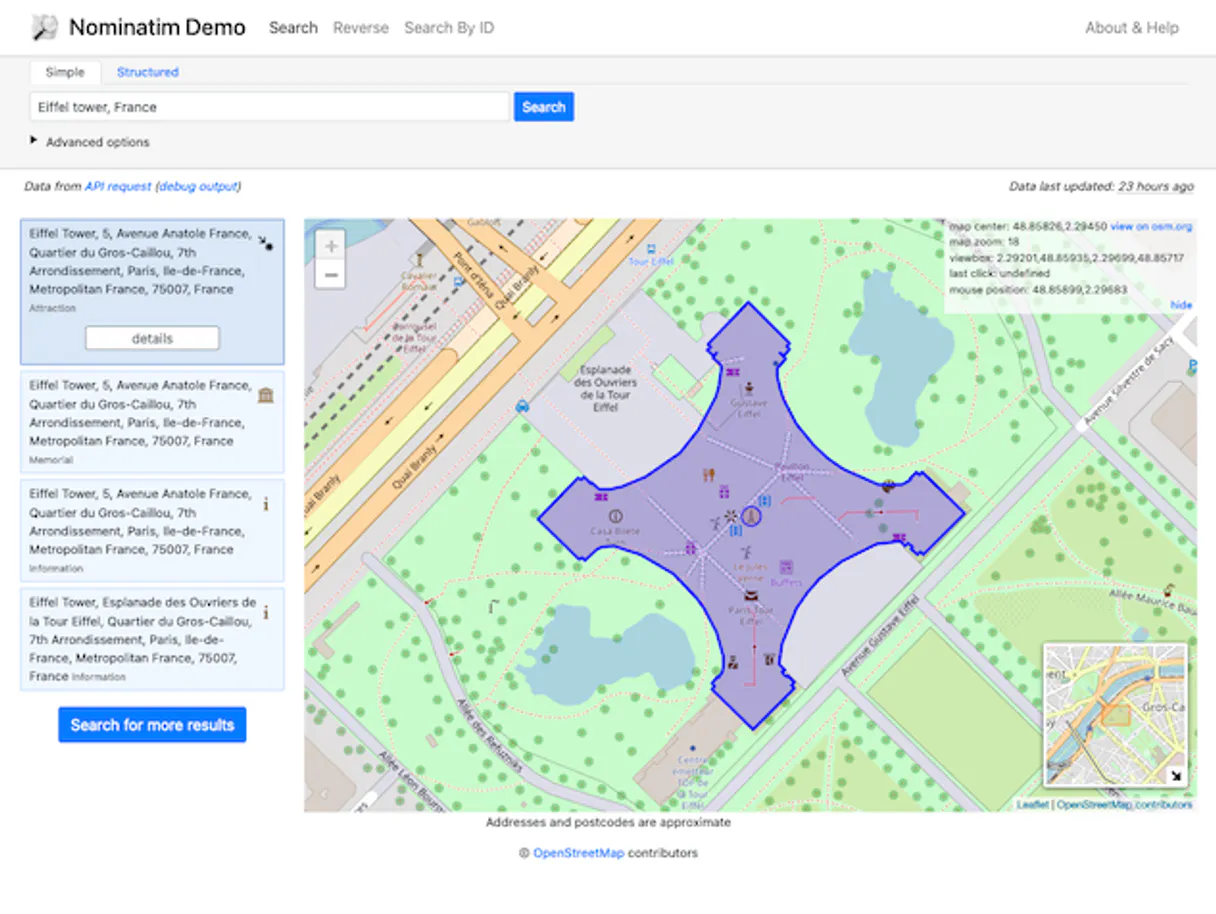
A client mentions the Eiffel Tower. The agent runs lookup_osm using its known ID, then follows up with get_details. It doesn't just give coordinates; it provides the object's full name, display rank, and linked Wikipedia articles.
Validating a Data Source
Before running any heavy queries, you run get_status to check for high latency or downtime. This prevents your agent from failing silently on the first call because the underlying service is struggling.
The Tradeoffs
Assuming one tool handles everything.
Telling your agent to just 'find the location' and letting it pick a random tool. This often results in missing structured address components or failing because it only returns raw coordinates.
→
You need multiple steps. First, run get_status. If successful, use search if you have a name/address, or use reverse_geocode if you have coordinates. Don't rely on one single call.
Ignoring the rate limit.
Asking your agent to run 10 consecutive searches in rapid succession without pausing. The system will throw a temporary error, halting all subsequent work and making the task fail.
→
Always remember that search is limited to 1 request/second. Build explicit wait steps into your workflow or sequence multiple calls with necessary delays.
Using OSM IDs incorrectly.
Trying to look up an ID without knowing the required format (e.g., just passing 'W326168186' instead of the full type identifier). The lookup fails because the server expects type{id}.
→
When using lookup_osm, ensure your input IDs are formatted correctly, like W for way or N for node. This ensures the tool knows exactly what kind of object it's looking for.
When It Fits, When It Doesn't
Use this Nominatim server if: 1) You need to convert coordinates back into human-readable addresses (reverse_geocode). 2) Your data inputs are structured names or street addresses, and you need geo-coordinates (search). 3) You require detailed metadata about a known place ID (use get_details or lookup_osm).
Don't use this if: 1) You only need general text search on the internet. For that, use a standard LLM call. 2) Your entire workflow revolves around paid, proprietary data sources (e.g., specific commercial zoning databases). In those cases, you'll need a different type of API connector.
In short: This is your go-to for open-source, foundational spatial intelligence.
Independent Platform Disclaimer: Vinkius is an independent platform and is not affiliated with, endorsed by, sponsored by, verified by, or otherwise authorized by Nominatim. All third-party trademarks, logos, and brand names are the property of their respective owners. Their use on this website is strictly for informational purposes to identify service compatibility and interoperability.
VINKIUS INFRASTRUCTURE
Cloud Hosted
Managed infra
V8 Isolated
Sandboxed per request
Zero-Trust Proxy
No stored credentials
DLP Enforced
Policy on every call
GDPR Compliant
EU data residency
Token Compression
~60% cost reduction
Works with Claude, ChatGPT, Cursor, and more
The Model Context Protocol standardizes how applications expose capabilities to LLMs. Instead of operating in isolation, your AI gains direct access to external platforms, live data, and real-world actions through secure, standardized connections.
This server provides 5 capabilities that interface natively with Claude, ChatGPT, Cursor, and any MCP client. No middleware. No custom integration required.
Available Capabilities
Finding an address from coordinates shouldn't be guesswork.
Right now, if you get a raw GPS ping—say, 40.7128, -74.0060—you can’t just tell your team where that is. You have to manually look up the coordinates in a map or use complex internal systems just to figure out 'City Hall Park' and its full address details. It's tedious copy-pasting into different services.
With Nominatim, you pass those raw numbers directly to `reverse_geocode`. The server handles all the mapping logic and sends back clean, structured data: City Hall Park, New York, NY 10007. You get a complete answer in one step.
Nominatim MCP Server gives you reliable location context.
Before this server, if your code needed to validate an address or find nearby points of interest, developers often relied on expensive cloud services. This meant high costs, vendor lock-in, and unpredictable rate limits, slowing down development sprints.
Now, you let your agent run `search` against Nominatim. It pulls the necessary geo-data—coordinates, bounding boxes, structured addresses—for free, instantly validating location data without the billable overhead.
Common Questions About Nominatim MCP
Do I need an API key? +
No! Nominatim is completely free and requires no authentication. It's powered by the OpenStreetMap community. Just subscribe and start searching. Rate limit is 1 request per second.
How accurate is the geocoding? +
Nominatim uses OpenStreetMap data, which is crowd-sourced and varies by region. Urban areas typically have very accurate results. Use addressdetails=1 to get structured address components and namedetails=1 for multi-language names.
Can I convert coordinates to an address? +
Yes! Use reverse_geocode with latitude and longitude. Returns the nearest address with street name, house number, city, state, postal code and country. Supports different zoom levels for varying detail granularity.
What is an OSM ID and how do I use it? +
OSM IDs are unique identifiers for OpenStreetMap objects: N for nodes (points), W for ways (lines/areas), R for relations (groups). Use lookup_osm with IDs like 'W123456' or 'N987654'. Use get_details for comprehensive info on a single object.
What are the rate limits when using the Nominatim `search` tool? +
The search tool is limited to one request per second. You must pace your calls accordingly within your agent workflow to avoid hitting the limit.
How do I use structured data filters with the Nominatim `search` tool? +
You can narrow results by providing country codes or defining a specific viewbox. This helps prioritize searches for regions you care about.
What kind of detailed information does the Nominatim `get_details` tool return? +
It gives comprehensive info including the object's full name, importance score, bounding box, and links to related Wikipedia or Wikidata articles. OSM types (N, W, R) are also provided.
Can Nominatim process both physical addresses and raw coordinates? +
Yes. Use search for finding places by name or structured address components, or use reverse_geocode when you only have GPS coordinates to start with.
Use it with your favorite AI tools
Connect this server to Cursor, Claude, VS Code, and more.
More in this category

Browser Bookmarks Parser
Turn messy Chrome, Safari, and Firefox bookmark HTML exports into clean, structured JSON data. Instantly allow your AI to organize your digital life and remove duplicate links.

FreeToGame
Explore thousands of free-to-play games — list titles, filter by genre or platform, and inspect system requirements directly via AI.

Deterministic Color Engine
Equip your AI with precise UI design capabilities. Deterministically convert HEX/RGB/HSL, manipulate luminance, and generate mathematically perfect palettes.
You might also like
FastGPT
Manage FastGPT Knowledge Bases — automate dataset creation, document ingestion, and RAG search directly from any AI agent.

X Ads (Twitter)
Manage your X Ads campaigns — audit accounts, line items, and analytics via AI.

Dada Now / 达达
China's leading local on-demand delivery platform — manage shops, create orders, and track couriers via AI.