
Marine Weather MCP. Predicting Wave Height & Current Flow at 5km Resolution
 Gemini
 Works with every AI agent you already use
…and any MCP-compatible client









Just plug in your AI agents and start using Vinkius.
Open-Meteo Marine Weather gives your AI access to real-time and forecasted deep-sea data. It handles wave height, swell components, ocean currents, tides, and sea surface temperature at 5km resolution for maritime planning.
Use it to check daily summaries, get hourly forecasts, or monitor current velocity for any coastal route.
What your AI agents can do
Get daily marine
Retrieves a single summary report detailing the max wave height and dominant periods for an entire day.
Get marine forecast
Provides detailed, hourly forecasts of marine wave conditions at 5km resolution for planning specific journeys.
Get ocean currents
Returns the current velocity, direction, and sea surface temperature data points for a location.
The agent pulls the maximum expected wave height, dominant wave direction, and average period for a given day.
The system provides detailed, hour-by-hour marine wave predictions at 5km resolution to plan specific trips.
You retrieve the precise velocity, direction, and sea surface temperature of ocean currents for a location.
Ask AI about this MCP
Supported MCP Clients
Gemini Waiting for input…
Open-Meteo Marine Weather: 3 Tools for Maritime Planning
These three tools allow your AI client to pull together wave forecasts, current velocities, and daily marine summaries into a single operational report.
019d75e8get daily marine
Retrieves a single summary report detailing the max wave height and dominant periods for an entire day.
019d75e8get marine forecast
Provides detailed, hourly forecasts of marine wave conditions at 5km resolution for planning specific journeys.
019d75e8get ocean currents
Returns the current velocity, direction, and sea surface temperature data points for a location.
Choose How to Get Started
Build a custom MCP for your own tools, or connect a ready-made integration from our catalog.
Build Your Own
Turn any API into an MCP. Import a spec, define Agent Skills, or deploy with MCPFusion.
- Import from OpenAPI, Swagger, or YAML specs
- Create Agent Skills with progressive disclosure
- Deploy to edge with MCPFusion framework
- Built in DLP, auth, and compliance on every call
- Real time usage dashboard and cost metering
- Publish to catalog or keep private
Make Your AI Do More
Start with Open-Meteo Marine Weather, then connect any of our 4,700+ other servers whenever your AI needs more. One click, no limits.
- Use this MCP plus 4,700+ others, all in one place
- Add new capabilities to your AI anytime you want
- Every connection is secured and compliant automatically
- Track usage and costs across all your servers
- Works with Claude, ChatGPT, Cursor, and more
- New servers added to the catalog every week
What you can do with this MCP connector
Your AI client talks directly to Open-Meteo Marine Weather, giving you access to deep-sea data that matters for maritime planning. It handles wave height, swell components, ocean currents, tides, and sea surface temperature—all at 5km resolution. You'll use this server when you need to check daily summaries, pull hourly forecasts, or monitor current velocity across any coastal route.
If you run get_daily_marine, you get a single report detailing the max wave height and dominant periods for an entire day, letting you quickly calculate operational summaries. You'll see the maximum expected wave height, dominant wave direction, and average period for that 24-hour window.
When you need to plan specific trips, get_marine_forecast provides detailed, hour-by-hour marine wave predictions at 5km resolution. This gives your agent everything it needs to generate hourly navigation forecasts for complex journeys.
To understand the water flow itself, you run get_ocean_currents. This tool returns precise data points on ocean currents: the current velocity and direction, plus the sea surface temperature for a specific location. These readings let you model current flow and thermal data across the entire path.
This server equips your agent to manage complex oceanic variables. It pulls together wave metrics like height, period, and direction, separating wind components from swell components so you know exactly what's hitting the hull. You can get granular details on the water movement, tracking current velocity and direction alongside sea surface temperature.
The capability lets you pull all these moving parts into a single context for your AI client to act upon.
You don't have to manually cross-reference multiple charts or data sources. Your agent handles the complexity. For fisheries, shipping companies, coastal engineers, yacht clubs, or naval operations, this means one connection gives you full visibility. You can check daily operational readiness using the summary report, plan multi-stage routes with hourly forecasts, and adjust for thermal changes by modeling current flow in real time.
The data isn't just wave height; it includes swell components separately from wind components, giving a much truer picture of what you're dealing with offshore. This level of detail is crucial for anything involving marine travel or coastal construction. It keeps your agent working off the freshest possible metrics, whether that’s tracking the deepest-sea data or verifying localized tide patterns.
It's built for serious work. You get a comprehensive view of the environment—from the surface waves to the deep current shifts. Your AI client processes all these variables automatically so you just get the actionable intelligence you need.
How Marine Weather MCP Works
- 1 First, you tell your AI client the area and time frame. You might need to check the daily summary using
get_daily_marine. - 2 Next, if you're planning a specific crossing, you run
get_marine_forecastfor hourly wave details. Then, you cross-reference this withget_ocean_currentsto see how the water is actually moving. - 3 The agent combines these datasets into an actionable report, giving you a complete picture of safety risks and travel windows.
The bottom line is that it lets your AI client synthesize three distinct data streams—daily stats, hourly forecasts, and current flow—into one coherent operational briefing.
Who Is Marine Weather MCP For?
This tool is for the Captain who needs to know if a crossing is safe before leaving port. It's also for coastal engineers modeling sediment runoff, or fisheries managers planning deep-sea routes. If your job depends on accurate wave data and understanding water movement, you need this.
Checks get_marine_forecast to see if the hourly swell components are safe for crossing the channel tomorrow.
Uses get_ocean_currents and get_daily_marine data to predict how wave energy will impact a newly built jetty over several days.
Runs the daily marine summary (get_daily_marine) before dispatching fleets, ensuring maximum expected wave heights don't exceed vessel limits.
What Changes When You Connect
- Safety: Combine
get_marine_forecastandget_ocean_currents. You don't just see the wave height; you know how strong currents will push your vessel off course, which is critical for safety margins. - Planning Efficiency: Instead of manually checking multiple charts for a week-long trip,
get_daily_marinegives you immediate maximum expected wave heights and dominant periods for quick risk assessments. - Data Depth: This server separates swell from wind waves in the forecast. Knowing this difference allows captains to plan routes around specific energy sources, not just general choppy water.
- Environmental Awareness: Use
get_ocean_currentsto track sea surface temperature (SST). This helps fisheries predict optimal deep-sea fishing grounds or monitor thermal changes near reefs. - Workflow Clarity: By structuring the data into three distinct tools (
get_daily_marine,get_marine_forecast,get_ocean_currents), your agent can handle complex requests without getting lost in raw, unstructured CSV dumps.
Real-World Use Cases
Planning a transatlantic crossing
A captain asks their agent: 'Is the passage safe next week?' The agent runs get_daily_marine to check the overall trend, then uses get_marine_forecast for hourly specifics. Finally, it calls get_ocean_currents to calculate expected drift over time, giving a true safety window.
Checking local fishing ground conditions
A fisheries manager needs to know if the current day's swell is too low. They use get_daily_marine for the overview and then specifically check the SST via get_ocean_currents to confirm optimal feeding temperatures, maximizing catch potential.
Assessing port entry risks
An engineer needs to know if a new pier will withstand seasonal waves. They run multiple calls to get_marine_forecast over several days and cross-reference the data with current velocity from get_ocean_currents to calculate combined maximum stress.
Evaluating an immediate salvage operation
The agent runs get_ocean_currents immediately to get real-time flow and temperature. It then uses this data with the hourly forecast (get_marine_forecast) to determine the narrowest, safest window for recovery.
The Tradeoffs
Only relying on daily averages
The user asks 'What are the conditions this week?' and only uses get_daily_marine. This gives a maximum average but misses sudden, dangerous spikes in swell or localized current shifts.
→
You must supplement the daily view by running get_marine_forecast for hourly details. Always check that high-risk day against get_ocean_currents to factor in water movement.
Ignoring current data
A captain checks wave heights using get_marine_forecast and thinks they are fine, but the agent fails to check currents. The vessel will be pushed off course by an unexpected 1 m/s flow.
→
Never assume static water. Always call get_ocean_currents alongside any forecast or daily summary to account for actual drift.
Over-relying on general models
Using a simple, non-specialized weather service that only offers basic wind speed. This doesn't provide the necessary wave period separation (swell vs. wind) or 5km resolution.
→
This MCP server is built for deep maritime modeling. Use get_marine_forecast because it separates swell components, which general services won't.
When It Fits, When It Doesn't
Use this suite if your goal requires synthesizing multiple types of physical data: wave height AND current velocity AND daily averages. This is for complex planning (e.g., route mapping or structural stress testing). Don't use it if you just need a basic forecast—if all you need is a simple, single-point temperature check, other services might be faster. If your core requirement involves knowing how water movement interacts with wave energy over time, then this combination of get_daily_marine, get_marine_forecast, and get_ocean_currents is mandatory.
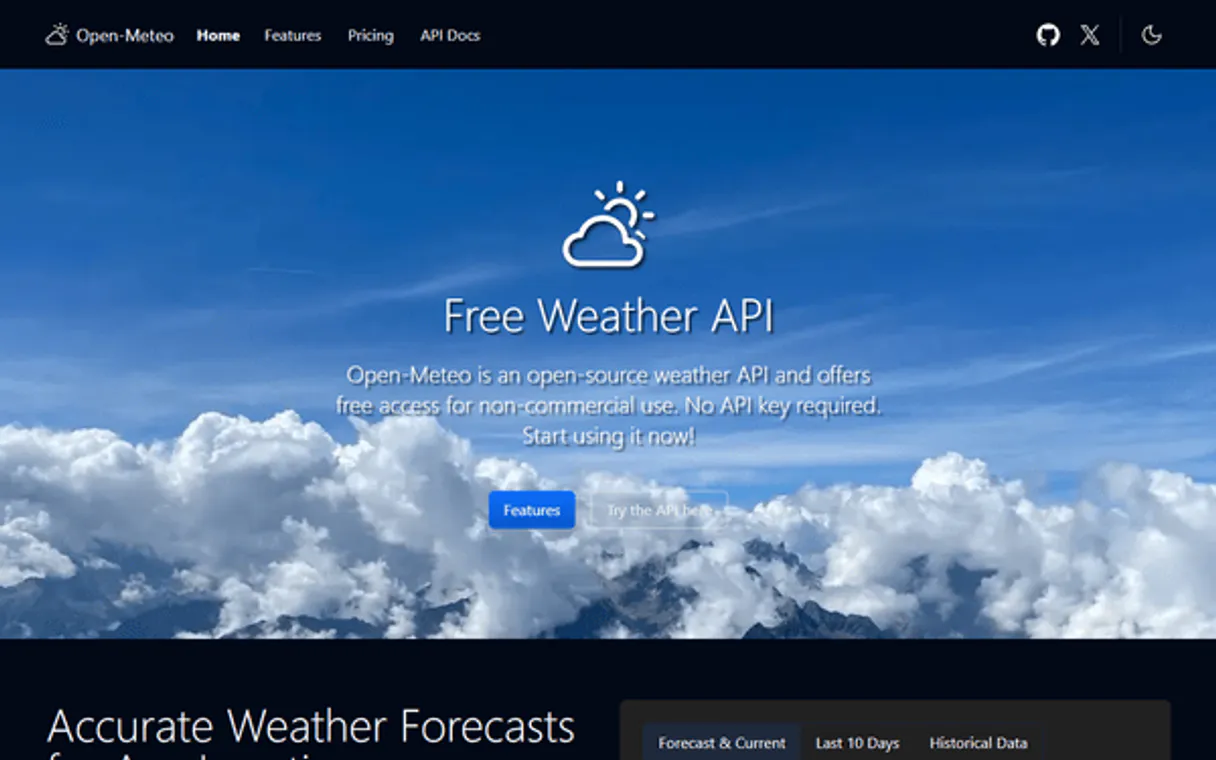
Independent Platform Disclaimer: Vinkius is an independent platform and is not affiliated with, endorsed by, sponsored by, verified by, or otherwise authorized by Open-Meteo. All third-party trademarks, logos, and brand names are the property of their respective owners. Their use on this website is strictly for informational purposes to identify service compatibility and interoperability.
VINKIUS INFRASTRUCTURE
Cloud Hosted
Managed infra
V8 Isolated
Sandboxed per request
Zero-Trust Proxy
No stored credentials
DLP Enforced
Policy on every call
GDPR Compliant
EU data residency
Token Compression
~60% cost reduction
Works with Claude, ChatGPT, Cursor, and more
The Model Context Protocol standardizes how applications expose capabilities to LLMs. Instead of operating in isolation, your AI gains direct access to external platforms, live data, and real-world actions through secure, standardized connections.
This server provides 3 capabilities that interface natively with Claude, ChatGPT, Cursor, and any MCP client. No middleware. No custom integration required.
Available Capabilities
Checking marine conditions shouldn't require jumping between three different charts.
Right now, planning a trip means opening the wave chart for swell data. Then you open the current map to see flow vectors. Finally, you pull up the daily summary to check max heights. It's tedious, and mixing those tabs makes it easy to miss conflicting data points.
With this MCP server, your agent runs these checks in sequence. You ask one question—like 'Can we make it across by 3 pm?'—and it synthesizes the hourly forecast, the current flow, and the daily summary into a single answer. It’s immediate.
Open-Meteo Marine Weather MCP Server: Know your exact wave heights and currents.
Manual checks involve reading disparate data sets, like checking the daily max height on one page while looking at the current vector field on another. This process is slow and prone to human error when comparing peak conditions against background flow.
This server locks all those variables together. Your AI client accesses wave forecasts, current velocities, and SST simultaneously. You get a unified operational picture—no more switching tabs.
Common Questions About Marine Weather MCP
Does `get_marine_forecast` include swell components? +
Yes, the forecast explicitly separates wind-wave and swell components. This detail is crucial because swell energy often dictates vessel stability more than local wind waves.
What data does `get_ocean_currents` provide? +
get_ocean_currents gives you the current velocity, direction, and sea surface temperature for a location. It’s necessary to predict how external forces will affect your route.
Can I check long-term trends with `get_daily_marine`? +
Yes, you can use get_daily_marine to see the maximum expected wave height and dominant periods over a sequence of days, giving a quick overview of sustained weather patterns.
Is this better than just using a standard NOAA data feed? +
Yes. While NOAA is authoritative, this MCP server structures that raw data into three distinct tools (get_daily_marine, etc.) and presents it through an agent interface, making the complex information immediately actionable for your client.
How precise is the data I get when running `get_marine_forecast`? +
The forecast operates at 5km resolution. This means your AI client receives highly localized data points, making it useful for planning routes across specific areas rather than just general coastal views.
What input parameters are required to use `get_ocean_currents`? +
You must provide specific geographic coordinates (latitude and longitude) when calling get_ocean_currents. The tool uses these fixed points to calculate the current velocity and sea surface temperature for that exact location.
Are there rate limits when I frequently call functions like `get_daily_marine`? +
Yes, consistent high-volume usage is subject to standard API rate limiting. We recommend implementing an exponential backoff strategy in your agent workflow if you anticipate making more than a few calls per minute.
What format does the output from `get_marine_forecast` come in? +
All tool outputs, including those from get_marine_forecast, are delivered as structured JSON. This makes parsing the data simple and reliable for your AI client to consume.
How accurate are the wave forecasts? +
Wave data is sourced from ECMWF WAM, DWD EWAM, and NCEP GFS Wave models at 5km resolution. Accuracy is excellent for open ocean but limited near coastlines due to resolution constraints.
Use it with your favorite AI tools
Connect this server to Cursor, Claude, VS Code, and more.
More in this category
Farmonaut
Access satellite agriculture data via Farmonaut — monitor crop health with NDVI, weather, soil moisture, crop advisory, and deforestation alerts from any AI agent.
AEMO Australian Energy
Access Australian electricity market data — spot prices, demand, generation by fuel type, emissions, and renewable energy proportions via OpenElectricity API.

RCSB PDB
Explore 220K+ 3D molecular structures — search proteins, DNA, and RNA by name, experimental method, resolution, and bound ligands from the Protein Data Bank.
You might also like

Mastodon
Automate social interactions on the Fediverse — post statuses, manage follows, and track trending content directly from your AI agent.

DeepSeek
Access powerful open-weight language models for reasoning, code generation, and complex problem solving at competitive cost.

WeChat Mini-Programs / 微信小程序
China's dominant mini-app ecosystem — manage users, phone numbers, and messaging via AI.