
ParseHub MCP. Scrape Web Data and Structure It From Chat.
 Gemini
 Works with every AI agent you already use
…and any MCP-compatible client









Just plug in your AI agents and start using Vinkius.
ParseHub controls advanced web scraping projects. Use this server to list configured targets, dispatch headless data extraction jobs, trace run status in real-time, and fetch structured JSON payloads without leaving your chat interface.
What your AI agents can do
Cancel run
Stops a long-running or queued scrape job immediately to free up queue slots. Partial data from already scraped pages is still available via get_run_data.
Delete run
Permanently removes an old run and all its extracted data, freeing up your account's storage quota.
Get last ready data
Retrieves the most recently completed dataset for a project instantly, useful when you just need the latest available information quickly.
Initiates a new headless browser scrape job against a defined project or custom URL, returning a unique run token for tracking.
Lists all available scraping projects and retrieves the configuration details for any specific project using its unique token.
Checks the real-time state of a scrape run, telling you if it’s queued, active, or finished.
Downloads the structured JSON data extracted from a completed scraping job using its run token.
Deletes old runs to free up storage quota, or cancels an actively running scrape if it needs to be stopped early.
Ask AI about this MCP
Supported MCP Clients
Gemini Waiting for input…
ParseHub MCP Server: 10 Tools for Data Extraction
Use these specialized tools to manage the entire web scraping lifecycle—from listing projects to running jobs and fetching structured, ready-to-use JSON payloads.
019d75efcancel run
Stops a long-running or queued scrape job immediately to free up queue slots. Partial data from already scraped pages is still available via get_run_data.
019d75efdelete run
Permanently removes an old run and all its extracted data, freeing up your account's storage quota.
019d75efget last ready data
Retrieves the most recently completed dataset for a project instantly, useful when you just need the latest available information quickly.
019d75efget project
Fetches the detailed configuration settings for a specific ParseHub project using its unique token.
019d75efget run data
Downloads the raw JSON data extracted from a run, but only if that run status is 'complete' and data is ready.
019d75efget run details
Checks the current status of a specific scrape run—is it queued, running, or finished? You use this to wait for completion before fetching data.
019d75eflist projects
Lists every scraping project set up in your account. Each result gives you a unique project token needed for all subsequent actions.
019d75eflist runs
Provides the history of all runs for a single project, helping you find an old run ID to fetch data from.
019d75efrun project
Starts a new scrape job using the default start URL defined in a specific project token. Returns a run token to monitor progress.
019d75efrun project with url
Starts a scrape job targeting a custom, specified URL instead of the project's default URL. Great for scraping different sections of the same site.
Choose How to Get Started
Build a custom MCP for your own tools, or connect a ready-made integration from our catalog.
Build Your Own
Turn any API into an MCP. Import a spec, define Agent Skills, or deploy with MCPFusion.
- Import from OpenAPI, Swagger, or YAML specs
- Create Agent Skills with progressive disclosure
- Deploy to edge with MCPFusion framework
- Built in DLP, auth, and compliance on every call
- Real time usage dashboard and cost metering
- Publish to catalog or keep private
Make Your AI Do More
Start with ParseHub, then connect any of our 4,700+ other servers whenever your AI needs more. One click, no limits.
- Use this MCP plus 4,700+ others, all in one place
- Add new capabilities to your AI anytime you want
- Every connection is secured and compliant automatically
- Track usage and costs across all your servers
- Works with Claude, ChatGPT, Cursor, and more
- New servers added to the catalog every week
What you can do with this MCP connector
ParseHub controls advanced web scraping projects. You'll use this server to list configured targets, dispatch headless data extraction jobs, trace run status in real-time, and fetch structured JSON payloads without leaving your chat interface.
Project Management
The list_projects tool gives you a rundown of every scrapable project set up in your account; each result provides the unique project token you'll need for everything else.
Once you have that token, use get_project to pull detailed configuration settings specific to that ParseHub project. It lets you check exactly how the target is structured and what data it’s supposed to grab.
Launching Scrapes
The run_project tool kicks off a new scrape job using the default start URL defined within a specific project token, returning a unique run token so you can track its progress. If you need to scrape something different—like another section of the same site—you use run_project_with_url, which lets you target a custom URL directly.
When things go sideways or if a job runs too long, remember that cancel_run stops an active or queued scrape immediately. This frees up queue slots and prevents unnecessary processing.
Tracking Runs and Data Retrieval
The get_run_details tool checks the real-time state of any specific scrape run; you can tell if it's waiting in the queue, actively running, or finished. You need to check this status before moving on to data retrieval. To see your history for one project, use list_runs, which provides a record of all run IDs.
Once the status is 'complete,' you grab the structured JSON data with get_run_data using the run token. If you just need the absolute freshest available information without referencing an old run ID, use get_last_ready_data.
Cleanup and Maintenance
When a project or run is done for good, you gotta clean up your storage quota. Use delete_run to permanently remove an old scrape run and all its extracted data from your account.
How ParseHub MCP Works
- 1 First, call
list_projectsto get the project token for the site you want to scrape. You need this token for everything else. - 2 Next, use
run_project(orrun_project_with_url) with that token to start the job and grab a run ID. Then, poll status usingget_run_detailsuntil it says 'complete'. - 3 Finally, once the run is confirmed complete, call
get_run_datawith the run ID. This pulls the final JSON data payload you can use.
The bottom line is: You tell your agent what to scrape and where; the server runs it on its cloud infrastructure, reports back when it's done, and then hands over the raw structured data.
Who Is ParseHub MCP For?
Anyone who relies on external web data needs this. Data engineers who can’t afford to manually hit API endpoints. Market intelligence teams tracking competitor pricing across dozens of pages. Research analysts needing programmatic access to academic or industry sites that don't have a clean public API.
Triggers complex, multi-page scraping jobs and pipes the resulting structured JSON arrays directly into processing pipelines for warehousing.
Runs automated scrapers to monitor competitor pricing or feature changes across multiple product pages without manual intervention.
Kicks off academic article extractors via chat and digests the structured results upon completion, saving hours of copy-pasting.
What Changes When You Connect
- Stop Manual API Calls: Instead of coding a full Python script just to check status, use
get_run_detailsto poll the run state directly via your agent. You don't need to manage complex webhook logic. - Target Custom Pages: If you need pricing from Product A and Product B, don't set up two projects. Use
run_project_with_urlwith the same project token just changes the starting page. - Instant Data Access: Need to see what was scraped 5 minutes ago? Skip listing all runs and use
get_last_ready_data. It gives you the freshest payload without needing a specific run ID. - Full Lifecycle Control: From knowing which projects exist (
list_projects) to triggering them, monitoring them (run_project), and finally grabbing the data (get_run_data), all management happens in one place. - Clean Up Effortlessly: When you're done scraping for the month, use
delete_runto purge old runs and free up storage quota. You can also callcancel_runif a job is stuck or needs an early kill switch.
Real-World Use Cases
Tracking Competitor Pricing Changes
A market analyst wants to track the price of 10 key products. They use list_projects to find their 'Product Catalog' token. Then, they repeatedly call run_project_with_url, swapping in each product page URL one by one. After all runs complete, they iterate through the run IDs and pull the structured data using get_run_data into a master spreadsheet.
Automating Academic Literature Review
A research scientist needs to extract metadata from 20 different academic paper landing pages. They use list_projects to find the 'Academic Paper' token, and then call run_project repeatedly for each URL group. Once all are done, they poll status with get_run_details, wait until everything is green, and finally pull all structured results using get_run_data.
Debugging a Stalled Scrape Job
The agent starts a huge job for the 'Real Estate Leads' project (run_project), but it gets stuck. Instead of waiting, the user checks get_run_details and sees it's been running too long. They then call cancel_run to stop the waste of resources before pulling the partial data they already got.
Building a Data Dashboard Hook
A developer needs the absolute latest pricing JSON for their dashboard widget. Instead of listing and selecting runs, they just ask the agent to run get_last_ready_data. This guarantees they get the most current data without needing any specific time or run ID.
The Tradeoffs
Trying to read data before status checks
The user calls get_run_data immediately after running a project and expects the JSON payload. The system returns an error because the run is still 'queued' or 'running'.
→
Always check the state first. Use run_project to start the job, then repeatedly call get_run_details until the status is 'complete'. Only after that should you use get_run_data.
Using a generic web scraping tool
The user attempts to scrape data using a general-purpose API client that doesn't handle headless browser rendering, resulting in missing JavaScript content.
→
Use ParseHub. This server is built for complex, headless browser automation. It handles dynamic content and ensures you get the fully rendered payload via get_run_data.
Forgetting to specify the project token
The user tries to list projects but forgets which account it belongs to, or uses an outdated token. The calls fail with an invalid ID error.
→
Always start by calling list_projects. This gives you a fresh inventory of all available tokens and helps confirm which project you need before running any job.
When It Fits, When It Doesn't
Use this server if your data source is behind a complex website that requires a headless browser to render content (e.g., sites using JavaScript, pricing tables loaded dynamically). You're scraping HTML content into structured JSON arrays.
Don't use this if:
* You are connecting to an API with simple REST endpoints (use dedicated database connectors).
* You only need a few records from a known spreadsheet or CRM (Use standard data warehouse integration tools).
* Your data is already in a clean, structured format. If it's unstructured text that needs summarization, use an LLM directly, not the scraping tools.
The key difference: This server handles collection; other tools handle storage or transformation. You need to run run_project and then pull results with get_run_data.
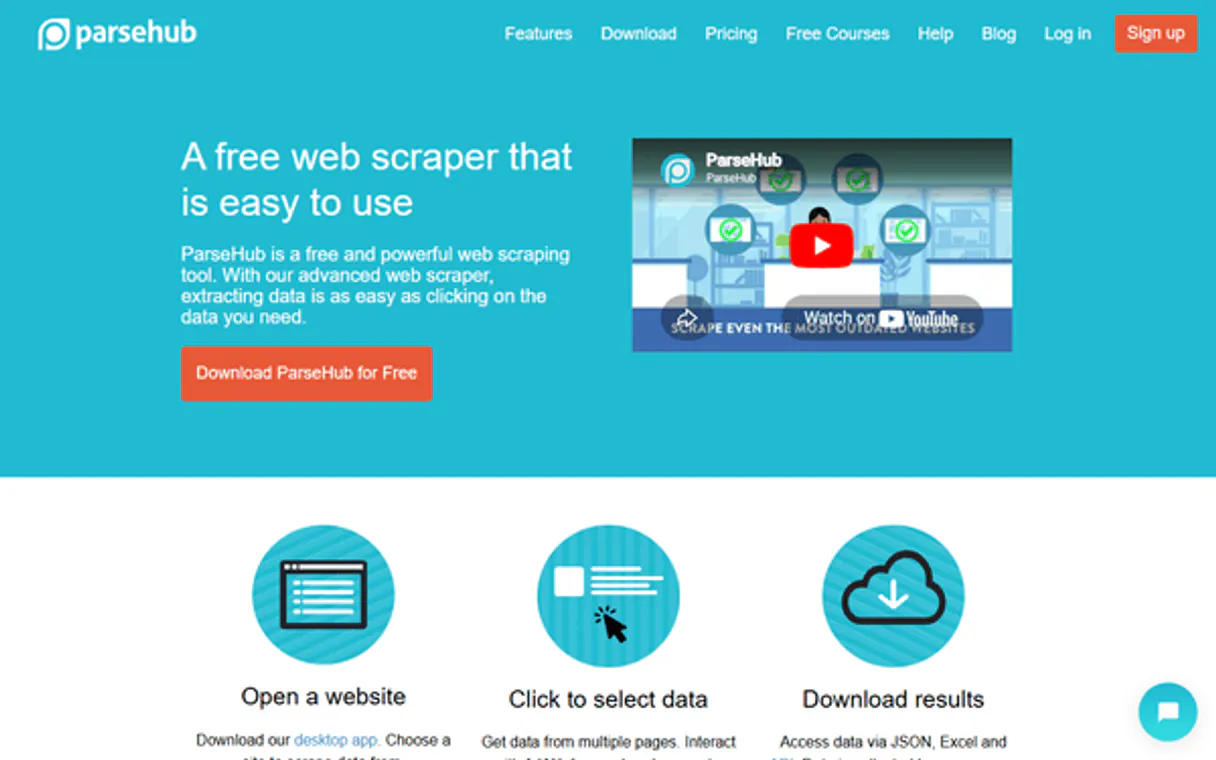
Independent Platform Disclaimer: Vinkius is an independent platform and is not affiliated with, endorsed by, sponsored by, verified by, or otherwise authorized by ParseHub. All third-party trademarks, logos, and brand names are the property of their respective owners. Their use on this website is strictly for informational purposes to identify service compatibility and interoperability.
VINKIUS INFRASTRUCTURE
Cloud Hosted
Managed infra
V8 Isolated
Sandboxed per request
Zero-Trust Proxy
No stored credentials
DLP Enforced
Policy on every call
GDPR Compliant
EU data residency
Token Compression
~60% cost reduction
Works with Claude, ChatGPT, Cursor, and more
The Model Context Protocol standardizes how applications expose capabilities to LLMs. Instead of operating in isolation, your AI gains direct access to external platforms, live data, and real-world actions through secure, standardized connections.
This server provides 10 capabilities that interface natively with Claude, ChatGPT, Cursor, and any MCP client. No middleware. No custom integration required.
Available Capabilities
Manually collecting web data is a nightmare of tabs and copy/pasting.
Think about it: you need competitor pricing. You open the first product page, manually extract the title and price, then switch to the second tab. Next, the third. If you have fifty competitors, that's fifty cycles of copy-pasting—and each time, the website might change a class name or move a field.
With this MCP server, you tell your agent the project token and run `run_project`. The background worker does all the clicking, scraping, and data structuring. You just wait for the status to update via `get_run_details`, and then pull every single record in one clean JSON payload using `get_run_data`.
ParseHub MCP Server: Get structured web data from chat.
The manual steps that vanish are the browser switches, the tedious validation of missing fields, and the hours spent compiling spreadsheets. You don't need to manage API rate limits or worry about cookie sessions; the cloud handles it.
What's different now is scale. You can run multi-site scraping jobs on demand—it’s a single command that replaces half a day of tedious browser work.
Common Questions About ParseHub MCP
How do I list the projects with ParseHub MCP Server? +
You call list_projects. This tool returns all your available scraping projects, each listed with its unique token. You need one of these tokens to run any other command.
What's the difference between get_run_data and get_last_ready_data? +
get_run_data pulls data from a specific, completed job ID you reference. get_last_ready_data just fetches whatever the absolute newest payload is, without needing an old run token.
I started a scrape but need to stop it early; which tool should I use? +
Use cancel_run. This stops the active job and frees up your queue slot. Any data scraped before you called cancel_run is preserved.
Can I target a different URL than my project default? +
Yes, use run_project_with_url. This tool lets you override the site's main URL while keeping all your original template scraping rules intact.
Should I use the `delete_run` tool to clear out old scraping runs and free up quota? +
Yes, delete_run permanently removes a specific run and all its associated data. Use this when you are sure you don't need the historical records. This action cannot be undone, so double-check the Run ID first.
What does the `get_run_details` tool show about my scraping job status? +
This tool shows the current lifecycle state of a run (queued, initialized, running, complete). You must poll this endpoint repeatedly until the 'Status' field reports 'complete' before attempting to fetch data.
If I need to find data from an old scrape, how does `list_runs` help? +
list_runs gives you a history of all completed runs tied to a project. This lets you identify the exact Run ID needed for fetching specific historical payloads using get_run_data.
What data does `get_project` provide about a specific scraping target? +
get_project returns the detailed setup and configuration of your chosen project. It gives you essential metadata—like templates and tokens—without triggering any actual web scraping job.
Do I need the ParseHub Desktop tool running to use this? +
No. This integration operates completely natively via ParseHub's Cloud API endpoints. You only need the desktop app to build the templates originally. All executions mapped here happen on their cloud scaling servers.
Can I provide a different Start URL when running a project? +
Yes. The run_project_with_url command allows you to explicitly provide a start_url query property. This instructs the ParseHub crawler to ignore its project-saved URL and begin parsing the newly mapped domain using the same semantic template.
Is the downloaded data returned in JSON or raw HTML? +
The payload fetched by get_run_data is exported entirely as structured, pre-parsed JSON mirroring the exact template node selections defined in your project architecture.
Use it with your favorite AI tools
Connect this server to Cursor, Claude, VS Code, and more.
More in this category

Meilisearch
Manage your Meilisearch instance — handle indexes, documents, and search configurations directly from your AI agent.

ScrapingBee
Scrape websites without getting blocked using headless browsers, proxy rotation, and JavaScript rendering handled for you.

Dotenv Parser Engine
Parse .env file content into structured JSON. Handles quotes, multiline values, and comments deterministically.
You might also like
Franchimp
Access franchise intelligence, lead gen data, and FDD metadata via AI agents with Franchimp.

Drupal
Manage headless content via Drupal — list nodes, handle taxonomy terms, manage files, and audit users directly from any AI agent.

watsonx Discovery
Search and analyze complex data with AI-powered insights on IBM watsonx Discovery — the cognitive search engine.