
Zip Payment MCP. Manage the entire order lifecycle, from checkout to refund.
 Gemini
 Works with every AI agent you already use
…and any MCP-compatible client









Just plug in your AI agents and start using Vinkius.
Zip manages Buy Now, Pay Later (BNPL) payments by connecting your merchant account directly to any AI client. This MCP server lets your agent initiate checkouts (`create_zip_checkout`), authorize orders (`authorize_zip_order`), and finalize transactions through captures or refunds.
It handles the full order lifecycle—from initial payment intent to final financial resolution—all via simple natural language commands. Stop switching between portals; manage all US and global payments from one API.
What your AI agents can do
Authorize zip order
Reserves funds for a payment order, typically used in US gateway integrations.
Capture zip payment
Moves the reserved funds from an authorized hold to finalize the sale.
Confirm zip order
Finalizes and confirms a payment that was previously authorized.
Initiates a new checkout session and retrieves the required redirect URL for a customer to complete payment.
Reserves funds against an order, ensuring the money is allocated but not yet moved. You can confirm or authorize the reserved amount.
Moves captured funds from a previously authorized hold to finalize the transaction.
Retrieves the current lifecycle state (Authorized, Captured, Cancelled) of any specific Zip order ID.
Processes full or partial refunds for completed orders, or voids funds for payments that were authorized but never captured.
Accesses and reports key merchant account configurations, like currency limits and API settings.
Ask AI about this MCP
Supported MCP Clients
Gemini Waiting for input…
Zip Payment MCP Server: 8 Tools for Payments & Orders
Use these eight tools to manage every step of the Buy Now, Pay Later payment journey—from initial checkout session creation to final refunds.
019d7628authorize zip order
Reserves funds for a payment order, typically used in US gateway integrations.
019d7628capture zip payment
Moves the reserved funds from an authorized hold to finalize the sale.
019d7628confirm zip order
Finalizes and confirms a payment that was previously authorized.
019d7628create zip checkout
Initializes a new checkout session, requiring an amount, currency, and redirect URLs.
019d7628get zip merchant config
Retrieves current details about the merchant's account settings and limits.
019d7628get zip order status
Checks and reports the real-time status (Authorized, Captured, Cancelled) of any given order ID.
019d7628refund zip payment
Processes a full or partial refund for an existing order payment.
019d7628void zip payment
Releases funds from an authorized payment that was never captured.
Choose How to Get Started
Build a custom MCP for your own tools, or connect a ready-made integration from our catalog.
Build Your Own
Turn any API into an MCP. Import a spec, define Agent Skills, or deploy with MCPFusion.
- Import from OpenAPI, Swagger, or YAML specs
- Create Agent Skills with progressive disclosure
- Deploy to edge with MCPFusion framework
- Built in DLP, auth, and compliance on every call
- Real time usage dashboard and cost metering
- Publish to catalog or keep private
Make Your AI Do More
Start with Zip, then connect any of our 4,700+ other servers whenever your AI needs more. One click, no limits.
- Use this MCP plus 4,700+ others, all in one place
- Add new capabilities to your AI anytime you want
- Every connection is secured and compliant automatically
- Track usage and costs across all your servers
- Works with Claude, ChatGPT, Cursor, and more
- New servers added to the catalog every week
What you can do with this MCP connector
Listen up. This isn't some boilerplate API wrapper that sits there doing nothing until you write three hundred lines of middleware. The Zip MCP Server connects your merchant account—your actual payment processing setup—directly to your agent. It lets your AI client handle the entire Buy Now, Pay Later (BNPL) lifecycle without you having to write any clunky integration code yourself.
You're gonna manage everything from initial checkout intent right through to final financial cleanup using simple natural language commands.
When you use this server, your agent handles complex payment state logic—the stuff that always trips up developers who think they can just call a single endpoint and be done with it. It manages the whole process for both US and global payments, letting you stop switching between different merchant portals to get something simple done.
Managing Checkout Sessions
Need to start a payment? You use create_zip_checkout. This tool kicks off a new checkout session, requiring specific inputs like an amount, a currency code, and the necessary redirect URLs. It doesn't process anything yet; it just spins up the initial transaction container and gives you the URL your customer needs to click through to finish paying.
Processing Funds Reservation (Authorization)
Once they hit checkout, you need to reserve the money before anything else happens. You use authorize_zip_order to hold those funds against an order; this is critical for US gateway integrations and ensures the payment amount is earmarked but not actually moved. If that's a global transaction, or if you need to confirm the reservation, you can call confirm_zip_order.
These tools make sure the cash is set aside correctly, ready for whatever comes next.
Finalizing Payments (Capture)
Authorization just means 'we expect this money.' It doesn't mean it's yours. When your goods ship and you need to finalize the sale, you use capture_zip_payment. This moves the reserved funds—the authorized hold—and pulls them into your account, officially completing the transaction for the customer.
Auditing Order Status
You gotta know where your money is at all times. You check the real-time status of any Zip order ID using get_zip_order_status. This tool reports exactly what state that payment is in—whether it's still 'Authorized,' if it's been fully 'Captured,' or if it got 'Cancelled.' It gives you a clear, immediate look at where the money sits.
Handling Financial Reversals and Cleanups
Things go wrong. Payments get returned, or sometimes you authorize an order but never actually ship anything. For returns, you use refund_zip_payment to process refunds; it handles both full amounts and partial payouts for orders that already captured funds. If you authorized the money but decided not to proceed—the payment was never fulfilled—you release those reserved funds by calling void_zip_payment.
This cleans up the financial hold, making sure neither party gets charged for nothing.
Account Configuration Review
If you're setting things up or just wanna double-check your limits, you run get_zip_merchant_config. That tool grabs and reports all the current details about your merchant account settings—things like API access parameters and currency limits. It keeps you in the loop on what's available to process.
Bottom line: Your agent handles the messy state machine logic for these payments, so you just tell it what you need done. You don't worry about the payment flow; your AI client does.
How Zip Payment MCP Works
- 1 First, your agent uses
create_zip_checkoutto build the payment intent for a new sale. This returns a redirect URL needed to start the process. - 2 Next, when the customer pays, your agent calls
authorize_zip_order(orconfirm_zip_order) using the checkout ID. This reserves the funds on the card. - 3 Finally, once shipping happens, you call
capture_zip_payment. This executes the transfer of reserved funds and marks the order as complete.
The bottom line is: it automates the complex sequence of reserving money before shipping and then pulling that money after the goods are delivered.
Who Is Zip Payment MCP For?
E-commerce operations teams who hate manually checking order statuses, or financial controllers needing immediate visibility into transaction flows. This is for anyone whose job involves making sure payments move correctly from intent to cash—without opening a browser tab.
Runs bulk audit checks on order lifecycles and uses refund_zip_payment or void_zip_payment when an order needs to be manually adjusted.
Quickly verifies merchant configuration (get_zip_merchant_config) and audits transaction statuses across multiple orders without logging into the payment portal.
Integrates complex BNPL logic—like handling authorization failures or confirming order state—into custom applications using specific tool calls like authorize_zip_order.
What Changes When You Connect
- Automated Order Flow: You don't have to manually track payments. By using
create_zip_checkoutand then chaining calls likeauthorize_zip_order, your agent handles the full payment sequence automatically. - Instant Auditing: Need to know where an order stands? Call
get_zip_order_status. You get a real-time status update—Authorized, Captured, or Cancelled—without logging into any dashboard. - Full Financial Control: Handle post-sale issues efficiently. Use
refund_zip_paymentfor returns, or if the product never shipped, usevoid_zip_paymentto release reserved funds. - Cross-Environment Support: The system supports both US and Global gateway environments when you run tools like
authorize_zip_order, making it useful for international e-commerce operations. - Account Clarity: Before running any transaction, check your limits.
get_zip_merchant_configgives you instant access to merchant settings and currency limits. - Payment Confirmation: Use
confirm_zip_orderorcapture_zip_paymentwhen the goods ship; this step guarantees funds are pulled correctly and the order is finalized.
Real-World Use Cases
Processing a Return/Refund
A customer calls because their product broke. Instead of digging through email receipts, you tell your agent: 'Process a refund for Zip order ID 123.' The agent runs refund_zip_payment and confirms the money is sent back immediately.
Shipping Goods After Authorization
A customer buys an item, which authorizes funds. Once you ship it, your system needs to finalize the payment. Your agent calls capture_zip_payment using the order ID, pulling the money and closing the loop.
Checking a Suspicious Order
A merchant notices an order is stuck in limbo. They ask their agent to 'Check the status of order 98765.' The agent runs get_zip_order_status and reports exactly whether it's Authorized, Captured, or still pending.
Initial Payment Intent
You need to create a checkout page for a new product. Your agent uses create_zip_checkout, which spits out the specific redirect URL you need to send the customer—nothing more, nothing less.
The Tradeoffs
Assuming Funds Are Available
Just calling capture_zip_payment without first authorizing funds. This will fail because there is no reserved money to pull.
→
Always start by running create_zip_checkout, followed immediately by authorize_zip_order. Only run capture_zip_payment after you're sure the payment was successful.
Missing Status Checks
Running a refund tool without first checking if the order status is 'Captured.' The system might reject the request because the funds aren't available to refund.
→
Before any reversal, always run get_zip_order_status. This tells you exactly what state the payment is in and if refunds are even possible.
Ignoring Failed Payments
A transaction fails mid-process. The developer thinks it just disappeared.
→
Use get_zip_order_status immediately to see the failure state. If funds were reserved but never captured, you'll use void_zip_payment to clean up.
When It Fits, When It Doesn't
You should use this server if your core business logic revolves around money moving from intent (checkout) through a multi-step process (authorization -> confirmation/capture). This is essential for any e-commerce platform. Use it when you need to handle reversals, such as running refund_zip_payment or void_zip_payment. Don't use this if all you need is simple inventory tracking or user profile management—those require different tools. If your only goal is fetching a static list of merchant IDs, use the configuration retrieval tool (get_zip_merchant_config); don't try to process transactions with it.
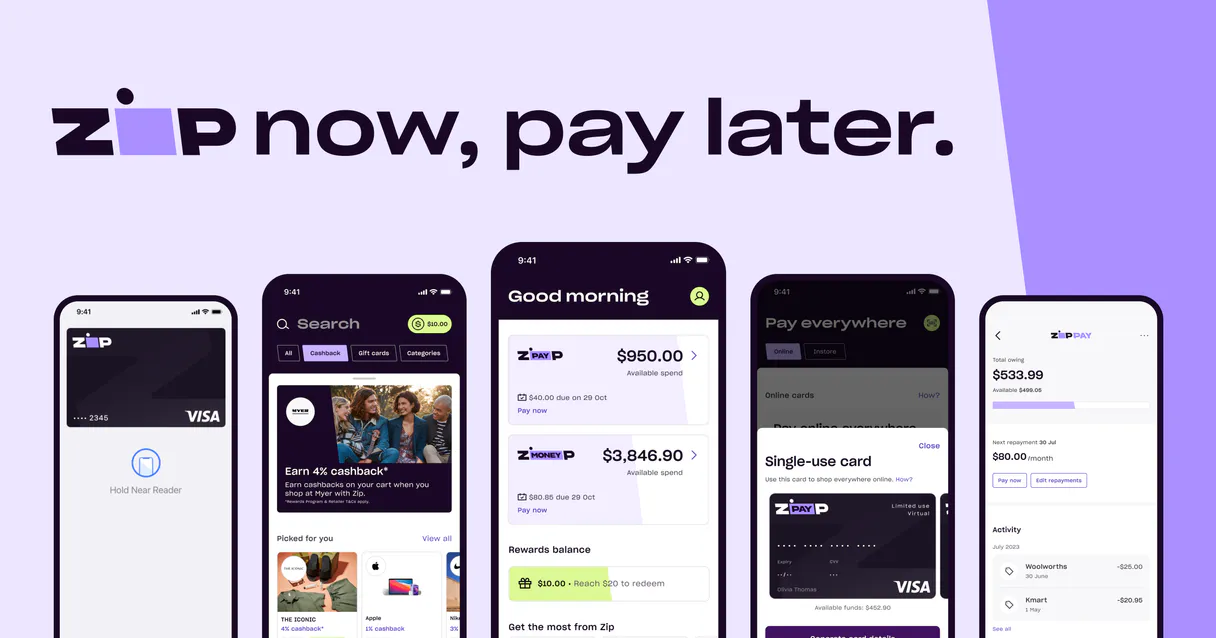
Independent Platform Disclaimer: Vinkius is an independent platform and is not affiliated with, endorsed by, sponsored by, verified by, or otherwise authorized by Zip. All third-party trademarks, logos, and brand names are the property of their respective owners. Their use on this website is strictly for informational purposes to identify service compatibility and interoperability.
VINKIUS INFRASTRUCTURE
Cloud Hosted
Managed infra
V8 Isolated
Sandboxed per request
Zero-Trust Proxy
No stored credentials
DLP Enforced
Policy on every call
GDPR Compliant
EU data residency
Token Compression
~60% cost reduction
Works with Claude, ChatGPT, Cursor, and more
The Model Context Protocol standardizes how applications expose capabilities to LLMs. Instead of operating in isolation, your AI gains direct access to external platforms, live data, and real-world actions through secure, standardized connections.
This server provides 8 capabilities that interface natively with Claude, ChatGPT, Cursor, and any MCP client. No middleware. No custom integration required.
Available Capabilities
Handling payment reversals shouldn't require jumping between three separate tabs.
Today, if a customer returns an item, you have to log into the e-commerce portal, find the order ID, open the transaction details, and then manually click 'Refund.' If the funds were already captured but need voiding—you might even need to check multiple status pages just to confirm *why* it failed.
With Zip MCP Server, you simply tell your agent: 'Process a partial refund for order 456.' Your agent runs `refund_zip_payment` and handles the entire financial reversal process in one go. You get confirmation that the funds are moving immediately.
Using Zip's Payment Flow Tools
Before this, any payment failure—whether it was authorization or capture—required a manual investigation into the gateway logs. Developers spent hours writing complex logic just to handle the state machine of 'what if.'
Now, you structure your code around predictable calls. The flow is `create_zip_checkout` -> `authorize_zip_order` -> `capture_zip_payment`. It's clean, it's explicit, and it minimizes risk by separating intent from commitment.
Common Questions About Zip Payment MCP
How do I start a checkout using create_zip_checkout? +
You run create_zip_checkout and provide the amount, currency, and destination URLs. The tool returns the unique redirect URL you need to send to your customer's browser.
When should I use authorize_zip_order vs confirm_zip_order? +
authorize_zip_order is typically used for initial fund reservation, while confirm_zip_order finalizes the transaction after authorization. Use both when following the standard payment lifecycle.
What happens if I need to refund a payment? +
You use the refund_zip_payment tool and provide the order ID. The agent handles the financial request, sending funds back to the customer's original source.
Can I check an order status without knowing the internal IDs? +
The get_zip_order_status tool accepts a specific Zip Order ID. You must provide this unique identifier to get accurate, real-time status data.
How do I verify my account limits or configuration using get_zip_merchant_config? +
It pulls your full merchant account setup details. You use this to confirm things like currency limitations and current environment settings before running live transactions.
When should I use void_zip_payment instead of refund_zip_payment? +
You use the void function when you've authorized funds but canceled the order before shipping. It reverses the hold on money without processing a full, irreversible refund.
What's the operational difference between confirm_zip_order and capture_zip_payment? +
They handle different parts of the workflow. Confirmation finalizes the order status within Zip's system. Capture is the actual money movement—it moves the authorized funds to a completed, captured state.
If an order fails payment processing, how do I check the specific error using get_zip_order_status? +
The status response tells you exactly why the transaction failed. It provides codes indicating whether the rejection came from your bank or if the issue was with the gateway itself.
What is the difference between Authorize and Confirm in Zip? +
Authorize initiates the transaction and checks for customer funds. Confirm (used in some regions) finalizes the checkout intent before capture.
Can I process partial captures via the agent? +
Yes, the capture_zip_payment tool accepts an optional JSON body where you can specify a partial amount to capture if only part of the order is shipping.
How do I handle different regions like US and AU? +
Specify your account region ('US' or 'AU') in the configuration settings. The MCP server automatically routes requests to the correct Zip gateway URL.
Use it with your favorite AI tools
Connect this server to Cursor, Claude, VS Code, and more.
More in this category

Nuvei
Connect your AI agent to Nuvei to track transactions, manage payments, and securely tokenize cards through natural conversation.

Konfío
Automate your Konfío SMB banking and lending. Manage loans, pay invoices, track credit cards, and emit SAT-compliant CFDIs directly from any AI agent.

Efí Pay (Gerencianet)
Generate dynamic Pix charges, issue traditional bank slips (boletos), and check your account balance via Efí Pay.
You might also like

Road511 Trucking
Access trucking data via Road511 — track truck routes, bridge clearances, weigh stations, truck stops, parking, and weight restrictions across US and Canada from any AI agent.

Open5e
Access the comprehensive Open5e database for D&D 5th Edition — search monsters, spells, classes, and magic items directly from your AI agent.

Discogs
Explore the world's largest music database — search artists, releases, labels, and marketplace listings via AI.