
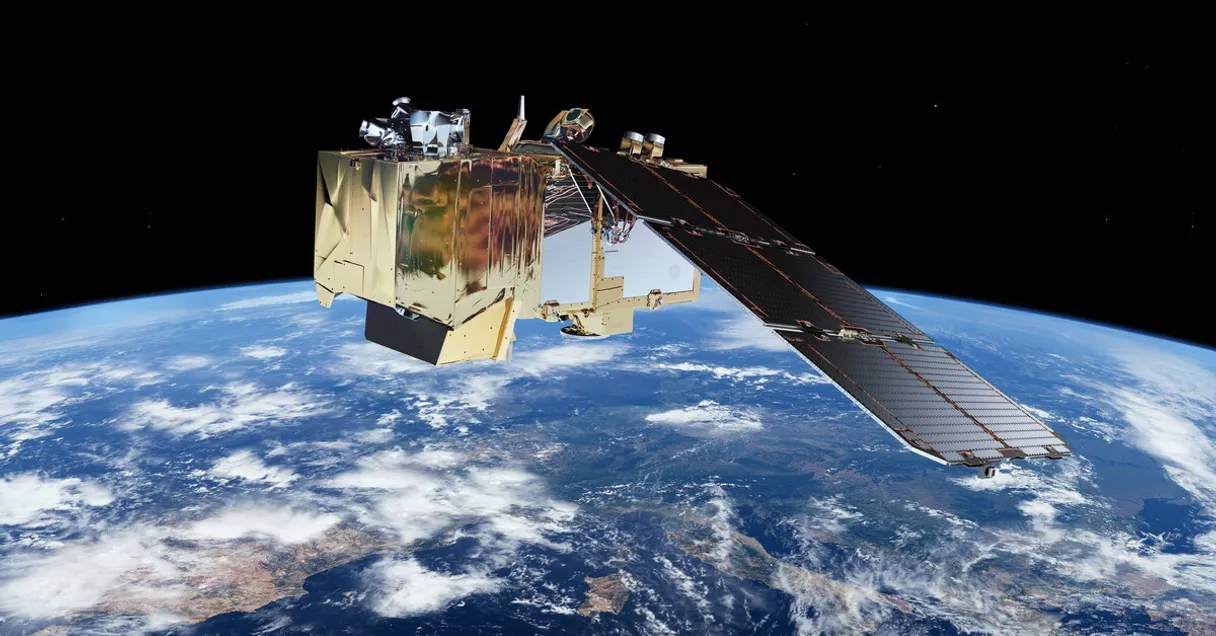
Sentinel Hub MCP Server with 14 Tools Ready for AI Agents
 GDPR Free for Subscribers
Access and process satellite imagery from Sentinel, Landsat, and other Earth observation missions through a powerful cloud API. Unlock 14 tools ready out of the box. Connect this App Connector to instantly empower AI agents like Claude Code, Cursor, or any MCP-compatible client with advanced capabilities.
Ask AI about this App Connector
Vinkius delivers Streamable HTTP and SSE to any MCP client
* Every MCP server runs on Vinkius-managed infrastructure inside AWS - a purpose-built runtime with per-request V8 isolates, Ed25519 signed audit chains, and sub-40ms cold starts optimized for native MCP execution. See our infrastructure
What is the Sentinel Hub MCP Server?
The Sentinel Hub MCP Server gives AI agents like Claude, ChatGPT, and Cursor direct access to Sentinel Hub via 14 tools. Access and process satellite imagery from Sentinel, Landsat, and other Earth observation missions through a powerful cloud API. Powered by the Vinkius - no API keys, no infrastructure, connect in under 2 minutes.
Built-in capabilities (14)
Tools for your AI Agents to operate Sentinel Hub
Ask your AI agent "Show me an NDVI vegetation analysis for the Amazon rainforest region." and get the answer without opening a single dashboard. With 14 tools connected to real Sentinel Hub data, your agents reason over live information, cross-reference it with other MCP servers, and deliver insights you would spend hours assembling manually.
Works with Claude, ChatGPT, Cursor, and any MCP-compatible client. Powered by the Vinkius - your credentials never touch the AI model, every request is auditable. Connect in under two minutes.
Why teams choose Vinkius
One subscription gives you access to thousands of MCP servers - and you can deploy your own to the Vinkius Edge. Your AI agents only access the data you authorize, with DLP that blocks sensitive information from ever reaching the model, kill switch for instant shutdown, and up to 60% token savings. Enterprise-grade infrastructure and security, zero maintenance.
Build your own MCP Server with our secure development framework →The Sentinel Hub App Connector works with every AI agent you already use
…and any MCP-compatible client









Use all 14 Sentinel Hub tools with your AI agents right now
Empower your AI agents to connect to Sentinel Hub and securely perform advanced actions on Vinkius infrastructure. Beyond a simple connection, you gain an advanced AI Gateway that provides complete visibility into agent activity, ensuring maximum governance and optimized token usage.
Specify a collection ID (e.g., "sentinel-2-l2a", "sentinel-1-grd"), a bounding box as [west, south, east, north] coordinates, and a date range. Returns item metadata including geometry, cloud cover, and band information. Search the Sentinel Hub STAC catalog for satellite imagery
Returns the connection status and service URL. Use this to verify your client_id:client_secret credentials are working correctly. Verify Sentinel Hub API connectivity and authentication
In the output, healthy vegetation appears bright red, urban areas appear cyan/grey, and water appears dark blue. This is the standard false-color composite used in remote sensing for vegetation mapping and land cover classification. Generate a false-color evalscript for vegetation emphasis
The output is color-coded: dark for water/shadow, grey for bare soil, yellow-green for sparse vegetation, and deep green for dense vegetation. Use the returned evalscript with the process_image tool. Generate a ready-to-use NDVI evalscript for vegetation analysis
Use the returned evalscript with the process_image tool to get visually appealing satellite photos of any location on Earth. Generate a true-color RGB evalscript for natural imagery
Get detailed information about a specific data collection
Use the item ID returned from a catalog_search query. Get detailed metadata for a specific STAC catalog item
Requires an evalscript that defines which bands to analyze. Supports temporal aggregation (daily, weekly, monthly) for time-series analysis of vegetation indices, water levels, or urban expansion. Calculate statistics over an area from satellite imagery
Useful for verifying credentials and understanding available quotas. Get authenticated Sentinel Hub user profile information
Includes True Color, False Color (vegetation), NDVI, NDWI, Moisture Index, SWIR, SAR polarizations, Scene Classification, and Burn Severity (NBR). Each entry specifies the required bands and target collection. List predefined satellite band combinations and indices
Includes Sentinel-1 GRD (radar), Sentinel-2 L1C/L2A (optical), Sentinel-3 OLCI/SLSTR, Sentinel-5P (atmosphere), Landsat 8-9, DEM, and Copernicus Land Monitoring Service data. List all available Sentinel Hub satellite data collections
Specify the data collection, area of interest as a bounding box, date range, and the evalscript. The evalscript defines band inputs, processing logic, and output format. Use generate_ndvi_evalscript or generate_true_color_evalscript tools to get ready-made evalscripts. Process satellite imagery with a custom evalscript
MGRS tiles are the standard spatial reference for Sentinel-2 data (e.g., "33UUP" for central Europe, "29SQB" for Lisbon area). Returns all scenes for the specified tile within the date range. Search Sentinel-2 imagery by MGRS tile identifier
Essential for optical analysis where cloud contamination would corrupt results. Typical thresholds: <10% for clean analysis, <30% for general use, <50% for temporal coverage. Search for cloud-free satellite imagery below a threshold
What the Sentinel Hub MCP Server unlocks
Connect to Sentinel Hub — the most powerful satellite imagery processing API in Europe — and transform raw Earth observation data into actionable intelligence.
What you can do
- STAC Catalog Search — Discover available satellite scenes by location, date, collection, cloud cover, and MGRS tile ID across all Sentinel missions and Landsat
- Image Processing — Render custom satellite imagery using evalscripts (JavaScript-based processing scripts) that define how bands are combined, indices are calculated, and pixels are colored
- Vegetation Analysis (NDVI) — Generate ready-to-use NDVI evalscripts that color-code vegetation density from bare soil to dense forest
- Statistical Analysis — Calculate mean, min, max, standard deviation, and histograms over areas of interest with temporal aggregation (daily, weekly, monthly)
- Cloud-Free Search — Find satellite scenes below a specified cloud cover threshold for clean optical analysis
- Band Combinations — Access a curated library of 10 predefined band combinations including True Color, False Color, NDWI, Moisture Index, SWIR, and Burn Severity
How it works
1. Subscribe to this server
2. Register at dataspace.copernicus.eu and create an OAuth2 client
3. Enter your credentials as client_id:client_secret
4. Start processing satellite imagery from Claude, Cursor, or any MCP-compatible client
Who is this for?
- GIS Professionals — process satellite imagery on-demand without downloading terabytes of raw data
- Environmental Scientists — compute vegetation, water, and moisture indices for monitoring ecosystems
- Urban Planners — analyze land use changes with multi-temporal statistical analysis
- Agricultural Advisors — monitor crop health with NDVI time series and cloud-free imagery selection
- Emergency Managers — assess wildfire damage with burn severity indices in near real-time
Frequently asked questions about the Sentinel Hub MCP Server
What is an evalscript and how do I use one?
An evalscript is a small JavaScript program that tells Sentinel Hub how to process satellite bands into an output image. It defines which bands to use, how to combine them, and what colors to assign. You can use the generate_ndvi_evalscript or generate_true_color_evalscript tools to get ready-made evalscripts, then pass them to the process_image tool.
Can I analyze vegetation health with this server?
Absolutely. Generate an NDVI evalscript with the generate_ndvi_evalscript tool, then process imagery for your area of interest with the process_image tool. For time-series analysis, use the get_statistics tool with temporal aggregation to track vegetation changes over weeks or months. The search_cloud_free tool helps you find clean scenes without cloud contamination.
What is the difference between this server and the Copernicus Data Space server?
The Copernicus Data Space server focuses on product catalogue search and download — finding and retrieving raw satellite data files. Sentinel Hub focuses on on-the-fly processing — rendering images, computing indices, and generating statistics without downloading raw data. They complement each other: use Copernicus for data discovery and bulk download, Sentinel Hub for real-time analysis and visualization.
More in this category
TrueFoundry
8 toolsUniversal LLM Gateway & ML deployment hub: invoke 1000+ proxy models and manage MCP service instances natively.

Kolide
10 toolsAudit fleet security — list devices, track issues, and monitor people.
JD Cloud / 京东云
8 toolsChina's leading supply chain cloud platform — manage VMs, storage, and cloud infrastructure via AI.
You might also like

HigherGov
12 toolsFind and track government contracts, grants, and procurement opportunities with intelligence built for public sector vendors.

Kavkom
7 toolsSet up a professional cloud phone system with call routing, IVR menus, and analytics designed for European businesses.

Jina AI (Search Foundation & LLM Grounding)
6 toolsPower your RAG and search via Jina AI — generate embeddings, rerank documents, read URLs, and perform semantic web search.