
Kolide MCP. Audit your entire device fleet's security status.
 Gemini
 Works with every AI agent you already use
…and any MCP-compatible client









Just plug in your AI agents and start using Vinkius.
Kolide: Get full visibility into your organization's fleet security and device health. Your AI agent connects to Kolide to audit managed devices, track active security vulnerabilities, and monitor user compliance status across the entire fleet.
It provides actionable data on device inventory, user ownership, and historical security event logs.
What your AI agents can do
Get check details
Retrieves the specific details for a single, defined security check.
Get device details
Pulls the full profile and status for one specific device ID in the fleet.
Get issue details
Gets detailed information about a particular security issue across the fleet.
Retrieves a summary of the entire device fleet, including total count, current online status, and the number of active security issues.
Provides a complete list of all devices managed by the system, allowing you to identify individual device IDs for deeper checks.
Gathers a list of all identified security issues across the fleet, summarizing the type and count of vulnerabilities.
Shows all the defined security checks the system uses, so you know what criteria are being audited.
Retrieves specific information about a user, including their compliance status and association with devices.
Pulls detailed information for one specific device ID, covering its hardware and software profile.
Provides a chronological record of administrative actions and security events that occurred within the system.
Ask AI about this MCP
Supported MCP Clients
Gemini Waiting for input…
019d75c2get check details
Retrieves the specific details for a single, defined security check.
019d75c2get device details
Pulls the full profile and status for one specific device ID in the fleet.
019d75c2get issue details
Gets detailed information about a particular security issue across the fleet.
019d75c2get kolide fleet stats
Returns high-level statistics about the entire device fleet (total count, online status, issue count).
019d75c2get person details
Retrieves detailed information for a specific person or user in the system.
019d75c2list kolide audit logs
Lists a chronological record of all administrative and security events that happened to the fleet.
019d75c2list kolide checks
Lists every available security check that Kolide uses to audit the fleet.
019d75c2list kolide devices
Lists every device currently managed in the fleet for a full security audit.
019d75c2list kolide issues
Lists all current security issues found across the entire managed fleet.
019d75c2list kolide people
Lists all users or people managed within the Kolide platform.
Choose How to Get Started
Build a custom MCP for your own tools, or connect a ready-made integration from our catalog.
Build Your Own
Turn any API into an MCP. Import a spec, define Agent Skills, or deploy with MCPFusion.
- Import from OpenAPI, Swagger, or YAML specs
- Create Agent Skills with progressive disclosure
- Deploy to edge with MCPFusion framework
- Built in DLP, auth, and compliance on every call
- Real time usage dashboard and cost metering
- Publish to catalog or keep private
Make Your AI Do More
Start with Kolide, then connect any of our 4,700+ other servers whenever your AI needs more. One click, no limits.
- Use this MCP plus 4,700+ others, all in one place
- Add new capabilities to your AI anytime you want
- Every connection is secured and compliant automatically
- Track usage and costs across all your servers
- Works with Claude, ChatGPT, Cursor, and more
- New servers added to the catalog every week
What you can do with this MCP connector
Your AI agent connects to Kolide to give you full visibility into your company's fleet security and device health. You'll use these tools to audit managed devices, track security vulnerabilities, and check user compliance across the whole fleet.
To start, you can use get_kolide_fleet_stats to get a summary of the entire device fleet, including the total count, the current online status, and the number of active security issues.
Need to dive deeper? You can call list_kolide_devices to get a complete list of every device managed by the system, giving you specific device IDs for deeper checks. Once you have an ID, get_device_details pulls the full profile and status for that single device. You can also use get_check_details to retrieve the specific details for a single security check.
If you're tracking problems, list_kolide_issues gathers a list of all identified security issues across the whole fleet, summarizing the type and count of vulnerabilities. For specific problems, you can get detailed info about a particular security issue using get_issue_details.
When you need to know who owns what or if people are compliant, list_kolide_people lists all users managed in the platform, and you can use get_person_details to pull specific details about a user, including their compliance status.
Want to see what's going on with the whole operation? list_kolide_checks lists every defined security check the system uses to audit the fleet. For a history of who did what, list_kolide_audit_logs provides a chronological record of all administrative and security events that happened to the fleet. You can also find out which users are associated with which devices by using get_person_details and get_device_details together.
How Kolide MCP Works
- 1 First, your AI client uses a prompt (e.g., 'Show me all non-compliant devices').
- 2 Kolide receives the prompt, determines the necessary tools (like
list_kolide_devicesandget_issue_details), and executes them. - 3 Kolide sends the raw, combined data back to your AI client, which formats it into a natural language summary for you.
The bottom line is you don't write code; you talk to your agent, and the agent handles all the data retrieval and assembly.
Who Is Kolide MCP For?
The security operations engineer who is tired of clicking through dashboards at 2 am. It's for compliance officers and IT managers who need a single, conversational view of device health across hundreds of endpoints. If you manage a fleet, you need this.
Uses list_kolide_issues and get_issue_details to quickly prioritize and investigate the most critical vulnerabilities across the entire fleet.
Runs get_kolide_fleet_stats and list_kolide_devices to get a quick, high-level health check and identify which devices need immediate attention.
Queries list_kolide_people and get_person_details to verify user ownership and confirm that all users meet required organizational compliance standards.
What Changes When You Connect
- See the full scope of your fleet with
list_kolide_devices. You get a simple list of every device ID, making it easy to start targeting specific machines for deeper checks. - Determine overall compliance health using
get_kolide_fleet_stats. Instead of reading raw numbers, you get a single summary of total devices, online status, and active issues. - Pinpoint root causes by using
get_issue_details. You don't just know a device has a problem; you know exactly why and how to fix it. - Track compliance history with
list_kolide_audit_logs. You get an immutable, chronological record of every admin change, which is essential for compliance reporting. - Verify user accountability with
list_kolide_peopleandget_person_details. You confirm which user owns which device and if that user is compliant, all in one place. - Know your security guardrails by running
list_kolide_checks. This shows you exactly what criteria the system uses to judge device health, giving you full transparency.
Real-World Use Cases
Identifying a Bad Batch of Devices
The IT manager notices a spike in alerts. They ask their agent: 'What's wrong with the last 50 devices enrolled?' The agent runs list_kolide_devices to get the IDs, then runs get_kolide_fleet_stats to gauge the severity, and finally pulls list_kolide_issues to find the common failure point. They get a summary of the top three issues.
Auditing User Compliance Post-Transfer
The HR department transferred a user, John Doe. The compliance officer needs to confirm John's device is configured correctly. They ask their agent to run get_person_details for John Doe and cross-reference it with get_device_details for the assigned laptop. The agent reports on the compliance gaps immediately.
Investigating a Major Security Incident
A critical vulnerability is reported. The security engineer asks: 'What are the top 5 vulnerabilities and who owns them?' The agent runs list_kolide_issues, identifies the top 5, and then uses get_person_details to identify the affected users, creating an immediate action list.
Preparing for a Quarterly Audit
The compliance officer needs to prove that no admin changes were made without logging. They ask the agent to run list_kolide_audit_logs. The agent returns a comprehensive, filtered log of all administrative actions, which they can use for the final report.
The Tradeoffs
Manually checking device status
Opening the device dashboard, filtering by status, then opening the issue dashboard, filtering by date, and manually cross-referencing the IDs to build a list.
→
Instead, ask your agent to run get_kolide_fleet_stats first. Then, ask the agent to cross-reference the output with list_kolide_issues to get a single, consolidated report.
Ignoring user ownership
Just seeing a list of devices (list_kolide_devices) and assuming the owner is compliant. This misses key accountability data.
→
Always check ownership status. Use list_kolide_people to identify the user, and then run get_person_details to confirm their individual compliance state.
Treating the system as a single API call
Trying to pass 50 parameters into one function call, which will fail or time out because the data is too complex for one request.
→
Break the request down. First, use list_kolide_devices to get the IDs, then iterate by asking the agent to run get_device_details for small batches of IDs.
When It Fits, When It Doesn't
Use this if you need a single, conversational interface to aggregate data from multiple security domains. You need to answer questions like 'Which users with outdated OS are on devices owned by the Sales team?' If your job requires correlating data from devices, people, and issues, this is it.
Don't use this if your only goal is to list IDs. Use list_kolide_devices for that. Also, if you only need to check the logs for a single action, list_kolide_audit_logs is sufficient. This server is for complex, multi-step analysis where the AI agent ties the pieces together.
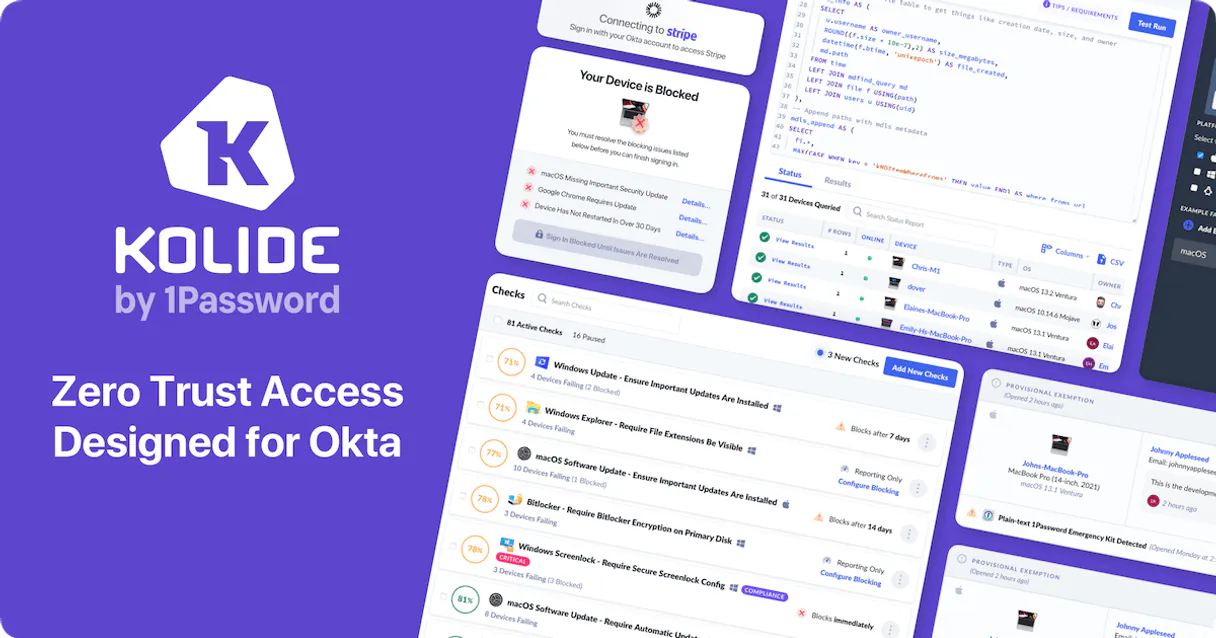
Independent Platform Disclaimer: Vinkius is an independent platform and is not affiliated with, endorsed by, sponsored by, verified by, or otherwise authorized by Kolide. All third-party trademarks, logos, and brand names are the property of their respective owners. Their use on this website is strictly for informational purposes to identify service compatibility and interoperability.
VINKIUS INFRASTRUCTURE
Cloud Hosted
Managed infra
V8 Isolated
Sandboxed per request
Zero-Trust Proxy
No stored credentials
DLP Enforced
Policy on every call
GDPR Compliant
EU data residency
Token Compression
~60% cost reduction
Works with Claude, ChatGPT, Cursor, and more
The Model Context Protocol standardizes how applications expose capabilities to LLMs. Instead of operating in isolation, your AI gains direct access to external platforms, live data, and real-world actions through secure, standardized connections.
This server provides 10 capabilities that interface natively with Claude, ChatGPT, Cursor, and any MCP client. No middleware. No custom integration required.
Available Capabilities
Checking device compliance shouldn't take three different dashboards.
Right now, to check compliance, you open the device inventory dashboard. You pull a list of IDs. Then you switch tabs to the issue tracker and filter by date. You copy the IDs into a spreadsheet and manually cross-reference them with the user directory to see who owns what. It’s slow, and you’re always worried you missed a critical filter.
With Kolide, you just ask your agent: 'Show me all non-compliant devices owned by the engineering team.' The agent runs the necessary tools, pulls the data, and gives you a clean, final list. You get the answer in one conversation, not three different browser tabs.
Kolide MCP Server: Audit device security and people ownership
Manual processes require logging into the device portal, then the user management portal, and then the audit log viewer. You have to check three different interfaces just to get a complete picture of a single device's life cycle.
Kolide unifies that view. You ask about a device, and the agent instantly checks its status, its owner's compliance, and the history of any changes, all without you ever leaving the chat window.
Common Questions About Kolide MCP
How do I use the `get_kolide_fleet_stats` tool? +
You ask the agent to 'Show me the current fleet stats.' The tool returns the total device count, compliance rate, and active issues in one go. This is the best way to get a quick health check.
What is the difference between `list_kolide_devices` and `list_kolide_people`? +
These tools list two different things. list_kolide_devices gives you every machine ID. list_kolide_people gives you every user ID, including their profile details and ownership records.
Can I find out why a device is non-compliant using `get_issue_details`? +
Yes. If you know the issue ID, asking the agent to use get_issue_details will give you the specific vulnerability description, the affected device, and the required fix.
How do I track who changed the settings using `list_kolide_audit_logs`? +
Just ask the agent to 'Show me the audit logs for last week.' The tool provides a chronological, detailed record of every admin action, including who did it and when.
How can I see what security checks are available using `list_kolide_checks`? +
The list_kolide_checks tool returns a comprehensive list of all defined security checks. This list includes the check name, its purpose, and the severity level it monitors, helping you know exactly what your fleet is being audited against.
What information does `get_device_details` provide for a specific device ID? +
The get_device_details tool pulls all granular data for a specific device. You get information like OS version, last reported location, and its current compliance status, which is crucial for pinpointing specific problems.
Does `list_kolide_issues` show me the severity of the security problems? +
Yes, list_kolide_issues lists every active security vulnerability across the fleet. For each issue, you'll receive a severity rating (e.g., High, Medium, Low) and a count of how many devices are affected.
How do I use `get_issue_details` to find the root cause of a vulnerability? +
Using get_issue_details gives you the full context behind a specific security issue. It details the required remediation steps and provides technical documentation links, letting you move straight to fixing the problem.
Where do I find my Kolide API Token? +
Log in to the Kolide dashboard, navigate to Settings in the bottom left, and select the API tab to generate a token.
Can I see hardware details of a device? +
Yes, the get_device_details tool returns hardware specifications along with security data.
Does this support multi-tenant accounts? +
The API key is typically scoped to a specific organization. Ensure you are using the token for the desired fleet.
Use it with your favorite AI tools
Connect this server to Cursor, Claude, VS Code, and more.
More in this category
Volcengine RTC
Bring ByteDance's internal RTC Engine to your AI workflow. Administrate audio/video calls, manage servers, and start Mixes.

Censys
Search internet-connected hosts, SSL certificates and attack surface — discover exposed services and vulnerabilities.

IP & CIDR Validator
Equip cybersecurity agents with binary IP math. Instantly validate IPv4/IPv6 addresses and check CIDR subnet allocations local.
You might also like

PHC GO
Equip your AI agent to control your PHC GO ERP. Query customers, retrieve real-time stocks, map taxes, and issue documents conversationally.

Dynatrace (APM and Observability)
Monitor and manage your Dynatrace environment — query metrics, track problems, manage entities, and automate observability workflows directly from your AI agent.

QWeather Ocean/Tide API
Monitor ocean tides — audit water levels and peaks via AI.