
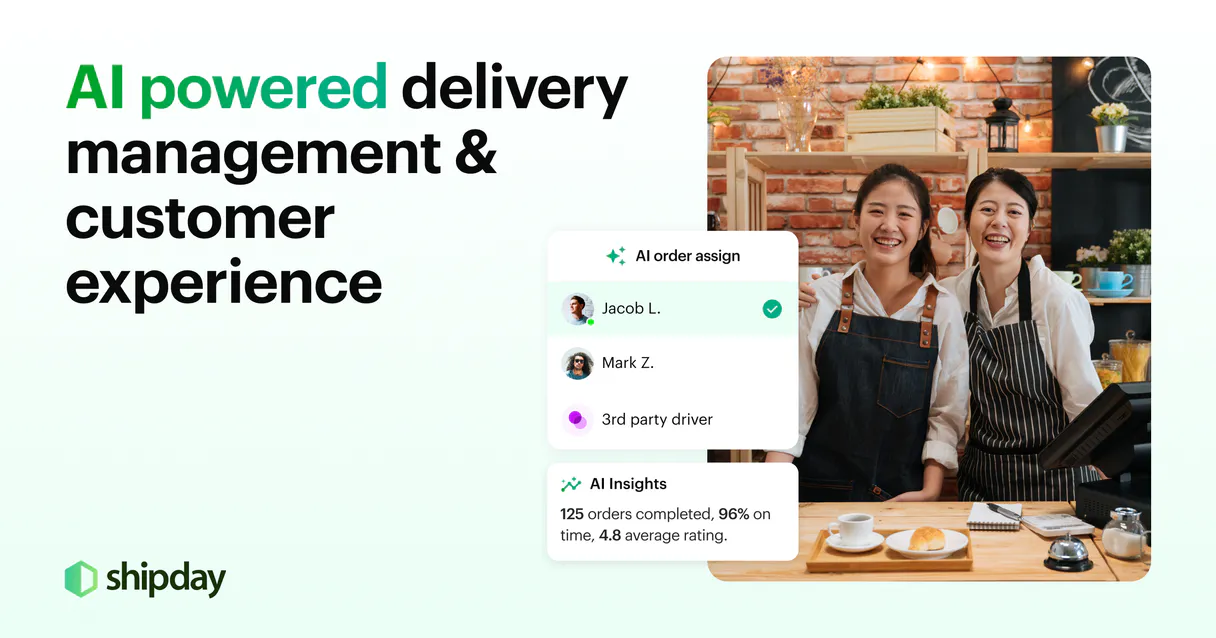
Shipday MCP. Dispatch, track, and manage every last-mile order in chat.
 Gemini
 Works with every AI agent you already use
…and any MCP-compatible client









Just plug in your AI agents and start using Vinkius.
Shipday MCP Server handles last-mile delivery dispatching and tracking. Use this server to manage entire local operations—from creating a new order to assigning a driver and getting real-time status updates—all through natural conversation with your AI client.
What your AI agents can do
Assign driver
Links an active delivery order to a specific, available driver ID.
Create order
Generates a completely new delivery record using customer and restaurant details.
Delete order
Removes or cancels an existing order from the system records.
You retrieve specific order information by ID or get a full list of all active deliveries.
You tell the system which available driver should take on a new, pending delivery job.
You update an order's status—like 'Picked Up' or 'Delivered'—to keep your internal records current.
The system pulls real-time location data, showing the exact progress of a delivery in transit.
You initiate new deliveries by providing customer and restaurant details, or you cancel an order outright.
Ask AI about this MCP
Supported MCP Clients
OAuth 2.0 Compatible Gemini Waiting for input…
Shipday MCP Server: 9 Tools for Delivery Operations
Use these nine tools to manage the full lifecycle of a local delivery—from creating new orders to assigning drivers and getting real-time tracking updates.
Make your AI actually useful.
Add this MCP to Claude, Cursor, or Windsurf and your AI stops guessing. It gets real tools to look things up, take action, and handle the stuff you keep doing by hand.
Start using Shipday on Vinkius019dd159assign driver
Links an active delivery order to a specific, available driver ID.
019dd159create order
Generates a completely new delivery record using customer and restaurant details.
019dd159delete order
Removes or cancels an existing order from the system records.
019dd159get carrier order
Pulls detailed information for a specific delivery ID managed by a third-party carrier.
019dd159get order
Retrieves all known data points for one particular order number.
019dd159get tracking progress
Gets the current, live location and progress status of a moving delivery.
019dd159list active orders
Returns a list summary of all deliveries currently in motion or awaiting dispatch.
019dd159list drivers
Pulls a directory listing of every driver registered in your fleet.
019dd159update order status
Changes the official status of an order (e.g., from 'Pending' to 'Out for delivery').
Choose How to Get Started
Build a custom MCP for your own tools, or connect a ready-made integration from our catalog.
Build Your Own
Turn any API into an MCP. Import a spec, define Agent Skills, or deploy with MCPFusion.
- Import from OpenAPI, Swagger, or YAML specs
- Create Agent Skills with progressive disclosure
- Deploy to edge with MCPFusion framework
- Built in DLP, auth, and compliance on every call
- Real time usage dashboard and cost metering
- Publish to catalog or keep private
Make Your AI Do More
Start with Shipday, then connect any of our 4,800+ other servers whenever your AI needs more. One click, no limits.
- Use this MCP plus 4,800+ others, all in one place
- Add new capabilities to your AI anytime you want
- Every connection is secured and compliant automatically
- Track usage and costs across all your servers
- Works with Claude, ChatGPT, Cursor, and more
- New servers added to the catalog every week
Independent Platform Disclaimer: Vinkius is an independent platform and is not affiliated with, endorsed by, sponsored by, verified by, or otherwise authorized by Shipday. All third-party trademarks, logos, and brand names are the property of their respective owners. Their use on this website is strictly for informational purposes to identify service compatibility and interoperability.
VINKIUS INFRASTRUCTURE
Cloud Hosted
Managed infra
V8 Isolated
Sandboxed per request
Zero-Trust Proxy
No stored credentials
DLP Enforced
Policy on every call
GDPR Compliant
EU data residency
Token Compression
~60% cost reduction
Works with Claude, ChatGPT, Cursor, and more
The Model Context Protocol standardizes how applications expose capabilities to LLMs. Instead of operating in isolation, your AI gains direct access to external platforms, live data, and real-world actions through secure, standardized connections.
This server provides 9 capabilities that interface natively with Claude, ChatGPT, Cursor, and any MCP client. No middleware. No custom integration required.
Dispatching orders shouldn't involve copying IDs between four different screens.
Right now, if an order needs to be tracked or assigned, you open the dashboard, copy the Order ID. You switch to the driver management tool, paste it, then jump to a separate status update screen and manually change the status. It's slow, error-prone, and requires juggling at least three tabs.
With this MCP server, your agent handles all that internal logic for you. You just tell it: 'Check order #123.' The agent runs `get_order` in the background and gives you the answer—all from a single chat thread.
Shipday MCP Server: Control your entire delivery lifecycle.
The manual steps that vanish are the constant context switching, the tedious copy-pasting of IDs between systems, and manually verifying if a driver is available before assignment. It’s all gone.
Now you just speak to your agent. You tell it what needs doing, and the sequence of tools—`list_active_orders`, `assign_driver`, `get_tracking_progress`—runs automatically behind the scenes.
What you can do with this MCP connector
Shipday MCP Server handles your whole local delivery dispatching and tracking. You'll connect your AI client to this server to manage everything from creating a new drop-off point to getting real-time location updates—all without lifting a finger or switching tabs.
To start, you can generate brand new deliveries using create_order, just by feeding the system customer and restaurant details. If that order needs to go sideways, you can use delete_order to remove it from our records entirely. You'll always be able to check on an existing job by calling get_order with a specific order number to pull up all its data points.
For a full rundown of everything currently moving or waiting for dispatch, run list_active_orders. If you only need info on one particular delivery ID that was handled by a third party, use get_carrier_order to grab those detailed records.
When it comes to personnel, you've got the whole crew directory right here. Call list_drivers and you get a list of every driver registered in your fleet. Once you pick one out, you can assign that specific driver ID to an active delivery order using assign_driver. You also have direct control over the official status of any job; if things change—say, it moves from 'Pending' to 'Out for delivery,' or finally hits 'Delivered'—you update it with update_order_status to keep our internal books straight.
To know exactly where a moving package is right now, you run get_tracking_progress. This tool pulls the live location and current progress status of anything in transit.
If you need general order details by ID, use get_order. If you just wanna see every driver available on paper, list_drivers does that. You'll never have to manually update statuses or track down driver IDs again; your agent handles it all.
Basically, this server lets you manage the entire local logistics loop. Need a new order? Call create_order. Got a list of deliveries waiting for dispatch? Check list_active_orders and then assign someone with assign_driver. If an order gets canceled or needs to be scrubbed, use delete_order. You can always get the full picture on any job using get_order, pull up external carrier info with get_carrier_order, or check the live progress of a package in motion with get_tracking_progress.
019dd159-fb64-70c7-b197-c87ff50a84a6 
How Shipday MCP Works
- 1 Subscribe to the Shipday server and input your API Key from your Shipday dashboard settings.
- 2 Your AI client calls a tool (e.g.,
list_active_orders) to gather current delivery metadata. - 3 You use conversational prompts to direct the workflow, telling your agent exactly what status changes or assignments need to happen next.
The bottom line is you treat your entire dispatch operation like a conversation with an expert dispatcher who already has access to your backend system.
Who Is Shipday MCP For?
This server is for operations managers and logistics coordinators who are tired of jumping between the CRM, the mapping tool, and the internal chat just to get one order status. If you manage more than ten local deliveries a day, this saves time.
Assigns newly incoming orders to available drivers and checks if an assigned driver is currently en route.
Runs full reports on all active deliveries using list_active_orders, then assigns the best fit driver via assign_driver.
Checks a customer's order status instantly by calling get_tracking_progress and relaying that info to the client in chat.
What Changes When You Connect
- You instantly get a full list of deliveries using
list_active_orders. This means you never have to manually check 5 different dashboards just to see what's currently moving. - Driver assignment is simple. Instead of emailing a sheet or calling someone, you use the
assign_drivertool to link an order ID directly to a driver ID in a single conversational step. - Tracking status updates are live and direct. The
get_tracking_progresstool pulls real-time data so your agent can report accurate location details instantly. - You maintain perfect records by using
update_order_status. This ensures that whether the order is 'Picked Up' or 'Delivered,' your system record matches reality. - The entire workflow, from creating a new job via
create_orderto deleting it withdelete_order, runs through one conversation. No context switching required.
Real-World Use Cases
Handling an Emergency Cancellation
A customer calls and needs their order canceled immediately. Instead of logging into the portal to find the ID, your agent uses get_order first. Once confirmed, it runs delete_order, sending a confirmation message back instantly.
Morning Dispatch Handoff
The shift starts and you need to know who's available. You ask your agent to run list_drivers. The agent replies with the list, allowing you to immediately assign pending jobs using assign_driver.
Customer Status Check
A customer texts about a late delivery. Your agent runs get_tracking_progress, which pulls the live data. The agent then tells the customer exactly where the driver is, solving the issue without you ever leaving your chat interface.
Batch Status Updates
The end of a busy night. You need to mark 15 orders as 'Completed.' Instead of clicking 15 times, you run list_active_orders and then ask the agent to batch-update them using update_order_status.
The Tradeoffs
Updating status on a non-existent order
Trying to run update_order_status for an ID you think is correct but that was already deleted or never existed. The system fails and you're stuck.
→
Always check first. Before changing the status, use get_order with the suspected ID. If that tool returns data, then proceed with update_order_status. This prevents failures.
Assigning drivers without checking availability
Assuming a driver is available and running assign_driver when they're already marked as busy or offline. The assignment fails mid-workflow.
→
Always start by calling list_drivers. This confirms the current status of your fleet before you attempt to assign anyone using assign_driver.
Ignoring carrier details
Trying to track a package that was handed off to a separate courier. Your internal tools won't see it, and the tracking fails.
→
If the delivery involves an external partner, use the get_carrier_order tool first. This pulls in necessary third-party data so your agent can manage the full lifecycle.
When It Fits, When It Doesn't
Use this server if you need to manage the entire state machine of a local delivery—meaning you need tools that handle creating, modifying, and tracking status transitions (e.g., create_order -> assign_driver -> get_tracking_progress -> update_order_status). Don't use it if all you need is to read static data; for instance, if you just want a simple list of names, that might be handled by a simpler directory tool. However, if your workflow involves multiple steps—like making sure an order exists before updating its status—this server handles the full sequence logic within the chat environment. Don't use it if you only need to calculate a route; you still need a dedicated mapping service for that. This is purely about dispatch and state management.
Common Questions About Shipday MCP
How do I check if an order is active with list_active_orders? +
You simply ask your agent to run list_active_orders. It pulls a summary of all deliveries currently in motion or waiting for dispatch, giving you immediate visibility into the entire fleet.
Can I assign a driver without knowing their ID? (assign_driver) +
The assign_driver tool requires both an order ID and a specific driver ID. If you don't know the IDs, first run list_drivers to get all available personnel.
How do I find out if a package is delayed using get_tracking_progress? +
Run get_tracking_progress with the order ID. This tool pulls live data, showing you exactly where the delivery is and gives details on any expected delays.
What's the difference between get_order and list_active_orders? +
list_active_orders gives a summary of many jobs (a count, statuses). get_order pulls all granular metadata for one specific job ID.
What information must I provide when calling the create_order tool? +
You must supply three key pieces of data: orderNumber, customer details, and restaurant info. The system uses these inputs to build a new delivery record in Shipday's backend.
What happens when I use the delete_order tool? +
The delete_order tool cancels or deletes an order based on its current status. Use this only if you are sure of the cancellation, as it permanently removes the record from the active fulfillment pipeline.
How does update_order_status work? Does it require carrier metadata? +
The update_order_status tool requires an order ID and the desired new status code. It synchronizes your delivery pipeline by forcing the specified status change across all linked systems.
What specific details does list_drivers return to me? +
The list_drivers tool returns a directory of all associated drivers. Specifically, you get their unique IDs, names, and current availability status for dispatching.
Can my AI automatically find the status of a delivery order just by providing its ID? +
Yes! Use the get_order tool with the Order ID. Your agent will respond with the current status, customer details, and scheduled delivery times in seconds.
How do I assign a specific driver to an active order? +
Simply ask the agent to run the assign_driver action. You will need to provide both the Order ID and the Driver ID to complete the assignment.
How do I find my Shipday API Key? +
Log in to your Shipday dashboard, navigate to Settings > API, and you will find your unique secret API key there.
Use it with your favorite AI tools
Connect this server to Cursor, Claude, VS Code, and more.