
WellnessLiving MCP. Manage studio data without clicking a single button.
 Gemini
 Works with every AI agent you already use
…and any MCP-compatible client









Just plug in your AI agents and start using Vinkius.
WellnessLiving MCP Server lets your agent manage every aspect of your studio—from scheduling classes and viewing staff rosters to tracking client credits and generating revenue reports.
It connects AI clients directly to core business data, making manual lookups obsolete.
What your AI agents can do
Get business info
Retrieves general details about the studio's account profile and configuration settings.
Get client
Fetches a specific member's complete profile, including contact information and full membership history.
Get report
Generates detailed business reports covering attendance totals, total revenue streams, and client retention metrics for specified periods.
Find a member by name or ID, then retrieve their full profile, visit history, current membership status, and remaining credits.
Pull the daily schedule for a specific location, showing class times, instructors, capacity limits, and real-time enrollment numbers.
Access aggregated financial data like total revenue (broken down by memberships, drop-ins, merchandise) and overall attendance counts for any period.
List all active staff members—instructors or trainers—and get their assigned roles and current schedules.
Pull a list of all physical studio locations, including addresses and operational hours for multi-site businesses.
Ask AI about this MCP
Supported MCP Clients
Gemini Waiting for input…
WellnessLiving MCP Server: 9 Tools for Studio Operations
Use these tools to let your AI agent access every core function of a fitness studio—from checking class capacity via `list_schedule` to generating detailed financial reports using `get_report`.
019d7621get business info
Retrieves general details about the studio's account profile and configuration settings.
019d7621get client
Fetches a specific member's complete profile, including contact information and full membership history.
019d7621get report
Generates detailed business reports covering attendance totals, total revenue streams, and client retention metrics for specified periods.
019d7621list locations
Pulls a list of all physical studio locations managed by the account, including addresses and hours.
019d7621list memberships
Lists every available membership or promotional plan, detailing pricing and terms for sale.
019d7621list schedule
Retrieves the current class timetable, including instructor names, capacities, and enrollment counts for a given day.
019d7621list services
Lists all distinct service types or classes offered by the studio (e.g., Yoga Flow, Kids Karate).
019d7621list staff
Provides a roster of current staff members and their associated roles within the business.
019d7621search clients
Searches for clients by name or criteria, returning basic profile summaries, membership status, and visit history links.
Choose How to Get Started
Build a custom MCP for your own tools, or connect a ready-made integration from our catalog.
Build Your Own
Turn any API into an MCP. Import a spec, define Agent Skills, or deploy with MCPFusion.
- Import from OpenAPI, Swagger, or YAML specs
- Create Agent Skills with progressive disclosure
- Deploy to edge with MCPFusion framework
- Built in DLP, auth, and compliance on every call
- Real time usage dashboard and cost metering
- Publish to catalog or keep private
Make Your AI Do More
Start with WellnessLiving, then connect any of our 4,700+ other servers whenever your AI needs more. One click, no limits.
- Use this MCP plus 4,700+ others, all in one place
- Add new capabilities to your AI anytime you want
- Every connection is secured and compliant automatically
- Track usage and costs across all your servers
- Works with Claude, ChatGPT, Cursor, and more
- New servers added to the catalog every week
What you can do with this MCP connector
Look, you're managing a studio; you don't have time to manually dig through databases. This MCP Server connects your AI client straight into the core backend of WellnessLiving. It gives your agent real-time access to everything—staff rosters, class times, member histories, and the actual money flow. You tell your agent what it needs, and it gets clean JSON data back instantly.
If you need to find a specific person, start with search_clients. That tool lets your agent look up members using names or other criteria, spitting out basic profile summaries right away, along with links to their membership status and visit history. Once the agent has that initial hit, it can call get_client to pull the whole deal: every contact detail, a complete record of their entire membership journey, and how many credits they've got left.
For class times, your agent pulls the daily schedule using list_schedule. This gives you the current timetable, showing specific instructor names for each slot, how full the capacity is, and exactly how many people are signed up that day. Before checking the calendar, the agent can use list_services to get a master list of every class type or service offered—like 'Yoga Flow' or 'Kids Karate'—so it knows what schedules should even exist.
When it comes to staff, you don't gotta guess who's working. The agent uses list_staff to pull the full roster of current trainers and instructors, listing their assigned roles within the business. It also runs get_business_info, which pulls general details about your studio’s account profile and all the core configuration settings you need to know.
If you run a multi-site operation, the agent calls list_locations to get every physical spot managed under the account, including their specific addresses and hours. For pricing structure, list_memberships lists every available plan or promo package, detailing the exact cost and terms for sale.
When it comes time to see the books, the agent uses get_report to generate detailed business financials covering total attendance counts, overall revenue streams—broken down by memberships, drop-ins, and merch sales—and client retention metrics for any period you specify. You can also use get_client's comprehensive history data in conjunction with these reports.
Essentially, your agent doesn't just read a screen; it executes complex lookups. It uses the structured output from all nine tools to build answers or trigger actions without having to lift a finger. Your client asks, 'What classes are running today and who’s teaching them?' The agent pulls list_schedule and list_services.
They ask, 'How much did we make last month?' The agent runs get_report. It's pure data access for your AI client.
How WellnessLiving MCP Works
- 1 Tell your agent exactly what you need: 'What are the total revenue figures for last month?'
- 2 The agent translates that into a call to
get_report, supplying required date ranges and filters. - 3 The MCP Server executes the query, receives raw data from WellnessLiving, and sends back a clean summary JSON object directly to your AI client.
The bottom line is: you talk naturally, and your agent handles all the API calls, filtering out the complexity for you.
Who Is WellnessLiving MCP For?
Studio owners and operations managers who are sick of jumping between three different tabs (the scheduling app, the billing system, and the attendance sheet). If you spend your mornings manually cross-referencing data to answer a client question or write a report, this is for you.
Uses list_schedule and get_client to confirm availability and membership details instantly when talking to a client.
Runs complex reports using get_report, combining attendance data with revenue figures across multiple locations (list_locations).
Uses search_clients to quickly pull up a member's profile and remaining credits, so they never have to guess if someone is current.
What Changes When You Connect
- Stop guessing client status. Use
search_clientsto instantly pull up a member's profile and see if they have enough credits before you even talk to them. - Eliminate manual report generation. Instead of exporting spreadsheets, just ask for the numbers—
get_reportgives you total revenue breakdown (memberships vs. drop-ins) in seconds. - Know your capacity instantly.
list_scheduletells you if a class is full or how many spots are left without needing to check the dashboard widget. - Consolidate multi-site data. If you run multiple locations, use
list_locationsand related tools to get combined reporting across all branches in one query. - Speed up staffing decisions.
list_stafflets you verify who is scheduled for a given class or if an instructor's role needs updating.
Real-World Use Cases
Client asks about their account balance
A client calls and asks, 'How many classes do I have left?' Instead of searching through billing portals, your agent runs search_clients, which returns the client's profile and remaining class credits immediately. You tell them the number without looking it up.
Need to plan next quarter's marketing
The owner needs to know if their drop-in revenue is high enough to justify a new membership tier. They ask the agent to run get_report specifically for 'drop-ins vs memberships.' The report gives a clear comparison, telling them exactly where they stand financially.
Checking staffing conflicts before launch
You're adding a new class and need to ensure the instructor is free. You ask your agent to cross-reference list_staff with list_schedule for that date/time block, confirming no double bookings exist.
Multi-location profitability review
The operations director needs a quick view of revenue across all sites. They run list_locations, then feed those location IDs into get_report to get a single, aggregated profit summary instead of logging into five different dashboards.
The Tradeoffs
Checking data piece by piece
Manually going through the dashboard: first checking staff roles (list_staff), then opening a client profile tab, and finally running a separate report query for attendance.
→
Start with your primary goal. If you need to know if Staff X teaches Class Y, ask the agent to combine search_clients (to find the student) and list_schedule simultaneously. Let the tools do the linking.
Assuming data is centralized
Thinking that just calling get_client gives you everything, including historical revenue generated by them in previous years.
→
Use get_client for profile details. But if you need financial data or attendance history, you must follow up with the dedicated tool: get_report. They do different jobs.
Using general search terms
Asking the agent, 'Tell me about classes and people.' This is too vague and results in a useless dump of data from every available source.
→
Be specific. Instead, ask: 'List all services that Instructor Jane Doe teaches this week,' which directs the agent to use list_services filtered by staff data.
When It Fits, When It Doesn't
Use this MCP Server if your workflow requires combining operational context (staff/location) with transactional records (client history/reports). You need a single interface that can answer, 'Who is doing what, where, and for how much?'
Don't use it if you only need to view public information, like checking the general hours of operation. For simple data viewing, just using list_locations might be enough.
However, if your process involves making decisions (e.g., 'Should we offer this membership?'), you'll need a chain: first run get_report to see pricing trends; then use list_memberships to check current plans; and finally, consult list_services to see which services support the best new package. This server handles that whole sequence.
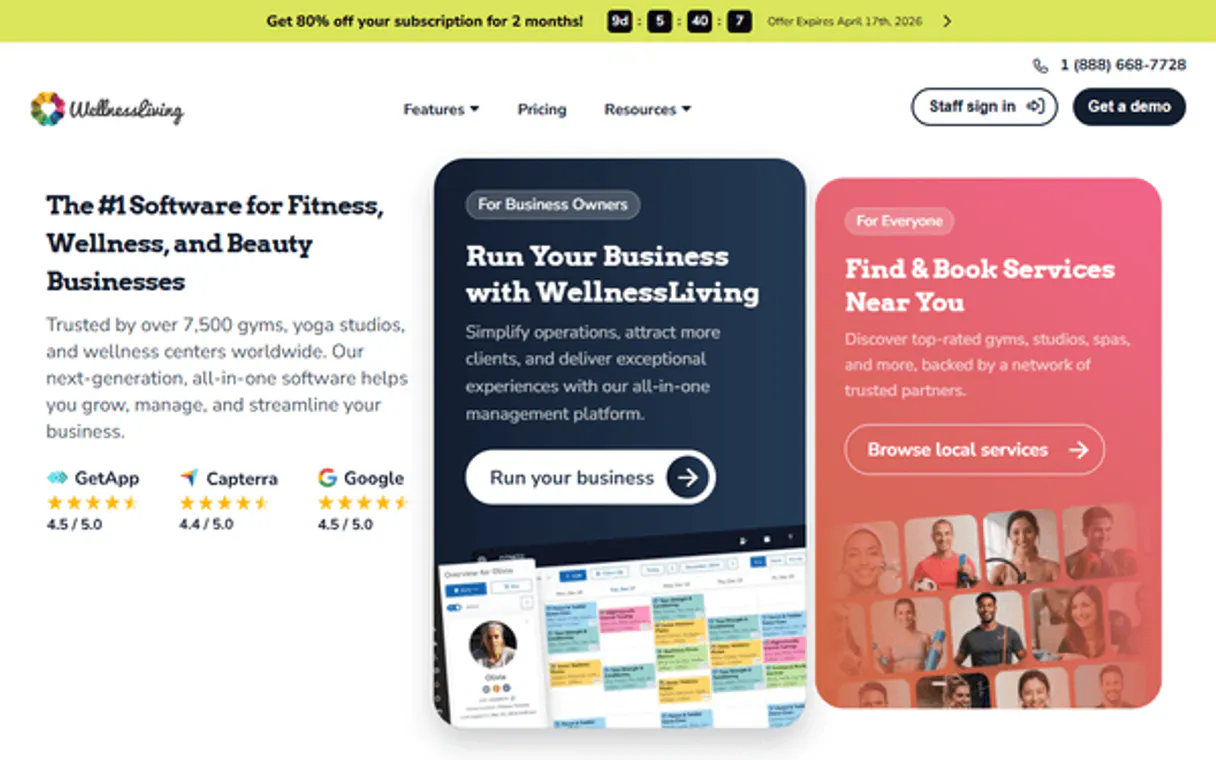
Independent Platform Disclaimer: Vinkius is an independent platform and is not affiliated with, endorsed by, sponsored by, verified by, or otherwise authorized by WellnessLiving. All third-party trademarks, logos, and brand names are the property of their respective owners. Their use on this website is strictly for informational purposes to identify service compatibility and interoperability.
VINKIUS INFRASTRUCTURE
Cloud Hosted
Managed infra
V8 Isolated
Sandboxed per request
Zero-Trust Proxy
No stored credentials
DLP Enforced
Policy on every call
GDPR Compliant
EU data residency
Token Compression
~60% cost reduction
Works with Claude, ChatGPT, Cursor, and more
The Model Context Protocol standardizes how applications expose capabilities to LLMs. Instead of operating in isolation, your AI gains direct access to external platforms, live data, and real-world actions through secure, standardized connections.
This server provides 9 capabilities that interface natively with Claude, ChatGPT, Cursor, and any MCP client. No middleware. No custom integration required.
Available Capabilities
Figuring out basic studio data shouldn't feel like running a marathon.
Right now, answering simple questions—like 'What classes are available today?' or 'Did Client Jones pay for their membership yet?'—requires opening the scheduling dashboard, cross-referencing location settings, and then checking the billing system. It's clicking through four different tabs just to get one answer.
With this MCP Server, you simply ask your agent. The agent runs `list_schedule` and `search_clients` behind the scenes. You get a single, clean summary that tells you everything—who is teaching, when they are teaching it, and if the student's account is paid up.
The WellnessLiving MCP Server: Get real-time data from `get_report`.
Before this server, generating a monthly profit summary meant exporting sheets, cleaning them up in Excel, and spending hours reconciling revenue streams—separating membership fees from drop-in payments. It was tedious manual labor.
Now, you ask your agent to generate the report. The agent calls `get_report`, retrieves all necessary data points (revenue, attendance) directly, and hands you a structured summary immediately. You spend zero time on cleanup.
Common Questions About WellnessLiving MCP
How do I use `search_clients` to find a member's history? +
First, run search_clients with the name or ID. This gives you basic details and confirmation of their membership status. You then pass the client ID to get_client for the full visit history and detailed credits.
Can I use `list_services` to see all class types? +
Yes, running list_services pulls a list of every defined service type (like Zumba or Yoga Flow). This is useful for creating new membership packages using the data from list_memberships.
Does `get_report` include merchandise revenue? +
Yes. The get_report tool breaks down total revenue into specific categories, including revenue generated from drop-ins, memberships, and any physical merchandise sales.
What is the difference between `list_staff` and `get_client`? +
list_staff lists all employees (instructors/trainers) for scheduling purposes. get_client pulls data on paying members or students, detailing their personal accounts and attendance.
How does using `list_locations` help manage multi-studio operations? +
It lists all your business locations, including addresses and operating hours. This allows you to centralize management data for multiple branches in one go.
What kind of details does the `get_client` tool provide about a member? +
The tool retrieves the full client profile, including their attendance history and current membership status. It's your single source for client data records.
Are there any rate limits when calling multiple tools like `list_schedule` or `get_report`? +
Yes, the API enforces standard rate limits. For high-volume tasks, group requests into batches rather than making individual calls sequentially.
What prerequisites are needed to use the `list_memberships` tool? +
You need proper API authentication and read scope access for membership data within WellnessLiving. Make sure your client has the correct permissions enabled first.
How is WellnessLiving different from Mindbody? +
WellnessLiving offers similar features at a lower price point with no hidden fees. It's particularly popular among martial arts schools, dance studios, and music schools. It also provides a PHP SDK on GitHub for custom development.
Use it with your favorite AI tools
Connect this server to Cursor, Claude, VS Code, and more.
More in this category
Richards CRM
Automate project management via Richards CRM — manage leads, estimates, and material orders with AI.
HirePOS
Manage your hire and rental business with inventory tracking, booking calendars, and invoice generation for equipment providers.
Odoo ERP (Full)
Manage CRM leads, contacts, companies, sales orders, and notes — complete Odoo ERP access through natural conversation.
You might also like
Cognita (RAG Framework)
Manage modular RAG via Cognita — list collections, ingest data sources, and perform AI-driven Q&A directly from any AI agent.

Nord Pool
Access European electricity market data via Nord Pool — query day-ahead prices, auction volumes, cross-border flows, and consumption forecasts from any AI agent.
MeteoSource
Monitor global weather — audit forecasts and places via AI.