
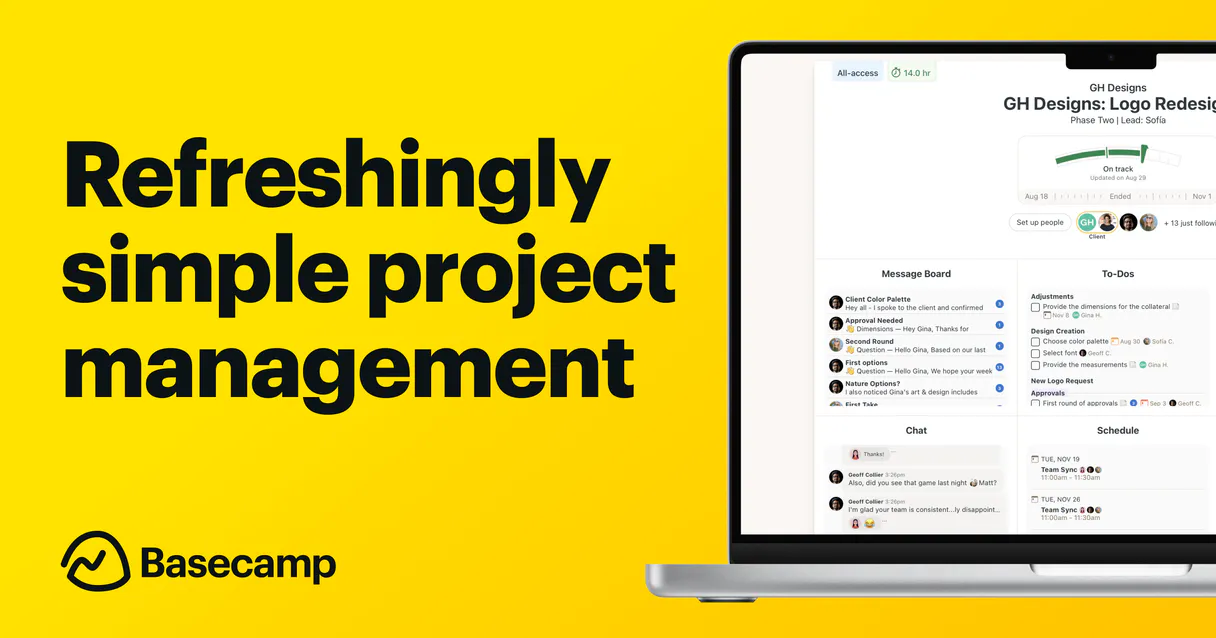
Basecamp MCP. Get project status, tasks, and comms instantly.
 Gemini
 Works with every AI agent you already use
…and any MCP-compatible client









Just plug in your AI agents and start using Vinkius.
Basecamp MCP lets your AI client read and organize all project data—tasks, messages, chat logs, and team members—from Basecamp in one go.
Stop clicking through tabs; just ask your agent for a status digest across multiple projects or list every overdue task from a specific todolist.
What your AI agents can do
Get project
Fetches specific details for one particular Basecamp project.
List campfire lines
Retrieves recent, interactive chat lines from a specified project's Campfire module.
List messages
Lists all messages posted on a specific project message board.
Get a list of every project in your account and gather details on specific project structures.
Review explicit todolists and check individual tasks to see what needs attention right now.
Pull the most recent messages from a project board or retrieve chat lines from the Campfire module.
List every person in your organization, tracking who they are and their history within Basecamp.
Ask AI about this MCP
Supported MCP Clients
OAuth 2.0 Compatible Gemini Waiting for input…
Basecamp: 7 Tools for Project Management
Use these seven tools to query specific aspects of your Basecamp data, whether you need a list of projects, pending tasks, or recent communications.
Make your AI actually useful.
Add this MCP to Claude, Cursor, or Windsurf and your AI stops guessing. It gets real tools to look things up, take action, and handle the stuff you keep doing by hand.
Start using Basecamp on Vinkius019d7558get project
Fetches specific details for one particular Basecamp project.
019d7558list campfire lines
Retrieves recent, interactive chat lines from a specified project's Campfire module.
019d7558list messages
Lists all messages posted on a specific project message board.
019d7558list people
Enumerates the entire organization's team profiles, tracking author history for every user.
019d7558list projects
Gives a comprehensive list of all active projects within your Basecamp account.
019d7558list todolists
Shows all the individual todolist groups contained inside a larger todoset.
019d7558list todos
Retrieves a list of every specific task item within a selected todolist.
Choose How to Get Started
Build a custom MCP for your own tools, or connect a ready-made integration from our catalog.
Build Your Own
Turn any API into an MCP. Import a spec, define Agent Skills, or deploy with MCPFusion.
- Import from OpenAPI, Swagger, or YAML specs
- Create Agent Skills with progressive disclosure
- Deploy to edge with MCPFusion framework
- Built in DLP, auth, and compliance on every call
- Real time usage dashboard and cost metering
- Publish to catalog or keep private
Make Your AI Do More
Start with Basecamp, then connect any of our 4,800+ other servers whenever your AI needs more. One click, no limits.
- Use this MCP plus 4,800+ others, all in one place
- Add new capabilities to your AI anytime you want
- Every connection is secured and compliant automatically
- Track usage and costs across all your servers
- Works with Claude, ChatGPT, Cursor, and more
- New servers added to the catalog every week
Independent Platform Disclaimer: Vinkius is an independent platform and is not affiliated with, endorsed by, sponsored by, verified by, or otherwise authorized by Basecamp. All third-party trademarks, logos, and brand names are the property of their respective owners. Their use on this website is strictly for informational purposes to identify service compatibility and interoperability.
VINKIUS INFRASTRUCTURE
Cloud Hosted
Managed infra
V8 Isolated
Sandboxed per request
Zero-Trust Proxy
No stored credentials
DLP Enforced
Policy on every call
GDPR Compliant
EU data residency
Token Compression
~60% cost reduction
Works with Claude, ChatGPT, Cursor, and more
The Model Context Protocol standardizes how applications expose capabilities to LLMs. Instead of operating in isolation, your AI gains direct access to external platforms, live data, and real-world actions through secure, standardized connections.
This server provides 7 capabilities that interface natively with Claude, ChatGPT, Cursor, and any MCP client. No middleware. No custom integration required.
Juggling project status across multiple browser tabs is exhausting.
Today, checking a single client's progress means logging into Basecamp, navigating to the right project, clicking through the message boards for updates, then switching to the Todoset page just to see if any tasks are overdue. You spend 15 minutes in clicks and copy-pasting status bullet points.
With this MCP, you simply ask your agent: 'Give me the current status of Project X.' The system pulls together project details, recent messages (`list_messages`), open todos, and chat logs into one digestible summary. You get the answer instantly.
Getting a full team roster with Basecamp MCP
Manually gathering who belongs to which project, or tracking down an old contributor's name and last activity requires jumping through three different sections of the account. It’s tedious cross-referencing.
The agent uses `list_people` to pull a complete organizational chart instantly. You get not just names, but accurate author histories and team roles—all in one query.
What you can do with this MCP connector
Need to know what’s happening on three different client accounts? You don't have time to open the browser, log in, and navigate seven separate project pages. This MCP connects your Basecamp account directly to any AI agent, pulling all the critical data into natural conversation. Your agent can list active projects, check recent messages on a board, or pull chat logs from Campfire—all without you having to click anything.
You'll get immediate visibility into everything: who’s assigned what, if tasks are pending in a todoset, and what was said last night. It keeps your project data centralized so you can focus on the work, not the web interface. Accessing this via Vinkius means your agent stays connected to the entire catalog of services, making it easy to pull together reports from Basecamp alongside other tools.
019d7558-90f9-73f7-8701-f5e4ac501ed6 
How Basecamp MCP Works
- 1 Subscribe to this MCP on Vinkius and provide your Basecamp Access Token and Account ID.
- 2 Your AI agent authenticates with the connection, gaining remote read-only access across your project data.
- 3 You prompt your agent—for example, 'What's status on Mobile MVP?'—and it returns an immediate, conversational summary of projects, tasks, and messages.
The bottom line is you get a full, instant digest of your Basecamp account without opening the web app.
Who Is Basecamp MCP For?
Project Managers who need daily status reports across multiple client accounts. Development Leads needing to check bug lists while coding. Agency Owners monitoring client project health from a single command line.
Needs to gather immediate task digests and summarize chat chatter from several different projects simultaneously before a team meeting.
Must search unresolved bug todolists or check project statuses while writing code inside an IDE, without context switching.
Needs to monitor client project health by listing overdue tasks and tracking assignee distribution globally across accounts.
What Changes When You Connect
- Stop losing time navigating tabs. You can ask your agent to pull messages using
list_messagesor get chat logs vialist_campfire_linesin a single prompt. - Know exactly who's working on what. Use
list_peopleto see the full directory, and check project status withget_projectfor instant context. - Manage task debt without opening anything. Quickly list all pending tasks by running
list_todosagainst a specific todolist. - See your whole scope at a glance. Instead of clicking through menus, use
list_projectsto get an immediate overview of every active project. - Consolidate status updates for teams. You can list projects and then drill down into todosets by using
list_todoliststo track progress.
Real-World Use Cases
The PM needs a client update before a call.
A project manager asks their agent: 'Give me the status of Alpha, Beta, and Gamma.' The agent uses list_projects to identify all three, then checks for pending tasks using list_todos across each one. It summarizes everything—messages, open todos, and who's assigned what—so the PM is ready for the meeting.
Developer needs bug status while coding.
A developer writes code but realizes they need to check unresolved bugs from a client project. They prompt their agent: 'What are all open todos related to the payments system?' The agent uses list_todolists and then list_todos to provide an immediate, actionable list of bug IDs.
Owner needs team roster for a new hire.
An agency owner brings on a new employee and needs the full contact structure. They ask their agent to pull the directory via list_people. The agent returns accurate profiles, including historical assignment data, saving manual lookups.
Team needs yesterday's discussion summary.
A team member joins a project late and asks: 'What was discussed in the last few hours?' The agent uses list_campfire_lines to pull the most recent chat activity, giving them immediate context without reading through hundreds of old messages.
The Tradeoffs
Treating Basecamp like a simple message board.
Thinking that simply asking for 'messages' is enough when you actually need to know if those messages led to specific, actionable tasks or bug fixes.
→
Always check the task status. After reviewing messages using list_messages, follow up by running a query like list_todos to confirm which actions were assigned.
Over-relying on manual project navigation.
Opening ten different browser tabs—one for 'Marketing', one for 'Website,' one for 'HR'—just to compare tasks across the organization.
→
Start by using list_projects to identify all relevant projects, and then ask your agent to summarize the top three priorities from that list.
Assuming project structure is static.
Only checking a single todoset when in reality, related tasks might be scattered across multiple separate todolists or even different projects entirely.
→
Use list_todolists first to map out the entire scope of available task groups before running list_todos on any one list.
When It Fits, When It Doesn't
Use this MCP if your primary pain is gaining a holistic, cross-section view of project health. If you need to compare tasks across five different projects or pull the last week's chat history plus all pending items, this works. Don't use it if you only need simple email reminders (use an email integration instead). Also, don't use it if your team uses a completely separate task management system; this MCP is strictly for Basecamp data. It excels at stitching together communications and tasks from within the Basecamp platform.
Common Questions About Basecamp MCP
How do I use the list_todos tool with Basecamp MCP? +
You first need to identify the todoset using list_todolists, then reference that todolist ID when asking your agent to run list_todos. It pulls every active task item, so you know exactly what needs attention.
Can I get a summary of messages and chat logs simultaneously? +
Yes. You prompt the agent for both message board activity using list_messages and recent chatter from Campfire via list_campfire_lines. It combines them into one feed, so you don't miss context.
What is the difference between list_projects and get_project? +
Use list_projects when you need to see all active projects. Use get_project when you already know the name or UUID of a single project and only want its specific data.
Does list_people show me who worked on an old task? +
Yes, the list_people tool tracks accurate author histories. You'll see which users were assigned or contributed to a project over time.
If I call `get_project` with an incorrect UUID, what happens? +
The tool fails gracefully and returns a clear error message indicating the ID is invalid. You must first use list_projects to retrieve the correct internal UUID before trying to fetch project details.
Are there rate limits when I call `list_messages` or `list_campfire_lines`? +
Yes, if you send too many requests in a short span, the API will throttle your access. It's best to pace your tool calls or structure them into batches to avoid hitting service limits.
How do I find all the available Todosets before calling `list_todolists`? +
The MCP doesn't list standalone Todosets; it requires a specific container. You must use another mechanism or tool to identify the parent Todoset ID first, and then pass that ID to list_todolists.
Does calling `list_people` provide enough context to link back to old activity? +
It provides core profile data and author history for team members. For specific communication details, you must run the message listing tools to get the conversation metadata attached to those user IDs.
Use it with your favorite AI tools
Connect this server to Cursor, Claude, VS Code, and more.