
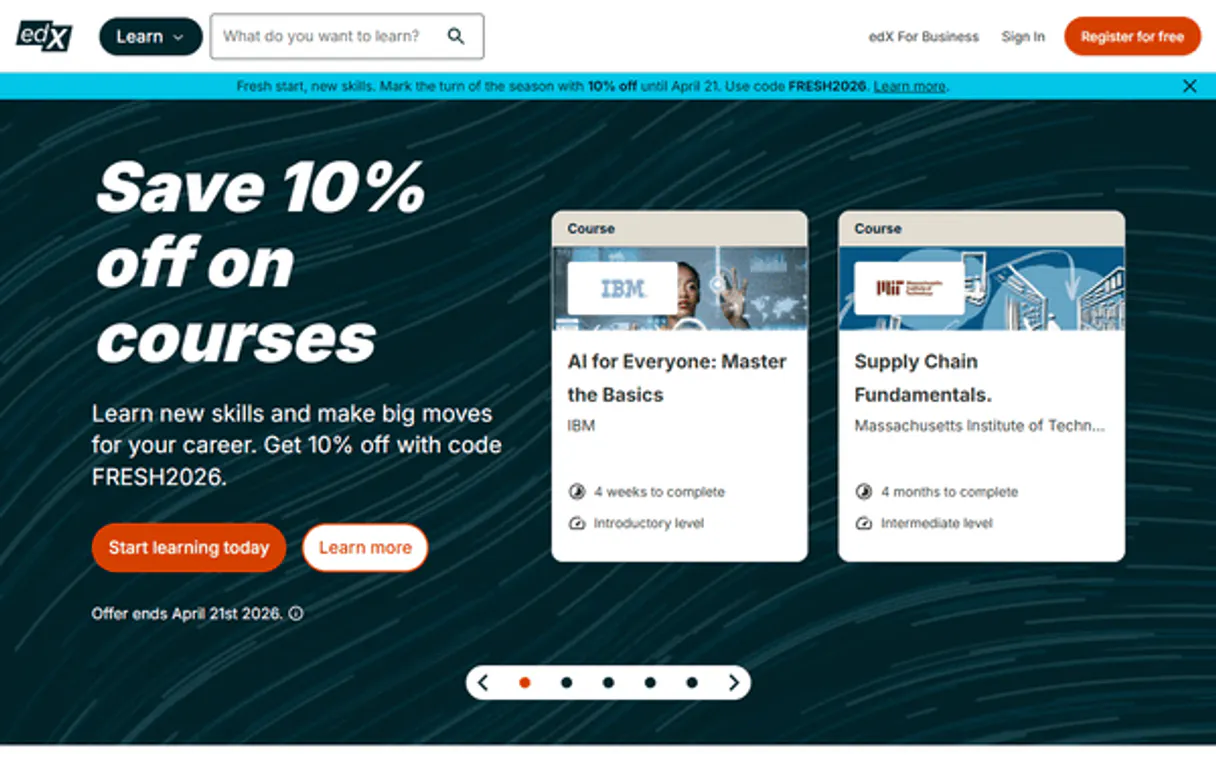
edX MCP. Discover Courses from Harvard, MIT & More.
 Gemini
 Works with every AI agent you already use
…and any MCP-compatible client









Just plug in your AI agents and start using Vinkius.
edX MCP lets you search and find online courses from major universities like Harvard, MIT, and Google. Use it to explore specific programs, check prerequisites, or discover entire subject categories across 160+ institutions without needing an API key.
What your AI agents can do
Get course
Retrieves detailed information for a specific edX course, including prerequisites and pacing details.
Get course run
Get details for a specific course run
Get course runs
Lists scheduled offerings for a given course, allowing you to see start dates and enrollment status.
Retrieve everything about a single course, including its prerequisites, estimated effort, and subjects.
Get scheduled offerings for a course, letting you know when it's next running or if it’s archived.
List all the partner organizations on edX, like Harvard and Google, along with their descriptions and how many courses they host.
Retrieve information about structured academic paths, such as Professional Certificates or MicroMasters.
List all available subject categories so you can narrow down your search by field of study.
Perform a free-text search across titles, organizations, and academic levels to find potential courses.
Ask AI about this MCP
Supported MCP Clients
OAuth 2.0 Compatible Gemini Waiting for input…
edX MCP: 7 Tools
These tools let you search the course catalog, find academic programs, list partner universities, and retrieve specific educational details.
Make your AI actually useful.
Add this MCP to Claude, Cursor, or Windsurf and your AI stops guessing. It gets real tools to look things up, take action, and handle the stuff you keep doing by hand.
Start using edX on Vinkius019d8432get course
Retrieves detailed information for a specific edX course, including prerequisites and pacing details.
019d8432get course run
Get details for a specific course run
019d8432get course runs
Lists scheduled offerings for a given course, allowing you to see start dates and enrollment status.
019d8432get organizations
Gets a list of all partner universities and institutions hosting courses on edX.
019d8432get program
Retrieves specific details for an entire academic program, like a MicroMasters or Certificate.
019d8432get subjects
Returns categories of subjects available on the platform, helping you discover topics.
019d8432search courses
Searches the full course catalog using text input, filtering by organization, level, or subject.
019d8432search programs
Finds structured academic programs like Professional Certificates and XSeries through a dedicated search.
Choose How to Get Started
Build a custom MCP for your own tools, or connect a ready-made integration from our catalog.
Build Your Own
Turn any API into an MCP. Import a spec, define Agent Skills, or deploy with MCPFusion.
- Import from OpenAPI, Swagger, or YAML specs
- Create Agent Skills with progressive disclosure
- Deploy to edge with MCPFusion framework
- Built in DLP, auth, and compliance on every call
- Real time usage dashboard and cost metering
- Publish to catalog or keep private
Make Your AI Do More
Start with edX, then connect any of our 4,800+ other servers whenever your AI needs more. One click, no limits.
- Use this MCP plus 4,800+ others, all in one place
- Add new capabilities to your AI anytime you want
- Every connection is secured and compliant automatically
- Track usage and costs across all your servers
- Works with Claude, ChatGPT, Cursor, and more
- New servers added to the catalog every week
Independent Platform Disclaimer: Vinkius is an independent platform and is not affiliated with, endorsed by, sponsored by, verified by, or otherwise authorized by edX. All third-party trademarks, logos, and brand names are the property of their respective owners. Their use on this website is strictly for informational purposes to identify service compatibility and interoperability.
VINKIUS INFRASTRUCTURE
Cloud Hosted
Managed infra
V8 Isolated
Sandboxed per request
Zero-Trust Proxy
No stored credentials
DLP Enforced
Policy on every call
GDPR Compliant
EU data residency
Token Compression
~60% cost reduction
Works with Claude, ChatGPT, Cursor, and more
The Model Context Protocol standardizes how applications expose capabilities to LLMs. Instead of operating in isolation, your AI gains direct access to external platforms, live data, and real-world actions through secure, standardized connections.
This server provides 8 capabilities that interface natively with Claude, ChatGPT, Cursor, and any MCP client. No middleware. No custom integration required.
Tracking down specific academic curriculum details is a massive time sink.
Think about it: finding out what skills you need for a new job means jumping between dozens of university sites. You're clicking through department pages, copying course names into spreadsheets, and constantly cross-referencing prerequisites to see if the path is even viable. It’s manual, slow, and easy to miss key details.
With this MCP, you just ask your agent what you need. Instead of navigating 160+ sites, you talk to one connection point. You get structured data that includes effort estimates, prerequisites, and full program paths—all in a clean reply.
See how the `search_courses` tool simplifies your discovery process.
Before, you had to manually type in keywords into each university's search bar and then sift through irrelevant results. You’d find a title but have no way of knowing if it was part of a larger degree or when the next session started.
Now, running `search_courses` gives you an immediate list of relevant titles that are filterable by organization, level, and subject. It gets you past the messy search bar experience and straight to actionable data.
What you can do with this MCP connector
Need to figure out what training is available? This connector gives your agent the ability to walk through edX's massive catalog of online learning. You can search thousands of courses using keywords, filter by academic level, or check which organizations are offering content—from IBM to Columbia. If you find a promising program, you don't stop there; you can get full details on that curriculum and even see what related courses are available in the subject.
It’s about building knowledge paths from scattered data points. For instance, an agent can first look up all major partner universities, then select one to find their specific programs (like MicroMasters), and finally check for upcoming course runs with start dates. This ability to chain together different pieces of information is where the real power lies.
When you connect your AI client through Vinkius, it handles the security overhead—your keys pass through a zero-trust proxy that never stores them on disk. You get full visibility into what data flows through and how much budget is used via Vinkius AI Analytics. It’s straightforward access to the world's largest online learning catalog.
019d8433-1154-7294-93cc-4ed76f7292b6 
How edX MCP Works
- 1 Connect your AI client using this MCP. You don't need an API key; the connection is handled directly through Vinkius.
- 2 Use natural conversation to ask for data, such as 'Find all Python courses from MIT.'
- 3 Your agent executes the necessary tool calls and returns structured course details—titles, links, and descriptions—to your client.
The bottom line is you get conversational access to a huge database of academic listings without writing complex API queries.
Who Is edX MCP For?
L&D managers and career counselors who are tired of manually clicking through university websites. This MCP helps them compare credentials from multiple top-tier institutions quickly.
Compares required skills for different roles by comparing course prerequisites across various educational partners.
Guides a student through potential career paths by cross-referencing subject categories with available Professional Certificates.
Gathers data on the offerings and organizational scope of multiple universities to write reports or curriculum proposals.
What Changes When You Connect
- Stop wasting time hunting for specific course details. Use the
get_coursetool to instantly get prerequisites and effort estimates for any title. - Need to know if a course is active? The
get_course_runstool shows scheduled offerings, so you skip past archived or expired listings. - You don't have to visit 160+ websites. Use the
get_organizationstool to see every partner university and what they offer on edX. - Comparing degrees is simple. The
search_programstool lets you find structured paths like MicroMasters or Professional Certificates quickly. - Start broad, then narrow down. You can use
search_coursesfor a quick text search, which returns basic titles and links to get you started.
Real-World Use Cases
A career changer needs credential validation.
They ask the agent: 'Find me all Data Science programs from Google or IBM.' The agent uses search_programs and then follows up with get_program to confirm course counts, giving them a direct comparison sheet.
An employer needs training compliance data.
The ops engineer asks: 'What are the latest cybersecurity courses from top universities?' The agent uses search_courses, then checks get_course_runs for specific dates, creating a ready-made training calendar.
A student is exploring subjects.
The student asks: 'What kind of courses are available in renewable energy?' The agent first calls get_subjects to confirm the category exists, and then uses that subject name to run a targeted search with search_courses.
A curriculum designer needs partner data.
The designer asks: 'List every institution on edX.' The agent executes get_organizations, providing an instant, comprehensive list of all potential academic partners for their project.
The Tradeoffs
Searching by vague keywords only.
Just typing 'tech skills' and expecting a single perfect result. The initial search is too broad to be useful.
→
Start with search_courses using filters—specify the organization (e.g., Harvard) AND the level (intermediate). This narrows the scope immediately.
Assuming a course exists without checking dates.
Finding a great-sounding course on your list, but only to realize it hasn't been offered in two years.
→
After finding the title via search_courses, always run get_course_runs to confirm if there are upcoming or current offerings.
Confusing general search with program structure.
Asking for 'data science' and getting a list of random, unrelated courses. You miss the structured curriculum view.
→
If you want a full pathway (like a MicroMasters), always start by using search_programs first.
When It Fits, When It Doesn't
Use this MCP if your goal is educational discovery—you need to compare credentials, find prerequisites, or locate structured academic programs. If you only need basic data about a single course and don't care about its context (like what program it belongs to), get_course works fine. However, if you are building an automated workflow that needs to pull together multiple data points—say, finding a full degree pathway by checking both the program structure AND the available runs for individual courses—you need the full set of tools and should use your agent's ability to chain MCP calls through Vinkius. Don't use this if you are looking up non-educational content (like general business news or software documentation); those require different connectors.
Common Questions About edX MCP
Do I need an API key? +
No! edX's Discovery API is completely free and open for public course catalog data. No authentication required.
Can I search courses by university? +
Yes! Use search_courses with the org parameter to filter by organization (e.g. "HarvardX", "MITx", "BerkeleyX"). You can also search by topic, level, language and subject simultaneously.
What types of programs are available? +
edX offers MicroMasters (graduate-level), Professional Certificates (industry-recognized), XSeries (multi-course), and Bootcamps (intensive). Use search_programs with type parameter to filter.
What required information does `get_course` return? +
It returns detailed metadata, including prerequisites, pacing, and estimated effort. This helps you assess if the course fits your current skill level before enrolling.
How do I check upcoming start dates for a class using `get_course_runs`? +
This tool provides scheduled offerings, detailing both the start date and if it's currently running or archived. You get direct enrollment links for those specific course runs.
Can I use `search_courses` to filter results by multiple criteria? +
Yes, you can narrow down results using search parameters like organization, academic level (beginner/intermediate/advanced), language, and subject. This significantly limits the scope of thousands of available courses.
Does the edX MCP work with any compatible AI client? +
Yes, you connect using your preferred MCP-compatible client. This ensures that whether you're working in an IDE or a chat interface, the data retrieval process is consistent.
What categories are available when I use `get_subjects`? +
It returns comprehensive subject names and descriptions across the platform. This lets you explore all available topics without needing to know specific keywords upfront.
Use it with your favorite AI tools
Connect this server to Cursor, Claude, VS Code, and more.