
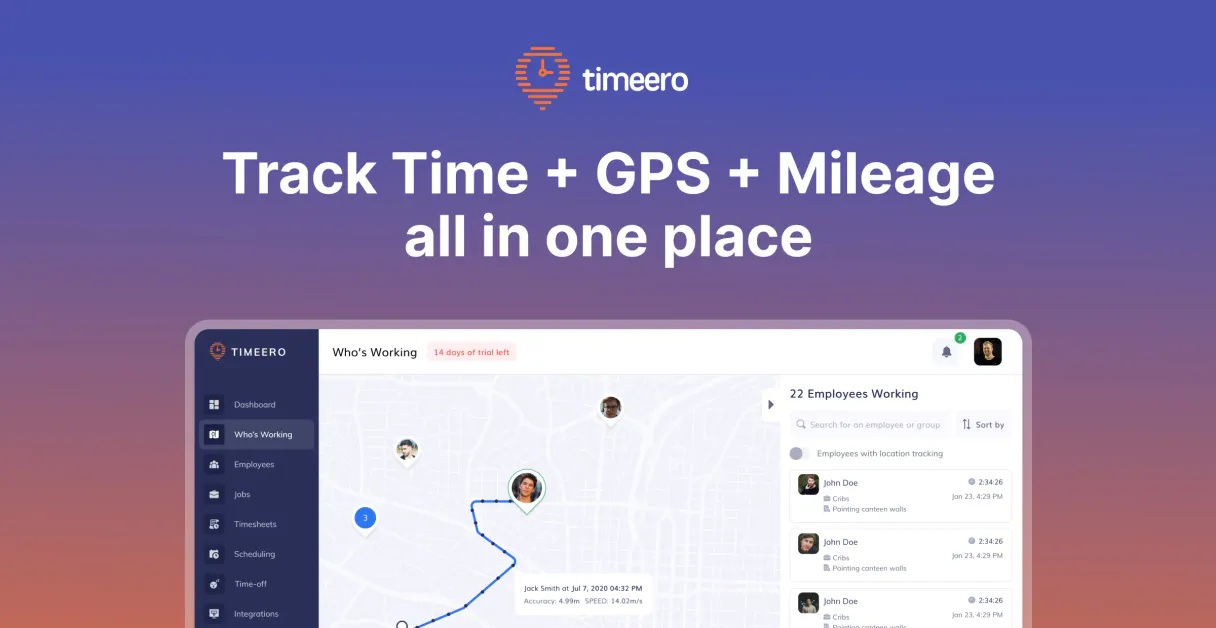
Timeero MCP. Track GPS-verified time logs and manage field operations.
 Gemini
 Works with every AI agent you already use
…and any MCP-compatible client









Just plug in your AI agents and start using Vinkius.
Timeero gives your AI agent full control over field service workforce data. It connects to GPS-verified clock-ins, tracking mileage, timesheets, job pipelines, schedules, and user profiles for mobile teams.
Use it to query current job status, list team members, or retrieve detailed work shifts directly through natural conversation.
What your AI agents can do
Get timeero job
Retrieves detailed information and technical metadata for a single job ID.
Get timeero schedule
Gets the full details for one specific work schedule or shift.
Get timeero task
Pulls metadata and status for a specific assigned task within a job.
Retrieves a list of recent or specific employee time log entries.
Pulls technical metadata and status information for a defined job ID.
Retrieves the complete list of active users and team member profiles in Timeero.
Gets details for a specific shift or an entire group of scheduled shifts.
Retrieves a comprehensive list of active projects and job IDs available in the system.
Pulls information on a specific assigned activity or task within a project.
Ask AI about this MCP
Supported MCP Clients
OAuth 2.0 Compatible Gemini Waiting for input…
Timeero MCP Server: 11 Tools for Workforce Data
Use these tools to query everything from active employee profiles and work schedules to specific timesheet records and job pipeline details.
Make your AI actually useful.
Add this MCP to Claude, Cursor, or Windsurf and your AI stops guessing. It gets real tools to look things up, take action, and handle the stuff you keep doing by hand.
Start using Timeero on Vinkius019dd174get timeero job
Retrieves detailed information and technical metadata for a single job ID.
019dd174get timeero schedule
Gets the full details for one specific work schedule or shift.
019dd174get timeero task
Pulls metadata and status for a specific assigned task within a job.
019dd174get timeero timesheet
Retrieves all technical details, including GPS coordinates, for one time log entry.
019dd174get timeero user
Fetches the full profile and directory details for a specific Timeero user.
019dd174list timeero jobs
Returns a list of all currently active jobs in the field service pipeline.
019dd174list timeero schedules
Lists every available work schedule record for coordination and review.
019dd174check timeero status
Confirms the API connection status to ensure all tools are working correctly.
019dd174list timeero tasks
Retrieves a list of all possible tasks that can be assigned to an employee or project.
019dd174list timeero timesheets
Lists multiple time log entries, allowing you to view the recent activity for your team.
019dd174list timeero users
Provides a list of every user account in Timeero, including their roles and status.
Choose How to Get Started
Build a custom MCP for your own tools, or connect a ready-made integration from our catalog.
Build Your Own
Turn any API into an MCP. Import a spec, define Agent Skills, or deploy with MCPFusion.
- Import from OpenAPI, Swagger, or YAML specs
- Create Agent Skills with progressive disclosure
- Deploy to edge with MCPFusion framework
- Built in DLP, auth, and compliance on every call
- Real time usage dashboard and cost metering
- Publish to catalog or keep private
Make Your AI Do More
Start with Timeero, then connect any of our 5,000+ other servers whenever your AI needs more. One click, no limits.
- Use this MCP plus 5,000+ others, all in one place
- Add new capabilities to your AI anytime you want
- Every connection is secured and compliant automatically
- Track usage and costs across all your servers
- Works with Claude, ChatGPT, Cursor, and more
- New servers added to the catalog every week
Independent Platform Disclaimer: Vinkius is an independent platform and is not affiliated with, endorsed by, sponsored by, verified by, or otherwise authorized by Timeero. All third-party trademarks, logos, and brand names are the property of their respective owners. Their use on this website is strictly for informational purposes to identify service compatibility and interoperability.
VINKIUS INFRASTRUCTURE
Cloud Hosted
Managed infra
V8 Isolated
Sandboxed per request
Zero-Trust Proxy
No stored credentials
DLP Enforced
Policy on every call
GDPR Compliant
EU data residency
Token Compression
~60% cost reduction
Works with Claude, ChatGPT, Cursor, and more
The Model Context Protocol standardizes how applications expose capabilities to LLMs. Instead of operating in isolation, your AI gains direct access to external platforms, live data, and real-world actions through secure, standardized connections.
This server provides 11 capabilities that interface natively with Claude, ChatGPT, Cursor, and any MCP client. No middleware. No custom integration required.
Tracking field time is usually a mess of spreadsheets and clicks.
Right now, logging team time means juggling dashboards: one for jobs, another for schedules, and yet a third for timesheets. You spend 20 minutes every day cross-referencing who worked where, if the GPS data is solid, and which project they were actually assigned to. It's manual, it's slow, and something always gets missed.
With Timeero MCP, your agent pulls all that messy data into one conversation. You ask: "Show me everything about Mark’s last shift.". The server runs `get_timeero_timesheet` and instantly gives you the technical duration, GPS metadata, and job context—all in one shot.
Timeero MCP Server: Get full control over workforce data.
Before this server, coordinating a team's resources meant opening the timesheet portal, then logging into the job tracker, and finally checking the user directory. It was three separate logins and half an hour of context switching just to answer one simple question: 'Who is working on Job X?'
Now, you ask your AI client directly. The agent runs `list_timeero_users` then checks their status against a job ID using `get_timeero_job`. You get the definitive answer without touching three different web pages. It's direct.
What you can do with this MCP connector
Timeero gives your AI agent full command over field service workforce data, handling everything from GPS-verified clock-ins to timesheets and job pipelines. You're checking current job status, listing team members, or pulling detailed work shifts without leaving your chat interface.
Directory Management: Who’s On Site?
You can pull the full staff directory using list_timeero_users, which returns a list of every account in Timeero, including their roles and current status. If you need specific profile details on one member, run get_timeero_user to fetch that person's complete data.
Time Tracking & Logging: Where Were They?
The system tracks time logs using GPS coordinates. You can retrieve a list of multiple recent employee time log entries by calling list_timeero_timesheets. For detailed information on one specific entry, use get_timeero_timesheet, pulling all the technical data and location metadata for that single clock-in.
Project & Job Status: What’s Happening Out There?
To see what projects are active in the field service pipeline, you'll call list_timeero_jobs, which returns a list of every currently running job. You can then drill down into any single project using get_timeero_job to pull all technical metadata and current status information for that defined job ID.
Task Assignments: What Needs Doing?
For assigned activities, you've got two ways to look at it. Call list_timeero_tasks to get a comprehensive list of every possible task available for an employee or project. To check the status and metadata for one specific activity within a job, use get_timeero_task.
Scheduling & Shifts: When Was It Supposed to Happen?
Coordinating shifts is simple. Use list_timeero_schedules to get every available work schedule record for review and coordination. If you just need the details for one specific shift or set of scheduled hours, run get_timeero_schedule. This gives you everything about a defined work shift.
System Health Check:
Before you start querying anything else, always run check_timeero_status to confirm the API connection is active and that all tools are working correctly. It's good practice.
019dd174-c65f-7162-b1b7-7f20e3da0465 
How Timeero MCP Works
- 1 Subscribe to the Timeero server and grab your API Token from the Timeero settings.
- 2 Configure your AI client (Claude, Cursor, etc.) with this token to authorize access.
- 3 Ask your agent a question like: "List all active jobs for field service." The agent executes
list_timeero_jobsand returns structured data.
The bottom line is that the server translates your natural language questions into specific API calls, pulling verifiable workforce metrics from Timeero's backend.
Who Is Timeero MCP For?
Operations Managers who are tired of manually cross-referencing job status across three different dashboards. Field Service Leads needing real-time visibility into crew progress and time gaps. HR/Payroll Admins who must verify technical time logs against project assignments for accurate billing.
Uses list_timeero_jobs to check all active projects or calls get_timeero_schedule to coordinate shifts before the crew even leaves the yard.
Checks timesheets using list_timeero_timesheets and verifies job progress by querying specific tasks via get_timeero_task, ensuring nothing falls through the cracks.
Verifies resource allocation by calling get_timeero_user to confirm employee roles and checking time logs with list_timeero_timesheets for accurate payroll data.
What Changes When You Connect
- Get accurate timesheets instantly. Instead of manually checking spreadsheets, call
list_timeero_timesheetsto pull technical duration and GPS metadata for every team member's shift. This eliminates gaps in payroll data. - Manage the entire job pipeline. Use
list_timeero_jobsto get a master list of all active projects. Then, useget_timeero_jobto deep-dive into one project's specific status and required resources. - Coordinate shifts without clicking through menus. Running
list_timeero_schedulesgives you an immediate view of who is scheduled when. Your agent processes this list so you don't have to cross-reference multiple calendar views. - Maintain a clean user directory. Need to know what roles people have? Call
list_timeero_users. You get the full profile details, letting your AI client pinpoint exactly which team member is assigned where. - Stay on top of tasks in real time. When a job needs specific activities, use
list_timeero_tasksto pull the catalog. Then, check status withget_timeero_taskto see if that activity was actually completed. - Verify API connection health. Start by calling
check_timeero_status. This confirms your agent can talk to Timeero before you run a complex query, saving time and frustration.
Real-World Use Cases
The end-of-day payroll audit
A Payroll Admin needs to confirm every technician clocked in properly. Instead of downloading multiple timesheets, they tell their agent: "Get me all timesheet entries for the last 24 hours.". The agent runs list_timeero_timesheets, pulling technical duration and GPS metadata that confirms clock-in validity across all field techs.
Finding a project's scope
An Ops Manager needs to know what jobs are running right now. They ask their agent: "List all active job IDs.". The agent executes list_timeero_jobs, giving them the names and statuses of every open project, so they can prioritize resources correctly.
Checking team readiness for a site visit
A Field Lead needs to know which crew members are available. They ask their agent: "Who is scheduled next week?" The agent calls list_timeero_schedules and pulls the schedule data, allowing the lead to confirm resource availability before dispatching anyone.
Validating a new user's permissions
An HR Admin needs to validate if a newly hired employee exists in the system. They ask: "Tell me about Mark Smith.". The agent runs get_timeero_user, retrieving the full profile data immediately, confirming their status and role without logging into the Timeero portal.
The Tradeoffs
Guessing job IDs
Trying to get details for a job using an ID you found in an email but don't know if it’s active or correct.
→
First, always call list_timeero_jobs to confirm the exact, current job ID. Then, use get_timeero_job with that verified ID to get accurate details.
Checking user status manually
Opening the Timeero website and clicking through multiple pages just to see if a team member's profile is active.
→
Run list_timeero_users. This instantly gives you a list of all accounts, so you can check the full directory without leaving your workspace.
Confusing tasks with jobs
Thinking that listing available tasks is the same as seeing an active project.
→
Tasks (list_timeero_tasks) are specific activities. Projects/Jobs are larger containers of work. Use list_timeero_jobs first to find the container, then use get_timeero_task for the specifics.
When It Fits, When It Doesn't
Use this server if your workflow requires real-time access to granular field service data (timesheets, job IDs, GPS coordinates). It's built for orchestration: taking a complex business question and breaking it down into specific API calls like list_timeero_users followed by get_timeero_schedule. Don't use this if you only need general knowledge about time tracking—a standard calendar app is fine. Also, don't use it to write reports; use your AI client for that after pulling the data. If you just need a simple list of names and emails without status or job history, list_timeero_users works, but if you need any operational context, this server has the depth you need.
Common Questions About Timeero MCP
How do I list all active team members in Timeero with the timeero server? +
Use list_timeero_users. This tool retrieves a complete directory of every user profile. You get basic status and role information for all team members at once.
What is the difference between list_timeero_jobs and getting job details? +
list_timeero_jobs gives you a comprehensive overview, listing all available job IDs. If you need deep technical metadata—like specific task requirements or project goals—you must call get_timeero_job with the ID.
Can I check if my API connection is working before running complex reports? +
Yes, use the check_timeero_status tool. This confirms your agent's ability to connect to the Timeero backend immediately, preventing failures on more critical data pulls.
Does get_timeero_timesheet include GPS info? +
Yes. The get_timeero_timesheet tool retrieves high-fidelity time logs, including the specific GPS coordinates and technical duration for that entry. This is key for verifying work locations.
Which tool do I use to coordinate upcoming shifts? +
You need list_timeero_schedules. Running this lists all available schedules, letting your agent help you check resource availability across multiple dates and users at once.
When I use `get_timeero_timesheet`, how do I get job-specific details for that entry? +
The timesheet data provides a Job ID, but you need to run get_timeero_job separately. You pass the specific job ID from the timesheet result into the job tool call. This ensures your agent pulls all relevant project metadata alongside the time log.
What should I do if I hit a rate limit when running multiple commands like `list_timeero_users`? +
The system enforces API rate limits to keep things stable. If you exceed them, your agent will receive a clear error code (429). Instead of spamming requests, use the check_timeero_status tool first or batch related queries into one prompt.
Do I need specific permissions to call `list_timeero_schedules`? +
You must generate an API Token inside your Timeero account settings. This token is what authorizes the agent to run any tool, including schedule listings. Treat that key like a password; don't embed it anywhere other than the MCP configuration.
How do I find my Timeero API Token? +
Log in to your account, navigate to Account Settings > API, and generate a new high-fidelity Bearer Token.
Can I check my team's schedules via AI? +
Yes! The list_timeero_schedules tool allows your agent to retrieve high-fidelity work schedules and user shifts for operational coordination.
How do I list my active jobs? +
Use the list_timeero_jobs tool to retrieve the complete high-fidelity directory of jobs along with their unique identifiers for precise orchestration.
Use it with your favorite AI tools
Connect this server to Cursor, Claude, VS Code, and more.