
BoardMix MCP. Query your entire visual workspace via natural conversation.
 Gemini
 Works with every AI agent you already use
…and any MCP-compatible client









Just plug in your AI agents and start using Vinkius.
BoardMix MCP Server gives your AI agent full control over your visual workspace. It lets you list all files, retrieve specific whiteboard nodes (shapes, sticky notes), audit design templates, and check version history.
You can manage complex projects and brainstorming sessions without manually navigating the design tool. It turns visual coordination into a simple conversation with your AI client.
What your AI agents can do
Create file
Generates a brand new, empty whiteboard within your BoardMix workspace.
Get comments
Retrieves all user comments and feedback associated with a specific whiteboard file.
Get file
Fetches detailed metadata and information about a specific whiteboard file.
Use list_files to see every file in your workspace, and get_file_versions to track its full revision history.
Use list_nodes to retrieve a list of every shape, text block, and connection on a whiteboard.
Use list_teams and list_team_projects to view all available collaboration groups and their current projects.
Use get_comments to pull all comments and feedback from a specific whiteboard.
Use create_file to instantly generate a new whiteboard for a fresh session.
Use get_org_info to pull general details about your organization setup.
Ask AI about this MCP
Supported MCP Clients
Gemini Waiting for input…
BoardMix MCP Server: 10 Tools for Visual Asset Management
These tools let your AI agent list every file, map every node, audit team structures, and track version history across your BoardMix workspace.
019d841fcreate file
Generates a brand new, empty whiteboard within your BoardMix workspace.
019d841fget comments
Retrieves all user comments and feedback associated with a specific whiteboard file.
019d841fget file
Fetches detailed metadata and information about a specific whiteboard file.
019d841fget file versions
Provides the full version history, allowing you to track changes and milestones for a whiteboard file.
019d841fget org info
Pulls general administrative and organizational details about your BoardMix account.
019d841flist files
Lists all available whiteboards and design files in your workspace.
019d841flist nodes
Retrieves a comprehensive list of every shape, text block, and connection node on a specified whiteboard.
019d841flist team projects
Lists all active project groupings within your defined teams.
019d841flist teams
Lists all teams that exist within your BoardMix organization.
019d841flist templates
Browses and lists all available design templates in your template library.
Choose How to Get Started
Build a custom MCP for your own tools, or connect a ready-made integration from our catalog.
Build Your Own
Turn any API into an MCP. Import a spec, define Agent Skills, or deploy with MCPFusion.
- Import from OpenAPI, Swagger, or YAML specs
- Create Agent Skills with progressive disclosure
- Deploy to edge with MCPFusion framework
- Built in DLP, auth, and compliance on every call
- Real time usage dashboard and cost metering
- Publish to catalog or keep private
Make Your AI Do More
Start with BoardMix, then connect any of our 4,700+ other servers whenever your AI needs more. One click, no limits.
- Use this MCP plus 4,700+ others, all in one place
- Add new capabilities to your AI anytime you want
- Every connection is secured and compliant automatically
- Track usage and costs across all your servers
- Works with Claude, ChatGPT, Cursor, and more
- New servers added to the catalog every week
What you can do with this MCP connector
Yo, this BoardMix MCP Server lets your AI agent run the whole show in your visual workspace. You're not gotta click through a million tabs just to find a sticky note or check what changed on a board. You just talk to your agent, and it handles all the complex navigation—listing files, pulling specific nodes, and tracking team updates.
It turns a mess of visual assets into a simple conversation.
Managing Files and Versions
- Your agent can use
list_filesto show you every single whiteboard and design file you've got in your workspace. You can also grab the full details on a specific board usingget_fileor see the entire revision history withget_file_versionsto track every change and milestone. - If you need to start fresh,
create_fileinstantly generates a brand new, blank whiteboard for your session. - You can check out the whole organizational setup by pulling general details with
get_org_info.
Auditing the Board's Components
- To see exactly what's on a board,
list_nodesretrieves a comprehensive list of every shape, text block, and connection node on a specified whiteboard. This lets you audit the design without even touching the tool. - If you're checking out the back-and-forth,
get_commentspulls all user feedback and comments attached to a specific whiteboard.
Organizing Teams and Projects
- You can see all the teams set up in your BoardMix organization using
list_teams, and then find all the active project groups within those teams by callinglist_team_projects. - The server also lets you browse and list every design template available in your template library using
list_templates.
How BoardMix MCP Works
- 1 Subscribe to the BoardMix server and enter your required license keys.
- 2 Send a natural language prompt to your AI agent, telling it the task (e.g., 'List all files for the Q3 roadmap').
- 3 The agent calls the appropriate tool (e.g.,
list_files), receives the structured data, and presents the answer in plain language.
The bottom line is your AI agent handles the complex API calls, letting you talk to your visual data instead of clicking through the UI.
Who Is BoardMix MCP For?
The Product Manager who needs to track project roadmaps across ten different whiteboards. The UX Designer who needs to verify every single node on a complex diagram. The Workshop Facilitator who needs to audit templates and manage assignments without manual effort. If you spend too much time jumping between tabs, this is for you.
Uses list_files and get_comments to track project roadmaps and monitor feedback across multiple whiteboards via a unified AI interface.
Uses list_nodes and get_file to retrieve specific node details and design information directly from the AI-powered workspace.
Uses list_templates and list_teams to oversee brainstorming sessions and template usage across the organization.
What Changes When You Connect
- Stop manually searching for files. Use
list_filesto see every whiteboard in one query, no matter how deep the folder structure is. - Know the exact layout of any board.
list_nodespulls a detailed manifest of every shape and line, letting you audit the visual design instantly. - Track project progress without asking people. Use
get_commentsto pull all team feedback and comments from a board into your chat window. - See the full history of any board.
get_file_versionslets you check who changed what and when, acting like a dedicated version control system for your visual assets. - Keep teams aligned.
list_teamsandlist_team_projectslet your agent pull a list of active groups and their current assignments. - Kickstart brainstorming fast. Use
list_templatesto browse and pull available design templates, skipping the setup phase.
Real-World Use Cases
The Project Manager needs the roadmap status.
The PM needs to know the status of the 'Q4 Launch' board. Instead of opening the board and scrolling through sticky notes, they ask their agent: 'What are the latest comments on the Q4 Launch board?' The agent runs get_comments, gathers the 5 threads, and reports the key decisions, solving the problem in seconds.
The UX Designer needs diagram accuracy.
The UX Designer is reviewing a complex 'Architecture Flow' board. They ask the agent to 'List all nodes on the Architecture Flow board.' The agent runs list_nodes and returns a manifest: 12 rectangles, 8 text blocks, and 5 connected lines, ensuring the diagram is structurally sound.
The Facilitator needs to audit assets.
The facilitator runs into a new project and needs to know what starting points are available. They ask the agent to 'Show me available templates.' The agent runs list_templates, providing a catalog so they can start the session immediately.
The Team Lead needs to find an old file.
The team lead can't remember if the '2023 Retrospective' board exists. They ask the agent to 'List all files.' The agent runs list_files and returns the exact file name and last updated date, solving the search mystery.
The Tradeoffs
Manually checking board components
Opening a complex whiteboard and trying to visually trace every line and box to understand the flow. This is slow, tedious, and prone to human error.
→
Use list_nodes to get a machine-readable manifest of every shape and connection on the board. Your agent reads this list and reports the structure instantly.
Searching for files by remembering the name
Trying to recall the exact name of a file (e.g., 'Q3-Brainstorm-Final-v2'). If you miss a single word, you waste time asking multiple people.
→
Just ask your agent to 'List all files.' It runs list_files and gives you the full list, so you don't have to remember anything.
Tracking changes across multiple versions
Opening a board, trying to find out who changed the main diagram and when. You have to manually check the history panel, which is often confusing.
→
Ask the agent to run get_file_versions on the board ID. It gives you a structured log of changes, showing who did what and when.
When It Fits, When It Doesn't
Use this if you need to treat your visual whiteboard files like structured data. If your workflow involves constantly listing assets, checking metadata, or auditing component relationships, this server is mandatory. Don't use it if your primary goal is just drawing or real-time collaboration—you still need the visual tool for that. If you only need to search simple text notes (like a basic CRM), you don't need this. You need this if the context is the structure or history of the visual data itself.

Independent Platform Disclaimer: Vinkius is an independent platform and is not affiliated with, endorsed by, sponsored by, verified by, or otherwise authorized by BoardMix. All third-party trademarks, logos, and brand names are the property of their respective owners. Their use on this website is strictly for informational purposes to identify service compatibility and interoperability.
VINKIUS INFRASTRUCTURE
Cloud Hosted
Managed infra
V8 Isolated
Sandboxed per request
Zero-Trust Proxy
No stored credentials
DLP Enforced
Policy on every call
GDPR Compliant
EU data residency
Token Compression
~60% cost reduction
Works with Claude, ChatGPT, Cursor, and more
The Model Context Protocol standardizes how applications expose capabilities to LLMs. Instead of operating in isolation, your AI gains direct access to external platforms, live data, and real-world actions through secure, standardized connections.
This server provides 10 capabilities that interface natively with Claude, ChatGPT, Cursor, and any MCP client. No middleware. No custom integration required.
Available Capabilities
Finding key information inside a visual board shouldn't require deep navigation.
Today, finding a piece of information means opening the board, scrolling through layers of sticky notes and shapes, and clicking into different sections to see the comments. You're manually piecing together a narrative that the tool built for you.
With the BoardMix MCP Server, you ask your agent, 'What are the key takeaways from the Q3 board?' The agent runs `get_comments` and synthesizes the 5 most recent threads, handing you the summary instantly. No clicks required.
BoardMix MCP Server: Get the full context on any file.
Instead of opening a file and guessing what's inside, you tell the agent to 'Get details for the Product Architecture board.' It runs `get_file` and reports the file's size, owner, creation date, and last modification time—all in one shot.
You get the raw data about the asset's lifecycle. It's a structural change. You move from looking at the *image* of the board to seeing the *data* of the board.
Common Questions About BoardMix MCP
How do I use the BoardMix MCP Server to list all files? +
You ask your agent to list all files. The agent runs the list_files tool and returns a clean list of every board and design file in your workspace.
Can I use `list_nodes` to check the connections on a whiteboard? +
Yes. list_nodes pulls a manifest of every shape, text block, and connection on the specified whiteboard, giving you the exact structure.
What does `get_file_versions` do? +
get_file_versions tracks the full history of a file. It tells you exactly when the file was modified, who made the change, and what the version was.
How do I find out who is on a specific team? +
First, you can use list_teams to see all available teams. Then, you can ask the agent to check specific projects using list_team_projects.
Do I need to use `get_org_info` to use the server? +
No. get_org_info is just for pulling general organizational details. It's useful for understanding the overall structure but isn't needed to manage files or nodes.
How can I check available templates using the `list_templates` tool? +
The list_templates tool shows every design template available in your account. You can use this to find a starting point for a new project or see what formats your team prefers.
What information does `get_file` provide about a whiteboard? +
get_file returns detailed metadata for a specific whiteboard. You get the file's current status, owner, and the last time it was modified, helping you understand its current state.
If I run `get_comments` on a file, what kind of data do I receive? +
The get_comments tool retrieves the conversation history for a given whiteboard. This includes the commenter's name, the comment text, and the timestamp, letting you track feedback chronologically.
How do I find my BoardMix License Key? +
Log in to the BoardMix Enterprise Console, navigate to the [Developer Center] or [License Management] section to obtain your organization's unique License Key and API Secret.
Can I read specific shapes and text from a board? +
Yes. Use the list_nodes tool with the whiteboard file ID. This allows your agent to retrieve detailed data about shapes, lines, text, and sticky notes present on the board.
Does BoardMix support project-based organization? +
Yes. You can list all your teams using the list_teams tool and then explore specific projects and files associated with those teams using their unique IDs.
Use it with your favorite AI tools
Connect this server to Cursor, Claude, VS Code, and more.
More in this category
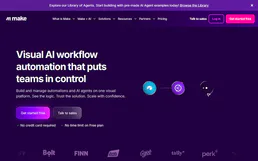
Make.com Webhook Trigger
This MCP does exactly one thing: it sends JSON payloads to Make.com Webhooks. That's its only function. Incredible for connecting AI agents to thousands of visual automation workflows instantly.
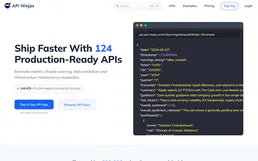
Cocktail API
Search cocktail recipes — audit ingredients and instructions via AI.
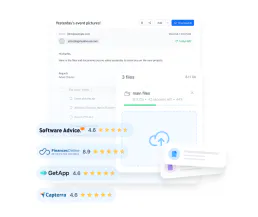
Filemail
Transfer large files up to terabytes securely with password protection, download tracking, and branded transfer pages.
You might also like

Nylas
Equip your AI agent to manage emails, calendars, and contacts across all providers (Gmail, Outlook) through a single unified interaction.

Unbounce
Build high-converting landing pages with AI-powered optimization that tests headlines, copies, and layouts automatically.
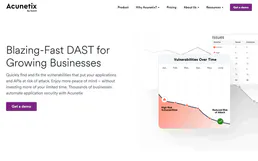
Acunetix 360
Automated web vulnerability scanning — manage scans, track issues, and audit security via AI.