
Brandwatch MCP. Analyze social mentions & trends via AI conversation
 Gemini
 Works with every AI agent you already use
…and any MCP-compatible client









Just plug in your AI agents and start using Vinkius.
Brandwatch connects your consumer research data directly to your AI client. List projects, track configured queries, and retrieve raw social mentions from Brandwatch.
Use the available tools to analyze brand sentiment, track market trends, and build structured reports without manual CSV exports.
What your AI agents can do
Create tag
Creates a new, custom category tag to organize specific social mentions.
Get mentions
Retrieves the actual list of social mentions for a query you specify.
Get project
Pulls all the detailed metadata for a single, specific research project.
The agent fetches a list of all your active research projects and the dashboards contained within them.
You ask for a project by ID, and the agent pulls all the detailed metadata for that specific research project.
The agent shows you all the queries you've set up in a project, or lets you retrieve specific query details.
You define a query and date range, and the agent returns the raw list of social mentions matching those criteria.
The agent calculates and returns aggregated mention counts for a query, showing spikes and trends across a defined period.
The agent lets you define new tags for organizing mentions, or lists existing tags within a project.
Ask AI about this MCP
Supported MCP Clients
Gemini Waiting for input…
Brandwatch MCP Server: 8 Tools for Social Listening
Use these 8 tools to manage projects, list queries, retrieve raw mentions, and aggregate data directly from Brandwatch.
019d7562create tag
Creates a new, custom category tag to organize specific social mentions.
019d7562get mentions
Retrieves the actual list of social mentions for a query you specify.
019d7562get project
Pulls all the detailed metadata for a single, specific research project.
019d7562get volume aggregates
Calculates and returns the total count of mentions for a query over a date range.
019d7562list dashboards
Lists all the dashboards available within a selected project.
019d7562list projects
Retrieves a list of every active research project you have set up.
019d7562list queries
Shows all the predefined search queries that are currently running in a project.
019d7562list tags
Lists all the categorization tags already available for a project.
Choose How to Get Started
Build a custom MCP for your own tools, or connect a ready-made integration from our catalog.
Build Your Own
Turn any API into an MCP. Import a spec, define Agent Skills, or deploy with MCPFusion.
- Import from OpenAPI, Swagger, or YAML specs
- Create Agent Skills with progressive disclosure
- Deploy to edge with MCPFusion framework
- Built in DLP, auth, and compliance on every call
- Real time usage dashboard and cost metering
- Publish to catalog or keep private
Make Your AI Do More
Start with Brandwatch, then connect any of our 4,700+ other servers whenever your AI needs more. One click, no limits.
- Use this MCP plus 4,700+ others, all in one place
- Add new capabilities to your AI anytime you want
- Every connection is secured and compliant automatically
- Track usage and costs across all your servers
- Works with Claude, ChatGPT, Cursor, and more
- New servers added to the catalog every week
What you can do with this MCP connector
Brandwatch connects your consumer research data directly to your AI client. You can list all your active research projects and the dashboards inside them. You'll also get a list of every predefined search query running in a project. If you need the deep details on one project, you can pull all the metadata for that specific research project.
You can define a query and a date range, and the agent will return the raw list of social mentions that match. You'll get total mention counts for a query over a date range, showing you spikes and trends. You can tell the agent to create a new, custom category tag to organize specific social mentions, or you can list all the existing tags in a project.
You can use the available tools to analyze brand sentiment, track market trends, and build structured reports without ever having to manually export a CSV.
How Brandwatch MCP Works
- 1 Subscribe to the server and provide your Brandwatch API Username, Password, and Client ID.
- 2 Direct your AI client to the server. Your agent now has access to your Brandwatch data.
- 3 Ask the agent to perform a task, like 'List all projects in my account.' The agent uses the appropriate tool and returns the structured data.
The bottom line is that your AI client talks directly to Brandwatch using these tools, bypassing the need to manually export data.
Who Is Brandwatch MCP For?
The data analyst who spends hours exporting CSVs and cross-referencing spreadsheets. The social media manager who needs real-time sentiment checks without leaving their workflow. Or the market researcher who needs to track trends across dozens of projects without manual setup.
Uses the server to track customized tags and analyze trend changes across multiple competitors, retrieving raw data directly into a report.
Monitors query performance and brand sentiment by asking the agent for volume aggregates and raw mentions straight from their daily workflow.
Retrieves mention volumes and project metadata instantly, eliminating the need to download and process massive, complex data files.
What Changes When You Connect
- Track trends instantly. Use
get_volume_aggregatesto see how mention volume spikes over time for a query, eliminating manual trend spotting from CSVs. - Organize data fast. Use
create_tagandlist_tagsto categorize raw mentions, allowing you to filter and sort data immediately within your AI workflow. - Manage projects without logging in. Use
list_projectsandget_projectto pull project metadata and dashboard details without opening the Brandwatch UI. - Get raw data on demand.
get_mentionsretrieves the full text of social mentions for a given query and date range, making the data available for your agent to process. - See all your queries at a glance.
list_queriesshows all configured searches in a project, so you never lose track of what's running or needs updating. - Automate data prep. You don't need to export anything. The agent handles the data retrieval for projects, dashboards, and queries in one conversational flow.
Real-World Use Cases
Need to audit brand coverage across all projects.
A market researcher wants to know which projects are active and what their core queries are. They ask the agent to first run list_projects to get the list, then use get_project on a specific ID to confirm details, and finally use list_queries to see what searches are running. The agent delivers a structured summary, solving the manual dashboard audit problem.
Tracking a competitor's sudden mention increase.
A social media manager notices a spike and asks the agent to run get_volume_aggregates for the competitor query over the last month. The agent identifies the exact date and volume of the spike, giving the manager immediate, actionable data without needing to dig through multiple date range reports.
Categorizing a large batch of mentions.
The data analyst gets a list of raw mentions via get_mentions. They then ask the agent to create a new category tag, say 'Pricing Concern', using create_tag, and apply it to the retrieved mentions, keeping the data organized automatically.
Building a report on all industry trends.
A researcher needs to consolidate data from several sources. They prompt the agent to first list_projects to identify all relevant projects, then use list_dashboards and list_queries to map out the available data endpoints before requesting the necessary data.
The Tradeoffs
Treating Brandwatch like a simple database search.
Manually trying to use the server to 'just list all data' without specifying a project or query, resulting in ambiguous errors or incomplete results.
→
Always start by defining the scope. First, use list_projects to find the relevant project ID, then use get_project to confirm the project details, and finally, use list_queries to narrow down the search before running get_mentions.
Over-relying on raw mentions.
Retrieving a massive list of raw mentions using get_mentions and then spending time manually counting spikes or trends from the text dump.
→
If you're looking for trends, don't get the raw data first. Use get_volume_aggregates instead. It gives you the count and trend data immediately, saving you the work of counting mentions yourself.
Skipping tag creation.
Retrieving data and finding that mentions are mixed, but the agent can't organize them because no tags are set up.
→
Before analyzing, use list_tags to check what's available. If you need a new category, run create_tag first. This ensures the data you pull can be properly categorized right away.
When It Fits, When It Doesn't
Use this server if your primary bottleneck is data retrieval, not data analysis. It's perfect for analysts who need to pull metadata—like running list_projects or list_queries—to understand the scope of the available data. Don't use it if you need complex, multi-step data manipulation (like running Python scripts or advanced joins); for that, use a dedicated data warehousing tool. If you only need to look at a single, simple dashboard, consider if a direct API call is faster than going through the conversational interface. If you need to track sentiment over time, use get_volume_aggregates; if you need the actual text, use get_mentions.
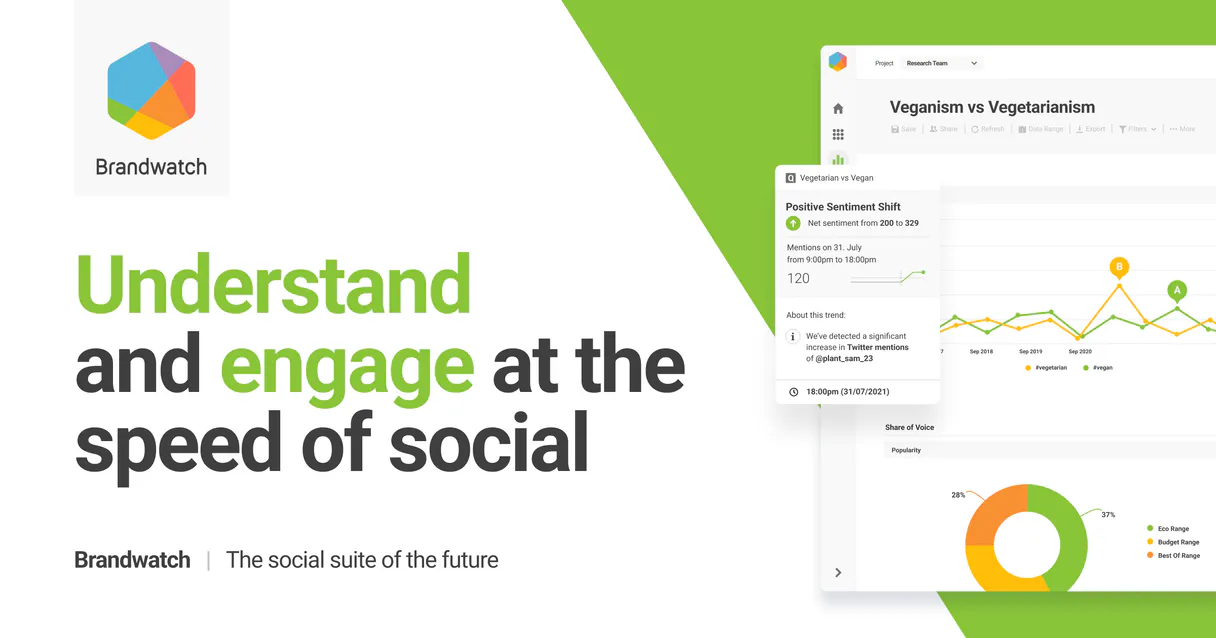
Independent Platform Disclaimer: Vinkius is an independent platform and is not affiliated with, endorsed by, sponsored by, verified by, or otherwise authorized by Brandwatch. All third-party trademarks, logos, and brand names are the property of their respective owners. Their use on this website is strictly for informational purposes to identify service compatibility and interoperability.
VINKIUS INFRASTRUCTURE
Cloud Hosted
Managed infra
V8 Isolated
Sandboxed per request
Zero-Trust Proxy
No stored credentials
DLP Enforced
Policy on every call
GDPR Compliant
EU data residency
Token Compression
~60% cost reduction
Works with Claude, ChatGPT, Cursor, and more
The Model Context Protocol standardizes how applications expose capabilities to LLMs. Instead of operating in isolation, your AI gains direct access to external platforms, live data, and real-world actions through secure, standardized connections.
This server provides 8 capabilities that interface natively with Claude, ChatGPT, Cursor, and any MCP client. No middleware. No custom integration required.
Available Capabilities
Manually checking brand status requires too many clicks.
Today, checking your brand's status means navigating to the Brandwatch site, finding the right project, opening the dashboard, and then manually running several different reports—one for sentiment, one for competitor mentions, one for volume. You copy these reports into a spreadsheet, and then you start cross-referencing IDs and dates.
With the Brandwatch MCP Server, you just ask your agent: 'Show me the volume aggregates for Competitor X over the last 30 days.' The agent uses `get_volume_aggregates` and delivers the clean, structured data you need, right in your chat window. No spreadsheets, no clicking around.
Brandwatch MCP Server: Get raw data and insights
You used `list_projects` to find the correct project ID. You then used `list_queries` to identify the specific query ID. Instead of going into the platform and running the report, you ask the agent to pull the data. The agent executes `get_mentions` and sends you the full, raw text of every mention, ready for immediate review.
Common Questions About Brandwatch MCP
How do I use the `get_volume_aggregates` tool with Brandwatch? +
You tell the agent to get the volume aggregates for a specific query ID and a date range. The agent calculates and returns the total number of mentions and any identified trend spikes over that time.
Can I list all projects using the `list_projects` tool? +
Yes. The list_projects tool fetches a list of every active project associated with your Brandwatch account, giving you a complete overview of your research scope.
What is the difference between `get_mentions` and `get_volume_aggregates`? +
The difference is output: get_mentions gives you the actual text of every single social mention. get_volume_aggregates gives you a number—the total count of mentions over time.
How do I categorize data using `create_tag` in Brandwatch? +
You instruct the agent to create a new tag (e.g., 'Legal Concern') in a specific project. You then use this tag when analyzing data to filter mentions by your new category.
What does `list_queries` do and how do I check for existing search queries in a project? +
The list_queries tool shows all configured search queries within a project. You run it to see the IDs and names of queries you've set up, which you'll need for other actions like get_mentions or get_volume_aggregates.
How do I handle data volume when retrieving mentions using `get_mentions`? +
The get_mentions tool retrieves raw, individual social mentions. If you need to analyze trends over time, use get_volume_aggregates instead; it provides summarized counts and spikes, which is better for big-picture analysis.
Is there a specific way to organize or manage tags after I use `create_tag`? +
After running create_tag, the tag is immediately available for use in your social data analysis. You can then use list_tags to see the full list of tags, ensuring you've correctly added it to your project's categorization schema.
What happens if I try to run a tool without knowing the project ID, like with `get_project`? +
You must first use list_projects to get the correct Project ID. The get_project tool requires this ID to pull specific details. Always start by listing available projects to ensure your data requests are scoped correctly.
Can I retrieve social mentions for a specific date range? +
Yes! Use the get_mentions tool with the Project ID, Query ID, and your ISO 8601 formatted start and end dates (e.g., 2024-01-01T00:00:00.000Z).
How do I see the volume trend of a query over time? +
Simply ask the agent to get_volume_aggregates and provide the relevant IDs and date range. It will return the aggregated data points showing mention spikes.
Does the integration allow creating new boolean queries? +
Currently, the toolset is focused on reading and retrieving data from existing setups. Creating complex boolean queries should be done via the Brandwatch web interface to utilize their query builder and syntax validation.
Use it with your favorite AI tools
Connect this server to Cursor, Claude, VS Code, and more.
More in this category
Modash
Find and analyze influencers across Instagram, TikTok, and YouTube with Modash.
Agile CRM
Manage contacts, deals, and marketing campaigns in one place with a CRM built for growing sales teams.
AppsFlyer (Pull API)
Retrieve raw and aggregate attribution data from AppsFlyer — track installs, events, and performance via AI.
You might also like

Alchemer
Survey and feedback orchestration — manage surveys, responses, and reports via AI.
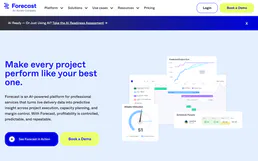
Forecast
Manage AI-powered project resources via Forecast — track projects and tasks, handle team availability, and monitor milestones directly from any AI agent.
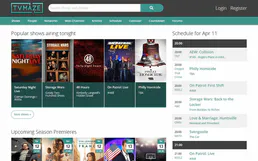
TVMaze
Search TV shows, get episode guides, browse schedules, discover cast and crew — no API key required.