
CommPeak MCP. Manage campaigns, leads, and messaging from your chat.
 Gemini
 Works with every AI agent you already use
…and any MCP-compatible client









Just plug in your AI agents and start using Vinkius.
CommPeak MCP Server manages your dialer campaigns, lead data, and SMS messaging. Connect your AI agent to send targeted texts, track campaign status, and manage lead records without leaving your chat window.
You can list active campaigns, add new leads, and retrieve the delivery status of any message sent.
What your AI agents can do
Create lead
Adds a new contact record and assigns it to a specific dialer campaign.
Delete lead
Removes a lead from the system permanently.
Get campaign details
Retrieves detailed information, including metrics and status, for a single dialer campaign.
Your agent sends texts to specific numbers and retrieves the delivery status of those messages using send_sms and get_sms_status.
Your agent lists all active campaigns using list_dialer_campaigns and retrieves deep details on any single campaign using get_campaign_details.
Ask AI about this MCP
Supported MCP Clients
Gemini Waiting for input…
CommPeak MCP Server: 9 Tools for Sales & Messaging
These tools allow your AI client to manage lead creation, read campaign data, and send/track SMS messages through the CommPeak platform.
019d7578create lead
Adds a new contact record and assigns it to a specific dialer campaign.
019d7578delete lead
Removes a lead from the system permanently.
019d7578get campaign details
Retrieves detailed information, including metrics and status, for a single dialer campaign.
019d7578get lead details
Fetches all specific data points and history associated with a single lead.
019d7578get sms status
Checks the delivery status for a text message using its unique message ID.
019d7578list dialer campaigns
Retrieves a complete list of all active dialer campaigns in your account.
019d7578list leads
Retrieves all leads currently assigned to a specified dialer campaign.
019d7578list recent sms
Gets a list of the most recent SMS messages sent through the platform.
019d7578send sms
Sends a text message to a specified number using the CommPeak SMS API.
Choose How to Get Started
Build a custom MCP for your own tools, or connect a ready-made integration from our catalog.
Build Your Own
Turn any API into an MCP. Import a spec, define Agent Skills, or deploy with MCPFusion.
- Import from OpenAPI, Swagger, or YAML specs
- Create Agent Skills with progressive disclosure
- Deploy to edge with MCPFusion framework
- Built in DLP, auth, and compliance on every call
- Real time usage dashboard and cost metering
- Publish to catalog or keep private
Make Your AI Do More
Start with CommPeak, then connect any of our 4,700+ other servers whenever your AI needs more. One click, no limits.
- Use this MCP plus 4,700+ others, all in one place
- Add new capabilities to your AI anytime you want
- Every connection is secured and compliant automatically
- Track usage and costs across all your servers
- Works with Claude, ChatGPT, Cursor, and more
- New servers added to the catalog every week
What you can do with this MCP connector
CommPeak MCP Server lets your AI agent manage your dialer campaigns, handle lead data, and send SMS messages. You'll connect your agent and it'll have tools to send texts, track campaigns, and manage leads right from your chat window. You can list all active campaigns and grab deep metrics on any single one using list_dialer_campaigns and get_campaign_details.
You can also add new contacts and assign them to a campaign using create_lead, or wipe a lead from the system for good with delete_lead. To check on leads, you can pull all contacts linked to a specific campaign with list_leads, or dig into all the specific history and data points for one contact using get_lead_details.
For SMS stuff, your agent sends texts to a number using send_sms, and you can check if that text got through with get_sms_status. You can also see the most recent texts sent through the platform by running list_recent_sms.
How CommPeak MCP Works
- 1 Add the CommPeak integration to your AI toolset.
- 2 Provide the necessary SMS API Token and Dialer credentials.
- 3 Use natural language commands to have your agent execute a multi-step task (e.g., 'List all campaigns, then add lead X to campaign Y').
The bottom line is, your agent handles the API calls so you can manage complex outreach tasks using simple conversation.
Who Is CommPeak MCP For?
Sales Development Representatives (SDRs) who need to run rapid follow-up campaigns. Call Center Managers monitoring real-time queue metrics. Marketing Ops specialists who need to track message delivery and manage targeted outreach lists. This is for anyone whose job requires quick, multi-step communication workflows.
Uses the agent to add new leads to campaigns and immediately trigger SMS outreach without having to switch to the dialer dashboard.
Monitors campaign status and checks queue metrics using the agent, getting real-time operational data without logging into multiple admin portals.
Sends targeted SMS messages and uses the agent to track delivery status, ensuring every message has an auditable record.
What Changes When You Connect
- Centralized Lead Workflow: Don't manually switch tabs to build out a lead's history. Use
get_lead_detailsandlist_leadsto pull a lead's full profile and see all associated campaign data in one go. - Instant Outreach: Need to follow up? Use
send_smsto send a text message immediately. It's faster than opening the dialer, writing the message, and hitting send. - Auditable Communication: Every message counts. After running
send_sms, useget_sms_statusto confirm if the message was delivered, failed, or is pending. You get a clear audit trail. - Full Campaign Overview: Stop guessing about campaign health. Run
list_dialer_campaignsto see all active campaigns and get a high-level view of their status instantly. - Targeted Data Population: When you find a hot prospect, use
create_leadto add them directly to a campaign andget_lead_detailsto verify their contact info before outreach. - Operational Visibility: Quickly check who's been contacted. Use
list_recent_smsto see a list of the last messages sent, keeping your team informed on immediate activity.
Real-World Use Cases
Initial Cold Outreach Follow-Up
A Sales Rep gets a new contact and needs to start a campaign. Instead of logging into the dialer, they ask their agent: 'Create a lead for John Doe, and send an SMS saying 'Thanks for calling!'.'. The agent runs create_lead and then send_sms in sequence, getting the whole process done without leaving the chat.
Tracking a Specific Message Status
A Manager needs to confirm if a critical message went through. They ask the agent to check the status of ID 'msg-123'. The agent runs get_sms_status and reports back if the message was delivered, saving the manager from manually checking the web portal.
Reviewing Campaign Performance
Marketing Ops wants to see which campaigns are running and their status. They ask the agent to 'List all dialer campaigns'. The agent runs list_dialer_campaigns and returns a clean list, allowing the team to know where to focus their efforts.
Cleaning Up Old Records
An SDR realizes a lead was entered incorrectly. They ask the agent to 'Delete the lead with ID 555'. The agent runs delete_lead and confirms the record is gone, ensuring data integrity.
The Tradeoffs
Treating leads as static data
Manually looking at a lead's basic details and forgetting to check if the contact info was updated since the last week. You only see the data from one source.
→
Always run get_lead_details to fetch the most current information. This ensures you're working with the full, up-to-date record before sending an SMS or assigning a campaign.
Forgetting the message ID
Sending an SMS and then getting distracted, forgetting the message ID needed to check its final delivery status later.
→
After using send_sms, the agent returns a message ID. Store that ID and use get_sms_status later. That’s the only way to guarantee you know the final delivery status.
Mixing up lead sources
Trying to manually check leads from two different campaigns using separate web interfaces, risking conflicting data or missed contacts.
→
Use list_leads to pull all leads from a specific campaign. This centralizes the view and lets you compare them against the main campaign data using get_campaign_details.
When It Fits, When It Doesn't
Use this server if you need to manage the entire lead-to-communication cycle in one place. Specifically, if your workflow requires sending an SMS after checking a lead's status, or if you need to track the lifecycle of a campaign using tools like list_dialer_campaigns and get_campaign_details. Don't use it if your only need is to view a simple list of names—use a dedicated CRM export tool instead. If your primary need is advanced, complex data modeling or predictive scoring, you'll need a different, dedicated data science tool. This is for execution and communication management.

Independent Platform Disclaimer: Vinkius is an independent platform and is not affiliated with, endorsed by, sponsored by, verified by, or otherwise authorized by CommPeak. All third-party trademarks, logos, and brand names are the property of their respective owners. Their use on this website is strictly for informational purposes to identify service compatibility and interoperability.
VINKIUS INFRASTRUCTURE
Cloud Hosted
Managed infra
V8 Isolated
Sandboxed per request
Zero-Trust Proxy
No stored credentials
DLP Enforced
Policy on every call
GDPR Compliant
EU data residency
Token Compression
~60% cost reduction
Works with Claude, ChatGPT, Cursor, and more
The Model Context Protocol standardizes how applications expose capabilities to LLMs. Instead of operating in isolation, your AI gains direct access to external platforms, live data, and real-world actions through secure, standardized connections.
This server provides 9 capabilities that interface natively with Claude, ChatGPT, Cursor, and any MCP client. No middleware. No custom integration required.
Available Capabilities
Tracking outreach efforts shouldn't take a dozen clicks.
Before CommPeak, running a campaign meant jumping between the CRM dashboard, the dialer portal, and the marketing automation tool. You'd click 'View Leads,' then copy numbers into a spreadsheet. After the call, you had to switch to the messaging platform to send a follow-up SMS, and then go back to the CRM to log the outcome. It was a painful, fragmented loop of copy-pasting and tab-switching.
Now, your agent handles it. You simply tell it: 'Send a follow-up SMS to the leads from the Q1 campaign.' The agent runs `list_leads`, then `send_sms` for each one. You get the full action and the confirmation—no manual clicking required.
CommPeak MCP Server: Send SMS and Manage Leads
The agent handles the entire sequence. You don't need to navigate the SMS gateway interface or manually input credentials. You just tell it the goal: 'Send a text about the new pricing.'
What's different now is that the entire process is exposed as a single conversational tool. You run `send_sms`, and you get an auditable record of the action. It's immediate, and it's fully documented.
Common Questions About CommPeak MCP
How do I check the delivery status using the `get_sms_status` tool? +
You must provide the unique message ID. The agent runs get_sms_status and confirms the delivery status, telling you if the message was delivered, failed, or is still pending.
Can I add new leads using the `create_lead` tool? +
Yes. You use create_lead by giving the agent the lead's name, phone number, and which campaign they belong to. The agent handles the database entry.
How do I see all my active campaigns using `list_dialer_campaigns`? +
Just ask the agent to list all dialer campaigns. The agent runs list_dialer_campaigns and reports back a summary of every active campaign name and its current status.
Is the `list_leads` tool the same as `get_lead_details`? +
No. list_leads gets a roster of leads from a campaign. get_lead_details fetches the full, deep record and history for just one specific lead.
How do I retrieve a list of all recent SMS messages using the `list_recent_sms` tool? +
It pulls a log of every SMS sent. This lets you quickly review message IDs, recipients, and their delivery status without checking individual records.
What information do I get when I use the `get_campaign_details` tool? +
You get a deep dive into a single campaign. This includes metrics like total leads, contacts made, and the campaign's current status.
If I need to remove a lead, should I use `delete_lead` or just ignore it? +
delete_lead permanently removes the lead record from the system. Use this tool only when you are certain you never need the data again.
Can I find specific lead information using the `get_lead_details` tool? +
Yes, this tool retrieves all the specific data points for one lead. You can check contact details, assignment status, and history for that individual lead.
How do I find my SMS API token? +
In the CommPeak Portal, go to SMS > SMS Platform > API Keys. Generate or copy your existing token and paste it below.
Do I need dialer credentials to send SMS? +
No. SMS and Dialer use separate credentials. You only need the SMS Token to use the SMS tools.
How do I whitelist my IP for the Dialer API? +
In CommPeak Dialer settings, go to API Management and add your IP addresses in the IP ACL field.
Use it with your favorite AI tools
Connect this server to Cursor, Claude, VS Code, and more.
More in this category

Chiirp
Engage leads and customers through automated text, email, and voicemail campaigns that nurture relationships at scale.

Calendly
Automate scheduling workflows via Calendly — manage event types, scheduled events, invitees, and availability directly from any AI agent.

Weiban Assistant
Customer relationship management for WeCom — manage leads, customers, and group chats via AI.
You might also like
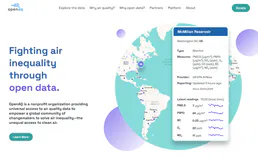
OpenAQ
Access global air quality data — monitor PM2.5, O3, NO2 levels and track pollution via AI.
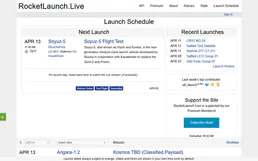
RocketLaunch.Live
Track rocket launches worldwide — search upcoming launches, vehicles, companies, locations and missions.

Airparser
AI data extraction orchestration — parse PDFs, emails, and images into structured data via AI.