
Formstack MCP. Manage form submissions and metadata via chat.
 Gemini
 Works with every AI agent you already use
…and any MCP-compatible client









Just plug in your AI agents and start using Vinkius.
Formstack MCP Server connects your AI client directly to your Formstack account. It lets your agent manage the entire data collection lifecycle: create new forms, list all existing forms, check submission stats, and pull specific raw data records.
You can automate form maintenance and data extraction without logging into the Formstack dashboard.
What your AI agents can do
Create form
Creates a new form in your Formstack account.
Create webhook
Adds a new webhook trigger to a form.
Delete form
Permanently removes a specified form.
You can list all forms in your account, get detailed metadata, and update or delete forms using a single prompt.
The agent retrieves real-time lists of submissions and calculates aggregate statistics for any form.
You get the raw HTML code of any form, letting you copy and embed it into external sites or applications.
List all fields and retrieve detailed metadata for a form, helping you understand exactly what data the form collects.
Monitor and manage webhooks, ensuring you get real-time notifications every time a form is submitted.
Ask AI about this MCP
Supported MCP Clients
Gemini Waiting for input…
Formstack MCP Server: 12 Tools for Form Management
These tools allow your agent to perform every action in Formstack, from listing forms to updating settings, all through conversation.
019d759ecreate form
Creates a new form in your Formstack account.
019d759ecreate webhook
Adds a new webhook trigger to a form.
019d759edelete form
Permanently removes a specified form.
019d759eget form details
Retrieves detailed configuration metadata for a single form.
019d759eget form html
Gets the raw HTML code for a form, ready to be embedded elsewhere.
019d759eget form stats
Returns the total count of submissions for a form.
019d759eget submission details
Pulls all the specific data submitted in a single form record.
019d759elist form fields
Lists every data field defined within a specific form.
019d759elist form webhooks
Lists all webhook triggers currently set up for a form.
019d759elist forms
Retrieves a list of all forms in your Formstack account.
019d759elist submissions
Lists the IDs and basic summary of recent form submissions.
019d759eupdate form
Updates general settings or configurations for an existing form.
Choose How to Get Started
Build a custom MCP for your own tools, or connect a ready-made integration from our catalog.
Build Your Own
Turn any API into an MCP. Import a spec, define Agent Skills, or deploy with MCPFusion.
- Import from OpenAPI, Swagger, or YAML specs
- Create Agent Skills with progressive disclosure
- Deploy to edge with MCPFusion framework
- Built in DLP, auth, and compliance on every call
- Real time usage dashboard and cost metering
- Publish to catalog or keep private
Make Your AI Do More
Start with Formstack, then connect any of our 4,700+ other servers whenever your AI needs more. One click, no limits.
- Use this MCP plus 4,700+ others, all in one place
- Add new capabilities to your AI anytime you want
- Every connection is secured and compliant automatically
- Track usage and costs across all your servers
- Works with Claude, ChatGPT, Cursor, and more
- New servers added to the catalog every week
What you can do with this MCP connector
Yo, this Formstack MCP Server hooks up your AI client straight to your Formstack account. It lets your agent handle the whole data collection mess—from building forms to pulling specific records—all without you ever having to log into the Formstack dashboard. You can automate form maintenance and pull data like a pro.
- List and Manage Forms: You can get a list of every form you've got, grab detailed setup info for any specific form, and even update or totally delete them using a single prompt. You'll also get the raw HTML code for a form, so you can embed it anywhere you want.
- Track Submission Data: Your agent pulls real-time lists of recent submissions, and it calculates the total count of submissions for any form. You can also grab all the specific data that came in on one single form record.
- Inspect Data Structure: You can list every field defined within a form and get its full metadata, which helps you figure out exactly what kind of data the form collects. You'll also see all the webhooks set up for that form, letting you monitor triggers.
- Automate and Build: You can create a brand new form using
create_form, and you can also add new webhook triggers to a form withcreate_webhook. You'll useupdate_formto tweak existing settings ordelete_formwhen you're done with a form.
Use these tools to manage everything: first, you can use list_forms to see all your forms; then, you can get the detailed setup using get_form_details; next, you can check the field list with list_form_fields or check how many times a form was submitted with get_form_stats; after that, you can pull the raw data records with get_submission_details or see a summary of recent entries using list_submissions.
How Formstack MCP Works
- 1 Subscribe to this server on the Vinkius Marketplace and provide your Formstack Access Token.
- 2 Your AI client sends a natural language command (e.g., 'List all forms').
- 3 The agent invokes the corresponding Formstack tool, retrieves the data, and presents it to you.
The bottom line is, your AI client handles the API calls and data formatting, so you just talk to it.
Who Is Formstack MCP For?
The Operations Manager who gets tired of clicking through dashboards to get a quick form count. The Compliance Officer who needs to verify field metadata against standards. The Marketing Director needing to pull lead data from multiple campaign sources without manual exports.
Gets a real-time count of active forms and the number of submissions for reporting without leaving the chat window.
Verifies form metadata and field definitions to ensure data collection adheres to specific regulatory standards.
Retrieves and filters raw lead data from recent submissions across multiple forms for campaign analysis.
What Changes When You Connect
- Instantly list and check the stats for all your forms using
list_formsandget_form_stats. You get an immediate count and status overview without navigating through the Formstack dashboard. - Don't manually export data. Use
list_submissionsandget_submission_detailsto pull specific records and their data payload directly into your chat conversation. - Manage form structure without touching the UI.
list_form_fieldslets you inspect every field and its validation rules, perfect for compliance checks. - Automate connectivity.
list_form_webhookslets you check your webhook setup, andcreate_webhooklets you add new triggers, all through natural language. - Build or modify forms on the fly. You can use
create_formorupdate_formto rapidly deploy or adjust forms and settings without logging into the web portal.
Real-World Use Cases
Reviewing a new campaign's lead data
The marketing team needs to see the 10 most recent leads from the 'Website Survey' form. Instead of running a report and downloading a CSV, they ask the agent to use list_submissions and get_submission_details. The agent pulls the raw data, and the team can analyze it immediately in the chat.
Checking form compliance before launch
A compliance officer needs to confirm that a form contains a required 'Date of Birth' field and that it's set to validate correctly. They ask the agent to run list_form_fields and get_form_details, getting the exact field names and validation rules instantly.
Setting up post-submission actions
The ops team needs to ensure that every time the 'Job Application' form is submitted, a notification webhook fires. They ask the agent to use list_form_webhooks to check the current setup, and then create_webhook to add the missing endpoint.
Migrating a form to a new site
The web developer needs the code for a form before embedding it on a new landing page. They ask the agent to run get_form_html on the form ID. The agent returns the raw HTML, which the developer can copy and paste immediately.
The Tradeoffs
Manual Dashboard Review
Logging into Formstack, navigating to the submissions tab, applying filters, and manually copying data points into a spreadsheet. This is slow and breaks when the dashboard changes.
→
Use the agent to run list_submissions to get a list of IDs, then run get_submission_details for the records you need. This gets the data directly into the conversation.
Guessing the Form ID
Trying to manually recall the exact form ID or name needed to run a report, leading to errors or having to check multiple tabs to find the correct form.
→
Start by running list_forms to see all available forms and their IDs. Once you have the correct ID, use get_form_details or get_form_stats.
Missing Webhook Checks
Assuming that adding a form means the integration is complete, and forgetting to check if the necessary webhooks are actually active or pointing to the correct endpoint.
→
Run list_form_webhooks to see all configured triggers. If you need a new trigger, use create_webhook and confirm the setup.
When It Fits, When It Doesn't
Use this server if your primary need is programmatic, structured data interaction with Formstack. You need to automate tasks like checking field schemas, creating webhooks, or batch-retrieving submissions without clicking through the UI. Don't use this if you just need to visually browse forms or manually edit content. For visual browsing, stick to the Formstack web platform. If you only need to create a single, simple form and never touch its settings or submissions, you might just use the native Formstack editor, but this server gives you the full control panel access via conversation.

Independent Platform Disclaimer: Vinkius is an independent platform and is not affiliated with, endorsed by, sponsored by, verified by, or otherwise authorized by Formstack. All third-party trademarks, logos, and brand names are the property of their respective owners. Their use on this website is strictly for informational purposes to identify service compatibility and interoperability.
VINKIUS INFRASTRUCTURE
Cloud Hosted
Managed infra
V8 Isolated
Sandboxed per request
Zero-Trust Proxy
No stored credentials
DLP Enforced
Policy on every call
GDPR Compliant
EU data residency
Token Compression
~60% cost reduction
Works with Claude, ChatGPT, Cursor, and more
The Model Context Protocol standardizes how applications expose capabilities to LLMs. Instead of operating in isolation, your AI gains direct access to external platforms, live data, and real-world actions through secure, standardized connections.
This server provides 12 capabilities that interface natively with Claude, ChatGPT, Cursor, and any MCP client. No middleware. No custom integration required.
Available Capabilities
Manually tracking form submissions is a total time sink.
Right now, collecting data means jumping between the submission list, the form settings, and the webhook logs. You have to click into each record to see what was submitted, and if you need the field names, you have to find the 'Form Settings' tab. It's tedious, slow, and you lose context every time you switch tabs.
With this MCP server, you just ask your agent to pull the data. Need to know what fields are on the 'Contact Us' form? Ask the agent to run `list_form_fields`. Need the raw submissions? Ask for `get_submission_details`. The data comes straight into your chat.
Formstack MCP Server: Manage form data and submissions.
You eliminate the need to open the Formstack UI to run reports, check metadata, or manage webhooks. Instead of clicking through multiple menus to find a setting, you use the agent to run `get_form_details` or `list_form_webhooks`.
The server gives you direct, programmatic access to Formstack's backend tools. You manage the form lifecycle—from creation (`create_form`) to final deletion (`delete_form`)—all from a single chat interface.
Common Questions About Formstack MCP
How do I get an Access Token for Formstack? +
You can generate a Personal Access Token in your Formstack account settings under the API section.
Can I retrieve the raw HTML of a form for embedding? +
Yes! Use the 'get_form_html' tool and provide the Form ID. The agent will return the raw HTML code ready for use.
Is there a limit to the number of submissions I can retrieve? +
The retrieval depends on your Formstack plan limits. The 'list_submissions' tool supports pagination to help you navigate through large sets of records.
Can I manage form webhooks through the agent? +
Yes, you can use the 'list_form_webhooks' and 'create_webhook' tools to monitor and automate your real-time data notifications.
How do I use the `list_forms` tool to see all my Formstack templates? +
The list_forms tool immediately returns a list of all forms associated with your account. This list includes the form's name and ID, letting you quickly select which form you need to work with.
What happens if I try to use the `delete_form` tool on a form with active submissions? +
The system handles this by confirming the deletion request and notifying you of any associated data. You'll need to check the form's submission count first using get_form_stats before deleting it.
Can the Formstack MCP Server handle large volumes of data using `list_submissions`? +
Yes, the server is designed for high-volume data handling. The list_submissions tool retrieves data in batches, allowing you to process thousands of records efficiently.
How do I get the configuration metadata for a specific form using `get_form_details`? +
The get_form_details tool returns comprehensive metadata, including field definitions and validation rules. This lets your agent understand the exact structure of the form's data.
Use it with your favorite AI tools
Connect this server to Cursor, Claude, VS Code, and more.
More in this category
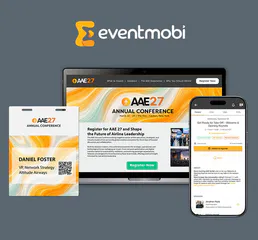
EventMobi
Deliver immersive event experiences with virtual and hybrid event tools, networking features, and live engagement analytics.

Gamma (AI Presentations)
Generate AI-powered presentations, documents, and webpages. List, update, and manage your Gamma workspace directly from any AI agent.
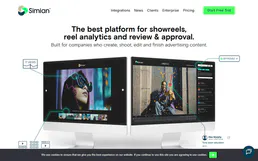
Simian
Video sharing and collaboration platform.
You might also like

Moodle
Manage your Learning Management System via Moodle — track courses, users, assignments, and grades directly from your AI agent.

Kong Gateway
Manage your API Gateway infrastructure — list services, configure routes, and manage consumers or plugins directly from any AI agent.

RunPod
Integrate your AI securely to RunPod to cleanly quickly provision scalable GPU pods, manage active instances, and inspect serverless endpoints and custom templates natively.