
Gitea MCP. Audit repo issues, branches, and PR status from chat.
 Gemini
 Works with every AI agent you already use
…and any MCP-compatible client









Just plug in your AI agents and start using Vinkius.
Gitea. Connect your self-hosted Git repository through Gitea to any AI agent. You can list all repos, audit branches, track issues, and review pull requests using natural conversation.
This tool gives your agent full access to your private code and project data without leaving your chat interface.
What your AI agents can do
Get issue
Retrieves the full details of a specific Gitea issue.
Get me
Gets the profile information for the authenticated Gitea user.
Get org
Retrieves the full details of a specific Gitea organization.
The agent retrieves the complete body and metadata for a specific Gitea issue.
The agent fetches your authenticated Gitea user profile information.
The agent retrieves comprehensive details about a specific Gitea organization.
The agent fetches all metadata for a specific Gitea repository.
The agent fetches a list of every branch existing within a target repository.
The agent retrieves a list of issues, including their numbers, states, labels, and assignees, within a target repository.
The agent lists all pull requests in a repository, showing their open/closed status and branch mappings.
Ask AI about this MCP
Supported MCP Clients
Gemini Waiting for input…
Gitea MCP Server: 10 Tools for Git Management
Use these tools to query metadata, list issues, audit PRs, and manage branches on your self-hosted Gitea instance.
019d75a5get issue
Retrieves the full details of a specific Gitea issue.
019d75a5get me
Gets the profile information for the authenticated Gitea user.
019d75a5get org
Retrieves the full details of a specific Gitea organization.
019d75a5get repo
Retrieves the full details of a specific Gitea repository.
019d75a5list branches
Lists all branches associated with a specific Gitea repository.
019d75a5list issues
Lists all issues within a specified Gitea repository.
019d75a5list org repos
Lists all repositories belonging to a specified Gitea organization.
019d75a5list orgs
Lists all organizations the authenticated user belongs to.
019d75a5list pulls
Lists all pull requests in a specific Gitea repository.
019d75a5list repos
Lists all repositories accessible to the authenticated user.
Choose How to Get Started
Build a custom MCP for your own tools, or connect a ready-made integration from our catalog.
Build Your Own
Turn any API into an MCP. Import a spec, define Agent Skills, or deploy with MCPFusion.
- Import from OpenAPI, Swagger, or YAML specs
- Create Agent Skills with progressive disclosure
- Deploy to edge with MCPFusion framework
- Built in DLP, auth, and compliance on every call
- Real time usage dashboard and cost metering
- Publish to catalog or keep private
Make Your AI Do More
Start with Gitea, then connect any of our 4,700+ other servers whenever your AI needs more. One click, no limits.
- Use this MCP plus 4,700+ others, all in one place
- Add new capabilities to your AI anytime you want
- Every connection is secured and compliant automatically
- Track usage and costs across all your servers
- Works with Claude, ChatGPT, Cursor, and more
- New servers added to the catalog every week
What you can do with this MCP connector
Connect your self-hosted Gitea instance to your AI agent. You'll get full control over your private code and project data without leaving your chat. Your agent can list all repos, audit branches, track issues, and review pull requests using plain conversation.
Finding and Reading Issue Details
Your agent retrieves the complete body and metadata for a specific Gitea issue using get_issue. To see all issues in a repo, it runs list_issues, showing you the issue numbers, states, labels, and assignees. You can also check all issues across a whole organization by running list_org_issues.
Getting Your Own Profile Data
It fetches your authenticated Gitea user profile information with get_me, giving you your login, email, full name, and admin status.
Getting Organization Metadata
Use get_org to pull comprehensive details about a specific Gitea organization, or list_orgs to see all the organizations you belong to.
Getting Full Repository Details
Your agent pulls all metadata for a specific Gitea repository using get_repo, and it can list every repository accessible to you with list_repos, or list all repos within an organization using list_org_repos.
Listing Branches and Pull Requests
It lists every branch existing within a target repository using list_branches. For pull requests, it runs list_pulls, showing you all the open/closed PRs and their source/target branch mappings. You can also get a list of all branches associated with a repository using list_branches.
Listing Repositories
To see every repository you can access, run list_repos to get a list of all accessible repositories, including their descriptions, clone URLs, stars, and visibility status. You can also list all branches for a repo using list_branches.
How Gitea MCP Works
- 1 Subscribe to the Gitea MCP Server. You need to provide your Gitea Instance URL and an Access Token (found in your Gitea User Settings > Applications).
- 2 Your AI client uses the tools to interact with your Gitea backend. For example, you ask, 'What are the open PRs for repo X?'
- 3 The agent runs the necessary calls and returns structured data about the repo, issues, branches, or users directly to your chat window.
The bottom line is: your AI client talks to your Gitea server, and you get structured data about your code and projects without copy-pasting URLs.
Who Is Gitea MCP For?
Developers, DevOps Engineers, and Engineering Leads who manage complex, self-hosted Git environments. This is for people who get tired of clicking through multiple dashboards—the person who needs to audit a merge status, check issue assignment, and review repo structure all from one chat window.
Uses the tools to test and debug Git API integrations, verifying branch protection rules and checking repo statuses in natural conversation.
Uses the tools to list all accessible repositories and audit pull requests or track issues without leaving their IDE or chat interface.
Uses the tools to quickly gather organizational metadata and review issue assignments across multiple projects to analyze team progress.
What Changes When You Connect
- Audit PR status instantly. Use
list_pullsto see if a pull request is open, closed, or merged, and check which branches are mapped as source or target. - Track issues without leaving your workflow. Run
list_issuesto enumerate issue numbers, states, labels, and assignees across any repo. - Understand your scope. Use
list_reposto get a quick overview of all accessible repositories, including their clone URLs and if they are private or public. - Know your organization structure.
list_orgsshows all orgs you belong to, whilelist_org_reposlets you list every repo under a specific organization. - Verify project health. Run
list_branchesto see all branches and confirm the commit SHAs and active branch protection rules on a repo. - Get user context. Use
get_meto confirm your own profile identity, including your login, email, and administrative status.
Real-World Use Cases
The PR Reviewer needs to check merge readiness.
The developer needs to know if a PR is ready to merge. They ask the agent: 'Show me open pull requests for the api-service repo.' The agent calls list_pulls, returning the PR numbers and statuses. The developer can then follow up to check the required branch details.
The PM needs to audit team progress across multiple projects.
A Product Manager needs to see all outstanding issues for the 'Eng-Team' organization. They prompt the agent to list all issues in the organization. The agent uses list_orgs and then iterates through list_org_repos and list_issues to deliver a consolidated list, allowing the PM to filter by labels.
The New Hire needs to understand the project scope.
A new engineer needs to see what repos they can access. They ask the agent to list all available repositories. The agent calls list_repos, giving the engineer the full names, descriptions, clone URLs, and public/private status of every accessible repo.
The DevOps Engineer needs to check compliance.
A DevOps engineer needs to verify that the main branch is protected and that no direct commits are allowed. They ask the agent to list the branches and protection rules for the target repo. The agent uses list_branches to check the specific branch and its rules.
The Tradeoffs
Over-relying on the UI
Opening the Gitea web UI, navigating to the repo, then switching tabs to Issues, and finally clicking through PRs just to get a list of open items.
→
Instead of clicking through tabs, tell your agent to run list_repos to confirm the repo name, then use list_issues to get all open tasks, and finally use list_pulls to see the merge status. It keeps you in the chat.
Guessing the scope
Asking the agent, 'List issues for my big project,' without specifying which organization or repository is involved.
→
Always start by using list_orgs to confirm the correct organization, then use list_org_repos to narrow it down to the specific repository name before running list_issues.
Missing context on branches
Assuming a branch exists and trying to check its status without confirming it's the latest one.
→
Before checking any branch status, run list_branches to get the current list of valid branches and their SHAs. This confirms you're working with current data.
When It Fits, When It Doesn't
Use this if you need to query the state of your self-hosted Git environment. You need to know: 'What issues are open? What PRs are pending? Is this branch protected?' If your goal is just to write code or push changes, you don't need this server. You need this if your workflow involves auditing, tracking, or reporting on existing code and project metadata. Don't use it if you only need to list your own user details—use get_me for that. If you only need to see which repos you can access, use list_repos; if you need to see the full structure under a specific company, use list_orgs first.

Independent Platform Disclaimer: Vinkius is an independent platform and is not affiliated with, endorsed by, sponsored by, verified by, or otherwise authorized by Gitea. All third-party trademarks, logos, and brand names are the property of their respective owners. Their use on this website is strictly for informational purposes to identify service compatibility and interoperability.
VINKIUS INFRASTRUCTURE
Cloud Hosted
Managed infra
V8 Isolated
Sandboxed per request
Zero-Trust Proxy
No stored credentials
DLP Enforced
Policy on every call
GDPR Compliant
EU data residency
Token Compression
~60% cost reduction
Works with Claude, ChatGPT, Cursor, and more
The Model Context Protocol standardizes how applications expose capabilities to LLMs. Instead of operating in isolation, your AI gains direct access to external platforms, live data, and real-world actions through secure, standardized connections.
This server provides 10 capabilities that interface natively with Claude, ChatGPT, Cursor, and any MCP client. No middleware. No custom integration required.
Available Capabilities
Sifting through Gitea's UI for status updates is a time sink.
Right now, tracking a project's status means bouncing between tabs: the main repo page for clone URLs, the 'Issues' tab for bug reports, and the 'Pull Requests' tab for code reviews. You copy a URL, paste it into the browser, click 'Issues,' then filter by 'Open.' It's a miserable cycle of clicks and context switching.
With this MCP server, you just tell your agent what you need. You ask, 'What are the open PRs for repo X?' The agent runs the `list_pulls` tool and gives you a clean list of PR numbers and their status right in the chat. No tabs, no context switching. Just the data.
Gitea MCP Server: Get repo and issue data in chat.
You stop manually running commands in the CLI and then copy/pasting the output into your chat client. You don't have to manually list the branches and then manually check the protection rules. You just ask the agent to verify the branch protection rules for the `main` branch.
The entire process is now conversational. You speak the request, the agent runs the tools, and you get a verified, structured answer. It cuts out the API boilerplate and the manual data stitching.
Common Questions About Gitea MCP
How do I find all my available repositories using the list_repos tool? +
The list_repos tool returns a list of full names, descriptions, clone URLs, stars, forks, and the private/public status for every repo you can access. This is your starting point for project discovery.
Can I use the get_issue tool to check a specific bug report? +
Yes. The get_issue tool fetches the full details of a single Gitea issue. This includes the complete body content, ensuring you have all the context needed for analysis.
What is the difference between list_issues and list_pulls? +
Issues track bugs, tasks, and general discussion (using list_issues). Pull requests are specific to code changes—they track proposed merges from one branch to another (using list_pulls).
How do I check if an organization has multiple repositories? +
First, use list_orgs to find the organization. Then, use list_org_repos to get a full list of all repos that belong to that organization.
Does the get_repo tool give me all the metadata? +
Yes. get_repo gives full details about a repository, including descriptions, clone URLs, stars, and visibility status.
How do I verify branch protection rules using the list_branches tool? +
The list_branches tool lists all branches and verifies their protection rules directly. You get the commit SHA and the active protection status for every branch in the repo.
What is the difference between list_orgs and list_repos? +
list_orgs shows all organizations you belong to. list_repos, by contrast, lists all repositories accessible to your authenticated user across all connected organizations.
Can I use the get_me tool to check my account status? +
Yes, the get_me tool extracts your authenticated profile details. It provides your login, email, full name, and whether your account holds administrative status.
Can my agent list all issues in a Gitea repository? +
Yes. Use the 'list_issues' tool. Provide the owner and repository name. The agent will return all issues with their titles, numbers, states, and labels, allowing you to monitor project progress natively.
How do I check the details of a specific pull request via chat? +
Use the 'list_pulls' tool to see active PRs and their numbers. You can then ask for details about a specific PR to verify source/target branches and current review status synchronously.
Can I see all repositories belonging to a Gitea organization through the agent? +
Absolutely. Use the 'list_org_repos' tool. Provide the organization name, and the agent will return all repositories belonging to that org, including their clone URLs and visibility status natively.
Use it with your favorite AI tools
Connect this server to Cursor, Claude, VS Code, and more.
More in this category

Alchemy
Manage blockchain data — audit wallets, NFTs, and transactions via AI.

Netlify Alternative
Modern web development platform — manage sites, deploys, and forms via AI.
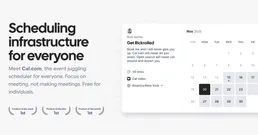
Cal.com
Manage your scheduling via Cal.com — track bookings, manage event types, and coordinate meetings directly from any AI agent.
You might also like

Dot Object Transformer
Flatten deeply nested JSON objects into dot-notation keys, or reconstruct nested objects from flat dictionaries.

Megaventory
Inventory and order management via Megaventory — track products, stock levels, and orders.

SERPHouse
Grant your AI agent unfiltered real-time access to Google and Bing SERP data to scrape organic search results and dynamic pricing.