
HighRadius MCP. Manage invoices, payments, and disputes via natural chat.
 Gemini
 Works with every AI agent you already use
…and any MCP-compatible client









Just plug in your AI agents and start using Vinkius.
HighRadius MCP Server manages the entire Order-to-Cash process. Use it to automate invoice management, track payments, reconcile discrepancies, and handle customer disputes and deductions via conversation.
Get a clear, real-time view of your receivables.
What your AI agents can do
Create dispute
Files a new dispute record, requiring an invoice ID, a reason, and the specific amount of the disagreement.
Get cash application status
Checks the current processing status of the cash application process.
Get customer
Retrieves detailed information and current outstanding balances for a specified customer.
Use list_invoices to get a quick overview of all outstanding invoices, including amounts and due dates.
Call list_payments to see a record of all payments received, or get_payment to view details for a specific payment ID.
Execute reconcile_payment by providing a payment ID and a list of invoice IDs to automatically match the funds.
Use list_customers to list all customers, or get_customer to pull specific profile and balance details.
Run list_disputes to see open disputes, or use create_dispute to file a new dispute record on an invoice.
List all outstanding deductions using list_deductions to monitor short payments and adjustments.
Ask AI about this MCP
Supported MCP Clients
Gemini Waiting for input…
HighRadius MCP Server: 11 Tools for Finance Ops
This server provides tools to manage the full Order-to-Cash cycle, from listing customers and invoices to reconciling payments and creating disputes.
019d75b1create dispute
Files a new dispute record, requiring an invoice ID, a reason, and the specific amount of the disagreement.
019d75b1get cash application status
Checks the current processing status of the cash application process.
019d75b1get customer
Retrieves detailed information and current outstanding balances for a specified customer.
019d75b1get invoice
Gets all specific details about a single invoice, including amounts and due dates.
019d75b1get payment
Retrieves the full details of a specific payment transaction.
019d75b1list customers
Returns a comprehensive list of all customer accounts in the system.
019d75b1list deductions
Gets a list of all recorded deductions and adjustments across the system.
019d75b1list disputes
Lists all open or closed dispute records in the system.
019d75b1list invoices
Provides an overview of all outstanding invoices and receivables.
019d75b1list payments
Lists all recorded payment transactions in the system.
019d75b1reconcile payment
Matches a payment against one or more invoices using specific payment and invoice IDs.
Choose How to Get Started
Build a custom MCP for your own tools, or connect a ready-made integration from our catalog.
Build Your Own
Turn any API into an MCP. Import a spec, define Agent Skills, or deploy with MCPFusion.
- Import from OpenAPI, Swagger, or YAML specs
- Create Agent Skills with progressive disclosure
- Deploy to edge with MCPFusion framework
- Built in DLP, auth, and compliance on every call
- Real time usage dashboard and cost metering
- Publish to catalog or keep private
Make Your AI Do More
Start with HighRadius, then connect any of our 4,700+ other servers whenever your AI needs more. One click, no limits.
- Use this MCP plus 4,700+ others, all in one place
- Add new capabilities to your AI anytime you want
- Every connection is secured and compliant automatically
- Track usage and costs across all your servers
- Works with Claude, ChatGPT, Cursor, and more
- New servers added to the catalog every week
What you can do with this MCP connector
HighRadius MCP Server manages your entire Order-to-Cash process, letting your AI client handle invoice management, payment tracking, dispute resolution, and deduction review through natural conversation. You can get a clear, real-time view of your receivables by using this server. To start, you'll connect your AI client and access the tools.
How HighRadius MCP Works
- 1 First, subscribe to the HighRadius server and enter your HighRadius Access Token.
- 2 Next, your AI client calls the desired tool (e.g.,
list_invoices) to gather the necessary data. - 3 Finally, the agent uses the returned data to execute a complex action, like calling
reconcile_paymentorcreate_dispute.
The bottom line is you don't need to log into the HighRadius portal; your AI client does the work for you.
Who Is HighRadius MCP For?
This is for finance and accounting roles who manage Accounts Receivable (AR). If you spend your day clicking between the payment portal, the invoice ledger, and the dispute tracking system, this is for you. It lets you run complex financial checks and reconcile data without ever leaving your chat window.
Checks customer balances and outstanding invoices quickly by running list_invoices or get_customer.
Tracks cash application status, monitors disputes using list_disputes, and runs complex reconciliation jobs using reconcile_payment.
Views payment history (list_payments) and determines which invoices need immediate attention or dispute filing via create_dispute.
What Changes When You Connect
- See all outstanding invoices and receivables instantly using
list_invoices. No more opening the ledger and scrolling through pages. - Instantly track payment status and reconcile funds by running
reconcile_paymentwith just two IDs. This saves time compared to manual matching. - Get a full customer profile and outstanding balance by calling
get_customer. You don't need to jump through three different screens to find a balance. - Handle disagreements on the fly. Use
create_disputeto file a dispute for an invoice when you spot an incorrect amount. - Get a clean view of all deductions using
list_deductionsand keep tabs on short payments without manually running reports. - Review all payment records by running
list_payments. You can quickly see if a payment was received and what its initial status was.
Real-World Use Cases
Investigating a Missing Payment
A collections agent notices a large payment was logged, but the funds don't match any open invoice. They ask their agent to run get_payment first. Then, they use list_invoices and get_customer to cross-reference the payment details against open receivables, quickly identifying the mismatch.
Resolving an Invoice Discrepancy
A finance manager spots an invoice with a potential error. They ask their agent to run get_invoice and find the issue. Next, they use create_dispute with the correct reason and amount, generating a traceable dispute ID immediately.
Monthly Reconciliation Check
An AR specialist needs to verify if last month's payments covered specific invoices. They ask their agent to run list_payments and then execute reconcile_payment by feeding it the payment ID and the relevant list of invoice IDs.
Auditing Customer Accounts
An auditor needs to confirm a customer's total debt, including pending disputes. They use list_customers to find the ID, then call get_customer and check list_disputes to get the full, accurate financial picture.
The Tradeoffs
Treating the system as a simple search tool
Trying to find the status of a payment by just asking 'What's the status of payment X?' without providing the payment ID or invoice IDs.
→
You must provide specific identifiers. First, call get_payment with the payment ID to pull the raw data. If you need to link it to invoices, run reconcile_payment with both the payment ID and the invoice IDs.
Running reports manually for every audit
Logging into the HighRadius UI and running separate reports for invoices, deductions, and payments, then manually cross-referencing the dates and amounts in Excel.
→
Use the AI client to run the sequence: list_invoices (for outstanding debt), then list_deductions (for adjustments), and finally list_payments (for cash flow). This gives you the full picture in one chat session.
Assuming reconciliation is automatic
Just asking the agent, 'Reconcile everything for this customer.' This vague command fails because the agent doesn't know which payments or which invoices you mean.
→
Be precise. You need to run list_payments first to find the relevant payment ID. Then, run reconcile_payment using that payment ID and an array of specific invoice IDs.
When It Fits, When It Doesn't
Use this if you need to automate complex, multi-step financial checks. Specifically, if you need to reconcile a payment, check a customer's total debt, or file a dispute without logging into a web portal. Don't use this if you just need a simple list of all customers; use list_customers for that. If you are only tracking a single invoice's status, get_invoice is enough. The power here is combining get_customer with list_disputes and list_invoices to build a complete audit trail.
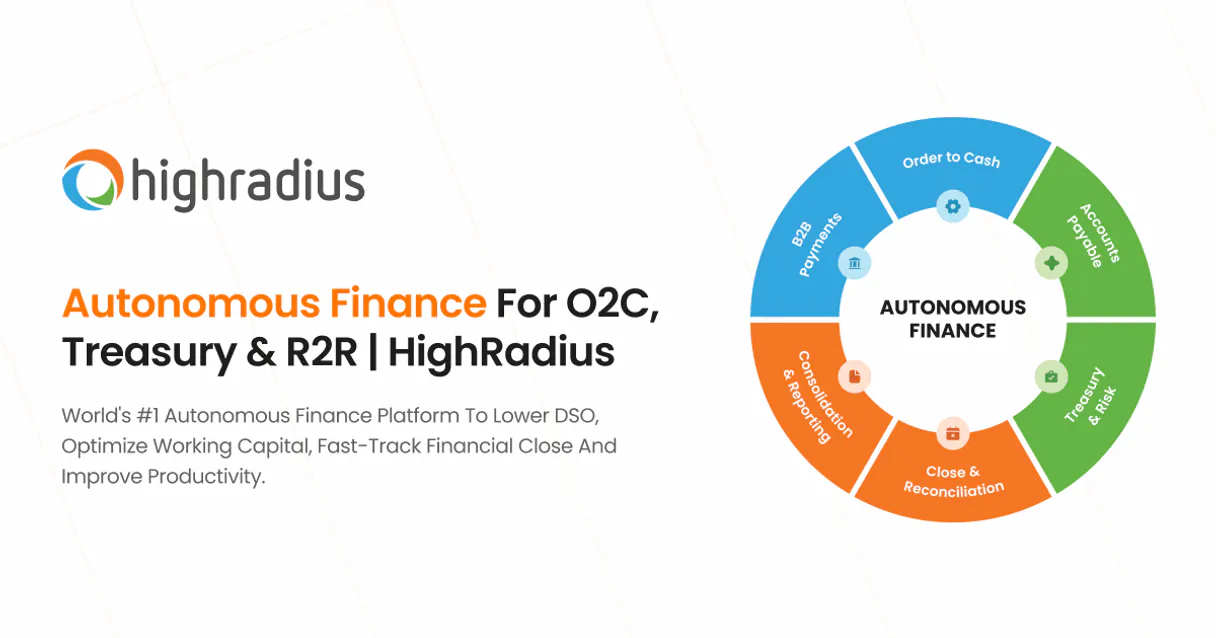
Independent Platform Disclaimer: Vinkius is an independent platform and is not affiliated with, endorsed by, sponsored by, verified by, or otherwise authorized by HighRadius. All third-party trademarks, logos, and brand names are the property of their respective owners. Their use on this website is strictly for informational purposes to identify service compatibility and interoperability.
VINKIUS INFRASTRUCTURE
Cloud Hosted
Managed infra
V8 Isolated
Sandboxed per request
Zero-Trust Proxy
No stored credentials
DLP Enforced
Policy on every call
GDPR Compliant
EU data residency
Token Compression
~60% cost reduction
Works with Claude, ChatGPT, Cursor, and more
The Model Context Protocol standardizes how applications expose capabilities to LLMs. Instead of operating in isolation, your AI gains direct access to external platforms, live data, and real-world actions through secure, standardized connections.
This server provides 11 capabilities that interface natively with Claude, ChatGPT, Cursor, and any MCP client. No middleware. No custom integration required.
Available Capabilities
Manually tracking receivables is a nightmare of tabs and filters.
Today, tracking outstanding receivables means jumping between the invoice dashboard, the payments received tab, and the deductions ledger. You're clicking from one screen to the next, copy-pasting IDs, and cross-referencing dates to build a single view of truth. It’s slow, and you'll inevitably miss a data point.
With the HighRadius MCP Server, you just talk to your agent. You ask, 'What is the total outstanding balance for Customer X?' The agent uses `get_customer` and pulls all the necessary data points—invoices, disputes, and deductions—and gives you one clear, summarized answer.
HighRadius MCP Server: Reconcile payments and disputes in chat.
You no longer need to run three separate reports—one for payments, one for invoices, and one for disputes—and then manually match the IDs and amounts in a spreadsheet. Your agent runs the necessary checks, using `list_payments` and `list_disputes` to pull all the raw data.
The result is a single, actionable summary. You get immediate confirmation on whether payments match invoices, or you get a clear path to filing a dispute using `create_dispute`.
Common Questions About HighRadius MCP
How do I check the status of all outstanding invoices using HighRadius MCP Server? +
Run list_invoices. This tool gives you an overview of every outstanding receivable, showing the amount and the due date for each one.
What is the best way to reconcile payments using HighRadius MCP Server? +
You must use the reconcile_payment tool. Provide it with the payment ID and an array of invoice IDs, and the server will match them automatically.
How can I file a dispute using HighRadius MCP Server? +
Use create_dispute. You just need to provide the invoice ID, the reason for the dispute, and the exact amount of the discrepancy.
Can I view all customer data and outstanding balances with HighRadius MCP Server? +
Yes, run get_customer. This single tool aggregates customer details and any outstanding balances across the system.
How do I list all available deductions using HighRadius MCP Server? +
You use the list_deductions tool. This tool fetches a comprehensive list of all deductions recorded in the system, letting you review adjustments and short payments.
What information can I get about a specific customer using HighRadius MCP Server? +
Use the get_customer tool. It pulls detailed profiles and outstanding balance information for any customer ID you provide.
How do I view details for a specific payment record with HighRadius MCP Server? +
Call the get_payment tool. This gives you full details on a payment, including its amount, date, and current reconciliation status.
Can I list all payment records using HighRadius MCP Server? +
Yes, you can use the list_payments tool. It retrieves a full history of all payment records processed through HighRadius.
How do I get my HighRadius Access Token? +
Log in to your HighRadius account, navigate to Settings > API Access, and generate a new token.
Can I reconcile payments automatically? +
Yes! Use the reconcile_payment action with the payment ID and an array of invoice IDs to match payments to invoices.
Can I create disputes for invoice discrepancies? +
Yes! Use the create_dispute action with a JSON body including the invoice ID, reason, and disputed amount.
Use it with your favorite AI tools
Connect this server to Cursor, Claude, VS Code, and more.
More in this category

X Ads (Twitter)
Manage your X Ads campaigns — audit accounts, line items, and analytics via AI.

Anthropic Alternative
Access Claude models via Anthropic API — send messages, count tokens, manage batches and discover models from any AI agent.

Tesla Fleet API
Physical actuator proxy mapping explicitly native commands evaluating telemetry tracking active Tesla vehicles cleanly.
You might also like

Teachworks
Schedule tutoring sessions, manage student progress, and handle billing for tutoring businesses and learning centers.

ClickBid
Manage auction events, bidders, items, and donations directly via AI.

Cvent
Equip your AI agent to manage event registrations, sessions, and attendees directly via the Cvent API.