
LocationIQ MCP. Convert addresses, calculate routes, and map coordinates.
 Gemini
 Works with every AI agent you already use
…and any MCP-compatible client









Just plug in your AI agents and start using Vinkius.
LocationIQ provides an MCP Server for geocoding, routing, and geospatial lookups. Use it to convert addresses into precise GPS coordinates (`search_geocode`), find a human-readable address from just latitude and longitude (`reverse_geocode`), or calculate optimal driving routes between multiple points using `calculate_directions`.
It handles complex logistics data like distance matrices and ensures your searches stick to specific countries or map boundaries.
What your AI agents can do
Calculate directions
Finds the optimal route, specifying driving, walking, or cycling directions between two coordinates.
Calculate distance matrix
Generates a table showing the travel time and distance among multiple starting points and destinations.
Check account balance
Checks your current LocationIQ account balance to see how many API requests you have left for the day.
Take any address string and turn it into precise latitude/longitude pairs using the search geocoding tool.
Calculate the best paths—driving, walking, or cycling—between a start point and an end point.
Generate a single table showing the estimated distance and duration between multiple pairs of locations.
Convert raw latitude/longitude coordinates back into full, readable street addresses in various languages.
Force a floating coordinate point to snap perfectly onto the actual, nearest road or street segment.
Limit address searches so results only appear within specific country codes (ISO) or defined map rectangles.
Ask AI about this MCP
Supported MCP Clients
Gemini Waiting for input…
LocationIQ (Geocoding & Maps) MCP Server: 10 Tools for Geospatial Data
These tools let you convert addresses to coordinates, map complex routes, and analyze geographic data—all from your AI client.
019d75c9calculate directions
Finds the optimal route, specifying driving, walking, or cycling directions between two coordinates.
019d75c9calculate distance matrix
Generates a table showing the travel time and distance among multiple starting points and destinations.
019d75c9check account balance
Checks your current LocationIQ account balance to see how many API requests you have left for the day.
019d75c9reverse geocode
Converts raw latitude/longitude points into standard, readable postal addresses.
019d75c9reverse language bias
Converts coordinates and returns the address translated into a specific native language tag.
019d75c9search autocomplete
Provides real-time suggestions for partial location queries, helping users narrow down search terms quickly.
019d75c9search bounding box
Restricts an address search so that results only fall within a specific, defined rectangular map area.
019d75c9search country filter
Forces an address search to only look for locations using specific country codes (ISO).
019d75c9search geocode
Converts a plain text address string into secure, precise OpenStreetMap coordinates.
019d75c9snap nearest roads
Adjusts an imprecise coordinate point to perfectly sit on the nearest known street or road line.
Choose How to Get Started
Build a custom MCP for your own tools, or connect a ready-made integration from our catalog.
Build Your Own
Turn any API into an MCP. Import a spec, define Agent Skills, or deploy with MCPFusion.
- Import from OpenAPI, Swagger, or YAML specs
- Create Agent Skills with progressive disclosure
- Deploy to edge with MCPFusion framework
- Built in DLP, auth, and compliance on every call
- Real time usage dashboard and cost metering
- Publish to catalog or keep private
Make Your AI Do More
Start with LocationIQ (Geocoding & Maps), then connect any of our 4,700+ other servers whenever your AI needs more. One click, no limits.
- Use this MCP plus 4,700+ others, all in one place
- Add new capabilities to your AI anytime you want
- Every connection is secured and compliant automatically
- Track usage and costs across all your servers
- Works with Claude, ChatGPT, Cursor, and more
- New servers added to the catalog every week
What you can do with this MCP connector
You're dealing with location data, right? You need to know where something is, or you gotta figure out how to get there. This LocationIQ server handles all that heavy lifting for geocoding, routing, and mapping lookups. It lets your AI client turn messy addresses into clean GPS coordinates, calculate complex travel times across multiple stops, and even translate raw coordinates back into local language addresses.
When you need to pinpoint an exact location from a text address, use search_geocode. You feed it any standard street address string, and it spits out precise latitude/longitude pairs that conform to OpenStreetMap standards. If the user is typing out an address and you want real-time help guiding them to the right spot, trigger search_autocomplete; it provides instant suggestions for partial location queries, helping narrow down search terms fast.
You can make those searches even more precise by limiting the results using two specific filters: first, if you only care about locations within a defined region, use search_bounding_box. If the address has to be in a certain country, force the hand with search_country_filter to limit results solely to that nation's ISO code.
On the flip side, if you only have raw coordinates—say, a floating point from an old sensor reading—but need to know what street it's actually on, run snap_nearest_roads. This tool adjusts those messy GPS signals until they sit perfectly on the nearest known road or street segment. To go backward and find out what human-readable address corresponds to raw latitude/longitude points, use reverse_geocode.
It converts those coordinates into standard, usable postal addresses. If you're dealing with international clients and need that address translated for them, trigger reverse_language_bias; it takes the coordinates and returns the full address written in a specific native language tag.
For figuring out travel paths, LocationIQ gives you two key tools. To get the single best path—whether driving, walking, or biking—between just a start point and an end point, use calculate_directions. It figures out the optimal route based on your chosen mode of transport. If you're planning logistics for multiple stops and need to know how long it takes to travel between every pair of locations, run calculate_distance_matrix.
This generates a detailed table showing the estimated distance and duration among all your starting points and destinations. Finally, if you just want to check how many API calls you've left for the day before running any big searches, use check_account_balance.
How LocationIQ MCP Works
- 1 Subscribe to this server and get your LocationIQ API Key.
- 2 Pass your API Key into the MCP client configuration.
- 3 Run a location request (e.g., 'What are the coordinates for 123 Main St?'). The agent uses the tools, gets the data, and presents it back.
The bottom line is: You feed your AI client an address or a set of points, and this server runs the necessary lookups to give you structured, actionable location data.
Who Is LocationIQ MCP For?
This is for developers who can't afford to manually clean up messy physical world data. It’s for the logistics manager who needs real-time routing without opening a GIS program, or the data analyst trying to enrich millions of records with accurate postal metadata.
Integrating location lookups into an app. You use search_geocode and calculate_directions directly in your agent logic.
Planning delivery routes for a fleet. You run calculate_distance_matrix to compare multiple delivery options quickly, eliminating spreadsheet manual work.
Cleaning up datasets that only have messy GPS points. You use reverse_geocode and snap_nearest_roads to make the data usable for reports.
What Changes When You Connect
- Pinpoint Accuracy: Stop using general latitude/longitude points. Running
snap_nearest_roadsfixes messy GPS signals by aligning them to the actual street network. That makes your data usable for accurate fleet tracking. - Logistical Planning: Forget manually building spreadsheet tables. Use
calculate_distance_matrixto instantly compute travel times and distances across dozens of origins and destinations, optimizing delivery routes in one go. - Global Data Handling: Need an address translated? The
reverse_language_biastool handles this—it gives you the precise postal data and the localized language version. It’s crucial for international apps. - Smart Search: Don't let users wander off-topic. Use
search_autocompleteto guide them with live suggestions, or usesearch_country_filterif your app only serves one region at a time. - Directional Clarity: Instead of just saying 'they are near Paris,' you get the exact path.
calculate_directionsprovides turn-by-turn instructions for driving, walking, and biking.
Real-World Use Cases
Validating a New Store Location
A franchise developer has an address string (e.g., '10 Main St'). They run search_geocode to get the base coordinates, then they use search_bounding_box and search_country_filter simultaneously. This confirms the location is both accurate and within their target metropolitan area before committing resources.
Mapping a Delivery Route
A warehouse manager needs to know the best sequence for 15 stops across three states. Instead of running 14 individual routes, they feed all points into calculate_distance_matrix. The agent instantly returns a single table showing total time and distance, solving the logistics puzzle.
Cleaning Field Survey Data
An analyst collects GPS data from field workers. These coordinates are messy—they float slightly off the road. They run snap_nearest_roads on the raw points to clean them up. Now, they can confidently use reverse_geocode to assign accurate street addresses.
Comparing Multiple Markets
A developer needs to build an app that only serves German users in Germany. They combine search_country_filter (setting the ISO code) with reverse_language_bias. This ensures every search result is geographically accurate and linguistically appropriate for the target market.
The Tradeoffs
Assuming Lat/Lon is enough
Just passing raw latitude and longitude into a database field, hoping it represents a full address.
→
Don't guess. Use reverse_geocode or reverse_language_bias. These tools take coordinates and return the complete postal data structure, giving you the street name, zip code, and localized translation.
Searching without boundaries
Running a simple address lookup query that returns results from every country in the database.
→
Always constrain your search. If it's for France, use search_country_filter. If you only care about one side of a river, use search_bounding_box to keep the scope tight.
Using simple routing tools
Calculating directions without considering traffic or multiple stops in sequence.
→
For complex multi-stop trips, skip single route functions. Use calculate_distance_matrix to analyze the full set of travel options and find the optimal order for your fleet.
When It Fits, When It Doesn't
Use this server if your process requires translating physical locations (addresses/coordinates) into structured, verifiable data points. You need it when raw GPS signals are unreliable or when you have a complex comparison task, like routing between 10+ stops.
Don't use it if all you need is simple text searching—a basic database query will suffice. Also, don't rely on it for real-time map visualization; this server outputs the data that powers your map component. If you just need to know how many queries you have left, run check_account_balance first to avoid hitting limits.

Independent Platform Disclaimer: Vinkius is an independent platform and is not affiliated with, endorsed by, sponsored by, verified by, or otherwise authorized by LocationIQ. All third-party trademarks, logos, and brand names are the property of their respective owners. Their use on this website is strictly for informational purposes to identify service compatibility and interoperability.
VINKIUS INFRASTRUCTURE
Cloud Hosted
Managed infra
V8 Isolated
Sandboxed per request
Zero-Trust Proxy
No stored credentials
DLP Enforced
Policy on every call
GDPR Compliant
EU data residency
Token Compression
~60% cost reduction
Works with Claude, ChatGPT, Cursor, and more
The Model Context Protocol standardizes how applications expose capabilities to LLMs. Instead of operating in isolation, your AI gains direct access to external platforms, live data, and real-world actions through secure, standardized connections.
This server provides 10 capabilities that interface natively with Claude, ChatGPT, Cursor, and any MCP client. No middleware. No custom integration required.
Available Capabilities
Getting location data used to be a painful mess of manual lookups and spreadsheet cleaning.
You get an address from a user. You try to run it through your database, but the coordinates are vague—they might be off by fifty feet because the signal was weak. Then you have to check if that point even exists in the right country’s postal system, and maybe manually cross-reference zip codes just to validate the results.
With this MCP server, you skip all that. You send the address string or coordinates to `search_geocode` (or `reverse_geocode`), and the tool handles the validation, the snapping, and the full data enrichment in one step. Your agent gets clean, verified geo-data right away.
The LocationIQ MCP Server gives you structured location intelligence with `calculate_distance_matrix`.
Before this, comparing routes for a delivery team meant pulling up Google Maps 15 times and manually adding up the time estimates in an Excel sheet. If one stop was moved, the whole spreadsheet had to be rebuilt from scratch—it's pure manual labor.
Now, you just list your origins and destinations into `calculate_distance_matrix`. The agent runs the calculation and returns a structured matrix showing every single combination of travel time and distance. It’s instant comparison data.
Common Questions About LocationIQ MCP
How do I find coordinates for an address using search_geocode? +
Use search_geocode by passing the full street address string. The tool converts that plain text into precise latitude and longitude pairs, ready to use in your application logic.
What’s the difference between reverse_geocode and reverse_language_bias? +
reverse_geocode gives you a standard postal address for any set of coordinates. If you're dealing with international users, use reverse_language_bias; it adds localized language translations to the result.
How do I calculate routes between many points? +
You should use calculate_distance_matrix. This tool computes a full table of travel times and distances for all origins vs. all destinations, which is better than chaining individual calls to calculate_directions.
Do I need to worry about API limits with check_account_balance? +
Yes, always run check_account_balance. This tool pulls your current usage quota. It's good practice to verify your remaining requests before starting a large data processing job.
How does `snap_nearest_roads` help clean up messy GPS signals? +
It aligns any raw coordinate to the exact street network. If your GPS data is slightly off—say, a car was driving between two streets—snapping forces that point onto the nearest valid road segment for accurate tracking.
When should I use `search_bounding_box` instead of just a country filter? +
Use it when you need to limit results within a precise, custom rectangular area. While search_country_filter keeps things national, bounding box searches restrict the scope to a specific neighborhood or industrial park.
What's required setup-wise for running `calculate_directions`? +
You need your LocationIQ API key configured in your agent. The system uses that key to calculate optimal routes and provides turn-by-turn instructions between the two specified coordinates.
How does using `search_autocomplete` improve performance for address lookups? +
It quickly parses partial location queries, offering autosuggest lists as the user types. This dramatically improves the user experience and reduces unnecessary full geocoding requests while building better data inputs.
Can I convert GPS coordinates back to a physical address using my agent? +
Yes. Use the reverse_geocode tool by providing the latitude and longitude. Your agent will return the human-readable address, including the house number, street, city, and postal code.
How do I calculate the travel time between multiple points? +
The calculate_distance_matrix tool allows you to submit a list of coordinates. Your agent will return a duration table for the specified profile (driving or walking), helping you optimize multi-stop routes.
Can my agent check how many API requests I have remaining? +
Absolutely. Use the check_account_balance tool to retrieve your current credit status. Your agent will report exactly how many OpenStreetMap queries remain for your API key during the current period.
Use it with your favorite AI tools
Connect this server to Cursor, Claude, VS Code, and more.
More in this category

Supabase Alternative
Manage Supabase projects, databases and secrets via API — create projects, configure Postgres, manage branches and secrets from any AI agent.

ScrapingAnt
Extract web data reliably with rotating proxies, headless Chrome rendering, and CAPTCHA solving built into every request.

Unkey API Management
Manage and verify your user API keys via Unkey — create, revoke, and track usage directly from any AI agent.
You might also like

Paddle
Manage billing, subscriptions, and transactions via Paddle — inspect customers, list products, pause recurring plans, and void transactions from any AI agent.
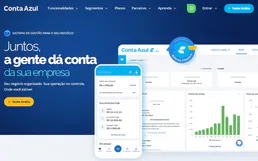
Conta Azul
Manage Brazilian ERP via Conta Azul — track customers, products, services, sales, and monitor financial contracts directly from any AI agent.

Hologram.io
Automate IoT connectivity via Hologram.io — manage devices, SIM cards, and data usage directly from any AI agent.