
Messari MCP. Get structured data on every asset and market.
 Gemini
 Works with every AI agent you already use
…and any MCP-compatible client









Just plug in your AI agents and start using Vinkius.
Messari MCP Server gives your AI client direct access to professional crypto market intelligence. Pull detailed metadata for any asset, fetch real-time pricing and market cap data across thousands of tokens, list major exchanges, or query recent governance events—all via simple function calls.
What your AI agents can do
Get asset details
Fetches detailed metadata, including qualitative profiles and categories, for a specified crypto asset.
Get asset market data
Retrieves current market data (e.g., price, volume) for an asset across known exchanges.
Get asset metrics
Gets quantitative metrics like circulating supply, market cap, and 24-hour performance numbers for a token.
Use this to fetch fundamental data—like sector, category, and qualitative descriptions—for a specific crypto asset.
This tool returns live market metrics for an asset, including its current price, circulating supply, and total market capitalization.
You can pull lists of supported crypto exchanges or query every tracked crypto market pair.
Get the latest news headlines or list significant governance events that affect a protocol.
Use this to search for crypto assets using keywords, narrowing down results across thousands of tokens.
Ask AI about this MCP
Supported MCP Clients
Gemini Waiting for input…
Messari MCP Server: 10 Tools for Crypto Intelligence
Use these ten tools to pull everything from raw asset metadata to real-time market metrics across the entire crypto ecosystem.
019d75d3get asset details
Fetches detailed metadata, including qualitative profiles and categories, for a specified crypto asset.
019d75d3get asset market data
Retrieves current market data (e.g., price, volume) for an asset across known exchanges.
019d75d3get asset metrics
Gets quantitative metrics like circulating supply, market cap, and 24-hour performance numbers for a token.
019d75d3get asset profile
Retrieves the comprehensive descriptive profile of an asset, often used to understand its underlying technology or use case.
019d75d3get crypto news
Pulls a chronological feed of relevant news articles and headlines impacting the crypto market.
019d75d3list assets
Provides a list of all crypto assets tracked by Messari, useful for initial inventory checks.
019d75d3list crypto exchanges
Lists all the supported and integrated cryptocurrency exchanges, mapping out market access points.
019d75d3list crypto markets
Lists every currently active crypto trading pair or market tracked by Messari.
019d75d3list governance events
Retrieves a list of significant governance proposals and events for major blockchain protocols.
019d75d3search assets
Searches the entire database of crypto assets using specific keywords or filters to narrow down results quickly.
Choose How to Get Started
Build a custom MCP for your own tools, or connect a ready-made integration from our catalog.
Build Your Own
Turn any API into an MCP. Import a spec, define Agent Skills, or deploy with MCPFusion.
- Import from OpenAPI, Swagger, or YAML specs
- Create Agent Skills with progressive disclosure
- Deploy to edge with MCPFusion framework
- Built in DLP, auth, and compliance on every call
- Real time usage dashboard and cost metering
- Publish to catalog or keep private
Make Your AI Do More
Start with Messari, then connect any of our 4,700+ other servers whenever your AI needs more. One click, no limits.
- Use this MCP plus 4,700+ others, all in one place
- Add new capabilities to your AI anytime you want
- Every connection is secured and compliant automatically
- Track usage and costs across all your servers
- Works with Claude, ChatGPT, Cursor, and more
- New servers added to the catalog every week
What you can do with this MCP connector
You're connecting your AI client to Messari because you need raw, professional-grade crypto market data—not some watered-down news roundup. This server gives your agent direct access to deep metadata and live metrics for thousands of assets across the entire blockchain space. You don't get guesswork; you get structured facts.
To dig into any asset, you've got a few angles. If you need the basic identity markers—like sector classification or category—you use get_asset_details to pull that metadata. For an even deeper look at what the project is and how it’s supposed to work, you run get_asset_profile, which delivers the underlying technology and use case description.
If you're not sure which token you need info on, you can start broad using search_assets; just drop in some keywords, and your agent narrows down results across the whole catalog. When you know the asset but need to confirm its current status, list_assets gives you a full inventory of every crypto Messari tracks.
For numbers, you're looking at three different layers of data. First, get_asset_metrics pulls the core quantitative stats: circulating supply, total market capitalization, and how it’s performed in the last 24 hours. Second, for real-time pricing that shows what people are actually paying right now, you use get_asset_market_data, which returns live price action and volume across multiple exchanges.
Finally, if you need to understand the full scope of a token's value proposition beyond just its price tag, you run get_asset_metrics again for those specific quantitative measurements.
Mapping out the market is straightforward. If you want to know which platforms are playing the game, list_crypto_exchanges gives you a complete roster of supported exchanges. To see every single trading opportunity available on those platforms, you use list_crypto_markets, which lists all active crypto trading pairs and markets. You can get a full picture of market depth that other services miss.
When it comes to keeping up with the action, your agent doesn't need to read Reddit threads. You pull structured event data: get_crypto_news delivers a chronological feed of relevant headlines impacting crypto prices. For protocols governed by community votes, you use list_governance_events to get a list of significant proposals and events happening on major blockchains.
If you just want to know what's buzzing right now across the market—the latest stories and movements—you can also pull that feed using get_crypto_news.
Messari gives your AI client granular control over data retrieval, letting you move from a broad asset search with search_assets, to pulling its fundamental profile via get_asset_profile, checking its live performance numbers through get_asset_market_data, and finishing up by understanding the governance decisions that might change everything using list_governance_events. You've got a single source for asset identity, market mechanics, news flow, and core metrics.
How Messari MCP Works
- 1 Subscribe to the Messari server and enter your private API Key.
- 2 Your AI client sends a request specifying the required data (e.g., 'Get metrics for ETH').
- 3 The system executes the appropriate tool call, returning structured JSON data directly to your agent.
The bottom line is you get reliable, machine-readable crypto market intelligence without needing to visit a dashboard yourself.
Who Is Messari MCP For?
Crypto researchers and quantitative developers use this. They're the folks who can't afford to manually cross-reference 10 different dashboards just to build a single thesis. If your job requires tracking asset health, market depth, or governance changes, you need this.
Uses get_asset_metrics and get_asset_market_data to build models that track volatility across thousands of tokens.
Runs list_crypto_exchanges and checks specific asset profiles (get_asset_profile) before recommending a new token pairing or protocol integration.
Uses get_crypto_news and list_governance_events to build timelines connecting real-world news to on-chain actions.
What Changes When You Connect
- Access deep metrics instantly. Instead of manually checking multiple sites for pricing, just call
get_asset_metricsto get the token's current price, total market cap, and supply numbers in one go. - Map out the ecosystem completely. Use
list_crypto_exchangesandlist_crypto_marketstogether to understand exactly which pairs are trading where, helping you find immediate liquidity gaps. - Track protocol health continuously. You can monitor governance risk by running
list_governance_events, so your agent always knows when a major vote is pending on a protocol. - Stay informed without the noise. Instead of reading endless threads, use
get_crypto_newsto pull only the most relevant headlines and filter them for specific keywords. - Efficient discovery. If you aren't sure which asset to look at, run
search_assets. It lets your agent query the full catalog using natural language criteria.
Real-World Use Cases
Identifying a Protocol Risk
A researcher sees an asset but needs context. They ask their agent to first run get_asset_profile for the token, then check list_governance_events. If they find recent proposal activity and low voter participation, the risk assessment is immediate.
Building a Market Depth Report
A quant needs to know if ETH has deep liquidity. They run get_asset_market_data for ETH across multiple pairs, then use list_crypto_markets to see which exchanges are contributing the most volume data points.
Connecting News to Assets
A journalist wants to link a recent regulatory announcement. They run get_crypto_news for 'regulation' and then use search_assets on the resulting companies/protocols to immediately gather relevant asset IDs.
Initial Project Scoping
A developer starts with nothing. They first call list_assets to see what's available, narrow it down using search_assets, and then drill into the details using get_asset_details before writing a single line of code.
The Tradeoffs
Assuming one data source is enough
You just look at an asset's price chart on one website and assume it’s liquid or healthy. That misses market depth, governance risk, and news context.
→
Don't rely on a single view. Combine calls: first run get_asset_metrics for the current price, then call list_crypto_markets to validate trading pairs, and finally check get_crypto_news for recent events.
Ignoring governance risk
You pick a protocol because its token has great market data (get_asset_market_data), but you never checked if the community is currently fighting over a major upgrade proposal.
→
Always check for internal stability. Run list_governance_events alongside your metrics pull to know if the asset's future depends on a vote.
Searching by vague terms
Asking the agent 'Tell me about good crypto.' This is too broad and doesn't trigger specific data calls, wasting time.
→
Be precise. Use search_assets with a clear term like 'Layer 2 scaling solution' or use list_assets to get the full list and then narrow it down.
When It Fits, When It Doesn't
Use this server if your analysis requires combining structured data points: price history, asset metadata, current market depth, AND external news events. You need a single source of truth for crypto metrics.
Don't use this just because you want to read the news; use get_crypto_news directly if that's all you need. Also, don't try to infer future performance from historical data alone—always supplement with current governance status via list_governance_events.
This tool is best for building structured reports: 'For Asset X, here are the metrics (Tool A), and here’s what happened last week (Tool B).' If you only need a single piece of information, like just the asset name or ticker, use simpler lookup tools instead.
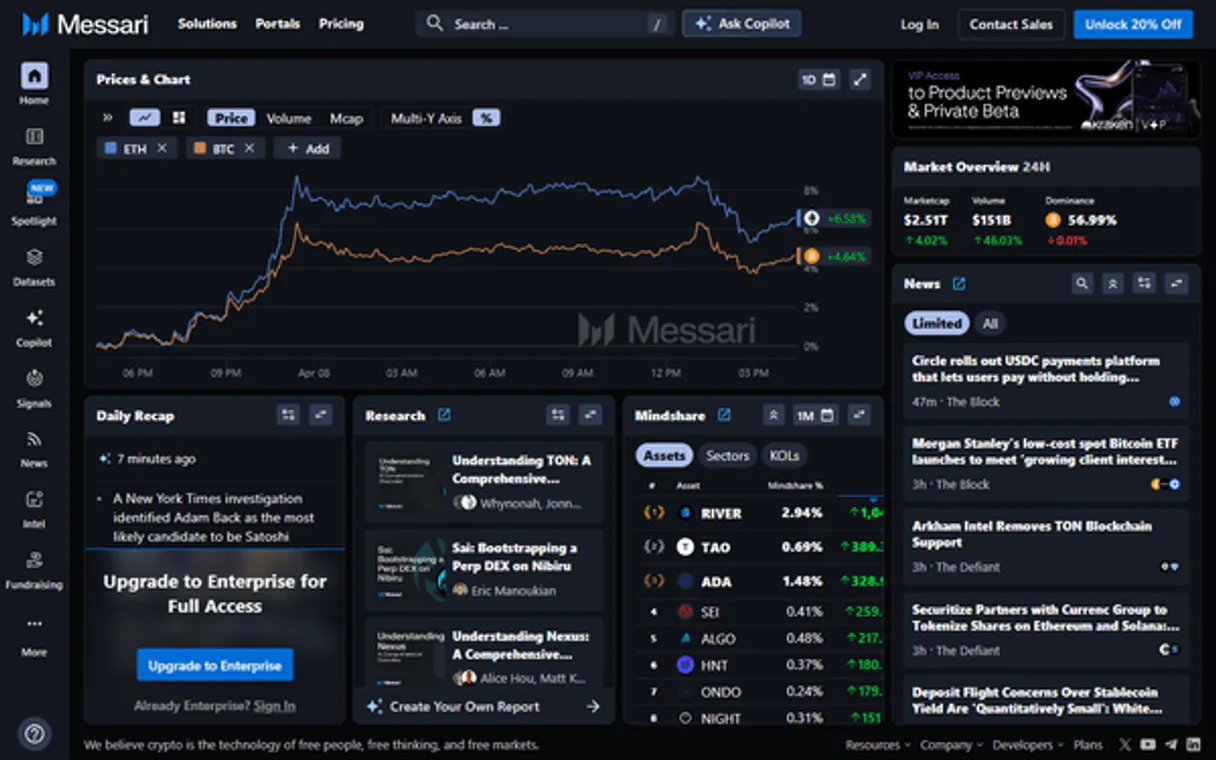
Independent Platform Disclaimer: Vinkius is an independent platform and is not affiliated with, endorsed by, sponsored by, verified by, or otherwise authorized by Messari. All third-party trademarks, logos, and brand names are the property of their respective owners. Their use on this website is strictly for informational purposes to identify service compatibility and interoperability.
VINKIUS INFRASTRUCTURE
Cloud Hosted
Managed infra
V8 Isolated
Sandboxed per request
Zero-Trust Proxy
No stored credentials
DLP Enforced
Policy on every call
GDPR Compliant
EU data residency
Token Compression
~60% cost reduction
Works with Claude, ChatGPT, Cursor, and more
The Model Context Protocol standardizes how applications expose capabilities to LLMs. Instead of operating in isolation, your AI gains direct access to external platforms, live data, and real-world actions through secure, standardized connections.
This server provides 10 capabilities that interface natively with Claude, ChatGPT, Cursor, and any MCP client. No middleware. No custom integration required.
Available Capabilities
Checking an asset's health used to mean opening 5 different browser tabs.
You click your favorite analytics site. You see the price chart—that’s one number. Then you open a second tab for market cap, another for supply data, and a third just to check if there's any news about it. Copying that information into a report takes twenty minutes, and chances are, by the time you finish, half the data is already stale.
With Messari MCP Server, your agent handles this in seconds. You ask for 'ETH metrics and recent news.' The system calls `get_asset_metrics` and `get_crypto_news`, stitching together a clean report without you leaving the chat window.
Messari MCP Server: Get asset data, market data, and news.
Manual research forces you to check exchanges individually for liquidity depth. You have to visit Coinbase, then Binance, then Kraken, just to get a full picture of the trading pair volume.
Now, calling `list_crypto_markets` provides that consolidated view. It gives you a single data point showing market depth across multiple supported exchanges—no more tab hopping.
Common Questions About Messari MCP
How do I get basic information on an asset using get_asset_details? +
You just specify the ticker or ID. It returns core metadata like its category, sector, and full name—perfect for populating a database record.
Can I use get_asset_metrics to track my portfolio? +
Yes. You can query metrics for multiple assets in one go (e.g., BTC, ETH, SOL) to quickly check the collective market cap and 24h volume.
What is the best way to find a new crypto asset? +
Use search_assets. It's better than manually listing everything. You can filter by keywords, making discovery much faster.
Does Messari MCP Server include real-time market data? +
Yes, the get_asset_market_data tool pulls live pricing and volume information for assets across connected exchanges.
How do I get my API key set up so that `get_asset_details` works? +
You need to generate an API key from your Messari account dashboard. This key must be provided when connecting the MCP Server. Don't hardcode it; pass it as an environment variable for security.
What happens if I call `get_asset_metrics` too frequently? +
If you hit a rate limit, the API will return a 429 error. You must implement exponential backoff logic in your AI client's agent code. Wait longer between calls until the quota resets.
Can I use `list_crypto_markets` to filter for specific asset types? +
Yes, you pass filtering parameters directly into the tool call. You can narrow results by listing supported exchanges or specific asset pairs before execution.
Is using `list_governance_events` different from getting news with `get_crypto_news`? +
They track different things. list_governance_events focuses on protocol-level votes and proposals (deep data). get_crypto_news provides general, timely market headlines.
How do I find my Messari API Key? +
Log in to Messari and navigate to your account settings at https://messari.io/account/api to generate or copy your key.
What kind of crypto assets are covered? +
Messari tracks thousands of assets, including major coins like Bitcoin and Ethereum, DeFi protocols, stablecoins, and emerging tokens.
Is my data secure? +
Absolutely. Your token is encrypted at rest and injected securely at runtime.
Use it with your favorite AI tools
Connect this server to Cursor, Claude, VS Code, and more.
More in this category

Starburst
Connect your AI to Starburst Enterprise. Query federated data lakes, manage access roles, and orchestrate complex data environments seamlessly.

Jebbit
Access interactive experiences and zero-party data via Jebbit API.

Materialize (Streaming SQL DB)
Execute streaming SQL, manage compute clusters, and monitor real-time data pipelines directly from your AI agent.
You might also like

IsThereAnyDeal
Track game prices, find the best deals, and check historical lows across multiple digital stores using the IsThereAnyDeal API.

Alexa Smart Home
Control Alexa-connected smart home devices — lights, thermostats, speakers, and sensors via Alexa Smart Properties API.

Fusioo
Manage collaborative workspaces, track records, and oversee custom apps via AI agents with Fusioo.