
NewsAPI MCP. Search Global News Data: 150k+ Sources in One Call
 Gemini
 Works with every AI agent you already use
…and any MCP-compatible client









Just plug in your AI agents and start using Vinkius.
NewsAPI provides direct access to global news data, letting your AI client pull headlines and articles from over 150,000 sources.
Search breaking events or deep historical archives with filters for country, category, language, and domain. It handles massive scale, giving you immediate media coverage context.
What your AI agents can do
Get articles by language
Searches for articles based on the specified language code (e.g., 'en', 'es').
Get articles from domains
Limits article searches to content originating from a specific domain name.
Get headlines by category
Retrieves the top headlines by selecting a predefined news category (e.g., 'business', 'sports').
Get live breaking news headlines for a specific country or category using tools like get_headlines_by_country.
Search the entire historical database of articles using keywords, date ranges, and language filters via search_articles.
Limit searches to specific publishers (e.g., CNN) or restricted domains using get_headlines_by_source or get_articles_from_domains.
Run list_sources to get a complete catalog of all publishers and sources indexed by the API before building complex queries.
Retrieve articles specifically written in languages like Portuguese, Spanish, or French using get_articles_by_language.
Ask AI about this MCP
Supported MCP Clients
Gemini Waiting for input…
NewsAPI MCP Server: 10 Tools for Global Content Search
These tools let you systematically pull headlines, search articles by date or region, and list available news sources across the entire globe.
019d75ddget articles by language
Searches for articles based on the specified language code (e.g., 'en', 'es').
019d75ddget articles from domains
Limits article searches to content originating from a specific domain name.
019d75ddget headlines by category
Retrieves the top headlines by selecting a predefined news category (e.g., 'business', 'sports').
019d75ddget headlines by country
Gets the most important current headlines for a specific geographic country.
019d75ddget headlines by source
Fetches top headlines limited to content published by one or more named news sources (e.g., 'cnn', 'bbc-news').
019d75ddget popular articles
Finds and lists the articles that are currently generating the most traffic across all indexed sources.
019d75ddget recent articles
Retrieves a list of the most recently published articles, regardless of popularity or category.
019d75ddlist sources
Provides an exhaustive list of every news publisher available through the API.
019d75ddsearch articles
Performs a comprehensive search across all articles ever published using keywords and filters.
019d75ddsearch headlines
Searches for top headlines based on a specific query, providing quick context checks.
Choose How to Get Started
Build a custom MCP for your own tools, or connect a ready-made integration from our catalog.
Build Your Own
Turn any API into an MCP. Import a spec, define Agent Skills, or deploy with MCPFusion.
- Import from OpenAPI, Swagger, or YAML specs
- Create Agent Skills with progressive disclosure
- Deploy to edge with MCPFusion framework
- Built in DLP, auth, and compliance on every call
- Real time usage dashboard and cost metering
- Publish to catalog or keep private
Make Your AI Do More
Start with NewsAPI, then connect any of our 4,700+ other servers whenever your AI needs more. One click, no limits.
- Use this MCP plus 4,700+ others, all in one place
- Add new capabilities to your AI anytime you want
- Every connection is secured and compliant automatically
- Track usage and costs across all your servers
- Works with Claude, ChatGPT, Cursor, and more
- New servers added to the catalog every week
What you can do with this MCP connector
This server gives your AI client direct access to global news data—we're talking over 150,000 sources. You can pull headlines and full articles from anywhere in the world.
Your agent runs on ten distinct tools that handle every way you might need to check a story. Need current breaking news? Use get_headlines_by_country to get top stories for any specific geographic area, or run get_headlines_by_category if you want to focus just on finance, sports, or politics. If you know which publisher has the scoop—say, 'cnn' or 'bbc-news'—you can narrow it down instantly with get_headlines_by_source.
For quick context checks, search_headlines lets you search for top headlines based on a specific query.
When you need to dig deeper than just the top stories, your options expand. To find articles that are hot right now across all sources, run get_popular_articles. If you want to see what's coming out minute-by-minute, use get_recent_articles for a list of the newest published content. You can also get today’s scoop by running search_headlines with just keywords.
The real power comes when you need specific filters. To scope your search to only articles written in Portuguese or Spanish, your agent uses get_articles_by_language. If all you care about is what a single major publication is saying—like the New York Times—you can limit the article feed using get_articles_from_domains. For massive data pulls that cover years of history, run search_articles to perform a deep-dive search across keywords and historical date ranges.
You're not limited to just headlines; you can filter those articles by language or domain name.
Before you build complex queries, you might want to know what’s available. Use the list_sources tool to get an exhaustive catalog of every news publisher indexed in the API so you never guess which sources your client can reach. This foundational step lets you plan out the most complicated data requests.
You don't have to pick just one way to search. You combine these tools: use get_headlines_by_country for a quick overview of global events, then run search_articles with date filters and keywords to track how those same topics evolved over time, or check only the articles originating from a specific domain using get_articles_from_domains.
Your agent handles all this complex chaining automatically. You just tell your client what you need—whether it's checking current trends via popular articles or tracking niche coverage through specialized language and source filters. It gives you immediate media context, no sweat.
How NewsAPI MCP Works
- 1 Subscribe to the NewsAPI server and provide your unique API key.
- 2 Your AI client sends a request (e.g., 'Search for articles on climate change from Germany').
- 3 The agent uses the appropriate tool (
search_articlesorget_headlines_by_country) and returns structured article data to you.
The bottom line is that your AI client runs the search, handles the filtering across 150k+ sources, and gives you clean, actionable news data without manual steps.
Who Is NewsAPI MCP For?
Journalists need to track breaking stories faster than traditional wire services. Financial analysts require immediate market sentiment tracking. Brand monitors struggle with sifting through global noise looking for company mentions. This is built for people whose job depends on knowing what happened, where, and when.
Uses search_articles to track a specific topic's history across different regions or sources over the last five years.
Runs targeted searches using get_headlines_by_source and filters by domain to track mentions of a client brand only from industry-specific publications.
Monitors market-moving news by getting top headlines in specific countries (e.g., Japan or Brazil) right as the markets open.
What Changes When You Connect
- Stop browsing dozens of websites. With
search_articles, you query the entire global archive—not just today's top stories. You get every article published, filtered by keyword and date. - Need to track a specific competitor? Use
get_headlines_by_sourceto pull only content from their primary news outlets (e.g., 'wsj'). It filters out the noise. - The
list_sourcestool gives you total coverage awareness. Before writing code, check which publishers are available; this prevents dead-end searches and saves time. - Never miss a regional beat again. Use
get_headlines_by_countryto pull instant top stories from specific markets like Brazil (br) or the UK (gb). - Handling complex data streams is easy. You can combine filters: search for articles about 'AI' only in Spanish, and only from a major tech domain.
- The
get_articles_by_languagetool ensures your analysis isn't limited to English-language sources, giving you true global coverage.
Real-World Use Cases
Tracking the evolution of climate change policy.
A researcher needs to see how media covered climate policy over the last five years. They run search_articles with 'climate change' as the keyword, setting the date filter to 5 years ago and today. The agent returns a timeline of coverage from different global domains.
Monitoring immediate competitor moves.
A brand manager needs instant intel on a rival product launch. Instead of checking five different industry blogs, they use get_headlines_by_source to pull top stories only from the three most relevant tech publications. They see the narrative instantly.
Gathering market sentiment for an investment pitch.
A financial analyst needs to know if oil prices are volatile in the Middle East right now. They run get_headlines_by_country specifically for key Gulf nations, quickly assessing real-time coverage from local sources.
Building a multi-lingual news digest.
A global NGO needs a quick summary of human rights issues across three continents. They use get_articles_by_language sequentially for French, Portuguese, and English, compiling a single report from diverse sources.
The Tradeoffs
Assuming one search is enough
A developer tries to find all articles on 'AI regulation' but only uses search_headlines. They get surface-level summaries and miss the deep, historical context.
→
Use search_articles instead. This tool indexes the full text of every article published, giving you the depth needed for proper analysis.
Ignoring source restrictions
A user searching for 'tech stock crash' pulls results from lifestyle blogs and general news sites, diluting the actual financial context.
→
Use get_headlines_by_source or get_articles_from_domains to narrow your search only to established financial publications like Bloomberg or Reuters.
Forgetting regional differences
The system defaults to US news when the user is actually interested in Brazilian market trends.
→
Always specify the region. Use get_headlines_by_country and pass the correct two-letter code (e.g., 'br') to guarantee local relevance.
When It Fits, When It Doesn't
Use this NewsAPI server if your goal is deep, verifiable context: when you need to know what was said about a topic over time, or from multiple distinct geographical regions. You should use it to cross-reference information—e.g., check the UK headlines for 'AI' and compare them against US articles on the same subject.
Don't use this if you just want a single quick summary of what happened today on one site (use that site's native feed instead). If your need is simple, like checking yesterday’s top stories from CNN, get_headlines_by_source works. But if you need to build an argument based on data, this server is mandatory.
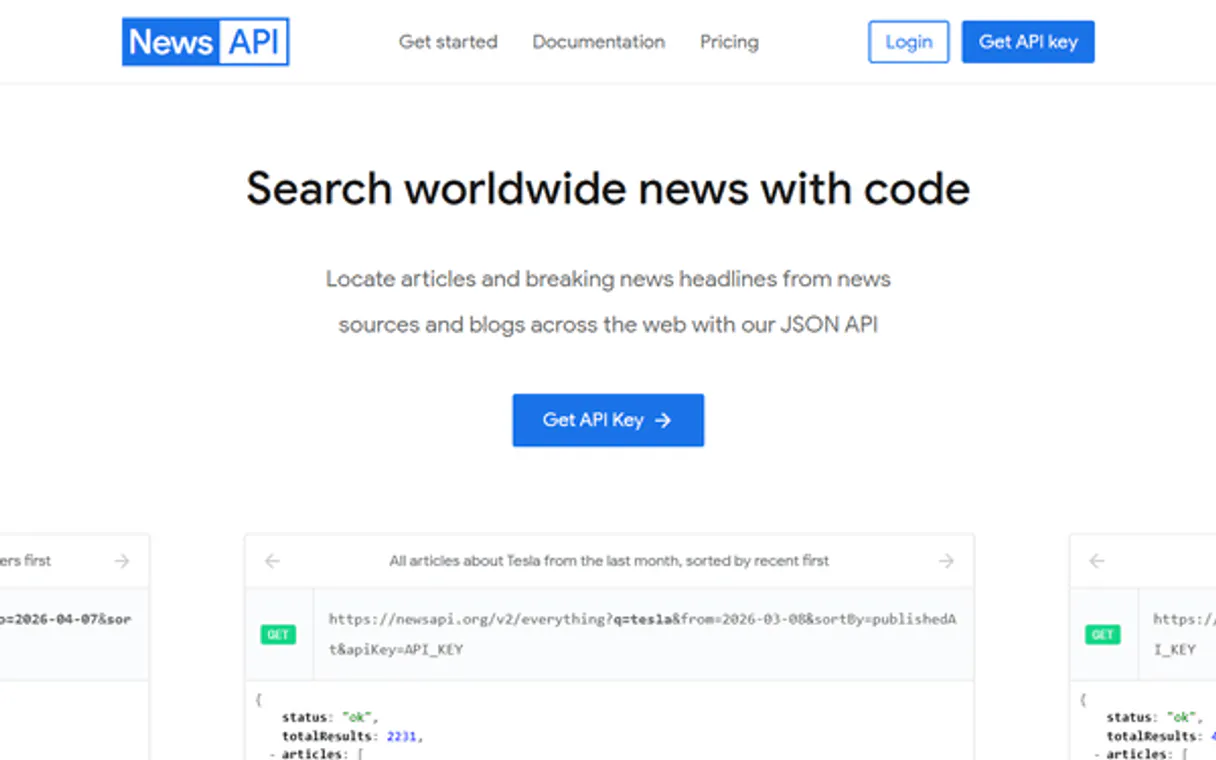
Independent Platform Disclaimer: Vinkius is an independent platform and is not affiliated with, endorsed by, sponsored by, verified by, or otherwise authorized by NewsAPI. All third-party trademarks, logos, and brand names are the property of their respective owners. Their use on this website is strictly for informational purposes to identify service compatibility and interoperability.
VINKIUS INFRASTRUCTURE
Cloud Hosted
Managed infra
V8 Isolated
Sandboxed per request
Zero-Trust Proxy
No stored credentials
DLP Enforced
Policy on every call
GDPR Compliant
EU data residency
Token Compression
~60% cost reduction
Works with Claude, ChatGPT, Cursor, and more
The Model Context Protocol standardizes how applications expose capabilities to LLMs. Instead of operating in isolation, your AI gains direct access to external platforms, live data, and real-world actions through secure, standardized connections.
This server provides 10 capabilities that interface natively with Claude, ChatGPT, Cursor, and any MCP client. No middleware. No custom integration required.
Available Capabilities
Finding global news context shouldn't require jumping between ten different dashboards.
Today, gathering a full picture of a story means opening five browser tabs: one for US business news, one for EU tech reports, one for Asia-Pacific trends, and so on. You copy keywords here, paste them there, and manually filter the results by date to build your timeline.
With this MCP server, you tell your agent what you need—'Show me everything about solar power from Germany in the last 18 months.' The system runs `search_articles`, pulls data from relevant domains across multiple language filters, and delivers a clean, structured feed. You just get the answer.
Using get_headlines_by_country: Specific regional focus.
When you only need to know what's happening in one place—say, Brazil—you usually have to filter manually on the source website. You risk missing key stories because that site isn't indexed or your manual search is too broad.
By using `get_headlines_by_country` with the correct country code, you get a curated feed of top regional news straight from the API. It bypasses the need for multiple logins and guarantees local relevance.
Common Questions About NewsAPI MCP
How do I search all articles using the NewsAPI server? +
Use search_articles. This tool allows you to query every article published in the database, letting you filter by keywords, date ranges, and language for total coverage.
Does get_headlines_by_country cover all news sources in that country? +
It pulls top headlines from major indexed sources relevant to that region. For a complete list of publishers, run the list_sources tool first.
What's the difference between search_articles and search_headlines? +
search_headlines is for quick context checks using top stories. search_articles searches the full text of every article, giving you much more detail and historical depth.
How do I find news from a specific source like Reuters? +
Use get_headlines_by_source. You pass the exact source name (like 'reuters') to filter all results exclusively to that publisher's content.
What credentials are needed to run the `search_articles` tool? +
You must provide your unique NewsAPI key. After subscribing, your AI client handles this authentication internally by passing the required API header when invoking the search.
Can the `get_articles_from_domains` tool handle multiple source domains? +
Yes, it accepts an array of domains. You pass a list (e.g., ["cnn.com", "bbc.co.uk"]) to restrict results only to those specific sites you care about.
When using `get_popular_articles`, what criteria define article popularity? +
Popularity relies on a weighted score combining recent views and overall engagement metrics from the news sources. This tool ranks articles based on that composite, real-time data.
Does the `get_articles_by_language` tool support non-English languages? +
Absolutely. You pass a two-letter language code (like 'pt' for Portuguese or 'es' for Spanish) as an argument, filtering results into that specific language instantly.
How far back can I search for articles? +
The /everything endpoint allows you to search articles from the last 5 years. Use the 'from' and 'to' parameters (YYYY-MM-DD format) to specify your date range.
What countries and languages are supported? +
NewsAPI supports headlines for specific countries (e.g., us, gb, br, fr, de, jp) and articles in many languages including English, Portuguese, Spanish, French, German, and more.
Can I filter news by specific sources like BBC or CNN? +
Yes! Use the 'sources' parameter with comma-separated source IDs (e.g., 'bbc-news,cnn'). Use get_sources to find the exact IDs for publishers you want to follow.
Use it with your favorite AI tools
Connect this server to Cursor, Claude, VS Code, and more.
More in this category

ChatFly
Launch conversational AI chatbots that qualify leads, answer product questions, and book meetings without human intervention.

GenBank/NCBI API
Access genomic data — audit sequences, proteins, and UIDs via IA.
MindsDB (AI Database & Predictors)
Manage AI-powered data via MindsDB — execute SQL predictions, audit ML models, and connect data sources.
You might also like

Figma
Connect Figma to automate design workflows — inspect files, render layers as images, and manage comments directly from your AI agent.

Unkey API Management
Manage and verify your user API keys via Unkey — create, revoke, and track usage directly from any AI agent.

NHL
Access real-time NHL scores, schedules, standings, and player statistics directly from your AI agent.