
Trakt MCP. Track media progress and discover deep film data.
 Gemini
 Works with every AI agent you already use
…and any MCP-compatible client









Just plug in your AI agents and start using Vinkius.
Trakt MCP Server tracks your entire media life—movies and TV shows. It lets your AI client search titles, pull deep movie details (cast, ratings), manage your watchlists, and check what's trending right now.
If you need to track content consumption or research film data programmatically, this is it.
What your AI agents can do
Get calendar
Retrieves upcoming episode air dates, times, and full show information for a given scope (user or all shows).
Get collection
Returns the items you have manually collected on Trakt, including metadata and media links.
Get history
Retrieves a list of content titles you've watched in the past, optionally filtered by type or ID.
Find specific content—movies, shows, or people—and see what's currently popular or trending.
Get detailed information on a movie or show, including cast lists (get_movie_people), full season breakdowns, and ratings metrics.
Access authenticated data like your viewing history, items saved to your watchlist, or upcoming episode air dates.
Find related content. You can get movies similar to a title (get_related_movies) or shows in the same genre (get_related_shows).
Ask AI about this MCP
Supported MCP Clients
Gemini Waiting for input…
Trakt MCP Server: 18 Tools for Media Tracking
Use these tools to execute complex media tasks—from checking a show's season count to pulling your personal watch history.
019d8491get calendar
Retrieves upcoming episode air dates, times, and full show information for a given scope (user or all shows).
019d8491get collection
Returns the items you have manually collected on Trakt, including metadata and media links.
019d8491get history
Retrieves a list of content titles you've watched in the past, optionally filtered by type or ID.
019d8491get movie
Gets detailed metadata for one movie, including its overview, runtime, genre, and poster URLs.
019d8491get movie people
Finds the cast or crew members associated with a specific film, giving their name and job title.
019d8491get movie ratings
Provides the total ratings, average score, and vote counts for any given movie.
019d8491get popular
Returns a paginated list of movies or shows that are generally popular right now based on overall engagement.
019d8491get related movies
Finds other movies similar to one you specified, including their title, rating, and overview.
019d8491get related shows
Identifies TV shows that are related to a specific show, giving titles and ratings for comparison.
019d8491get show
Gets detailed metadata for one TV show, including its network, status, genres, and poster URLs.
019d8491get show episodes
Lists all episodes belonging to a specific season of a TV show, including their air date and runtime.
019d8491get show people
Retrieves the full cast and crew list for any given television series.
019d8491get show ratings
Returns the rating distribution, average score, and vote counts specific to a TV show.
019d8491get show seasons
Lists all seasons for a TV show, providing the season number, episode count, and air date.
019d8491get trending
Returns movies or shows that are currently spiking in popularity based on user activity and viewing counts.
019d8491get watched
Shows the authenticated user a list of content items they have watched, along with play counts and last viewed timestamps.
019d8491get watchlist
Retrieves all movies and/or shows that the authenticated user has added to their personal watchlist.
019d8491search
Searches across Trakt for any content type—movie, show, episode, person, or list—by title or name.
Choose How to Get Started
Build a custom MCP for your own tools, or connect a ready-made integration from our catalog.
Build Your Own
Turn any API into an MCP. Import a spec, define Agent Skills, or deploy with MCPFusion.
- Import from OpenAPI, Swagger, or YAML specs
- Create Agent Skills with progressive disclosure
- Deploy to edge with MCPFusion framework
- Built in DLP, auth, and compliance on every call
- Real time usage dashboard and cost metering
- Publish to catalog or keep private
Make Your AI Do More
Start with Trakt, then connect any of our 4,700+ other servers whenever your AI needs more. One click, no limits.
- Use this MCP plus 4,700+ others, all in one place
- Add new capabilities to your AI anytime you want
- Every connection is secured and compliant automatically
- Track usage and costs across all your servers
- Works with Claude, ChatGPT, Cursor, and more
- New servers added to the catalog every week
What you can do with this MCP connector
Trakt's the deal when you need to track media—movies and TV shows—programmatically. Your agent can read deep metadata from this server, letting you do way more than just look up a title. You’ll be able to pull everything from cast lists to your personal viewing history.
Discovery and Searching
You gotta find content fast. Use search to check across the whole library for any kind of stuff—a movie, a show, an episode, or even a person—just by title or name. If you’re curious what people are watching right now, run get_trending or use get_popular to see titles spiking in engagement.
Need something similar? You can run get_related_movies to find films comparable to one you know, or check out get_related_shows for series that share a genre with another show.
Content Deep Dives and Details
When you’ve found a title, you need the stats. Use get_movie to grab detailed metadata for any film, including its overview, runtime, genre list, and poster URLs. For TV shows, get_show pulls up details like the network, status, genres, and posters. To get full context on a series, first use get_show_seasons, which lists every season number, its episode count, and when it aired.
Then, you can drill down with get_show_episodes to list all episodes for a specific season, getting the air date and runtime for each one.
If you need cast info, you’re covered. Use get_movie_people to pull names and job titles associated with a specific movie's crew or cast. For entire TV series, get_show_people retrieves the complete list of cast and crew members. You can get rating metrics for any film using get_movie_ratings, which gives you total ratings, average scores, and vote counts.
Similarly, get_show_ratings returns a breakdown of the show’s score distribution, average, and how many votes it got.
Tracking Your Consumption and Schedule
This is where your agent gets personal. It can check what you've watched in the past using get_history, which gives you a list of content titles you viewed before, letting you filter by type or ID. For current status, get_watched shows you content items you’ve seen, along with play counts and exact timestamps for when you last tuned in.
You can keep an eye on your future viewing schedule using get_calendar, which retrieves upcoming air dates, times, and full show details based on whether you scope it to just yourself or all shows.
You'll also manage what you plan to watch with two key tools: use get_watchlist to pull up every movie and/or show you added to your personal list. And if you want episode specifics for a user, get_show_episodes lists them out for a specific season.
Your AI Client's Power
Your agent can’t just read one thing; it connects all the dots. It uses get_collection to return every item you manually flagged on Trakt, giving metadata and media links all in one place. You can check out everything that's trending right now using get_trending, which pulls up movies or shows currently spiking based on activity and viewing counts.
How Trakt MCP Works
- 1 First, subscribe to the Trakt server and provide your required OAuth Client ID.
- 2 Next, prompt your AI client with a request (e.g., 'What are the cast members of Dune?').
- 3 The agent routes the query through the appropriate tool (like
get_movieorget_movie_people) and returns structured data.
The bottom line is, your AI client handles the API calls; you just ask it what media info you need.
Who Is Trakt MCP For?
This server targets people who deal with media content programmatically. Think film students building databases, data analysts tracking user behavior, or content creators writing deep-dive guides. If your job involves knowing why a show was successful or what movie is next, you need this.
Needs to research cast details and ratings for reviews, using tools like get_movie_people and get_show_ratings.
Requires programmatic access to user viewing metrics, pulling data from get_history, get_watched, or get_collection.
Builds recommendation engines by querying related content using get_related_movies and get_related_shows.
What Changes When You Connect
- See exactly what's popular right now by calling
get_trending. This tells you which shows are spiking in viewership, letting you build timely content around real-time metrics. You don't have to check multiple sites for this info. - Deeply research any title using
get_movieorget_show. These tools give you genre breakdowns, runtime, and network data instantly—all without leaving your chat window. It’s perfect for fact-checking content guides. - Keep track of personal media habits by pulling history from
get_watchedor managing what you plan to see usingget_watchlist. This keeps all your consumption metrics centralized for analysis. - Understand the full scope of a show's production. Use
get_show_seasonsto get season counts and air dates, then useget_show_episodesto drill down into specific episode runtimes and titles. - Cross-reference content instantly. Need to know who directed a film? Use
get_movie_people. This tool pulls the director/cast list directly tied to the movie's metadata.
Real-World Use Cases
A writer needs a guide for an article on classic sci-fi.
The writer prompts their agent: 'Give me stats and cast info for Blade Runner.' The agent runs get_movie to get the overview, then calls get_movie_people to list the main stars. Finally, it checks get_related_movies to find other titles that fit the genre, building a comprehensive draft in one go.
A user wants to know when their favorite show airs next.
Instead of checking the network's website, the user asks: 'When is Season 5 of The Great airing?' The agent runs get_show first, then uses get_show_seasons and finally calls get_calendar. It reports back the next premiere date directly.
A student needs to track their own viewing metrics for a class project.
The agent runs get_watched to pull every title played, along with timestamps. Then it uses get_collection to see what the user marked as 'must-watch.' This gives the student a complete, programmatically retrieved history of their media consumption.
A marketer needs ideas for related content promotion.
The prompt is: 'Suggest three movies similar to Parasite.' The agent runs get_movie on the source title, and then uses get_related_movies. It pulls titles with ratings and overviews, giving immediate suggestions for cross-promotion.
The Tradeoffs
Asking for everything in one prompt.
I need to know the cast of Stranger Things, its rating, what's similar, and when it airs. (Too much scope.)
→
Break it down. First, run get_show on the title. Next, use get_movie_people for the cast list. Finally, check get_related_shows to find similar titles.
Assuming 'search' gives all details.
Search for Oppenheimer and I should get its full cast and rating distribution immediately.
→
search only gets basic metadata. After the search returns the ID, you must use get_movie to get general info, then run get_movie_people or get_movie_ratings separately.
Mixing up movie and show data.
I want to know about the people who worked on Game of Thrones (a series), but I used a tool meant for single films.
→
For TV shows, always use the get_show family of tools. Use get_show_people or get_show_seasons, not movie-specific endpoints like get_movie_people.
When It Fits, When It Doesn't
Use this server if your job requires structured media data—specifically ratings, cast lists, season breakdowns, and viewing history. It’s perfect for building databases or generating detailed reports on film/TV properties.
Don't use it if you just need to know 'is the show good?'—while get_show_ratings helps, a quick consensus search might be faster. Don't rely on it for real-time ticketing information; this is content metadata, not sales data. If your goal is simply finding general public opinion without structure, an external review aggregator works better than our specific tools.
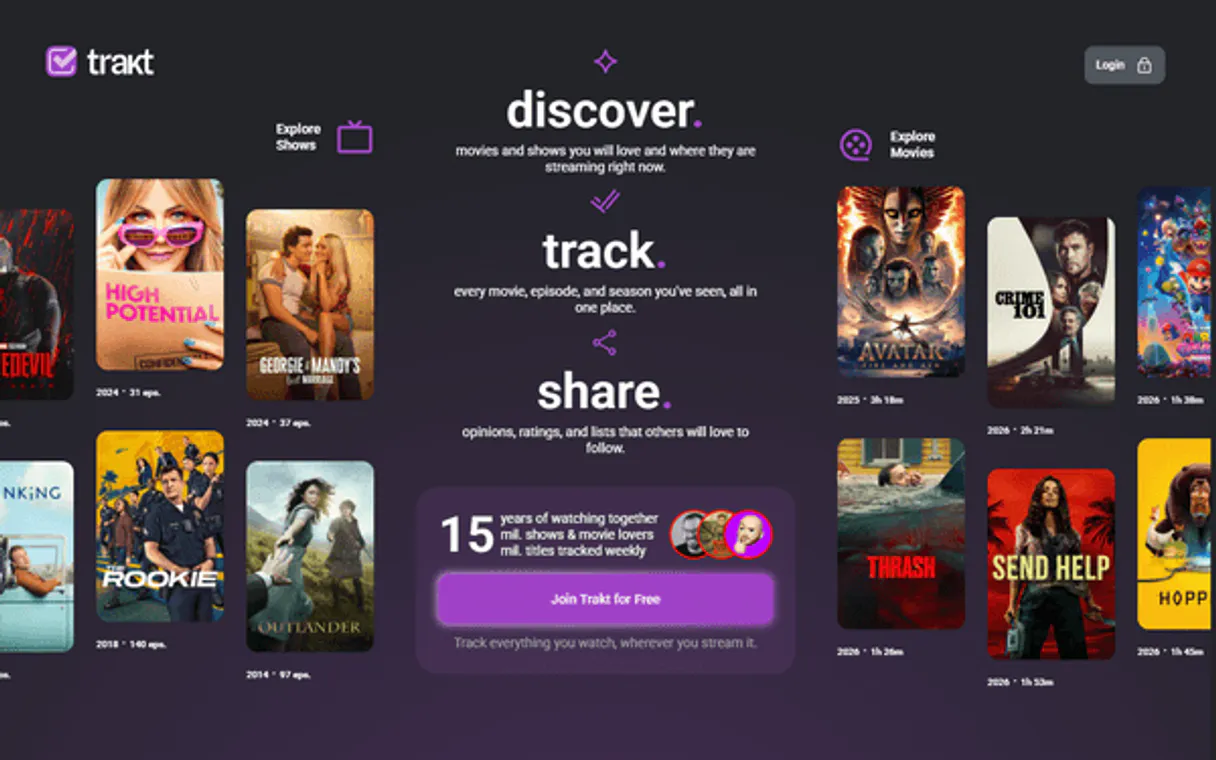
Independent Platform Disclaimer: Vinkius is an independent platform and is not affiliated with, endorsed by, sponsored by, verified by, or otherwise authorized by Trakt. All third-party trademarks, logos, and brand names are the property of their respective owners. Their use on this website is strictly for informational purposes to identify service compatibility and interoperability.
VINKIUS INFRASTRUCTURE
Cloud Hosted
Managed infra
V8 Isolated
Sandboxed per request
Zero-Trust Proxy
No stored credentials
DLP Enforced
Policy on every call
GDPR Compliant
EU data residency
Token Compression
~60% cost reduction
Works with Claude, ChatGPT, Cursor, and more
The Model Context Protocol standardizes how applications expose capabilities to LLMs. Instead of operating in isolation, your AI gains direct access to external platforms, live data, and real-world actions through secure, standardized connections.
This server provides 18 capabilities that interface natively with Claude, ChatGPT, Cursor, and any MCP client. No middleware. No custom integration required.
Available Capabilities
Gathering a movie’s full background shouldn't require opening three different tabs.
Before this server, researching a film meant jumping between IMDb for the cast, Wikipedia for the plot, and Rotten Tomatoes for the rating. You'd spend minutes copy-pasting IDs and cross-referencing data points just to get a basic summary of who did what.
Now, your AI client handles it all in one prompt. Asking for 'Details on *Arrival* including cast and ratings' runs `get_movie`, then calls `get_movie_people` and `get_movie_ratings`. You get a clean block of structured data—no tab switching required.
The Trakt MCP Server gives you granular control over media consumption tracking.
Forget guessing where your viewing metrics are. Instead of having to manually log every episode or cross-reference your personal watchlist against what was actually aired, the server exposes `get_history` and `get_watchlist`. It pulls the raw data directly from Trakt's records.
This means you aren't working with approximations; you’re getting structured facts about viewership. You know exactly which tool handles seasons (`get_show_seasons`) versus episodes (`get_show_episodes`), giving your agent reliable, specific data every time.
Common Questions About Trakt MCP
How do I get a Trakt Client ID? +
Sign up for a free Trakt account at trakt.tv, go to OAuth Applications, click 'Create an Application' and fill in the details. Your Client ID is displayed immediately.
Can I use IDs from IMDb or TVDB? +
Yes! Trakt accepts Trakt IDs, URL slugs (e.g. 'the-matrix'), IMDb IDs (e.g. 'tt0133093') and TMDB IDs for movies. For shows it accepts Trakt IDs, slugs, TVDB IDs and TMDB IDs.
What's the difference between trending and popular? +
Trending shows what users are actively watching RIGHT NOW (real-time). Popular shows have the highest overall engagement over time. Trending is more dynamic and changes frequently.
Can I sync my watchlist and history? +
Yes! Use get_watchlist, get_watched, get_collection and get_history with OAuth authentication. These endpoints require an access token in addition to your Client ID. Visit trakt.tv/oauth/applications to set up OAuth.
When I use get_history, does the tool show every single watch event? +
It shows your authenticated viewing history. This list includes play counts and timestamps for when you watched items. You can also optionally filter this data by type or specific item ID.
How do I narrow down results when running the search tool? +
You pass a 'type' parameter to restrict the results. Use 'movie', 'show', 'episode', 'person', or 'list'. This tells the agent exactly what kind of content you are looking for.
What extra details does get_movie provide beyond just the title and rating? +
The tool delivers comprehensive metadata. You get the year, overview, runtime, genre list, certification data, and direct links to posters and trailers. It's much deeper than a basic search result.
How should I handle large amounts of content when using get_popular? +
The results are paginated, meaning they come in batches. You must check the response payload for a cursor or next page token to retrieve all available data. Don't assume everything loads at once.
Use it with your favorite AI tools
Connect this server to Cursor, Claude, VS Code, and more.
More in this category

Marilyn vos Savant Probabilistic Clarity Prover
Stop your AI from trusting its gut — force it to check intuition against actual probability before every conclusion.

Dribbble
Manage your Dribbble portfolio—upload shots, organize projects, and update your profile directly from your AI agent.

ContentStudio
Plan, create, and schedule social media content across all channels with AI writing assistance and performance analytics.
You might also like
Open-Meteo Air Quality
Monitor the air your users breathe: PM2.5, PM10, ozone, pollen counts, and official AQI indexes (European & US) — real-time pollutant intelligence for health-conscious AI agents.

Nuvei
Connect your AI agent to Nuvei to track transactions, manage payments, and securely tokenize cards through natural conversation.
Concord CLM
Enable your AI agent to manage contracts, send documents for signature, and track agreement statuses via the Concord CLM API.