
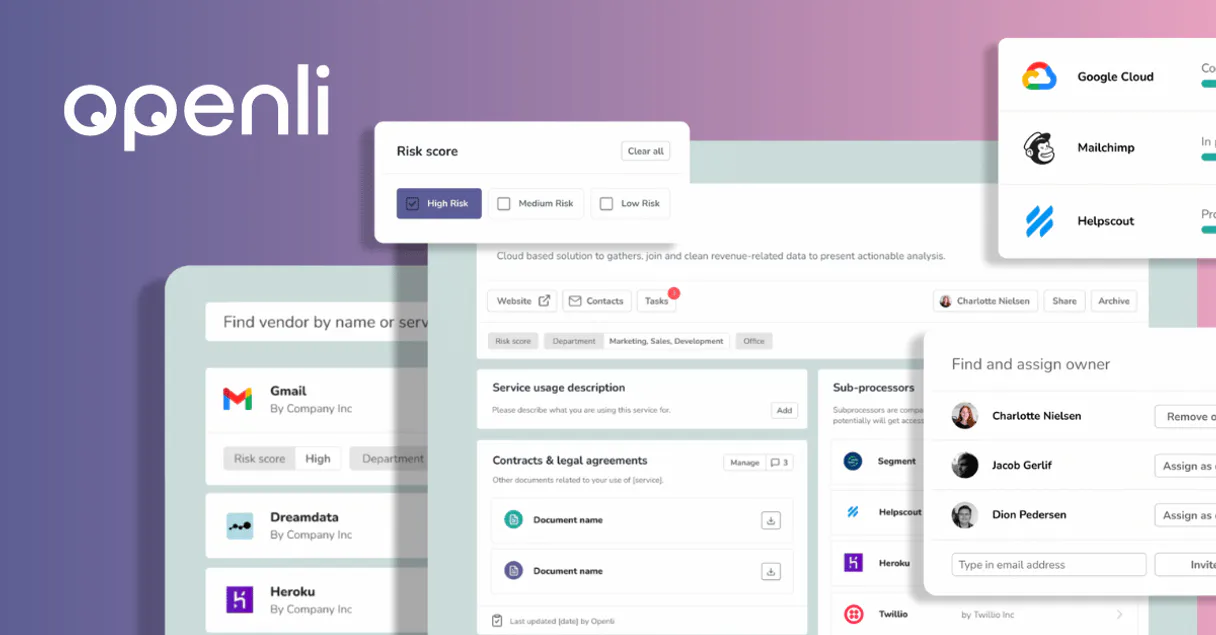
Openli MCP. Manage legal compliance and DSARs from natural chat.
 Gemini
 Works with every AI agent you already use
…and any MCP-compatible client









Just plug in your AI agents and start using Vinkius.
Openli MCP Server connects your AI client to robust legal compliance tools. It handles Data Subject Access Requests (DSARs), generates privacy policies, and manages cookie consent records for global regulations like GDPR and CCPA.
Your agent uses this server to automate audit trails, track vendor data processors, and maintain a single source of truth for all your site's legal agreements.
What your AI agents can do
Check openli status
Verifies that the connection to Openli is active and working correctly.
Create agreement
Generates a new legal document or agreement record within the system.
Create dsar
Initiates and records a new Data Subject Access Request (DSAR) in the compliance ledger.
The agent retrieves specific user consent details or saves evidence of consent directly to the ledger.
You initiate and track DSAR lifecycles using natural language, ensuring faster responses and better regulatory compliance.
The server lists all published legal agreements and retrieves metadata to ensure every term is synchronized with current standards.
You pull detailed audit logs and can list third-party vendors, giving you a clear view of data processing relationships.
Ask AI about this MCP
Supported MCP Clients
OAuth 2.0 Compatible Gemini Waiting for input…
Openli MCP Server: 13 Tools for Privacy & Legal Compliance
These tools let your AI agent perform specific actions related to user consent, legal agreements, vendor tracking, and data subject access requests.
Make your AI actually useful.
Add this MCP to Claude, Cursor, or Windsurf and your AI stops guessing. It gets real tools to look things up, take action, and handle the stuff you keep doing by hand.
Start using Openli on Vinkius019dd132check openli status
Verifies that the connection to Openli is active and working correctly.
019dd132create agreement
Generates a new legal document or agreement record within the system.
019dd132create dsar
Initiates and records a new Data Subject Access Request (DSAR) in the compliance ledger.
019dd132get agreement
Retrieves detailed information about a specific, existing legal agreement.
019dd132get consent
Fetches the details and status of a specific user's consent record.
019dd132get dsar
Retrieves all necessary metadata related to a specific Data Subject Access Request.
019dd132get vendor
Gets detailed information about a particular third-party data vendor or processor.
019dd132list agreements
Lists all published legal agreements currently held by the organization.
019dd132list audit logs
Provides a chronological list of system activities and compliance audit events.
019dd132list consents
Retrieves a summary list of all user consent records on file.
019dd132list dsars
Lists all open and closed Data Subject Access Requests that have been submitted.
019dd132list vendors
Provides a list of all third-party vendors and data processors used by the company.
019dd132save consent
Saves proof of user consent, creating an immutable record for audit purposes.
Choose How to Get Started
Build a custom MCP for your own tools, or connect a ready-made integration from our catalog.
Build Your Own
Turn any API into an MCP. Import a spec, define Agent Skills, or deploy with MCPFusion.
- Import from OpenAPI, Swagger, or YAML specs
- Create Agent Skills with progressive disclosure
- Deploy to edge with MCPFusion framework
- Built in DLP, auth, and compliance on every call
- Real time usage dashboard and cost metering
- Publish to catalog or keep private
Make Your AI Do More
Start with Openli, then connect any of our 5,000+ other servers whenever your AI needs more. One click, no limits.
- Use this MCP plus 5,000+ others, all in one place
- Add new capabilities to your AI anytime you want
- Every connection is secured and compliant automatically
- Track usage and costs across all your servers
- Works with Claude, ChatGPT, Cursor, and more
- New servers added to the catalog every week
Independent Platform Disclaimer: Vinkius is an independent platform and is not affiliated with, endorsed by, sponsored by, verified by, or otherwise authorized by Openli. All third-party trademarks, logos, and brand names are the property of their respective owners. Their use on this website is strictly for informational purposes to identify service compatibility and interoperability.
VINKIUS INFRASTRUCTURE
Cloud Hosted
Managed infra
V8 Isolated
Sandboxed per request
Zero-Trust Proxy
No stored credentials
DLP Enforced
Policy on every call
GDPR Compliant
EU data residency
Token Compression
~60% cost reduction
Works with Claude, ChatGPT, Cursor, and more
The Model Context Protocol standardizes how applications expose capabilities to LLMs. Instead of operating in isolation, your AI gains direct access to external platforms, live data, and real-world actions through secure, standardized connections.
This server provides 13 capabilities that interface natively with Claude, ChatGPT, Cursor, and any MCP client. No middleware. No custom integration required.
Handling compliance paperwork shouldn't require jumping between five different tabs.
Right now, proving regulatory compliance is a mess of manual clicks. You check the website for cookie banners in one tab, pull user data requests into another system, and then jump to a third dashboard just to see if your legal team actually signed off on the latest policy update. It's tedious, time-consuming, and you always lose something.
With the Openli MCP Server, your agent handles it all from one chat window. Need to know about vendor access? Run `list_vendors`. Got a user consent issue? Call `get_consent`. The AI runs the required tools and spits out the full compliance picture instantly.
Openli MCP Server: Automating DSARs and Consent Recording
Before, dealing with a Data Subject Access Request meant emailing forms, manually logging receipt dates in a spreadsheet, and then chasing down every department to confirm data deletion. It was high-stakes work done on bad infrastructure.
Now, your agent handles the whole process. You run `create_dsar` to log it immediately. The system tracks everything from initial request through final confirmation, ensuring you meet strict regulatory deadlines without ever opening a spreadsheet.
What you can do with this MCP connector
Openli connects your AI client directly to robust legal compliance tools. You'll manage everything from Data Subject Access Requests (DSARs) to global cookie consent records without pulling your hair out over regulatory fines. Your agent uses this server to automate complex audit trails, track every third-party data processor you use, and keep a single source of truth for all your site’s legal agreements.
When you connect Openli, your AI client acts like a dedicated privacy officer on demand. You don't just talk about compliance; you do it. It handles the full lifecycle of user consent records: you can pull specific details using get_consent or save proof of consent directly to the ledger with save_consent.
To see what’s on file, you just run list_consents, giving you a complete picture of every record you've ever kept.
Dealing with DSARs is where Openli shines. You initiate and track these requests using natural language commands; you can create a new request ledger entry with create_dsar and, when needed, pull all the required metadata for an existing case via get_dsar. To oversee your current regulatory workload, simply run list_dsars, which gives you a clean list of every open or closed Data Subject Access Request.
You'll never miss a deadline because this server manages the whole process.
Keeping your legal agreements current is critical. Openli lets you maintain an organized archive of all published contracts. To see what’s active, run list_agreements. When you need to check the fine print on one document, use get_agreement to retrieve detailed information about a specific agreement. You can also create and record new legal documents or agreement records using create_agreement, ensuring every term is captured in the system.
For monitoring your compliance posture, your agent runs deep into the audit logs and vendor data relationships. Running list_audit_logs provides a chronological list of every system activity and compliance event that happened—you get a clear trail. You can track all third-party processors using list_vendors, which lists every vendor and data processor attached to your company.
If you need the deep details on one specific partner, run get_vendor. And before you start anything big, running check_openli_status confirms that the connection is live and working right.
This setup means you're always in control. You get a complete overview of your data processing relationships, manage user consent proof points, automate DSAR responses, and keep every legal document versioned—all through simple commands. It’s what you need to stay out of trouble.
019dd133-0112-713e-b75b-c8041e265747 
How Openli MCP Works
- 1 First, subscribe to the Openli server and enter your API Key in the Vinkius dashboard.
- 2 Second, prompt your AI client with a compliance query (e.g., 'List all active vendor agreements').
- 3 Third, the agent uses the tools—like
list_vendorsorget_agreement—to pull the data and present it back to you in natural language.
The bottom line is that your AI client manages complex legal tasks by calling specific Openli functions, letting you talk to your compliance data instead of navigating a dashboard.
Who Is Openli MCP For?
This is for the Data Protection Officer (DPO) who can't afford regulatory fines because consent records are scattered across spreadsheets. It’s also for Legal Counsel drowning in document version control and Product Managers who need to record user consent evidence without writing a single line of code.
You automate the retrieval of DSAR metadata and track vendor compliance status by simply asking your agent questions.
You use list_agreements to quickly check agreement statuses and pull audit logs without having to switch between three different internal apps.
You record consent evidence directly within the chat interface, linking user action to your compliance records immediately.
What Changes When You Connect
- Audit your full data footprint using
list_vendorsandget_vendor. You immediately see who has access to which piece of user data, solving the blind spot problem with third-party services. - Maintain a legally defensible record by running
save_consent. This action creates an immutable audit trail every time a user gives or revokes consent for tracking cookies. - Stop chasing paperwork. Use
list_agreementsto get an instant overview of your Terms of Service, Privacy Policy, and Cookie Policy status without opening any document management system. - Speed up DSAR handling with
create_dsar. You can generate the request record instantly via chat, tracking it through its entire lifecycle usingget_dsar. - Simplify compliance checks by running
list_audit_logs. This gives you a single point of truth to review exactly when and how data was accessed or modified across the system.
Real-World Use Cases
The PR Crisis: User asks, 'What data do you have on me?'
A user sends a request for their personal data. Instead of manually logging it, the agent runs create_dsar to initiate the record. The DPO then uses get_dsar to track all required internal steps—from gathering records to sending the final package—ensuring regulatory deadlines are met.
The Legal Audit: Checking policy versions
Legal Counsel needs to prove that their Privacy Policy hasn't changed since a specific date. They use list_agreements to pull the list and then use get_agreement to retrieve version metadata, proving compliance for an audit.
The Cookie Consent Fix: Capturing proof
A PM needs to prove that a user explicitly consented to analytics tracking on a specific day. They use the chat interface and save_consent with the AI agent, generating an instant, time-stamped record of the user's agreement.
The Vendor Review: Mapping data flow
You need to know if a new marketing partner gets access to sensitive PII. You use list_vendors to see all current partners and then run get_vendor on the suspect party to determine exactly what data they are authorized to touch.
The Tradeoffs
Manual Spreadsheet Tracking
A DPO tries to manage consent records by copying and pasting screenshots of user interactions into a Google Sheet. This sheet quickly becomes outdated, missing key metadata like timestamps or specific tool IDs.
→
Use the Openli server's tools. To capture evidence, run save_consent directly through your AI client. For an overview, use list_consents to keep everything centralized and auditable.
Assuming Consent is Permanent
A team assumes that because a user signed up once (via the website), their consent status remains active forever, leading to non-compliance when they change their mind.
→
You must actively manage consent. Use get_consent and then follow up with save_consent every time the status changes. Never assume—always record.
Ignoring Data Processors
A project launches a new feature using an external, unlisted API that handles user data. Compliance fails because no one logged this third-party connection.
→
Before integrating anything, use list_vendors and then run get_vendor on the new service to make sure it's documented in your compliance profile.
When It Fits, When It Doesn't
Use Openli if your core problem is proving who consented to what, and tracking that consent across multiple services. If you are struggling with DSAR fulfillment, managing cookie banners, or keeping a legal audit trail that survives an internal audit, this server is mandatory.
Don't use it if you just need simple document storage; for basic file hosting, a standard cloud drive works fine. But if the data in those files needs to be cross-referenced with user consent records (e.g., 'Is this policy applicable to users who consented via Tool X?'), Openli is what you need.
Remember: list_agreements gives you the list of documents, but running get_agreement gives you the actual version metadata needed for legal proof. Don't confuse listing with retrieving.
Common Questions About Openli MCP
Can my AI automatically find the latest version of my Privacy Policy? +
Yes! Use the list_agreements tool. Your agent will respond with complete metadata for all published legal documents, including their unique public keys and last update timestamps in seconds.
How do I find my Openli API Key? +
Log in to your Openli account, navigate to Settings > API, and you will find your unique secret API key there.
Can I use the AI to record consent for a new user? +
Absolutely. Use the save_consent tool. Provide the user's email and the public key of the agreement they accepted, and the agent will securely log the evidence in your Openli audit trail.
When I run `check_openli_status`, what does it tell me if my connection fails? +
It confirms the server's operational status immediately. The tool returns a clear success or failure code, and if there's an error, it provides the specific API message. This tells you exactly where to fix things without guesswork.
How can I use `list_vendors` to get an overview of all my data processors? +
It generates a complete list of every vendor linked in your Openli account. From that initial list, your AI client can then select individual vendors to run through get_vendor, giving you detailed compliance metrics for each one.
If I need an audit trail of past changes, how do I use `list_audit_logs`? +
It pulls a chronological record of every action taken through the Openli system. This log includes timestamps and descriptions of changes, which is absolutely essential for passing formal compliance audits.
I need to start a Data Subject Access Request; how do I use `create_dsar`? +
You invoke create_dsar, providing the required identifying data points. This action generates a unique, tracked DSAR record in your Openli account, immediately triggering internal tracking workflows.
How do I use `list_consents` to check every user consent record? +
It retrieves all historical and current consent entries in bulk. Your agent client processes this list, allowing you to filter by date range or specific document type for efficient compliance reporting.
Use it with your favorite AI tools
Connect this server to Cursor, Claude, VS Code, and more.