
Airmeet MCP. Orchestrate events and manage every attendee detail.
 Gemini
 Works with every AI agent you already use
…and any MCP-compatible client









Just plug in your AI agents and start using Vinkius.
Airmeet MCP Server. Manages your entire virtual event lifecycle. Use this to create new events, schedule sessions, invite attendees, and audit engagement data—all through natural conversation.
Get real-time insights into poll responses, participant lists, and session recordings without leaving your chat window. It's complete event orchestration, handled by your AI agent.
What your AI agents can do
Add attendee
Registers a new person to an event.
Create event
Sets up an entirely new Airmeet event.
Create session
Adds a specific meeting or topic session to an existing event.
Create new Airmeet events and schedule sessions, then change the overall status of the event.
Add new participants, retrieve their unique magic links, or check the full list of registered attendees for any event.
Get records of who attended the event, what participants voted on, and what questions were asked.
Fetch download links for session recordings, supporting post-event content distribution.
Add and manage the specific speakers assigned to different sessions within the event.
Ask AI about this MCP
Supported MCP Clients
Gemini Waiting for input…
Airmeet MCP Server: 10 Tools for Event Management
These tools let your agent create, manage, and audit every element of your virtual event, from adding attendees to retrieving session recordings.
019d754aadd attendee
Registers a new person to an event.
019d754acreate event
Sets up an entirely new Airmeet event.
019d754acreate session
Adds a specific meeting or topic session to an existing event.
019d754aget event attendance
Retrieves detailed analytics on who attended the event.
019d754aget session recordings
Fetches download links for session recordings.
019d754alist events
Retrieves a list of all scheduled virtual events.
019d754alist participants
Shows a list of all people registered for an event.
019d754alist poll responses
Lists the data gathered from event polls.
019d754alist questions
Retrieves all questions participants asked during the event.
019d754aupdate event status
Changes the operational status of an event (e.g., paused or ended).
Choose How to Get Started
Build a custom MCP for your own tools, or connect a ready-made integration from our catalog.
Build Your Own
Turn any API into an MCP. Import a spec, define Agent Skills, or deploy with MCPFusion.
- Import from OpenAPI, Swagger, or YAML specs
- Create Agent Skills with progressive disclosure
- Deploy to edge with MCPFusion framework
- Built in DLP, auth, and compliance on every call
- Real time usage dashboard and cost metering
- Publish to catalog or keep private
Make Your AI Do More
Start with Airmeet, then connect any of our 4,700+ other servers whenever your AI needs more. One click, no limits.
- Use this MCP plus 4,700+ others, all in one place
- Add new capabilities to your AI anytime you want
- Every connection is secured and compliant automatically
- Track usage and costs across all your servers
- Works with Claude, ChatGPT, Cursor, and more
- New servers added to the catalog every week
What you can do with this MCP connector
You can set up an entire Airmeet event using create_event, and then you can add specific sessions to that event with create_session. You can also change the overall status of the event—like pausing it or marking it as finished—using update_event_status. You'll want to add people to the event roster with add_attendee, and you can check the whole list of who's signed up with list_participants.
You can also get a full list of all scheduled events by calling list_events. To manage the people speaking, you can assign speakers to sessions. When you need to pull data on who showed up, you'll use get_event_attendance. You can pull the results from event polls by calling list_poll_responses, and you can see every question attendees asked with list_questions.
You can get download links for session recordings with get_session_recordings. You can also find out what speakers are assigned to specific sessions.
How Airmeet MCP Works
- 1 First, subscribe to the Airmeet server and provide your unique Airmeet Access Key and Secret Key.
- 2 Next, tell your AI agent what you need (e.g., 'List all events for next month' or 'Add John Doe to event 123').
- 3 Your agent executes the necessary tool calls and returns the requested data or confirmation.
The bottom line is: your AI agent handles the event logistics through natural conversation, letting you manage complex event data without logging into the Airmeet portal.
Who Is Airmeet MCP For?
Event Organizers, Marketing Leads, and Community Managers. If your job involves setting up webinars, tracking registrations, or summarizing post-event data, this is for you. Stop jumping between multiple dashboards to get a full picture of event health.
Creates the event structure, schedules sessions, and updates the overall event status (start/pause/end) using the agent.
Responds to participant requests by listing participants or generating magic links for specific attendees via chat.
Audits event engagement by retrieving poll responses, listing participant questions, and checking attendance analytics for lead qualification.
Gathers post-event content by requesting session recording download links and reviewing speaker assignments.
What Changes When You Connect
- Need to know who showed up? Use
get_event_attendanceto pull real attendance numbers and see which participants missed key sessions. This is much faster than manually compiling spreadsheets. - Starting a new webinar? Use
create_eventandcreate_sessionto build the whole event structure in chat. You'll also manage speaker assignments using the agent. - Community support is key. Instead of digging through admin panels, use
list_participantsoradd_attendeeto quickly get a participant list or generate a magic link. - Post-event content needs proof. Run
get_session_recordingsto get all the download links you need. The agent handles the link retrieval and expiration details for you. - Analyzing engagement? Run
list_poll_responsesandlist_questionstogether. You get a single audit of participant feedback that helps your marketing team qualify leads. - Managing the flow? Use
update_event_statusto change the event status (like pausing it for a break). The agent makes this state change simple and direct.
Real-World Use Cases
The Event Kickoff
An organizer needs to launch a new product webinar. They ask their agent to run create_event for the date, then create_session for the demo, and finally add_attendee for the VIP list. The agent handles the entire sequence, leaving the organizer to focus on content.
Post-Webinar Follow-up
A content producer needs assets for the next month's newsletter. They tell their agent to run get_session_recordings and list_poll_responses. The agent collects the download links and the poll data, solving the content gap instantly.
Auditing Participant Engagement
A marketing analyst wants to know which high-value leads were present. They ask the agent to run get_event_attendance and list_questions. The combined output shows attendance records alongside specific questions asked, providing immediate lead qualification data.
Handling Day-of Changes
A community manager needs to add a last-minute speaker and change the event status. They ask the agent to run add_attendee and update_event_status. The agent executes both changes sequentially, keeping the live event flow accurate.
The Tradeoffs
Manual Data Stitching
Logging into Airmeet, downloading the attendance CSV, then logging into the poll dashboard to copy the results, and finally opening a separate document to combine them. This takes 20 minutes and requires copy/paste.
→
Ask your agent to run get_event_attendance and list_poll_responses. The agent combines the two data sets and presents a single, actionable report in the chat.
Forgetting the full scope
Only using list_events to see what's coming up, but forgetting to check if the sessions are scheduled or if attendees are added. The list is incomplete.
→
First, run list_events to get the IDs, then follow up with list_participants and create_session to build out the complete event structure.
Trying to update state manually
Manually clicking through the Airmeet UI to mark an event as 'finished' after the webinar. If you miss a step, the data is wrong.
→
Simply ask the agent to run update_event_status with the correct ID. It handles the state change reliably and instantly.
When It Fits, When It Doesn't
Use this server if your core job is managing the full lifecycle of professional virtual events—from initial setup to post-event reporting. It's ideal for event operations teams that need to automate registration, track attendance, and gather deep engagement data (polls, questions).
Don't use this if you only need to read a single, simple list (like just checking who is registered). In that case, a simple participant listing API might suffice. But because you need to correlate attendance data (get_event_attendance) with content metrics (list_questions), this full suite is necessary.

Independent Platform Disclaimer: Vinkius is an independent platform and is not affiliated with, endorsed by, sponsored by, verified by, or otherwise authorized by Airmeet. All third-party trademarks, logos, and brand names are the property of their respective owners. Their use on this website is strictly for informational purposes to identify service compatibility and interoperability.
VINKIUS INFRASTRUCTURE
Cloud Hosted
Managed infra
V8 Isolated
Sandboxed per request
Zero-Trust Proxy
No stored credentials
DLP Enforced
Policy on every call
GDPR Compliant
EU data residency
Token Compression
~60% cost reduction
Works with Claude, ChatGPT, Cursor, and more
The Model Context Protocol standardizes how applications expose capabilities to LLMs. Instead of operating in isolation, your AI gains direct access to external platforms, live data, and real-world actions through secure, standardized connections.
This server provides 10 capabilities that interface natively with Claude, ChatGPT, Cursor, and any MCP client. No middleware. No custom integration required.
Available Capabilities
Manually tracking event data is a time sink.
Today, if you want to know who attended a session and what they thought of it, you have to jump through hoops. You export the attendance sheet, open the poll dashboard, and manually try to match names and IDs across different tabs. It's a tedious, multi-system, copy-paste job that wastes hours.
With the Airmeet MCP Server, you just ask your agent. It runs `get_event_attendance` and `list_poll_responses` and brings you the combined data set in a single chat response. The whole thing is done in seconds.
Airmeet MCP Server: Manage every participant and event detail.
Manual event setup means clicking into the portal, finding the right sub-menu to create the event, then finding another sub-menu to add the session, and finally adding the speakers. It's a long, error-prone checklist.
Now, tell your agent to `create_event` and `create_session`. It handles the entire structured setup process for you, right from the chat. It's faster, cleaner, and you never miss a step.
Common Questions About Airmeet MCP
How do I use the `list_participants` tool with Airmeet MCP Server? +
You use the list_participants tool to get a roster of everyone registered for a specific event. It returns a clean list of participant details and unique IDs.
Can I use `get_event_attendance` to see who was present? +
Yes. get_event_attendance provides detailed analytics, telling you exactly who attended and for how long, which is better than just a simple sign-in count.
How do I run `get_session_recordings`? +
You run get_session_recordings to get the direct download links for recorded sessions. The agent will confirm how many files are available and how long the links last.
What is the best way to audit questions asked using `list_questions`? +
Simply ask the agent to run list_questions with the event ID. It pulls all participant questions into one place, allowing you to quickly review the discussion points.
How do I use the `add_attendee` tool to invite a new participant? +
You pass the required email and event ID to the add_attendee tool. The tool registers the user and generates a unique magic link, which you can then share with them.
What happens if I try to run `update_event_status` on a non-existent event ID? +
The server returns a specific error message detailing the invalid event ID. You must confirm the ID before calling update_event_status.
Does `get_event_attendance` track more than just presence? +
No, get_event_attendance returns basic presence metrics. For poll results, you need to use list_poll_responses.
What information does `list_events` provide when I run it? +
list_events returns a list of active and upcoming Airmeet events. Each entry includes the event name, date, and status.
How do I find my Airmeet Access and Secret Keys? +
Log in to your Airmeet Dashboard, navigate to Integrations > API Access Key, and click on 'Generate Key'. You will receive both the Access Key and Secret Key there.
Can I retrieve magic links for attendees? +
Yes! When you use the add_attendee tool, Airmeet generates a unique entry link. You can also use the list_participants tool to retrieve existing magic links for registered users.
How long are recording links valid? +
Recording download links retrieved via the get_session_recordings tool are temporary and typically remain valid for 6 hours. We recommend downloading the media immediately.
Use it with your favorite AI tools
Connect this server to Cursor, Claude, VS Code, and more.
More in this category

ZEGO / 即构科技
Leading global RTC and IM platform — manage rooms, users, and media streams via AI.

Hopin (RingCentral Events)
Connect and manage RingCentral Events (formerly Hopin) webinars and virtual events.

100ms
Manage video rooms, active sessions, and participants on 100ms — the powerful live video infrastructure.
You might also like
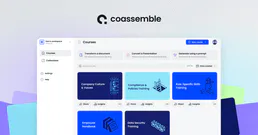
Coassemble
Manage online training and LMS via Coassemble — track courses, monitor enrolments, and manage student groups directly from any AI agent.
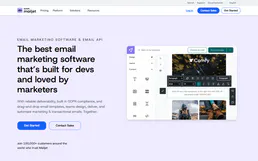
Mailjet
Send transactional emails and manage marketing campaigns via the Mailjet REST API.

OSTI (DOE Scientific Research)
Access Department of Energy research, datasets, and scientific publications. Search records, retrieve metadata, and manage DOI registrations.