
Azure Cognitive Search MCP. Search and debug enterprise indexes via your AI client.
 Gemini
 Works with every AI agent you already use
…and any MCP-compatible client









Just plug in your AI agents and start using Vinkius.
Azure Cognitive Search connects enterprise information retrieval to your AI agent. It lets you run full-text searches, perform semantic queries, and inspect complex cognitive skillsets on your Azure indexes.
You can execute lexical full-text queries or map structured arrays for accurate vector searches, all through your AI client.
What your AI agents can do
Get document
Retrieves a single document when you know its exact UUID key.
Get index
Fetches detailed information about a specific Azure Cognitive Search index.
List indexers
Lists all scheduled indexers that pull data from external sources.
Runs full-text queries against your Azure cognitive indexes using the search_documents tool.
Retrieves a single document using its unique identifier key with the get_document tool.
Executes K-Nearest Neighbor (KNN) searches by passing structural embedding arrays to the vector_search tool.
Gets metadata and schema details for the entire search index using the get_index tool.
Lists scheduled indexers to confirm data sources (like databases or blobs) are successfully pulling documents using list_indexers.
Lists active Cognitive Services skillsets, confirming which services (like OCR or translation) are enhancing your data via list_skillsets.
Retrieves a list of all existing search indexes in your Azure environment using list_indexes.
Ask AI about this MCP
Supported MCP Clients
Gemini Waiting for input…
Azure Cognitive Search MCP Server: 7 Tools for Data Retrieval
These tools allow your AI agent to query, list, and inspect every component of your Azure Cognitive Search setup, from indexes to background data pipelines.
019d7557get document
Retrieves a single document when you know its exact UUID key.
019d7557get index
Fetches detailed information about a specific Azure Cognitive Search index.
019d7557list indexers
Lists all scheduled indexers that pull data from external sources.
019d7557list indexes
Returns a list of all available indexes in your Azure Search environment.
019d7557list skillsets
Lists the cognitive services skillsets used to enrich your index content.
019d7557search documents
Executes standard full-text searches across your cognitive indexes.
019d7557vector search
Performs structural K-Nearest Neighbor searches using embedding vectors.
Choose How to Get Started
Build a custom MCP for your own tools, or connect a ready-made integration from our catalog.
Build Your Own
Turn any API into an MCP. Import a spec, define Agent Skills, or deploy with MCPFusion.
- Import from OpenAPI, Swagger, or YAML specs
- Create Agent Skills with progressive disclosure
- Deploy to edge with MCPFusion framework
- Built in DLP, auth, and compliance on every call
- Real time usage dashboard and cost metering
- Publish to catalog or keep private
Make Your AI Do More
Start with Azure Cognitive Search, then connect any of our 4,700+ other servers whenever your AI needs more. One click, no limits.
- Use this MCP plus 4,700+ others, all in one place
- Add new capabilities to your AI anytime you want
- Every connection is secured and compliant automatically
- Track usage and costs across all your servers
- Works with Claude, ChatGPT, Cursor, and more
- New servers added to the catalog every week
What you can do with this MCP connector
Azure Cognitive Search connects your enterprise data to your AI agent. You can run full-text searches, perform vector queries, and check the underlying structure of your indexes using your AI client. You'll use the search_documents tool to run standard full-text queries across your cognitive indexes. If you know a document's exact UUID, you'll use get_document to pull that single record.
To find documents based on meaning rather than keywords, you'll pass structural embedding arrays to vector_search for K-Nearest Neighbor mapping. You can list all available indexes using list_indexes, and to see the full metadata and schema of a specific index, you'll use get_index. You'll check background data pipelines by calling list_indexers to confirm sources like databases or blobs are pulling data.
You can view which services are enriching your data by listing skillsets with list_skillsets. The list_skillsets tool shows you the active Cognitive Services skillsets, confirming which services like OCR or translation are enhancing your data. You'll also use list_indexes to get a list of every index you've set up in your Azure environment.
How Azure Cognitive Search MCP Works
- 1 Subscribe to the server and provide your Azure Search Endpoint and API Key.
- 2 Your AI client uses a tool (e.g.,
search_documents) to interact with the index. - 3 The server executes the query, returning the relevant documents, index metadata, or skillset configurations directly to your agent.
The bottom line is, your agent treats your Azure index like a natural API call, letting it search, read, or inspect data without needing to know the underlying Azure plumbing.
Who Is Azure Cognitive Search MCP For?
This is for the Data Engineer who needs to confirm if the indexers are running and pulling the right data, or the Search Architect who needs to test BM25 parameters and vector similarities before going live. If you work with large, complex data sets that need to be searchable, you need this.
Checks list_indexers and list_skillsets to ensure that background processes are running and that cognitive services like OCR are correctly attached to the index.
Uses search_documents and vector_search to test advanced query parameters and compare different retrieval techniques against the same corpus.
Compares index schemas and runs validation queries across indexes using get_index to manage and troubleshoot retrieval techniques.
What Changes When You Connect
- When you use
search_documents, you execute full-text queries without writing complex boilerplate code. Your agent handles the search syntax and returns the results. - Instead of just searching by keywords,
vector_searchhandles structural embedding arrays. This lets you find related data points even if the text isn't identical. - The
list_indexerstool confirms your data pipeline health. You instantly know if the background sync job (like a blob-syncher) failed or is running fine. - The
list_skillsetstool shows exactly how your data is getting enhanced. You can see if OCR or translation is active and contributing to the index's content. - Using
get_documentlets you skip the search and go straight to a record if you already have the UUID, saving several query steps. - The
get_indextool provides the schema map. You can check the token analyzers and dimensional shapes governing the index before building a complex query.
Real-World Use Cases
Finding a specific record by ID
A compliance officer needs the full raw JSON for a record with ID 'X-1234'. Instead of running a general search and filtering, they ask their agent to use get_document with the specific UUID. The agent runs the tool and immediately returns the 14 metadata fields and raw data structure.
Verifying a data sync failure
A data engineer notices discrepancies in the index. They ask their agent to run list_indexers. The agent reports that the 'blob-syncher' is stalled, noting it's waiting on database connection string issues, allowing the engineer to fix the pipeline immediately.
Comparing search methods
A search architect wants to prove if a new vector embedding is better than old keywords. They use search_documents for a keyword search, then use vector_search with the new embedding. They get two distinct result sets, allowing them to compare the retrieval mechanisms side-by-side.
Debugging content enrichment
A machine learning ops specialist needs to know if image text is actually being extracted. They use list_skillsets. The agent reports the 'ocr-and-translate' skillset is active and running the Azure Cognitive Vision API, confirming the pipeline is working.
The Tradeoffs
Assuming a general search is enough
Asking the agent, 'Find all documents about Q3 revenue.' This forces the agent to guess the index and might pull irrelevant documents if the index is poorly configured.
→
First, use list_indexes to find the correct index name (e.g., 'financials'). Then, run search_documents specifying that index and the query. This keeps the search scoped and accurate.
Debugging index structure manually
Trying to understand why a query failed by reading the Azure documentation for token analyzers. This is slow and requires deep manual knowledge.
→
Use get_index to instantly pull the schema definition for the target index. The agent shows you the token analyzers and dimensional shapes in plain text, saving hours of manual investigation.
Relying on keyword matching alone
Searching for 'Tesla Model 3 battery life' and only getting articles that mention the words 'Tesla' and 'battery'. This misses structurally related, but differently phrased, documents.
→
Use vector_search instead. Pass the embedding array for the concept and run the search. This finds documents based on structural similarity, not just keyword overlap.
When It Fits, When It Doesn't
Use this server if your primary need is knowing what data exists in your Azure environment and how it's organized. You need to search, retrieve, or audit. Don't use this if you need to modify data (e.g., writing a record or updating a status) — use a dedicated write-back tool instead. If you only need to list the names of indexes without querying them, list_indexes works. If you need to know the details of a specific index's schema, use get_index. If you need to check if the background jobs are running, check list_indexers.

Independent Platform Disclaimer: Vinkius is an independent platform and is not affiliated with, endorsed by, sponsored by, verified by, or otherwise authorized by Azure Cognitive Search. All third-party trademarks, logos, and brand names are the property of their respective owners. Their use on this website is strictly for informational purposes to identify service compatibility and interoperability.
VINKIUS INFRASTRUCTURE
Cloud Hosted
Managed infra
V8 Isolated
Sandboxed per request
Zero-Trust Proxy
No stored credentials
DLP Enforced
Policy on every call
GDPR Compliant
EU data residency
Token Compression
~60% cost reduction
Works with Claude, ChatGPT, Cursor, and more
The Model Context Protocol standardizes how applications expose capabilities to LLMs. Instead of operating in isolation, your AI gains direct access to external platforms, live data, and real-world actions through secure, standardized connections.
This server provides 7 capabilities that interface natively with Claude, ChatGPT, Cursor, and any MCP client. No middleware. No custom integration required.
Available Capabilities
Manually verifying data pipelines and schemas is a nightmare.
Today, checking if your index is pulling data correctly means jumping into the Azure portal. You have to manually navigate to indexers, check their status, and then open the skillsets view to see if OCR is even attached. It's a mess of tabs and statuses that requires half a day just to confirm data freshness.
With the Azure Cognitive Search MCP Server, you ask your agent to check the pipeline. It runs `list_indexers` and `list_skillsets` for you, giving you a clean, immediate report on which services are active and if the background data sync jobs are running.
Azure Cognitive Search MCP Server: Search and retrieve data instantly.
You don't have to run three separate tools—one for the list, one for the search, and one for the schema. The agent manages the context. You run `get_index` to get the schema details, then pass that information to `search_documents` for a targeted query.
What's different now is that the entire complex process, from schema inspection to full-text search, happens in a single, conversational exchange. You get the answer, not the documentation on how to find it.
Common Questions About Azure Cognitive Search MCP
How do I check if my Azure index is properly structured using `get_index`? +
Use get_index with the index name. The tool returns the full schema, including token analyzers and dimensional shapes, so you know exactly how the data is being processed by Azure.
What is the difference between `search_documents` and `vector_search`? +
Use search_documents for standard keyword matching (lexical search). Use vector_search when you need to find documents based on the conceptual meaning or structural similarity of an input array.
Can I check which background data sources are feeding the index using `list_indexers`? +
Yes. list_indexers lists all scheduled indexers. The output shows which external sources (like Azure blobs or databases) are actively pushing data into the search index.
How do I find a document if I only have its UUID? +
Run get_document and pass the UUID key. This tool bypasses the search process entirely and retrieves the complete, raw JSON record directly.
How do I use `list_skillsets` to see what text transformations are happening to my data? +
It lists all Cognitive Services skillsets applied to your index. You can check if OCR or translation services are running and what their input/output mapping is.
What do I need to know about running a vector search using `vector_search`? +
You must provide structural arrays for the K-Nearest Neighbor search. This tool operates on predefined embedding domains, so the input structure must match the index's requirements.
If I need to find a document by its UUID, should I use `get_document` or `search_documents`? +
Use get_document. This tool executes a precise lookup using the explicit UUID key, bypassing the need for full-text search or query construction.
How can I check the configuration of my indexes using `list_indexes`? +
This tool lists all your existing Azure Search indexes. It helps you verify the names and basic schemas of the data collections you're working with.
Can my AI use this connector to grab an individual document by its key? +
Yes! Unlike complex search endpoints, this provides a point-read mechanism (Get Document). Your agent maps the target UUID and bypasses search algorithms completely, quickly delivering the raw JSON of that exact specific item for isolated deep reading.
Does it also show Cognitive Service enrichment skillsets? +
Yes. This connector tracks and lists structured Cognitive Skillsets. Your agent can discover whether OCR, translation features, or entity extraction bots are currently attached and applied correctly inside the Azure indexing pipeline.
Can it search using direct text inputs and semantic rankings? +
Absolutely. Using the lexical search capability, your agent can push natural string keywords right into Azure. It returns mapped documents ranked gracefully using BM25 relevance or integrated semantic processing out of the box.
Use it with your favorite AI tools
Connect this server to Cursor, Claude, VS Code, and more.
More in this category

ServiceNow
Manage incidents, service requests, change orders, and CMDB records on ServiceNow — the enterprise ITSM backbone.

Salesforce Analytics & SOQL
Run SOQL queries, execute reports, view dashboards, and analyze CRM data in real-time through natural conversation.
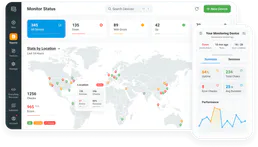
Dotcom-Monitor
Monitor website uptime, page load speed, and server health from multiple global locations with instant alert notifications.
You might also like
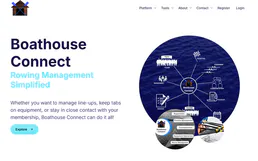
Boathouse Connect
Manage marina operations with boat slip reservations, customer records, and facility maintenance in one connected system.
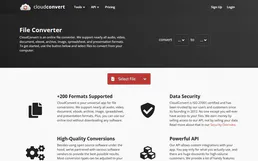
CloudConvert
Convert files between 200+ formats including PDF, images, video, and documents with a fast cloud-based processing engine.

Shovels
Construction and permit data platform — search contractors and building permits via AI.