
Bookeo MCP. Manage your entire fitness or activity business from chat.
 Gemini
 Works with every AI agent you already use
…and any MCP-compatible client









Just plug in your AI agents and start using Vinkius.
Bookeo MCP Server manages your entire booking operation—from scheduling to revenue tracking. Connect your fitness, wellness, or activity center business to your AI client and handle bookings, customer profiles, product catalogs, and payments using natural conversation.
Check availability, list payments, and search client histories without leaving your chat window.
What your AI agents can do
Check availability
Checks specific time slots to see if a service has open spots.
Get booking
Retrieves the detailed information for a single, specific reservation.
Get business info
Fetches the core configuration and details of your business account.
You ask your agent for availability for a specific service or date, and it reports the available times and remaining capacity.
You tell the agent a client's name, and it pulls up their profile, past bookings, and payment status.
You ask the agent to list all reservations for a specific date range, getting details on every participant and the payment status for the group.
You ask the agent for payments over a period, and it generates a filtered list of revenue, including payment methods and amounts.
You ask the agent for available products, and it lists every service, its price, and its maximum capacity.
You ask the agent for business info, and it confirms your current timezone, profile, and general configuration.
Ask AI about this MCP
Supported MCP Clients
Gemini Waiting for input…
Bookeo MCP Server: 9 Tools for Booking Ops
Manage availability, list bookings, and track payments across your entire operation using these nine tools.
019d7560check availability
Checks specific time slots to see if a service has open spots.
019d7560get booking
Retrieves the detailed information for a single, specific reservation.
019d7560get business info
Fetches the core configuration and details of your business account.
019d7560get customer
Retrieves a client's current profile and booking details.
019d7560list bookings
Lists all reservations within a specified date range, showing participants and payment status.
019d7560list payments
Generates a list of payments, allowing you to filter the revenue data by date.
019d7560list products
Lists every bookable service, including its price, duration, and capacity.
019d7560list webhooks
Lists all event notifications currently set up for your account.
019d7560search customers
Finds a customer's profile and booking history using name or other criteria.
Choose How to Get Started
Build a custom MCP for your own tools, or connect a ready-made integration from our catalog.
Build Your Own
Turn any API into an MCP. Import a spec, define Agent Skills, or deploy with MCPFusion.
- Import from OpenAPI, Swagger, or YAML specs
- Create Agent Skills with progressive disclosure
- Deploy to edge with MCPFusion framework
- Built in DLP, auth, and compliance on every call
- Real time usage dashboard and cost metering
- Publish to catalog or keep private
Make Your AI Do More
Start with Bookeo, then connect any of our 4,700+ other servers whenever your AI needs more. One click, no limits.
- Use this MCP plus 4,700+ others, all in one place
- Add new capabilities to your AI anytime you want
- Every connection is secured and compliant automatically
- Track usage and costs across all your servers
- Works with Claude, ChatGPT, Cursor, and more
- New servers added to the catalog every week
What you can do with this MCP connector
You connect your Bookeo account to your AI client and manage your whole booking operation using natural conversation. Your agent handles everything from checking open spots to tracking revenue, all without you leaving your chat window.
check_availability lets you check specific time slots to see if a service has open spots. get_booking pulls up the full details for any single reservation. get_business_info fetches your core business configuration and account details. get_customer retrieves a client's current profile and booking details. list_bookings lists all reservations within a specified date range, showing who's participating and the payment status for the group. list_payments generates a list of payments, letting you filter the revenue data by date. list_products lists every bookable service, giving you its price, duration, and capacity. list_webhooks shows you all the event notifications currently set up for your account. search_customers finds a customer's profile and booking history using a name or other criteria.
How Bookeo MCP Works
- 1 You tell your agent, 'Show me available slots for Pilates next Tuesday.'
- 2 The agent calls the
check_availabilitytool, passing the service and date parameters. - 3 The tool returns a list of open times and capacities, which the agent summarizes and shows to you.
The bottom line is, you use natural conversation to execute complex, multi-step operations without ever leaving your chat window.
Who Is Bookeo MCP For?
The operations manager at a fitness studio who needs to run daily reports, or the personal trainer who spends too much time cross-referencing client records. This server lets you manage the entire business—bookings, payments, and availability—using simple conversation, not complex dashboards.
Uses the server to pull weekly reports on revenue (list_payments) and check capacity limits (check_availability) across all classes.
Uses the server to look up a client's full history (search_customers) and check their booking status (get_customer) instantly.
Uses the server to list all available products (list_products) and check group capacity for tours or rentals.
What Changes When You Connect
- See immediate availability when you ask the agent for it. Instead of checking the website calendar, the
check_availabilitytool tells you exactly what slots are open and how many spots are left. - Get a complete view of client history instantly. Use
search_customersto pull a client's profile, booking history, and preferences in one query, eliminating manual record lookups. - Automate daily financial reporting. Run
list_paymentsto track revenue and filter payments by date range, giving you immediate insight into today's collected funds. - Never miss a booking detail again.
list_bookingspulls all reservations for a date range, including participant counts and whether payments are complete. - Keep your team organized. Use
list_productsto instantly see every bookable service, its pricing structure, and its maximum capacity without navigating multiple menus. - Verify business parameters instantly.
get_business_infolets you confirm your timezone and core configuration, ensuring your agent operates with the right operational data.
Real-World Use Cases
Client needs a booking, but availability is unclear.
A client asks, 'Do you have any open spots for deep tissue massage next week?' The agent calls check_availability and immediately reports all open slots, letting the client book instantly without any back-and-forth.
Need to audit revenue after a major event.
The manager asks the agent to run list_payments for the last quarter. The agent filters the data by date and presents a consolidated report of revenue collected, showing exactly where the money came from.
Client calls with a billing question.
The staff member asks the agent to get_customer for John Doe. The agent pulls up his profile, confirms his past bookings, and shows his current payment status, resolving the call immediately.
Onboarding a new service or class.
The director asks the agent to list_products. The agent provides the full catalog, including pricing and capacity. This confirms the new service is correctly cataloged and ready for bookings.
The Tradeoffs
Treating the API like a dashboard.
Trying to manually filter bookings across tabs and running multiple queries (e.g., first checking list_products, then running list_bookings, and then separately checking list_payments).
→
Let the agent run the full sequence. Ask the agent to 'Show me booked capacity and revenue for Saturday.' The agent coordinates list_products and list_bookings and list_payments into one answer.
Assuming all data is in one place.
Trying to find a client's booking history by just searching the name, only to realize the payment status is in a different tab or tool.
→
Use search_customers first to find the client. Then, ask the agent to get_customer to pull the combined profile, booking history, and payment status in one go.
Running ad-hoc checks for simple data.
Needing to know the business's timezone or profile settings and having to navigate to a settings page.
→
Just ask the agent: 'What is our current business timezone?' The agent calls get_business_info and tells you the answer immediately.
When It Fits, When It Doesn't
Use this server if your core operational need is managing the flow of physical resources and money. Specifically, if you need to tie together client identity (search_customers), service availability (check_availability), and financial tracking (list_payments), this is the tool. Don't use it if your primary need is managing content (like articles or assets) or handling abstract data types; those require different tools. If you only need to check a single, isolated piece of data—say, just the list of products—then any standard API gateway will work. But if the data needs to talk to itself (e.g., checking availability for a customer), you need the orchestration provided here.
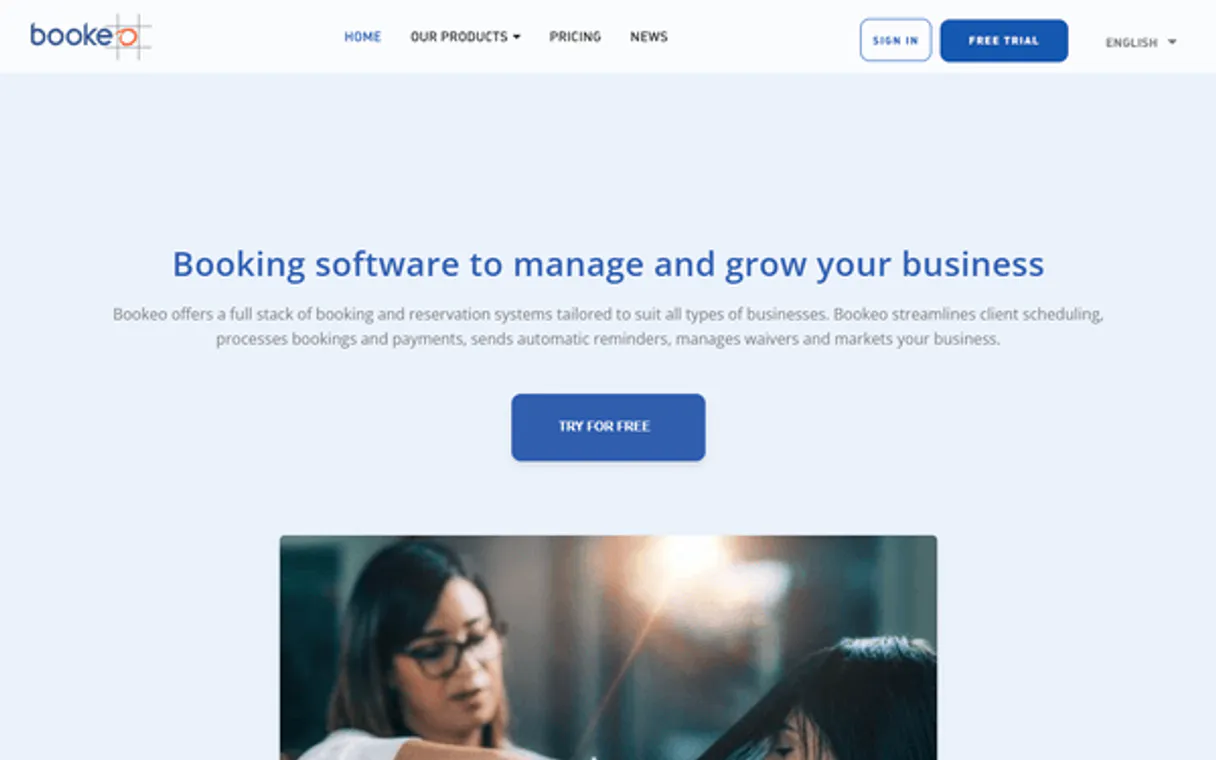
Independent Platform Disclaimer: Vinkius is an independent platform and is not affiliated with, endorsed by, sponsored by, verified by, or otherwise authorized by Bookeo. All third-party trademarks, logos, and brand names are the property of their respective owners. Their use on this website is strictly for informational purposes to identify service compatibility and interoperability.
VINKIUS INFRASTRUCTURE
Cloud Hosted
Managed infra
V8 Isolated
Sandboxed per request
Zero-Trust Proxy
No stored credentials
DLP Enforced
Policy on every call
GDPR Compliant
EU data residency
Token Compression
~60% cost reduction
Works with Claude, ChatGPT, Cursor, and more
The Model Context Protocol standardizes how applications expose capabilities to LLMs. Instead of operating in isolation, your AI gains direct access to external platforms, live data, and real-world actions through secure, standardized connections.
This server provides 9 capabilities that interface natively with Claude, ChatGPT, Cursor, and any MCP client. No middleware. No custom integration required.
Available Capabilities
Manual scheduling and revenue reports are a mess.
Right now, running a simple report means logging into the dashboard, clicking the 'Bookings' tab, selecting the date range, and then opening a separate 'Payments' tab to see if the revenue matches the booked slots. It takes three different views and three different sets of filters, plus copy-pasting data between spreadsheets.
With this MCP server, you just ask your agent: 'What was our revenue and booked capacity for last week?' The agent runs the necessary tools (`list_bookings` and `list_payments`) and gives you one single, synthesized answer. You get the answer, not the dashboard.
Bookeo MCP Server: Manage bookings and payments.
You don't have to switch between the customer management tool and the scheduling tool. The agent handles the handoff. It finds the customer first (`search_customers`), then checks their history and current bookings (`get_customer`), all in one continuous conversation.
The difference is that you're not dealing with APIs; you're dealing with outcomes. You ask a question, and the agent provides a definitive, actionable answer.
Common Questions About Bookeo MCP
How do I use the Bookeo MCP Server to check availability? +
Just ask your agent for the availability. You provide the service name and date, and the check_availability tool returns open times and the remaining number of spots for you.
What is the difference between `list_bookings` and `get_customer`? +
list_bookings shows a list of all reservations for a date range. get_customer pulls the specific profile and detailed booking history for one single client.
Can I use the Bookeo MCP Server to track revenue? +
Yes. Use the list_payments tool. You specify the date range, and the server returns a filtered list of all payments made, helping you track revenue.
How do I find a client's profile using the Bookeo MCP Server? +
Use search_customers. You give the agent a name or ID, and the tool returns the client's profile, preferences, and booking history.
Does Bookeo MCP Server handle multiple service types? +
Yes. The list_products tool provides a catalog of all bookable services, whether they are classes, tours, or rentals, allowing you to manage diverse offerings.
How do I use `list_products` to see what services are available? +
The list_products tool gives you a comprehensive catalog of everything you can book. You get details like pricing, duration, and capacity for every product, from classes to rentals.
What does `get_business_info` provide about my account setup? +
It fetches core configuration details for your business, including your defined timezone and overall business profile. This ensures your AI client uses the correct time context for all scheduling.
How does `list_payments` help me analyze my revenue? +
You can list payments and filter them by date to analyze your revenue flow. This tool lets you track total revenue, payment methods, and any recorded refunds.
How do I get Bookeo API credentials? +
Create a developer account at bookeo.com/apiref, register your application, and you'll receive an API Key and Secret Key. Bookeo provides an OpenAPI/Swagger specification for easy integration.
Can I cancel customer bookings directly via this tool? +
Yes. Assuming the API user has write permissions, your AI can look up a customer profile and issue a cancellation or reschedule their slots instantly.
Does it track revenue generated from daily sales? +
Bookeo MCP provides full payment read endpoints. You can instruct your AI to retrieve transactions from the last 24 hours and summarize daily earnings.
Use it with your favorite AI tools
Connect this server to Cursor, Claude, VS Code, and more.
More in this category

Hurma
Manage your HR processes with employee records, leave tracking, and performance reviews designed for growing teams.
SimplyBook.me
Manage services, providers, and bookings on SimplyBook.me with AI agents.

Aimtell
Web push notification orchestration — manage campaigns, segments, and subscribers via AI.
You might also like

São Paulo (Cidade)
Access the official São Paulo Open Data portal — search datasets, query resources via SQL, and explore city organizations and themes.
ClientSuccess
Manage customer success and retention via ClientSuccess — track client health, monitor subscriptions, and manage success cycles directly from any AI agent.

HelloAsso
Automate association management via HelloAsso — manage payments, forms, and orders for French non-profits directly from any AI agent.