
Chatwoot MCP. Manage every customer chat and contact record.
 Gemini
 Works with every AI agent you already use
…and any MCP-compatible client









Just plug in your AI agents and start using Vinkius.
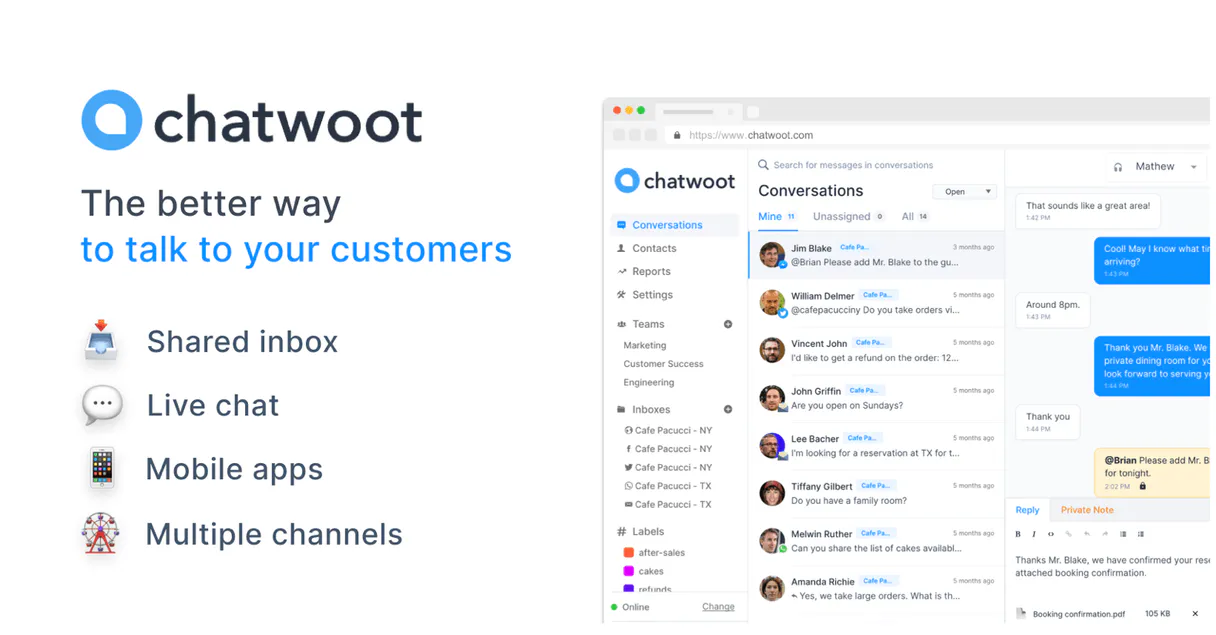
Chatwoot. Manage customer support and conversations across every channel (Web, WhatsApp, Facebook, etc.) directly from your AI agent. Use this server to list all active chats, send replies to specific customers, and pull complete message histories—all without ever opening the Chatwoot dashboard.
It gives your AI client full control over customer engagement and contact records.
What your AI agents can do
Get chat history
Retrieves the full message transcript for a specific conversation.
Get contact details
Gets detailed information and history for a specific customer contact.
Get conversation details
Gets metadata and status information for a specific chat conversation.
Retrieves the entire message transcript for a specific chat thread.
Fetches comprehensive profile and history information for a specific customer.
Retrieves metadata and status information for a specific chat conversation.
Returns a list of every customer contact associated with the account.
Provides a list of every channel (Web, WhatsApp, etc.) that is sending messages to the support team.
Gets a list of all support staff accounts and their current availability status.
Returns a list of every conversation in the system.
Sends a message to a customer within an active conversation thread.
Ask AI about this MCP
Supported MCP Clients
Gemini Waiting for input…
Chatwoot MCP Server: 8 Tools for Customer Support
Use these tools to read conversation history, fetch contact profiles, and send messages across every channel integrated into Chatwoot.
019d756dget chat history
Retrieves the full message transcript for a specific conversation.
019d756dget contact details
Gets detailed information and history for a specific customer contact.
019d756dget conversation details
Gets metadata and status information for a specific chat conversation.
019d756dlist chatwoot contacts
Lists every customer contact record in the system.
019d756dlist chatwoot inboxes
Lists all configured communication channels, like Web or WhatsApp.
019d756dlist support agents
Retrieves a list of all support staff and their current availability status.
019d756dlist woot conversations
Lists every conversation across the account.
019d756dsend chat message
Sends a message to a customer in an active conversation thread.
Choose How to Get Started
Build a custom MCP for your own tools, or connect a ready-made integration from our catalog.
Build Your Own
Turn any API into an MCP. Import a spec, define Agent Skills, or deploy with MCPFusion.
- Import from OpenAPI, Swagger, or YAML specs
- Create Agent Skills with progressive disclosure
- Deploy to edge with MCPFusion framework
- Built in DLP, auth, and compliance on every call
- Real time usage dashboard and cost metering
- Publish to catalog or keep private
Make Your AI Do More
Start with Chatwoot, then connect any of our 4,700+ other servers whenever your AI needs more. One click, no limits.
- Use this MCP plus 4,700+ others, all in one place
- Add new capabilities to your AI anytime you want
- Every connection is secured and compliant automatically
- Track usage and costs across all your servers
- Works with Claude, ChatGPT, Cursor, and more
- New servers added to the catalog every week
What you can do with this MCP connector
Chatwoot lets your AI client run your whole customer support operation without you ever touching the dashboard. You'll manage chats across Web, WhatsApp, and Facebook using nothing but natural conversation. You can list all active chats, send replies to specific customers, and pull complete message histories—your AI agent gets full control over customer engagement and contact records.
Your agent can pull the full message transcript for any given chat thread using get_chat_history. You can also grab metadata and status info for a specific chat conversation with get_conversation_details. You'll never have to worry about which channels are sending messages to your team, since you can list every configured inbox like Web or WhatsApp using list_chatwoot_inboxes.
When you need to talk to a customer, you can send a message to them in an active conversation thread using send_chat_message. You can list every conversation in the system using list_woot_conversations, and you can also see every customer contact record with list_chatwoot_contacts.
If you need to know who the customer is and what they've talked about before, you can fetch comprehensive profile and history data for a specific customer contact using get_contact_details. You can also check on your team by retrieving a list of all support staff and their current availability status using list_support_agents.
How Chatwoot MCP Works
- 1 Subscribe to the server and provide your Chatwoot Access Token, Account ID, and Base URL.
- 2 Your AI agent connects to the server and uses natural language to call the required tools (e.g., 'What did John Doe say last?').
- 3 The server executes the API calls, processes the data, and feeds the structured result back to your AI agent for a final, natural language response.
The bottom line is, you manage your entire customer support stack using conversational prompts, without ever touching the web dashboard.
Who Is Chatwoot MCP For?
Anyone running a customer support function that lives outside a single channel needs this. It's for the Ops Manager who needs to audit chat history across WhatsApp and Web widgets. It's for the CX Team that needs to reply to a customer without opening 10 browser tabs. Basically, anyone whose job involves reading, acting on, or replying to customer messages.
Uses the agent to list all support agents and audit conversation histories across multiple channels to track team performance.
Uses the agent to find a customer's contact details and read their full chat history so they can reply accurately, even if the chat originated on Facebook.
Uses the agent to monitor all configured inboxes and send quick replies to customer inquiries across different channels immediately.
What Changes When You Connect
- You don't have to switch between tabs to check on a customer. Use
list_chatwoot_inboxesto see all configured channels (WhatsApp, Web, etc.) andlist_woot_conversationsto get a master list of every chat. - Need to know who the customer is? Use
list_chatwoot_contactsfirst. Then, grab their specific data withget_contact_detailsbefore replying. It keeps your customer history centralized. - Replying to a customer shouldn't require manual copy/paste. Use
send_chat_messageto reply directly from your AI agent, even if the chat is happening on WhatsApp. - Getting context is key. If you use
get_chat_history, your agent reads the entire thread. It gives the agent everything it needs to reply accurately. - Managing the team is easier. Use
list_support_agentsto check who is online andlist_woot_conversationsto see which chats need immediate attention. - The whole system is visible. By combining
list_chatwoot_contactsandget_conversation_details, you get both the 'who' (contact) and the 'what' (conversation status) in one flow.
Real-World Use Cases
A Support Agent Needs to Take Over a Chat
A customer asks a question via Facebook. The agent needs to take over the conversation. The agent first calls list_chatwoot_inboxes to confirm the channel. Then, it uses list_woot_conversations to find the specific chat ID, and finally, it calls get_conversation_details to confirm the status before replying using send_chat_message.
Researching a VIP Customer's Purchase History
A sales team member needs to know everything about a high-value client. They first call list_chatwoot_contacts to find the contact ID. They then run get_contact_details to see the full history, giving them the context needed to upsell or resolve a complex billing issue.
Monitoring Team Availability Before Starting a Shift
A shift lead needs an instant overview of the team. They run list_support_agents to see who is online. Then, they use list_woot_conversations to get a count of open chats, making sure the team has capacity before the rush starts.
The Agent Needs to Confirm the Last Message Sent
An agent is about to reply. They must confirm the customer's last message. They call get_chat_history for the conversation ID, letting the agent read the exact last message before generating a response, minimizing the chance of repeating information.
The Tradeoffs
Treating the system like a database query
Asking the agent simply, 'Show me all customer data.' This generic command forces the agent to guess which tool to run, often resulting in incomplete or overly broad results that require manual filtering.
→
Be specific. Always start by listing what you need to find, like 'List all customer contacts using list_chatwoot_contacts,' or 'Find the chat history for the user who messaged on WhatsApp using get_chat_history.' Context is everything.
Trying to handle every channel manually
If a customer messages on WhatsApp, the agent might only be able to retrieve the history for Web chats, leaving key context missing and the response incomplete.
→
The server handles omnichannel support. Use list_chatwoot_inboxes first to confirm the channel is monitored, then use list_woot_conversations and get_chat_history to pull the context from whatever channel it came in on.
Sending a reply without checking the chat status
The agent tries to use send_chat_message immediately after a failure, potentially failing because the conversation ID is stale or the customer is offline.
→
Always check the conversation status first. Use get_conversation_details to confirm the chat is active and ready for a reply before attempting to run send_chat_message.
When It Fits, When It Doesn't
Use this server if your core job involves interacting with customer messages across multiple platforms (Web, WhatsApp, social media). You need to read history, track contacts, and reply without opening a dashboard. You must be able to articulate why you need the data (e.g., 'I need to know the history before I reply').
Don't use this if you only need to read a single, isolated piece of data (e.g., just a list of contacts). In that case, running list_chatwoot_contacts is enough. If your goal is simply reporting on the team's roster, stick to list_support_agents and don't worry about the chat data.
Independent Platform Disclaimer: Vinkius is an independent platform and is not affiliated with, endorsed by, sponsored by, verified by, or otherwise authorized by Chatwoot. All third-party trademarks, logos, and brand names are the property of their respective owners. Their use on this website is strictly for informational purposes to identify service compatibility and interoperability.
VINKIUS INFRASTRUCTURE
Cloud Hosted
Managed infra
V8 Isolated
Sandboxed per request
Zero-Trust Proxy
No stored credentials
DLP Enforced
Policy on every call
GDPR Compliant
EU data residency
Token Compression
~60% cost reduction
Works with Claude, ChatGPT, Cursor, and more
The Model Context Protocol standardizes how applications expose capabilities to LLMs. Instead of operating in isolation, your AI gains direct access to external platforms, live data, and real-world actions through secure, standardized connections.
This server provides 8 capabilities that interface natively with Claude, ChatGPT, Cursor, and any MCP client. No middleware. No custom integration required.
Available Capabilities
Sifting through customer chats shouldn't require opening eight different tabs.
Right now, if a customer messages you on WhatsApp, and you need to check their previous ticket history from the Web widget, you have to switch apps, manually copy the name, log into the ticketing system, and search. It's a painful, multi-step, copy-paste routine just to get context.
With the Chatwoot MCP Server, the agent handles it. You tell it, 'What's the history for John Doe?' It runs `get_chat_history` and `get_contact_details` and gives you the full context, all in one response. You get the answer, not a list of API calls.
Chatwoot MCP Server: Send a message directly from your agent.
Before, sending a follow-up message meant switching to the chat interface, finding the thread, and typing. If you were working in your IDE, that whole process was blocked.
Now, you just prompt the agent to reply. It calls `send_chat_message`, and the message goes out. It's direct, reliable, and keeps your workflow in one place.
Common Questions About Chatwoot MCP
How do I list all active conversations using the Chatwoot MCP Server? +
You use list_woot_conversations. This tool pulls a list of every conversation currently in the system, letting your agent know what's active and needs attention.
Can I get the contact details for a specific customer using Chatwoot MCP Server? +
Yes, use get_contact_details. This tool pulls the full profile, including any historical data, for a given customer contact ID.
Does Chatwoot MCP Server support multiple communication channels? +
Yes, the server is omnichannel. Use list_chatwoot_inboxes to see all configured channels (WhatsApp, Web, etc.) that are connected to your support desk.
What if I need to reply to a message in Chatwoot MCP Server? +
Use send_chat_message. You just need to provide the conversation ID and the message body, and the message gets delivered directly via your agent.
How do I check the team's current availability using Chatwoot MCP Server? +
Use list_support_agents. This tool checks the account and tells you which support staff are currently available to take on new chats.
How does the Chatwoot MCP Server handle message history retrieval using the `get_chat_history` tool? +
The get_chat_history tool retrieves the full message exchange for a given conversation ID. This allows your agent to understand the full context, including timestamps and message senders, so it can reply accurately.
What tools are available in the Chatwoot MCP Server for listing customer information? +
You can use list_chatwoot_contacts to get a list of all customer profiles. For more specific details, the get_contact_details tool retrieves comprehensive information for one contact.
Can I manage multiple inboxes and support agents using the Chatwoot MCP Server? +
Yes, you can monitor all configured inboxes via list_chatwoot_inboxes. To manage the team, the list_support_agents tool lists all available support agents in the account.
Can I reply to a WhatsApp message through the agent? +
Yes! Use the send_chat_message tool with the conversation ID. As long as your WhatsApp inbox is connected to Chatwoot, the agent will deliver your reply.
How do I see the full history of a chat? +
Use the get_chat_history tool with the unique conversation ID. Your agent will fetch all previous messages, allowing you to review the entire interaction.
Where do I find my Chatwoot Access Token? +
Log in to Chatwoot, click on your profile avatar in the bottom left, and select 'Profile Settings'. Scroll to the bottom to find your personal 'Access Token'.
Use it with your favorite AI tools
Connect this server to Cursor, Claude, VS Code, and more.
More in this category

Wbiztool
Manage your WhatsApp Business account with bulk messaging, contact management, and campaign analytics for marketing teams.
MailerSend
Send transactional emails and manage domains via the MailerSend REST API.

QuickReply.ai Alternative
Automate WhatsApp marketing and customer engagement via QuickReply.ai — trigger journeys, send templates, and manage session messages directly from your AI agent.
You might also like

Bureau of Labor Statistics Full — The Mega Server
The ultimate BLS Mega-Server: Access all 6 major datasets including CPI (Inflation), CES (Jobs), CPS (Unemployment), JOLTS (Turnover), LAUS (Local metrics), and OEWS (Wages by Profession).

Prismic
Query and manage your Prismic headless CMS content — search documents, list custom types, and retrieve specific content directly from any AI agent.

Healthchecks.io
Monitor cron jobs and background tasks via Healthchecks.io — list checks, track pings, and manage alerts directly from any AI agent.