
edX MCP. Discover courses and programs from top universities.
 Gemini
 Works with every AI agent you already use
…and any MCP-compatible client









Just plug in your AI agents and start using Vinkius.
edX MCP Server searches and finds online courses and programs from top universities like Harvard, MIT, and Google. Use it to search thousands of courses by topic, find full program details, or check upcoming course offerings.
It connects your AI client to the world's largest learning platform without needing an API key.
What your AI agents can do
Get course
Gets detailed info for a specific edX course, including prerequisites and estimated effort.
Get course run
Gets details for a specific, scheduled instance of an edX course.
Get course runs
Gets scheduled course offerings for a course, optionally filtering by status (upcoming, current, archived).
Find courses across edX by specifying a topic, university, academic level (beginner, intermediate, advanced), or subject.
Get full details on a single course, including its description, required prerequisites, and estimated study time.
Check scheduled course runs for a specific course, including start dates and enrollment links.
Search for and get details on structured paths like MicroMasters or Professional Certificates.
List and get details on all partner institutions, such as Harvard, MIT, and Google.
List available subject categories and find out how many courses fall under each topic.
Ask AI about this MCP
Supported MCP Clients
Gemini Waiting for input…
019d8432get course
Gets detailed info for a specific edX course, including prerequisites and estimated effort.
019d8432get course run
Gets details for a specific, scheduled instance of an edX course.
019d8432get course runs
Gets scheduled course offerings for a course, optionally filtering by status (upcoming, current, archived).
019d8432get organizations
Retrieves a list of all partner universities and institutions that offer courses on edX.
019d8432get program
Gets specific details for an edX program, such as a MicroMaster or Professional Certificate.
019d8432get subjects
Retrieves a list of all subject categories and the course count available under each topic.
019d8432search courses
Searches for online courses using free text and filters like organization, level, and subject.
019d8432search programs
Searches for structured programs, including MicroMasters and Professional Certificates.
Choose How to Get Started
Build a custom MCP for your own tools, or connect a ready-made integration from our catalog.
Build Your Own
Turn any API into an MCP. Import a spec, define Agent Skills, or deploy with MCPFusion.
- Import from OpenAPI, Swagger, or YAML specs
- Create Agent Skills with progressive disclosure
- Deploy to edge with MCPFusion framework
- Built in DLP, auth, and compliance on every call
- Real time usage dashboard and cost metering
- Publish to catalog or keep private
Make Your AI Do More
Start with edX, then connect any of our 4,700+ other servers whenever your AI needs more. One click, no limits.
- Use this MCP plus 4,700+ others, all in one place
- Add new capabilities to your AI anytime you want
- Every connection is secured and compliant automatically
- Track usage and costs across all your servers
- Works with Claude, ChatGPT, Cursor, and more
- New servers added to the catalog every week
What you can do with this MCP connector
Man, this edX MCP Server connects your AI client right into the world's biggest online learning platform. You don't need to mess with an API key to get started. You can search and map educational content using these tools.
search_courses lets you find courses by keywords, or you can filter them by organization, academic level, or subject. search_programs lets you hunt down structured learning paths like MicroMasters and Professional Certificates. get_course pulls up every detail for a single course, including prerequisites and how long you'll need to study. get_course_runs checks scheduled offerings for a course, letting you filter by status—you can see what's upcoming, currently running, or archived. get_course_run pulls details for one specific, scheduled instance.
You can check out all the partner universities and institutions that offer courses with get_organizations, and get_subjects lists every subject category available, telling you how many courses fall under each one. get_program pulls specific details for a structured program, like a MicroMaster.
How edX MCP Works
- 1 Subscribe to the edX MCP Server.
- 2 Your AI client sends a natural language query (e.g., 'Find a beginner course in data science from MIT').
- 3 The server executes the appropriate tool, returning structured data (titles, links, descriptions, etc.) directly to your client.
The bottom line is you get structured data about educational courses and programs without writing a single API call.
Who Is edX MCP For?
Students, lifelong learners, and educators who need to map out complex educational paths. Use this if you spend time comparing offerings from multiple universities or need to find a specific skill certification path. It saves the effort of manually navigating 160+ institution websites.
Uses the server to research available courses and compare institutions to build new learning tracks or required professional certifications.
Needs to find courses by topic and level, comparing options from Harvard, MIT, and Google to decide on the best next step.
Checks program details and organization lists to recommend structured learning paths (like MicroMasters) to clients.
What Changes When You Connect
- Find courses quickly without knowing the exact ID. Use
search_coursesto search by topic, university, or academic level. It surfaces thousands of options immediately. - Track course availability. The
get_course_runstool checks scheduled offerings, letting you know if a course is upcoming or archived, not just if it exists. - Map your career path. Use
search_programsto find structured paths like MicroMasters or Professional Certificates, getting details on course counts and program type. - Compare institutions easily.
get_organizationslists all 160+ partner universities (Harvard, MIT, Google) so you can compare offerings side-by-side. - Deep dive into a course.
get_coursefetches all necessary metadata on a specific course—prerequisites, effort estimates, and full descriptions. - Understand the catalog structure.
get_subjectslists all available subject categories, helping you narrow down your search before you even start typing.
Real-World Use Cases
Starting a new degree track
A user needs a certified path in data science. They ask their agent to 'Show me all MicroMasters in data science.' The agent runs search_programs and returns 8 specific paths from MIT and Columbia, including course counts and enrollment links.
Finding a niche skill course
A junior developer needs to learn quantum computing. They ask the agent to 'Find beginner courses on quantum computing.' The agent uses search_courses and returns specific titles and organizations like Caltech, helping them compare self-paced options.
Planning a curriculum for others
An educator needs to compare offerings. They ask the agent to 'What courses does Google and IBM offer in cloud computing?' The agent runs get_organizations and then uses search_courses to pull titles and descriptions from both partners.
Checking when a course starts
A student found a course they like but isn't sure when it runs. They ask the agent to check the schedule. The agent runs get_course_runs and returns the next start date and enrollment link, solving the scheduling problem.
The Tradeoffs
Treating it like a simple search box
Asking the agent to just 'list courses' without specifying filters. The agent might return a massive, unusable list, forcing the user to manually filter by university or subject.
→
Always narrow the scope. Use search_courses and include filters like 'from [organization]' and 'level [beginner]' to get a manageable, relevant result set.
Asking for a program without knowing the type
Asking the agent 'Tell me about data science.' The agent might pull unrelated courses instead of structured programs, confusing the user.
→
Use search_programs to focus on structured learning like 'MicroMasters' or 'Professional Certificates' to get the intended curriculum view.
Getting stuck on prerequisites
Finding a course and then being confused about what they need first. The agent might only give the title, not the requirements.
→
After finding a course, immediately run get_course to get the full metadata, including prerequisites and estimated effort.
When It Fits, When It Doesn't
Use this server if your goal is content discovery—you need to map out learning paths, compare university offerings, or find specific course details. It's ideal for students and curriculum designers. Don't use it if you are trying to manage user accounts, grade submissions, or track personal progress. For those tasks, you need a Learning Management System (LMS) integration, not an educational catalog tool. If you need to know what the course is, use get_course. If you need to find where the course is offered, use search_courses. If you need to know what the structured path is, use search_programs.
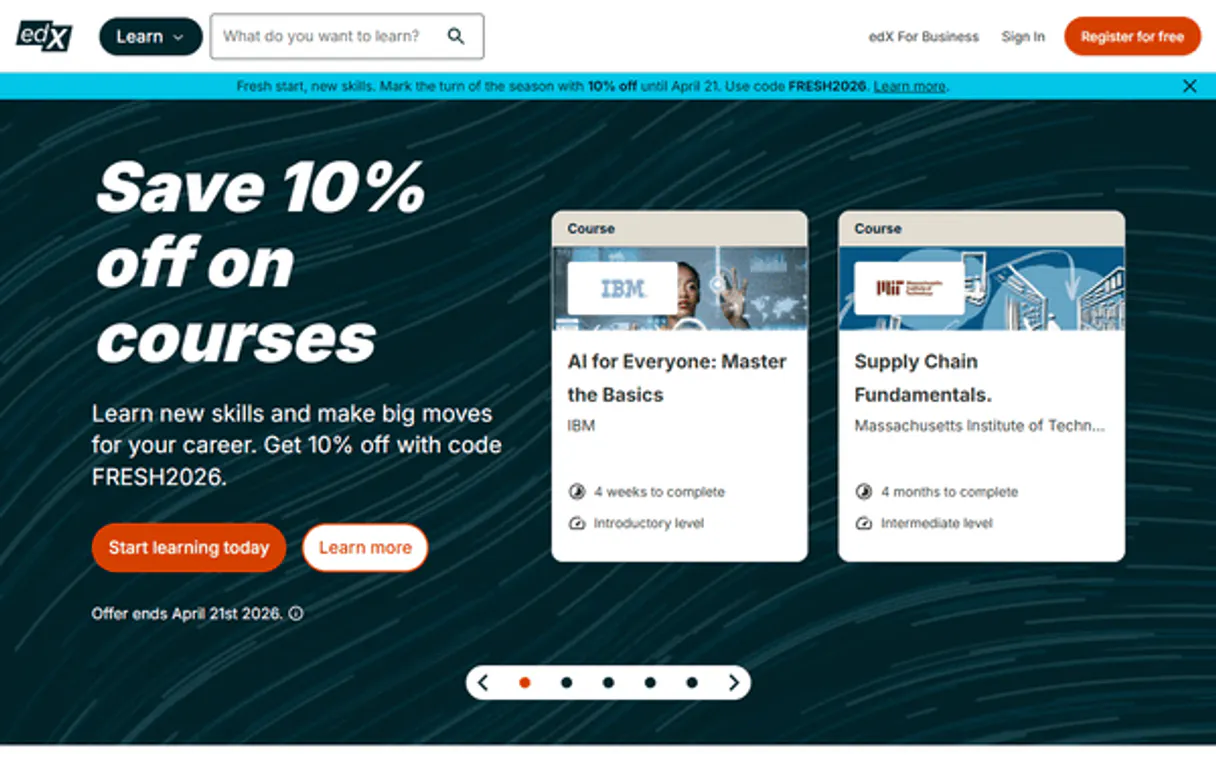
Independent Platform Disclaimer: Vinkius is an independent platform and is not affiliated with, endorsed by, sponsored by, verified by, or otherwise authorized by edX. All third-party trademarks, logos, and brand names are the property of their respective owners. Their use on this website is strictly for informational purposes to identify service compatibility and interoperability.
VINKIUS INFRASTRUCTURE
Cloud Hosted
Managed infra
V8 Isolated
Sandboxed per request
Zero-Trust Proxy
No stored credentials
DLP Enforced
Policy on every call
GDPR Compliant
EU data residency
Token Compression
~60% cost reduction
Works with Claude, ChatGPT, Cursor, and more
The Model Context Protocol standardizes how applications expose capabilities to LLMs. Instead of operating in isolation, your AI gains direct access to external platforms, live data, and real-world actions through secure, standardized connections.
This server provides 8 capabilities that interface natively with Claude, ChatGPT, Cursor, and any MCP client. No middleware. No custom integration required.
Available Capabilities
Finding specialized courses shouldn't require navigating 160+ university sites.
Today, finding a course requires a mess of tabs. You start on a general search engine, click through to edX, and then you're faced with dozens of filters. You have to manually check if the university is Harvard or MIT, if the level is advanced, and if the subject is exactly what you need. It's copy-pasting and clicking through multiple academic portals just to compare three options.
With this MCP server, you just talk to your agent. You ask, 'Show me advanced ML courses from Google and Harvard.' The agent runs the necessary tools and spits out a clean, comparative list. You get the data, not the friction.
edX MCP Server: Get Course Details with `get_course`
Before this, if you found a promising course title, you'd have to click through to the course page and hunt for the prerequisites, the effort estimate, and the full description. That data was always buried deep in a second or third tab, making comparison hell.
Now, your agent runs `get_course` and delivers all that information upfront. You get the full context—prerequisites, effort, description—in one go. It changes how fast you can make a decision.
Common Questions About edX MCP
How do I use the `search_courses` tool to find a course? +
You prompt your agent with a query like 'Find intermediate courses on finance from Berkeley.' The agent executes search_courses and returns a list of matching titles and enrollment links.
Can `get_organizations` list all the universities? +
Yes. get_organizations retrieves the full list of 160+ partner universities and institutions that offer courses on the edX platform.
What is the difference between `get_course` and `search_courses`? +
search_courses finds options based on keywords and filters. get_course requires you to name a specific course and returns all its detailed metadata.
How do I check if a course is currently running? +
Use get_course_runs. You feed it the course key and specify if you want to see upcoming, current, or archived offerings.
Does `search_programs` only find MicroMasters? +
No. search_programs covers the whole range of structured learning, including Professional Certificates, XSeries, and Bootcamps, giving you a full view of structured learning paths.
How do I use `get_course_runs` to check for future course offerings? +
You use get_course_runs by providing the course key and the desired status (e.g., 'upcoming' or 'current'). This tool returns scheduled start dates, enrollment links, and availability details for that specific course.
Does `search_courses` support filtering by academic level or language? +
Yes, search_courses accepts filters for organization, level (beginner/intermediate/advanced), language, and subject. You can narrow your search results significantly by combining these parameters.
What kind of data does `get_program` return for a specific edX program? +
The get_program tool returns comprehensive details for an edX program, including its overall description, associated course counts, and whether it falls under MicroMasters, Professional Certificates, or XSeries.
Do I need an API key? +
No! edX's Discovery API is completely free and open for public course catalog data. No authentication required.
Can I search courses by university? +
Yes! Use search_courses with the org parameter to filter by organization (e.g. "HarvardX", "MITx", "BerkeleyX"). You can also search by topic, level, language and subject simultaneously.
What types of programs are available? +
edX offers MicroMasters (graduate-level), Professional Certificates (industry-recognized), XSeries (multi-course), and Bootcamps (intensive). Use search_programs with type parameter to filter.
Use it with your favorite AI tools
Connect this server to Cursor, Claude, VS Code, and more.
More in this category

Telebroad
Connect your business phone system with cloud PBX that includes auto-attendant, call queues, and voicemail-to-email transcription.

Microsoft Teams Webhook Notifier
This MCP does exactly one thing: it sends messages to your Microsoft Teams channels. That's its only function, and nothing else. Incredible for giving your AI agents a voice.

Zeev
Digitize business processes with BPMN workflows, electronic forms, and approval chains that replace paper and email chaos.
You might also like

EyePop.ai
Add computer vision to your apps with pre-trained models for object detection, face recognition, and image classification.
Momence
Manage sessions, members, teachers, memberships, and bookings for your Momence-powered fitness or yoga studio through natural conversation.

Firefish
Manage candidates, jobs, and companies through AI agents with Firefish Recruitment CRM.