

Microsoft Teams Webhook Notifier MCP Server with 1 Tools for Claude, Cursor, and AI Agents
 GDPR Free for Subscribers
This MCP does exactly one thing: it sends messages to your Microsoft Teams channels. That's its only function, and nothing else. Incredible for giving your AI agents a voice. Vinkius routes your AI agents directly to Microsoft Teams Webhook Notifier through a governed connection. 1 tools ready to use with Claude, ChatGPT, Cursor, or any AI agent — no hosting, no setup, connect in 30 seconds.
Ask AI about this server
Compatible with every major AI agent and IDE
 Gemini
* Every MCP server runs on Vinkius-managed infrastructure inside AWS - a purpose-built runtime with per-request V8 isolates, Ed25519 signed audit chains, and sub-40ms cold starts optimized for native MCP execution. See our infrastructure
What is the MS Teams Webhook MCP Server?
The MS Teams Webhook MCP Server routes AI agents like Claude, ChatGPT, and Cursor directly to MS Teams Webhook via 1 tools. This MCP does exactly one thing: it sends messages to your Microsoft Teams channels. That's its only function, and nothing else. Incredible for giving your AI agents a voice. Powered by Vinkius — your credentials stay on your side of the connection, every request is auditable. Connect in under 2 minutes.
Built-in capabilities (1)
Tools for your AI Agents to operate MS Teams Webhook
Ask your AI agent "Notify Teams that the deployment is complete." and get the answer without opening a single dashboard. With 1 tools connected to real MS Teams Webhook data, your agents reason over live information, cross-reference it with other MCP servers, and deliver insights you would spend hours assembling manually.
Works with Claude, ChatGPT, Cursor, and any MCP-compatible client. Powered by Vinkius — your credentials never touch the AI model, every request is auditable. Connect in under two minutes.
Why teams choose Vinkius
One subscription gives you the infrastructure to connect your AI agents to thousands of MCP servers — and deploy your own to the Vinkius Edge. Your credentials stay yours. Your data flows directly between your agent and the API. DLP blocks sensitive information from ever reaching the model, kill switch for instant shutdown, and up to 60% token savings. Enterprise-grade routing and governance, zero maintenance.
Build your own MCP Server with our secure development framework →The Microsoft Teams Webhook Notifier App Connector works with every AI agent you already use
…and any MCP-compatible client









Use all 1 Microsoft Teams Webhook Notifier tools with your AI agents right now
Vinkius routes your AI agents to Microsoft Teams Webhook Notifier through a governed proxy. Beyond a simple connection, you get full visibility into every action your agents perform, with enterprise-grade security and up to 60% savings on AI costs.
Send teams message on Microsoft Teams Webhook Notifier
Provide the fallback text in the "text" parameter. Optionally, provide a rich UI element via the "cardJson" string. Send a notification or message to a Microsoft Teams channel via Webhook
What the Microsoft Teams Webhook Notifier MCP Server unlocks
We refused to build a bloated Microsoft 365 integration that demands terrifying ChannelMessage.Send permissions across your entire corporate tenant via Microsoft Graph. Instead, this MCP server provides a surgical, zero-trust bridge: a single Incoming Webhook URL.
Your AI agent gains the immediate, zero-friction ability to drop critical alerts, deployment statuses, and rich engineering reports straight into the designated Teams channel without compromising your organization's Azure AD security.
The Superpowers
- Zero-Bloat Deployment: No heavy Enterprise Apps to approve, no Graph API tokens to rotate. If you can generate a webhook, your AI can speak.
- Native Adaptive Cards Mastery: The agent isn't limited to boring plain text. It can programmatically generate rich Adaptive Cards or MessageCards—complete with actionable buttons, data tables, and structured telemetry.
- Absolute Containment: Because it's just a webhook, the agent cannot read your corporate emails, cannot snoop on other Teams channels, and cannot cause chaos. It is the purest, safest way to give your AI a megaphone in the enterprise world.
Frequently asked questions about the Microsoft Teams Webhook Notifier MCP Server
Can the agent read messages from Teams with this?
No. Teams Incoming Webhooks are strictly unidirectional (Push only). The agent can only send messages to the authorized channel. It cannot read the channel history, see replies, or access other channels or SharePoint files. This ensures absolute Zero-Trust containment.
How do I create an MS Teams Webhook URL?
In Microsoft Teams, navigate to the channel, click '...', select 'Connectors', search for 'Incoming Webhook', and add it. Name your webhook and copy the generated URL.
More in this category
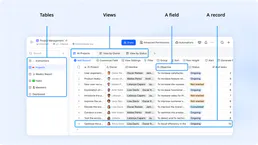
Feishu Bitable
10 toolsCollaborative multi-dimensional table platform by Lark — manage bases, tables, and records via AI.

DingTalk
10 toolsAlibaba's B2B office platform — manage users, departments, send notifications, track attendance, and automate approval workflows.

GitHub
12 toolsManage repositories, track issues, and search code via AI agents with GitHub.
Scrapfly
12 toolsScrape web data at scale with a managed API that handles proxies, browser rendering, and anti-bot bypassing automatically.
You might also like
SEC EDGAR Companies — Ticker Lookup & Company Search
3 toolsLook up any U.S. public company on SEC EDGAR: resolve stock tickers (AAPL, TSLA, MSFT) to CIK numbers, search 8,000+ registered companies by name, and retrieve full SEC registration profiles including SIC industry codes, exchanges, and fiscal year details.

Prisma Cloud
7 toolsConnect Prisma Cloud to any AI agent via MCP.

Axiom
31 toolsManage logs and observability data via Axiom — ingest data, run APL queries, and manage datasets or monitors directly from any AI agent.
ClickSend
8 toolsManage SMS and multi-channel messaging via ClickSend — send messages, track history, and monitor inbound SMS directly from any AI agent.
We built the connector to Microsoft Teams Webhook Notifier. Now put your agents to work. Fully governed.
Vinkius is the AI Gateway with managed hosting. Stop building connectors. Every connection runs inside eight layers of security.
Hosted, sandboxed, and live on AWS. You don't provision anything. You don't maintain anything. You connect.
Every tool call, every token, every response. Logged and auditable. Data flows direct from Microsoft Teams Webhook Notifier to your agent. Nothing is stored on our side. Ever.
Eight governance layers on every request. Sensitive data redacted before it reaches the model. Kill switch if anything goes sideways. Always on.