
Toggl Plan MCP. Manage timelines and workloads via chat commands.
 Gemini
 Works with every AI agent you already use
…and any MCP-compatible client









Just plug in your AI agents and start using Vinkius.
Toggl Plan MCP Server gives your AI agent direct control over team timelines, milestones, and workloads. Instead of clicking through complex dashboards, you can list projects, create new tasks, update deadlines, or check resource availability just by asking.
It turns project planning into a conversation.
What your AI agents can do
Create milestone
Adds a new milestone marker to the project timeline.
Create timeline task
Schedules a brand-new task segment on the timeline using specified start and end dates.
Delete timeline task
Permanently removes an existing, completed, or deprecated task from the timeline.
Retrieve a date-specific view of all active tasks and milestones within the workspace.
List every project currently running in the workspace or check the available standardized tags for categorization.
Create new tasks on the timeline, update existing task details (like dates), or permanently remove outdated entries.
List all registered users in the workspace to help assign work or track capacity.
Ask AI about this MCP
Supported MCP Clients
Gemini Waiting for input…
Toggl Plan MCP Server: 10 Tools for Project Scheduling
Use these ten specialized tools to programmatically manage every aspect of your team’s project timelines, from creating milestones to listing user directories.
019d7613create milestone
Adds a new milestone marker to the project timeline.
019d7613create timeline task
Schedules a brand-new task segment on the timeline using specified start and end dates.
019d7613delete timeline task
Permanently removes an existing, completed, or deprecated task from the timeline.
019d7613get task details
Pulls all specific data points for a single, identified task on the timeline.
019d7613get timeline view
Retrieves a complete visual view of the timeline tasks that fall within a defined date range.
019d7613list milestones
Displays a list of every milestone marker currently set up on the project timeline.
019d7613list workspace members
Retrieves a full directory of all people registered in the current workspace.
019d7613list workspace projects
Lists every active project and its status within the entire workspace.
019d7613list workspace tags
Retrieves a list of all available tags used to categorize tasks across the board.
019d7613update timeline task
Modifies an existing task on the timeline by providing updated data in a JSON format.
Choose How to Get Started
Build a custom MCP for your own tools, or connect a ready-made integration from our catalog.
Build Your Own
Turn any API into an MCP. Import a spec, define Agent Skills, or deploy with MCPFusion.
- Import from OpenAPI, Swagger, or YAML specs
- Create Agent Skills with progressive disclosure
- Deploy to edge with MCPFusion framework
- Built in DLP, auth, and compliance on every call
- Real time usage dashboard and cost metering
- Publish to catalog or keep private
Make Your AI Do More
Start with Toggl Plan, then connect any of our 4,700+ other servers whenever your AI needs more. One click, no limits.
- Use this MCP plus 4,700+ others, all in one place
- Add new capabilities to your AI anytime you want
- Every connection is secured and compliant automatically
- Track usage and costs across all your servers
- Works with Claude, ChatGPT, Cursor, and more
- New servers added to the catalog every week
What you can do with this MCP connector
This server gives your AI agent direct control over every moving part of your team's project plan, bypassing those clunky dashboards entirely. You don't gotta click through deep menus to manage timelines or check resource capacity; you just talk to your agent and it handles the heavy lifting. It turns complex project management into a simple conversation.
Project Structure & Scope Management
Your agent can give you an immediate view of everything running in the workspace. You'll get a complete list of every active project, which list_workspace_projects pulls for you. Need to know what kind of work gets done? list_workspace_tags provides a full directory of all standardized tags used to categorize tasks across your board.
When it comes to people, list_workspace_members gathers a comprehensive directory of every user registered in the workspace so you can assign work or check capacity.
Reading and Viewing Timelines
You'll never have to manually build a date range view again. The tool that calls get_timeline_view retrieves a complete visual breakdown of all tasks and milestones falling within specific dates. If you only care about the major checkpoints, list_milestones displays every milestone marker currently set up on the project timeline.
For deep dives into just one piece of work, get_task_details pulls all specific data points for an identified task.
Controlling Task Lifecycles
This is where you take control. Your agent can create new tasks using create_timeline_task, scheduling a brand-new segment on the timeline with precise start and end dates. You can also modify existing work; update_timeline_task lets your agent change details for any current task by providing updated data in JSON format.
If a task is outdated or finished, you don't gotta worry about it hanging around—calling delete_timeline_task permanently removes that entry from the timeline.
Combining Tools into Workflow
Your agent handles everything: It can pull all available tags (list_workspace_tags), check every active project (list_workspace_projects), and list every user on the team (list_workspace_members). You can then tell it to create a milestone using create_milestone, or schedule an initial task segment that gets pulled into a timeline view via get_timeline_view.
It gives you granular control to update those tasks, making sure your project data is always current and actionable. This means if you need to see what's happening in Q3, it pulls the right data; if you need to move a deadline, it updates the record. You keep everything organized without touching the graphical interface.
How Toggl Plan MCP Works
- 1 Subscribe your AI client to this server component and input your specific Toggl Plan API Token.
- 2 Instruct your agent with a command, like 'List all active projects in Workspace X' or 'Create milestone Y for Q3'.
- 3 The server executes the required tool (e.g.,
list_workspace_projects), returns structured data, and lets your AI client complete the action.
The bottom line is: you use natural language to execute complex, multi-step project management commands that would otherwise require clicking through multiple menus.
Who Is Toggl Plan MCP For?
Project Managers who are tired of manually updating Gantt charts. Resource Planners who need to measure team capacity against operational milestones quickly. Software Engineers who want to synchronize technical updates directly into the timeline without opening the web frontend.
Uses tools like list_workspace_projects and create_milestone to keep stakeholders updated and ensure project phases align with deadlines.
Checks team capacity by running list_workspace_members against scheduled workloads to prevent resource bottlenecks before they happen.
Uses the agent to call tasks and update dates via update_timeline_task immediately after a code review, keeping the plan current without switching tools.
What Changes When You Connect
- Instant visibility into the whole project scope. Instead of clicking through multiple menus, running
list_workspace_projectsgives you an immediate list of everything the team is tackling right now. - Never lose track of a key deliverable. You can use
list_milestonesto pull up every major checkpoint on the timeline in seconds—no dashboard searching required. - Keep your data current, instantly. When a date shifts or a task finishes early, use
update_timeline_taskthrough chat instead of manually editing the GUI. - Manage capacity without leaving your terminal. Use
list_workspace_membersto get user directories and check who needs work assignment right now. - Task management in one flow. You can complete the full task cycle—create with
create_timeline_task, read details withget_task_details, and delete old ones withdelete_timeline_task—all via simple instructions.
Real-World Use Cases
Kick-off Review: What are we building?
The Project Manager needs to start a review. They ask the agent to run list_workspace_projects. The agent responds with a clean list, allowing them to confirm the scope before drafting any new tasks.
Scope Creep Mitigation: Adding an emergency task.
An urgent bug fix is needed. Instead of opening the project and searching for the right spot, the agent runs create_timeline_task, automatically scheduling the 'Bug Fix' segment with start/end dates.
Resource Reallocation: Who has capacity?
The team lead needs to move work from one person to another. They run list_workspace_members and cross-reference the output against known milestones, finding who is underutilized and where they can help.
End of Cycle Cleanup: Archiving old tasks.
The team finishes a module. Instead of clicking through to find the task ID and deleting it, the agent uses delete_timeline_task with simple confirmation instructions, keeping the timeline clean.
The Tradeoffs
Guessing Task IDs
The user tries to call get_task_details but provides a random string or an old ID that doesn't exist, resulting in a failure message.
→
Before getting details on one task, first run list_workspace_projects or get_timeline_view for the relevant date range. This ensures you have accurate context and IDs to work with.
Overwriting everything
The user tries to update a task but forgets to include the start date, causing the system to reject the entire request.
→
Always use get_task_details first. This shows you exactly which fields are required for an update and ensures your JSON payload is complete when calling update_timeline_task.
Thinking it's a calendar tool
The user asks the agent to 'send an email reminder' about the deadline, assuming the server handles communications.
→
This server only manages task data. To manage schedules, use create_milestone or list_milestones. For external communication, you need a messaging tool.
When It Fits, When It Doesn't
Use this if your core workflow revolves around structured time tracking, milestones, and resource capacity within a defined project workspace. You need to programmatically read the list of projects (list_workspace_projects), check who's available (list_workspace_members), and then execute changes like scheduling or updating dates. Don't use this if you only need general reporting (e.g., 'What was our revenue last quarter?')—that requires a financial database connection. Also, don't rely on it for task content writing; the server handles metadata, not the actual technical documentation.
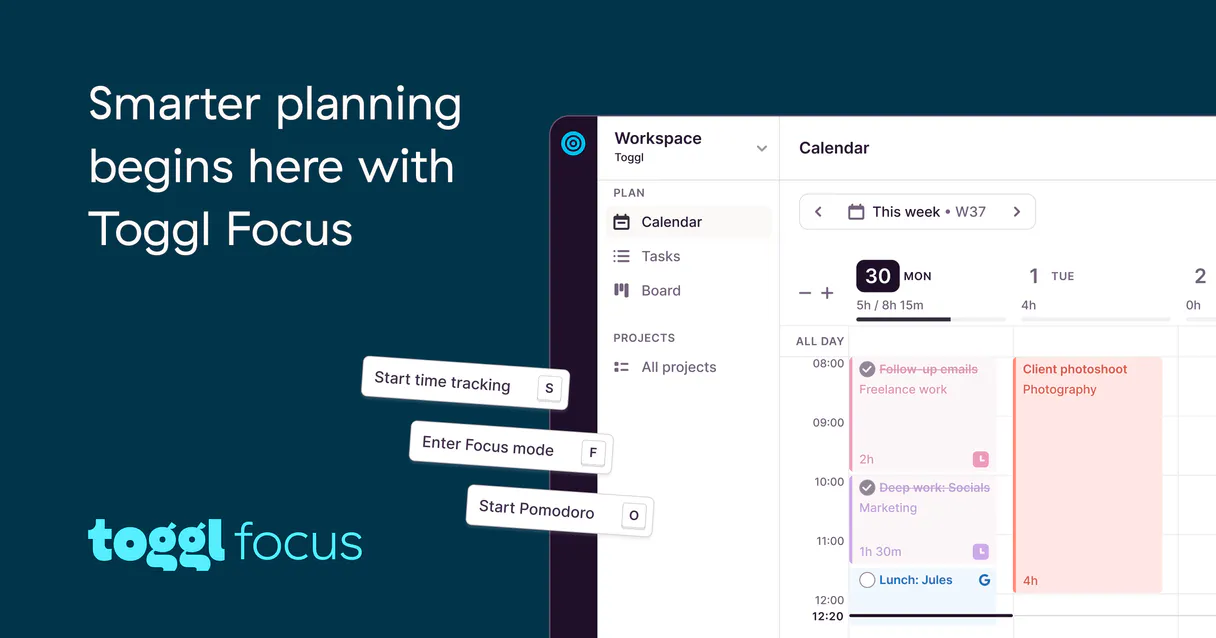
Independent Platform Disclaimer: Vinkius is an independent platform and is not affiliated with, endorsed by, sponsored by, verified by, or otherwise authorized by Toggl Plan. All third-party trademarks, logos, and brand names are the property of their respective owners. Their use on this website is strictly for informational purposes to identify service compatibility and interoperability.
VINKIUS INFRASTRUCTURE
Cloud Hosted
Managed infra
V8 Isolated
Sandboxed per request
Zero-Trust Proxy
No stored credentials
DLP Enforced
Policy on every call
GDPR Compliant
EU data residency
Token Compression
~60% cost reduction
Works with Claude, ChatGPT, Cursor, and more
The Model Context Protocol standardizes how applications expose capabilities to LLMs. Instead of operating in isolation, your AI gains direct access to external platforms, live data, and real-world actions through secure, standardized connections.
This server provides 10 capabilities that interface natively with Claude, ChatGPT, Cursor, and any MCP client. No middleware. No custom integration required.
Available Capabilities
Updating project timelines usually means navigating six different tabs and copying IDs.
Right now, changing a deadline or adding a minor milestone requires jumping between the main dashboard, the resource tab, and then manually selecting the correct task ID. This process is slow; it's clicking-intensive, error-prone data entry that eats up time you should spend planning.
With this MCP server, you just tell your agent what changed—say, 'Move Milestone Alpha two weeks.' The agent runs `update_timeline_task` and handles the complexity. You get immediate confirmation and a clean update without touching a single GUI button.
Toggl Plan MCP Server: Schedule tasks & balance workloads
The biggest time sink is the initial setup of work. You have to create the task, define its start/end dates, and then remember which project it belongs to. Doing this for a whole team takes hours of repetitive clicking.
Now? The agent runs `create_timeline_task`. You provide the name, the scope, and the dates in natural language. It handles all the data formatting and API calls. It's done in three lines of chat.
Common Questions About Toggl Plan MCP
How do I list projects using list_workspace_projects? +
You ask your agent to run list_workspace_projects. The server returns a clean list containing the name and ID for every active project in the workspace. This is perfect for starting any new task flow.
What if I need to change an existing date? Do I use update_timeline_task? +
Yes, you must use update_timeline_task. You'll need the original Task ID and the updated JSON payload for the dates. Always confirm the task exists first using get_task_details.
How many milestones can I see with list_milestones? +
The tool simply lists all existing milestone markers, regardless of how many there are. It's a quick way to audit the high-level checkpoints for any given project.
Can I add a new task on the timeline using create_timeline_task? +
Absolutely. You must provide three key pieces of information: the name, the start date (YYYY-MM-DD), and the end date (YYYY-MM-DD). The tool then creates the segment for you.
What happens if I use delete_timeline_task? Is this permanent? +
Yes, deleting a task is irreversible. The server permanently removes that entry from the timeline immediately upon execution. Use it carefully when you're absolutely sure the work segment is obsolete.
If I run get_task_details, what specific data points can I retrieve for a single timeline task? +
You get comprehensive details about that single task, including its name, start date, and end date. This function provides the core metadata needed to understand the segment's scope.
How does list_workspace_members help me manage team capacity? +
It returns a full directory of every registered user in your workspace. You use this list to verify who needs tasks assigned or whose bandwidth you need to check against project goals.
When using get_timeline_view, what format do I provide for the date range? +
You must specify both a 'since' and an 'until' date in YYYY-MM-DD format. This limits the view to only tasks that fall within that precise operational window.
Where do I obtain my Toggl Plan Access Token? +
Navigate to the Toggl Plan web panel, head over to your Profile settings, and locate the Developer/API Integrations segment. You will need a valid Access Token (often labeled API or OAuth Bearer token in your administrative view). Create it permanently and keep the exposed hash secure.
Does the system support permanent deletion of elements? +
Yes. This connector features a delete_timeline_task handler. If specifically instructed by you, the AI agent is capable of making a permanent removal request which cannot be un-done. You should instruct the AI cautiously when using mutations.
Are there any data sync delays when updating timelines with the agent? +
No. Toggl Plan's API ensures immediate reflection of all timeline and milestone changes. When the agent updates a task or resource allocation, it instantly appears in the web interface for all workspace users without any caching delays.
Use it with your favorite AI tools
Connect this server to Cursor, Claude, VS Code, and more.
More in this category

Deterministic 50/30/20 Budget Engine
Transform your AI into a hyper-precise financial controller. Mathematically enforce the 50/30/20 budgeting rule on pre-categorized expense pipelines to detect exact capital deviations.

Invoice Ninja
Manage clients, invoices, and products directly through AI.

Google Sheets
Interact with Google Sheets to read, write, and manipulate data via AI.
You might also like
DocuSign
Send documents for signature, manage envelopes, track signing status, and automate contract workflows with AI.

Degreed
Equip your AI agent to discover learning content, track skills, and monitor user completions via the Degreed API.

ClickTime
Manage time tracking and resource planning via ClickTime — track entries, monitor projects, and audit client hours directly from any AI agent.