
Trengo MCP. Manage all customer chats and tickets from one place.
 Gemini
 Works with every AI agent you already use
…and any MCP-compatible client









Just plug in your AI agents and start using Vinkius.
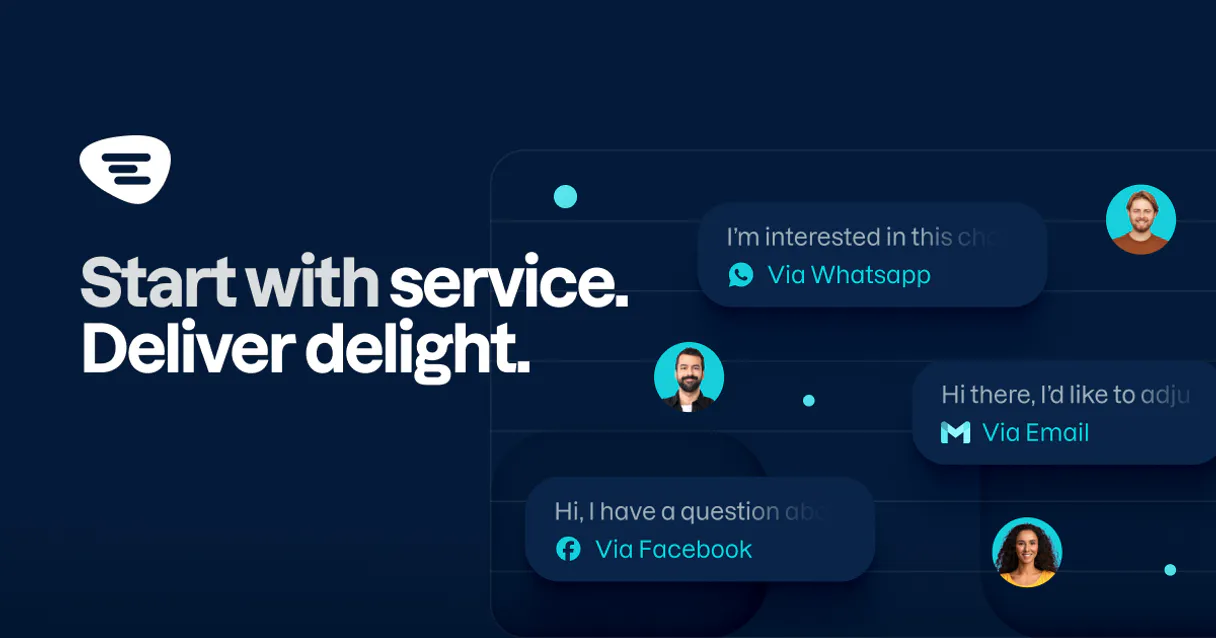
Trengo connects your customer communication channels—WhatsApp, email, chat, and social media—into one shared inbox. Your AI client manages every interaction, allowing you to handle support tickets, update statuses, and communicate with customers without leaving the workspace.
What your AI agents can do
Create ticket
Opens a new support ticket record in Trengo.
Create webhook
Creates and configures a new webhook for real-time event tracking.
Get account profile
Retrieves basic profile information for the current user in Trengo.
Update a support ticket from OPEN to CLOSED, or reassign it to another team member via simple commands.
Fetch all messages exchanged on a specific ticket, including both customer queries and internal notes.
Open a brand-new ticket immediately when an inquiry comes in through any channel or manually via the agent.
Send messages directly to customers, whether they started the conversation on chat or email.
List your team members and check their current workload status to route tickets properly.
Ask AI about this MCP
Supported MCP Clients
OAuth 2.0 Compatible Gemini Waiting for input…
Trengo: 12 Tools for Omnichannel Support Management
Use these tools to manage the full lifecycle of customer conversations, from listing contacts and checking team availability to sending messages and closing tickets.
Make your AI actually useful.
Add this MCP to Claude, Cursor, or Windsurf and your AI stops guessing. It gets real tools to look things up, take action, and handle the stuff you keep doing by hand.
Start using Trengo on Vinkius019dd179create ticket
Opens a new support ticket record in Trengo.
019dd179create webhook
Creates and configures a new webhook for real-time event tracking.
019dd179get account profile
Retrieves basic profile information for the current user in Trengo.
019dd179get ticket
Fetches detailed information and status updates for a specific ticket number.
019dd179list channels
Lists all active communication channels connected to your Trengo account.
019dd179list contacts
Retrieves the full database of contacts associated with the account.
019dd179list messages
Lists all message history for a given support ticket or conversation thread.
019dd179list team members
Retrieves a list of all users on the team and their current availability status.
019dd179list tickets
Lists every support ticket currently tracked in the system, often with filter options (open/closed).
019dd179list webhooks
Shows all webhooks that are currently configured and monitored.
019dd179send message
Sends a message to a customer or an internal team member via the connected channel.
019dd179update ticket
Changes the status of an existing ticket, like marking it as resolved or assigned.
Choose How to Get Started
Build a custom MCP for your own tools, or connect a ready-made integration from our catalog.
Build Your Own
Turn any API into an MCP. Import a spec, define Agent Skills, or deploy with MCPFusion.
- Import from OpenAPI, Swagger, or YAML specs
- Create Agent Skills with progressive disclosure
- Deploy to edge with MCPFusion framework
- Built in DLP, auth, and compliance on every call
- Real time usage dashboard and cost metering
- Publish to catalog or keep private
Make Your AI Do More
Start with Trengo, then connect any of our 4,800+ other servers whenever your AI needs more. One click, no limits.
- Use this MCP plus 4,800+ others, all in one place
- Add new capabilities to your AI anytime you want
- Every connection is secured and compliant automatically
- Track usage and costs across all your servers
- Works with Claude, ChatGPT, Cursor, and more
- New servers added to the catalog every week
Independent Platform Disclaimer: Vinkius is an independent platform and is not affiliated with, endorsed by, sponsored by, verified by, or otherwise authorized by Trengo. All third-party trademarks, logos, and brand names are the property of their respective owners. Their use on this website is strictly for informational purposes to identify service compatibility and interoperability.
VINKIUS INFRASTRUCTURE
Cloud Hosted
Managed infra
V8 Isolated
Sandboxed per request
Zero-Trust Proxy
No stored credentials
DLP Enforced
Policy on every call
GDPR Compliant
EU data residency
Token Compression
~60% cost reduction
Works with Claude, ChatGPT, Cursor, and more
The Model Context Protocol standardizes how applications expose capabilities to LLMs. Instead of operating in isolation, your AI gains direct access to external platforms, live data, and real-world actions through secure, standardized connections.
This server provides 12 capabilities that interface natively with Claude, ChatGPT, Cursor, and any MCP client. No middleware. No custom integration required.
Switching between communication apps is a massive time sink.
Today, dealing with one customer means jumping through hoops: checking their last email in Outlook, then switching to WhatsApp for the latest chat message, and finally going into the helpdesk platform just to see if it's already opened. You spend more time navigating tabs than solving problems.
With the Trengo MCP Server, your agent brings all that data together. You use simple commands like `list_tickets` or `get_ticket`, and the AI client presents a single, unified view of every conversation—no matter where it started.
The Trengo MCP Server: Use `send_message` to communicate instantly.
Before this, if you needed to reply to a customer who messaged you on WhatsApp, you'd have to open the app, find the thread, type the response, and hit send. It’s siloed action.
Now, using `send_message`, you tell your agent what needs to be said and who it goes to. The AI handles sending that message through the correct channel automatically. It just works.
What you can do with this MCP connector
Trengo throws your customer chats, emails, and social media messages into one unified inbox. Your AI client handles every single interaction across WhatsApp, email, chat, and other channels. You never gotta juggle multiple dashboards again; it's all right here.
Managing Support Tickets:
When an inquiry comes in or you need to manually open a case, your agent can create_ticket, instantly opening a brand-new support record in Trengo. If you wanna check what’s going on across the board, it'll run list_tickets so you see every ticket tracked—open or closed. You can then dive deep into any single case using get_ticket to pull up all the details and current status updates for that specific number.
Need to change things? Your agent handles the ticket lifecycle directly. It'll run update_ticket, letting you mark a ticket as resolved, or reassign it to another team member with simple commands. You can also use list_contacts to pull up the full database of every contact associated with the account.
Handling Conversations:
Communication is straightforward. Your agent will run send_message, letting you shoot a direct message straight to a customer or even an internal team member through any connected channel. When you need background context, it'll execute list_messages, pulling together all the exchange history for that ticket—that includes both the original customer queries and any notes your own team wrote.
Team Visibility & Channels:
You don’t gotta guess who’s free. Your agent runs list_team_members to give you a roster of everyone on the team, showing their current availability status so you can route tickets properly. It'll also run list_channels, listing every single active communication channel connected to your Trengo account—you always know where to look for messages.
Need to check who you are in this system? You can get basic profile information using get_account_profile.
System Setup & Monitoring:
For deeper system control, your agent manages webhooks. It’ll run list_webhooks to show all the webhooks currently configured and monitored by the account. If you need to track real-time events from another service, it can create_webhook, building and configuring a new webhook for immediate event tracking.
019dd179-8267-737c-a3d0-c2a4052b6672 
How Trengo MCP Works
- 1 Subscribe to the Trengo server, then enter your API token into your AI client.
- 2 Ask your agent to perform a task (e.g., 'List all open support tickets').
- 3 The agent executes the necessary tool calls and provides you with actionable data or updates the record.
The bottom line is that your agent treats Trengo like a natural part of your workflow, making API calls behind the scenes so you don't have to.
Who Is Trengo MCP For?
This server is for support managers and customer success teams whose jobs require them to switch between email, WhatsApp, live chat, and social media. If your team wastes time checking multiple dashboards just to see one conversation thread, you need this.
Needs to quickly grab ticket histories or monitor overall team activity across all channels without writing any code.
Responds to customer inquiries and updates the necessary ticket statuses (e.g., CLOSED) directly from their primary workspace.
Coordinates multiple communication channels, checks webhook event logs, and manages team member assignments using AI prompts.
What Changes When You Connect
- Consolidate communications: Never jump between email, WhatsApp, or chat interfaces again. The agent gathers every conversation into a single view, making context easy to track.
- Control ticket status instantly: Need to mark a case as resolved? Use
update_ticketand let your AI client handle the state change without needing to click through menus. - Track every message: Forget digging through threads. Call
list_messagesto pull up the last 3 messages, including internal notes, in seconds. - Coordinate your team better: The agent can use
list_team_membersto check who is free and what their current workload is before assigning a ticket. - Stay organized with webhooks: Use
create_webhookto automatically track critical conversation events so you never miss an update in real-time.
Real-World Use Cases
The Agent Needs Full Ticket History
A customer calls about a billing issue, but the initial chat was weeks ago. Instead of asking the user to navigate through old emails and chats, your agent simply runs list_messages for that ticket ID. You get all three streams—the original query, the support reply, and the internal finance note—in one go.
Closing Out a Resolved Case
The customer confirms the fix via email. Your agent runs get_ticket to verify details, then calls update_ticket to change the status to 'CLOSED' and adds an internal note about who resolved it. Done in three commands.
Onboarding a New Team Member
A new agent needs context on the last week’s activity. They ask their AI client, which uses list_tickets, and immediately gets a digest of all open tickets across WhatsApp and email, along with who they are assigned to.
Monitoring System Events
The operations team needs to know when a specific type of interaction happens. They use list_webhooks to check existing monitoring endpoints and then run create_webhook to track real-time events for better visibility.
The Tradeoffs
Copying/Pasting Conversations
A support rep has to open the web portal, manually copy all messages from WhatsApp into a Jira ticket, and then paste them into an email summary. This is slow, error-prone, and loses context.
→
Let your agent handle it. Use list_messages with the specific ticket ID. The result gives you clean, structured data that you can use immediately without any copy/pasting.
Guessing Ticket Status
A manager thinks a ticket is closed because they saw an email reply, but it's still showing 'OPEN' in the system. They waste time chasing down confirmation.
→
Always verify status using get_ticket. This tool gives you the official record—the actual state of that support case—so you know for sure before making changes.
Manually Checking Team Capacity
The queue is backed up, and someone needs to take over a critical ticket. The team lead spends 15 minutes calling people or checking multiple Slack channels to see who has bandwidth.
→
Ask the agent to run list_team_members. It gives you an instant overview of availability and workload across your entire team.
When It Fits, When It Doesn't
Use this server if managing diverse customer conversations is core to your job. Specifically, if you handle inquiries via email, chat, and WhatsApp, the unified view is non-negotiable. You'll use list_tickets, get_ticket, and update_ticket constantly.
Don't use this server if your primary need is just a simple contact database lookup (you might be better served by a dedicated CRM tool). If you only ever deal with one channel—say, only phone calls—then the complexity of the omni-channel tools isn't worth it. You want to run list_messages and send_message as if the conversation source doesn't matter.
Common Questions About Trengo MCP
How do I check if a ticket is open or closed using Trengo MCP Server? +
You use get_ticket to pull up all the details for that specific case. The tool returns the current status (OPEN, CLOSED, etc.), letting you verify it before taking any action.
Can I see messages from WhatsApp and email together with list_messages? +
Yes, list_messages aggregates history across channels. It pulls up the full conversation thread so you can see all communications—whether they started in chat or via email.
What tool should I use to assign a ticket to someone else? +
Use update_ticket. This allows your agent to change the status and reassign ownership of the case directly, making sure the right person sees it immediately.
Is there a way to list all my team members with Trengo MCP Server? +
Yes. Run list_team_members. This tool gives you an immediate overview of who is on your roster and helps you gauge overall team availability.
How does the `create_webhook` tool help me monitor conversations? +
It lets you programmatically set up real-time event tracking. You create a webhook to listen for specific events—like when a ticket hits 'OPEN' or a message is received—and trigger an external action based on that data.
When should I use the `send_message` tool? Does it only send replies? +
You use this to actively communicate with customers or add internal notes. It sends a message directly through Trengo from your AI client, whether that's an external reply or just a private team comment.
What kind of data can I pull using the `list_contacts` tool? +
The tool pulls comprehensive records on every contact. You get details like their name, associated channels (WhatsApp, email), and historical interaction summaries for quick context checks.
Can the `list_channels` tool verify my communication setup? +
Yes, this tool lists all configured communication channels connected to your account. You can check here if WhatsApp, chat, or email integration is active and ready for use by your team.
Can I see all the messages in a specific ticket via AI? +
Yes! Use the list_messages tool and provide the Ticket ID. Your agent will retrieve the full conversation history, including both customer messages and internal notes.
How do I add an internal note to a ticket that the customer won't see? +
Use the send_message action. Provide the Ticket ID and your text, and set the internal parameter to 'true'. This will log the message as a private note for your team.
Is it possible to list all communication channels like WhatsApp and Email? +
Absolutely. Use the list_channels query. The agent will retrieve all your active integrations, helping you identify which Channel ID to use when creating new tickets.
Use it with your favorite AI tools
Connect this server to Cursor, Claude, VS Code, and more.