
Webiny CMS MCP. Manage your whole content lifecycle via chat.
 Gemini
 Works with every AI agent you already use
…and any MCP-compatible client









Just plug in your AI agents and start using Vinkius.
Webiny CMS connects your AI agent directly to an enterprise headless content platform. This server lets you manage models, drafts, and published data through natural conversation.
You can use raw GraphQL queries or simple commands to list entries, update fields, or publish entire content models without touching a playground GUI.
What your AI agents can do
Create cms entry
Makes a new, unpublished draft entry for any specified content model.
Delete cms entry
Permanently removes an existing content entry revision. This action cannot be undone.
Execute graphql query
Runs a custom, raw GraphQL query or mutation against the CMS API, specifying read/manage/preview modes and locales.
Draft, modify fields on, and publish content entries for any defined model.
Automatically lists all available models, types, and fields in your CMS environment via introspection calls.
Runs any custom GraphQL query or mutation against the Webiny API for complex data reads or writes.
Retrieves full details for a specific content entry revision, allowing you to inspect metadata and field values.
Verifies the high-level global configuration settings of the entire CMS tenant.
Ask AI about this MCP
Supported MCP Clients
Gemini Waiting for input…
Webiny CMS MCP Server: 9 Tools for Content Management
Use these nine specialized tools to perform every standard content operation—from drafting a single field update to running complex site-wide data queries.
019d7621create cms entry
Makes a new, unpublished draft entry for any specified content model.
019d7621delete cms entry
Permanently removes an existing content entry revision. This action cannot be undone.
019d7621execute graphql query
Runs a custom, raw GraphQL query or mutation against the CMS API, specifying read/manage/preview modes and locales.
019d7621get api introspection
Fetches the entire GraphQL schema definition for your Webiny instance so your agent knows what data structures exist.
019d7621get model entry details
Retrieves all metadata and field values for a specific content model entry revision ID.
019d7621get tenant config
Pulls the global, high-level configuration settings that govern the entire Webiny tenant environment.
019d7621list model entries
Lists every existing content entry for a model (e.g., 'BlogPosts'), allowing you to specify if you want drafts or live versions.
019d7621publish cms entry
Promotes an unpublished draft entry revision, making it visible and accessible via the public Read API.
019d7621update cms entry
Modifies specific fields on an existing content model entry revision without recreating the entire record.
Choose How to Get Started
Build a custom MCP for your own tools, or connect a ready-made integration from our catalog.
Build Your Own
Turn any API into an MCP. Import a spec, define Agent Skills, or deploy with MCPFusion.
- Import from OpenAPI, Swagger, or YAML specs
- Create Agent Skills with progressive disclosure
- Deploy to edge with MCPFusion framework
- Built in DLP, auth, and compliance on every call
- Real time usage dashboard and cost metering
- Publish to catalog or keep private
Make Your AI Do More
Start with Webiny CMS, then connect any of our 4,700+ other servers whenever your AI needs more. One click, no limits.
- Use this MCP plus 4,700+ others, all in one place
- Add new capabilities to your AI anytime you want
- Every connection is secured and compliant automatically
- Track usage and costs across all your servers
- Works with Claude, ChatGPT, Cursor, and more
- New servers added to the catalog every week
What you can do with this MCP connector
You're running a headless CMS—a big deal—and you don't want to play with some clunky GUI just to update a few fields. This MCP Server connects your AI agent straight into your Webiny content infrastructure, treating the whole thing like a set of robust APIs exposed through natural conversation. You'll manage content models, drafts, and published data using simple commands or raw GraphQL queries; you don't have to touch a playground interface.
Content Lifecycle Management: Getting Stuff Live (or Deleting It)
The server lets your agent handle the full life cycle of any piece of content. If you need to start writing something new, it runs create_cms_entry, which immediately makes an unpublished draft for whatever content model you specify. When that draft is ready, it uses update_cms_entry to modify specific fields on that existing revision—you don't have to rebuild the whole record just to fix a typo or change a date.
Once everything looks good, the agent promotes it using publish_cms_entry, making the content live and visible via the public Read API. If you ever need to clean house and permanently remove an old piece of content, delete_cms_entry takes care of that revision. Just remember: this action is irreversible.
Discovery and Auditing: Knowing What You're Dealing With
You can’t manage what you don’t know. For discovery, the agent first calls get_api_introspection. This fetches the entire GraphQL schema definition for your Webiny instance, giving your AI client a complete map of every data structure, type, and field available in your CMS environment. Need to see what models exist? You can run list_model_entries, which lists all existing content entries—you can tell it if you want live versions or just the drafts sitting in the system.
When you pinpoint a specific piece of content by its revision ID, get_model_entry_details pulls every single bit of metadata and field value associated with that entry, letting you audit exactly what's stored there. For high-level checks on the entire environment, running get_tenant_config pulls all the global configuration settings governing your whole Webiny tenant.
Raw Data Execution: When Simple Commands Won't Cut It
Sometimes, what you need is more power than a simple 'update' command offers. That’s where raw GraphQL comes in. The server exposes execute_graphql_query, allowing your agent to run any custom, complex mutation or query against the CMS API. You specify whether you're reading data, managing it, or just previewing it, and you can even set specific locales for those queries.
This tool means there’s no operation too complicated for your AI client—it executes whatever GraphQL structure you define.
It all works together. Your agent uses introspection to find the model (e.g., 'Products'). It lists existing entries to check the current count. Then, if it needs to modify a specific product's description and price, it runs update_cms_entry. If that change is ready for the public, it hits publish_cms_entry. If you need to pull every field from five different models into one spreadsheet, you just write a complex query using execute_graphql_query.
This whole setup gives your agent full, deep access to everything running in your CMS.
How Webiny CMS MCP Works
- 1 Subscribe to this server and provide your Webiny API Domain and Access Token.
- 2 Your AI client uses the available tools—like
list_model_entriesorget_api_introspection—to understand your content structure. - 3 You prompt your agent (e.g., 'Publish the latest article for en-US'). The agent executes the necessary tool calls, returns the result, and you get the updated content status.
The bottom line is: your AI client becomes a full-time content operations manager that speaks only in natural language prompts.
Who Is Webiny CMS MCP For?
Content Managers who hate manually drafting JSON payloads. Headless Developers stuck writing repetitive GraphQL boilerplate. Marketing teams needing to verify publication status across multiple locales instantly. CMS Admins who need a quick way to check global tenant health without digging through the dashboard.
Uses get_api_introspection and execute_graphql_query to test model schemas and complex queries directly in chat, saving time writing boilerplate.
Manages the content flow by calling create_cms_entry, update_cms_entry, and publish_cms_entry without ever leaving their agent interface.
Uses get_tenant_config to verify global system settings or list_model_entries to audit content volumes across the site.
What Changes When You Connect
- Automate complex data operations. Instead of manually writing and debugging GraphQL, just prompt the agent to run a query using
execute_graphql_query. It handles the syntax for you. - Handle multi-locale publishing effortlessly. You can tell your agent, 'Update the article in English AND Spanish,' and it manages the necessary calls across different locales.
- Audit content changes instantly. Need to know what was changed? Use
get_model_entry_detailswith a specific ID to pull all metadata for that exact revision. - Go from draft to live status in two steps. Don't manually copy IDs; use the agent to call
publish_cms_entryafter you finish drafting it withcreate_cms_entry. - Discover everything without guessing. Run
get_api_introspectionfirst, and your agent shows you every single type and field available in your CMS.
Real-World Use Cases
The Content Manager needs to verify publication status.
A marketing manager has 20 new articles across multiple models. Instead of checking the dashboard for each one, they ask their agent to list_model_entries and filter by 'read' type and locale 'en-US'. The agent instantly compiles a list showing exactly which IDs are live and which still need publishing.
The Developer needs to test complex data relationships.
A developer needs to pull post details and all associated author bio data. Instead of manually writing nested GraphQL, they simply prompt the agent to execute_graphql_query with their custom logic. The agent runs it and returns clean JSON.
The Admin needs to fix a global site setting.
A CMS admin notices strange content behavior across different regions. They use the dedicated get_tenant_config tool via their agent. This immediately pulls the high-level settings, showing them if, say, multi-locale support is disabled or misconfigured.
The Team needs to onboard a new content type.
A team adds a new 'Product' model. Instead of reading documentation, they run get_api_introspection. The agent returns the full schema instantly—all fields, types, and relationships are visible right in the chat window.
The Tradeoffs
Assuming a single 'Save' button exists.
A user tries to update an entry by sending one large payload via execute_graphql_query, hoping it handles both the update and the publish steps at once.
→
You have to separate those actions. First, use update_cms_entry to modify the fields on the draft. Then, you must explicitly call publish_cms_entry with the specific revision ID to make the changes live.
Forgetting that deletion is irreversible.
A developer quickly drafts a removal script and runs it using delete_cms_entry, assuming they can just undo it later like deleting a file in trash.
→
Be careful. The tool documentation warns this action is permanent. Always run get_model_entry_details first to verify the exact ID you intend to delete before committing.
Using introspection as a replacement for reading data.
A user runs get_api_introspection and gets back a giant list of every possible field name, then tries to assume that all fields listed are currently populated with data.
→
get_api_introspection only shows the structure. To see actual content values for a specific item, you must use list_model_entries or get_model_entry_details.
When It Fits, When It Doesn't
Use this server if your workflow is purely focused on managing structured content—drafting, publishing, and querying data within the Webiny CMS. If you need to manage external services (like payment processing, email sending, or inventory), this isn't it; look for a specialized service tool instead.
Don't use this if your problem is 'I can't find my content.' Use list_model_entries first. Don't use it if you just need to read one piece of data without knowing the ID. Try get_api_introspection to see what queries are possible, or better yet, ask the agent for a guided query structure.
This is your single source of truth for content operations. It gives you fine-grained control over state changes (draft vs. published) via dedicated tools like create_cms_entry, update_cms_entry, and publish_cms_entry—which is much more reliable than trying to force everything through a raw GraphQL mutation.
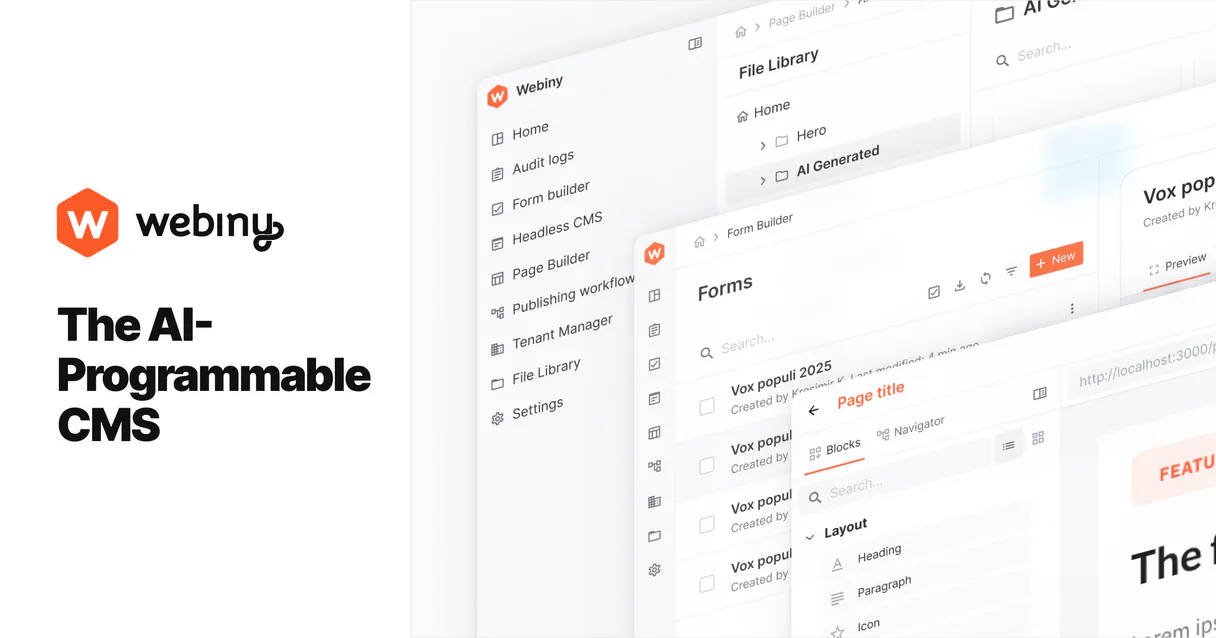
Independent Platform Disclaimer: Vinkius is an independent platform and is not affiliated with, endorsed by, sponsored by, verified by, or otherwise authorized by Webiny. All third-party trademarks, logos, and brand names are the property of their respective owners. Their use on this website is strictly for informational purposes to identify service compatibility and interoperability.
VINKIUS INFRASTRUCTURE
Cloud Hosted
Managed infra
V8 Isolated
Sandboxed per request
Zero-Trust Proxy
No stored credentials
DLP Enforced
Policy on every call
GDPR Compliant
EU data residency
Token Compression
~60% cost reduction
Works with Claude, ChatGPT, Cursor, and more
The Model Context Protocol standardizes how applications expose capabilities to LLMs. Instead of operating in isolation, your AI gains direct access to external platforms, live data, and real-world actions through secure, standardized connections.
This server provides 9 capabilities that interface natively with Claude, ChatGPT, Cursor, and any MCP client. No middleware. No custom integration required.
Available Capabilities
Content updates shouldn't require jumping between five different tabs.
Today, updating content means logging into the CMS dashboard. You might create the draft in one tab, check its status in another, and then switch to a GraphQL playground just to verify the API structure before you can finally hit 'publish.' It's copy-pasting IDs and fighting with JSON payloads.
With this MCP server, that whole process vanishes. Your agent handles the complexity. You simply tell it what needs changing—'Update the title and body of Article X'—and the necessary tool calls (`update_cms_entry` then `publish_cms_entry`) run automatically in the background. You get a confirmation, done.
Webiny CMS MCP Server: Manage content models & entries
Before this, if you wanted to know what fields were available for a new model type, you had to dig through the admin documentation or guess. The process was slow and required manual schema verification.
Now, running `get_api_introspection` gives your agent the full blueprint of your entire content system instantly. You can discover all available types, models, and fields right in the chat—no more guessing what data is even possible to store.
Common Questions About Webiny CMS MCP
How do I list entries for a specific model using `list_model_entries`? +
You provide the plural model name (e.g., 'Articles'). You also need to specify if you want live content ('read') or only drafts ('manage'). The tool returns a paginated list of IDs and titles.
Is `execute_graphql_query` better than using the other tools? +
execute_graphql_query is your escape hatch. Use it when you need complex, nested data logic that involves multiple models at once. But for simple CRUD, stick to dedicated tools like update_cms_entry; they're safer.
What is the difference between `create_cms_entry` and `get_model_entry_details`? +
create_cms_entry builds a brand-new draft record in the CMS. get_model_entry_details only reads data; it fetches all the fields and metadata for an entry that already exists.
Does publishing with `publish_cms_entry` make my changes permanent? +
Yes, calling publish_cms_entry makes the draft live. The content becomes accessible via the public 'read' API endpoint. Remember that this is a state change you can't easily reverse.
What does running `get_tenant_config` tell me about my CMS environment setup? +
It provides global settings for your entire Webiny tenant. This confirms if the core API credentials and high-level system configurations are healthy before you start making content changes.
If I run `update_cms_entry`, how do I prevent errors from invalid or missing field data? +
The tool validates your JSON payload against the target model's schema. It only updates fields that exist and accept the provided data type, preventing partial or corrupt content records.
Should I use `get_api_introspection` before writing any complex query? +
Yes. This tool fetches the full GraphQL schema for your instance. It lets you discover all available content types and fields, so you don't have to guess the required data structure.
Does using `delete_cms_entry` automatically trigger any kind of content versioning or recovery? +
No. This action permanently deletes the specified revision ID. Always make sure you retrieve and save the entry details via a read operation before running this command.
Can I publish a draft content entry via chat? +
Yes. The publish_cms_entry tool allows you to take any draft revision live. You just need to provide the entry ID and the model name, and your AI agent will handle the publication through the Webiny 'manage' API.
Is it possible to see the entire GraphQL schema of my instance? +
Absolutely. Using the get_api_introspection tool, your agent can retrieve the full GraphQL schema introspection, giving you a complete overview of all available types, fields, and content models in your environment.
How do I add a new entry to a content model through conversation? +
Use the create_cms_entry tool. Provide the singular model name (e.g., 'Article'), the target locale, and a JSON object containing the field data. Your agent will create the new draft entry instantly.
Use it with your favorite AI tools
Connect this server to Cursor, Claude, VS Code, and more.
More in this category

JSONPlaceholder
Access fake online REST API for testing and prototyping — manage posts, comments, albums, photos, and todos directly from your AI agent.

Abstract API
Enrich and verify data — audit geolocation, emails, and VAT via AI.

Codefresh
Manage CI/CD and GitOps via Codefresh — track pipelines, trigger builds, and monitor delivery clusters directly from any AI agent.
You might also like
NASA Asteroids — Near-Earth Objects & Planetary Defense
Track near-Earth asteroids and space rocks in real-time: browse the NeoWs asteroid database, monitor upcoming close approaches from JPL CNEOS, look up specific asteroids by ID, and review atmospheric fireball events detected by government sensors worldwide.

Polygonscan (Polygon Block Explorer)
Query the Polygon blockchain directly — check MATIC balances, track transactions, and inspect smart contracts via any AI agent.

Unanet
Project-based ERP for government contractors and professional services.