
Cal.com MCP. Manage all your scheduling from your terminal.
 Gemini
 Works with every AI agent you already use
…and any MCP-compatible client









Just plug in your AI agents and start using Vinkius.
Cal.com MCP Server. Use this to manage all scheduling and availability data from your Cal.com instance directly through your AI agent.
You can book, cancel, reschedule, and check available time slots without leaving your terminal or IDE. It reads your entire calendar status, allowing your agent to manage complex event flows using natural conversation.
What your AI agents can do
Cancel booking
Cancels a Cal.com booking using its UID and sends notifications to all involved parties.
Create booking
Programs a new booking on Cal.com, generating conferencing URLs and capturing the host's available slots.
Get available slots
Retrieves a list of specific time ranges when the user is free, based on mapped event types.
Cancel existing meetings, automatically sending notifications to the organizer and all guests with a reason.
Generate conferencing links and programmatically book new meetings on Cal.com, capturing the host's available slots.
Retrieve the exact boundaries of free time by querying mapped event types.
Get all details for a single Cal.com booking using its unique ID.
Retrieve the authenticated user's name, email, timezone, default schedule, and organizational details.
List all bookings, including attendee names, time slots, statuses (accepted, pending, cancelled, rejected), and links.
Change an existing meeting's time, which triggers emails to update the guest links.
Ask AI about this MCP
Supported MCP Clients
Gemini Waiting for input…
Cal.com MCP Server: 10 Tools for Scheduling
These tools allow your AI client to interact with Cal.com's backend. You can create, list, modify, and query every aspect of your calendar data.
019d7567cancel booking
Cancels a Cal.com booking using its UID and sends notifications to all involved parties.
019d7567create booking
Programs a new booking on Cal.com, generating conferencing URLs and capturing the host's available slots.
019d7567get available slots
Retrieves a list of specific time ranges when the user is free, based on mapped event types.
019d7567get booking
Gets full details for a specific Cal.com booking by passing its unique ID.
019d7567get event type
Extracts the detailed configuration for a specific Cal.com native event type.
019d7567get me
Retrieves the authenticated user's profile data, including name, email, and timezone.
019d7567list bookings
Lists all current Cal.com bookings, showing attendee status, time slots, and links.
019d7567list event types
Enumerates all available and structured scheduling types configured for Cal.com.
019d7567list schedules
Finds the core scheduling rules and time boundaries set for the user's work hours.
019d7567reschedule booking
Changes an existing booking's time, updating the event links and notifying all guests.
Choose How to Get Started
Build a custom MCP for your own tools, or connect a ready-made integration from our catalog.
Build Your Own
Turn any API into an MCP. Import a spec, define Agent Skills, or deploy with MCPFusion.
- Import from OpenAPI, Swagger, or YAML specs
- Create Agent Skills with progressive disclosure
- Deploy to edge with MCPFusion framework
- Built in DLP, auth, and compliance on every call
- Real time usage dashboard and cost metering
- Publish to catalog or keep private
Make Your AI Do More
Start with Cal.com, then connect any of our 4,700+ other servers whenever your AI needs more. One click, no limits.
- Use this MCP plus 4,700+ others, all in one place
- Add new capabilities to your AI anytime you want
- Every connection is secured and compliant automatically
- Track usage and costs across all your servers
- Works with Claude, ChatGPT, Cursor, and more
- New servers added to the catalog every week
What you can do with this MCP connector
Manage all your scheduling and availability data from your Cal.com instance directly through your AI agent. You can book, cancel, reschedule, and check available time slots without ever leaving your terminal or IDE. This server reads your entire calendar status, letting your agent manage complex event flows using natural conversation.
Manage Booking Status
cancel_booking: Cancels a specific Cal.com booking using its unique ID and sends notifications to everyone involved.reschedule_booking: Changes an existing meeting's time, updating the event links and notifying all guests.get_booking: Gets all the details for a single Cal.com booking by passing its unique ID.list_bookings: Lists all current Cal.com bookings, showing attendee status, time slots, and links.
Create New Appointments
create_booking: Programs a new booking on Cal.com, generating conferencing URLs and capturing the host's available slots.get_available_slots: Retrieves a list of specific time ranges when the user is free, based on mapped event types.
View Core Scheduling Data
get_event_type: Extracts the detailed configuration for a specific Cal.com native event type.list_event_types: Enumerates all available and structured scheduling types configured for Cal.com.list_schedules: Finds the core scheduling rules and time boundaries set for your work hours.
User Information
get_me: Retrieves the authenticated user's profile data, including your name, email, timezone, default schedule, and organizational details.
How Cal.com MCP Works
- 1 Subscribe to this server module and provide your Cal.com API key token.
- 2 Your AI agent sends a request (e.g., 'List all pending bookings').
- 3 The server executes the tool, returning structured data (e.g., a list of bookings with status and time) directly to your AI client.
The bottom line is, your AI agent handles all the API calls and data formatting; you just ask it what you need.
Who Is Cal.com MCP For?
This is for Sales Development Reps who need to scan all active demo bookings before sending a rescheduler parameter. It's for Technical Founders who need to verify overlapping schedules without leaving the terminal. Project Managers use it to map custom internal event classes across multiple communication channels.
Scans active demo bookings dynamically within their editor before sending an internal rescheduler parameter.
Checks for overlapping schedules and available intervals using terminal code, avoiding web UIs across multiple daily calls.
Maps custom internal event classes, ensuring the main link works correctly within organizational communication lines.
What Changes When You Connect
- The
list_bookingstool gives you a comprehensive view of every appointment. You get attendee names, time slots, and current status (accepted, pending, cancelled) instantly. - Need to change a meeting time?
reschedule_bookingupdates the host's time and triggers all necessary emails to update the guest links. - Checking availability is simple.
get_available_slotsqueries the raw databases to confirm exact free time windows for your organization. - Booking a meeting is fast.
create_bookinggenerates the conferencing URLs and programs the new booking instantly, capturing the host's slots. - The
get_metool lets your agent pull your core profile data—name, email, timezone—without you having to remember those details. - You can inspect any event with
get_booking. This tool pulls the full, raw details of a single booking using just its UID.
Real-World Use Cases
Rescheduling a Demo with a Client
A Sales Development Rep needs to move a demo booked last week. They ask their agent to use get_booking to get the current details, then use reschedule_booking to move it. The agent sends out updated links and confirms the new time, all without opening a browser.
Checking Team Availability for a Kickoff
A Project Manager needs to find a 90-minute slot next week. The agent calls list_schedules to check general rules, then uses get_available_slots to map out specific time windows across the team's raw database.
Finding a Specific Event Template
A founder needs the URL for a standard 'Onboarding' session. Instead of navigating the web UI, they ask their agent, which uses list_event_types to scan and retrieve the required master format and URL.
Mass Canceling Old Test Bookings
A team member needs to clear out old, unused test bookings. They ask the agent to use list_bookings to filter for 'cancelled' status, then use cancel_booking on the list of UIDs to clear the slate.
The Tradeoffs
Manual Calendar Syncing
Copying meeting times from a web dashboard, pasting them into a spreadsheet, and then manually updating a separate internal Jira ticket status.
→
Let your agent use list_bookings to get the structured list of all current appointments. Then, use get_booking on the specific UID to pull the necessary details directly into your workflow.
Guessing Availability
Assuming a team member is free because they don't have an obvious meeting on their calendar, but missing overlapping commitments or time zone issues.
→
Use get_available_slots to query the official time boundaries. This tool confirms actual free time by querying the original source databases, giving you accurate boundaries.
Complex Rescheduling Logic
Trying to reschedule a meeting by manually finding the old link, creating a new link, and then updating all attendees in three different systems.
→
Use reschedule_booking. This single tool handles modifying the host structure and automatically triggers the necessary email templates to update all guest links.
When It Fits, When It Doesn't
Use this if you need to manage time and appointments programmatically. Specifically, if your workflow requires checking actual free time (get_available_slots), modifying an event (reschedule_booking), or pulling structured event metadata (list_event_types), this is the tool. Don't use this if your goal is just to read a static, non-API-driven calendar screenshot; you need the live data. If you only need to pull your basic user profile (name/email), get_me is sufficient, but if you need scheduling data, stick with this suite.
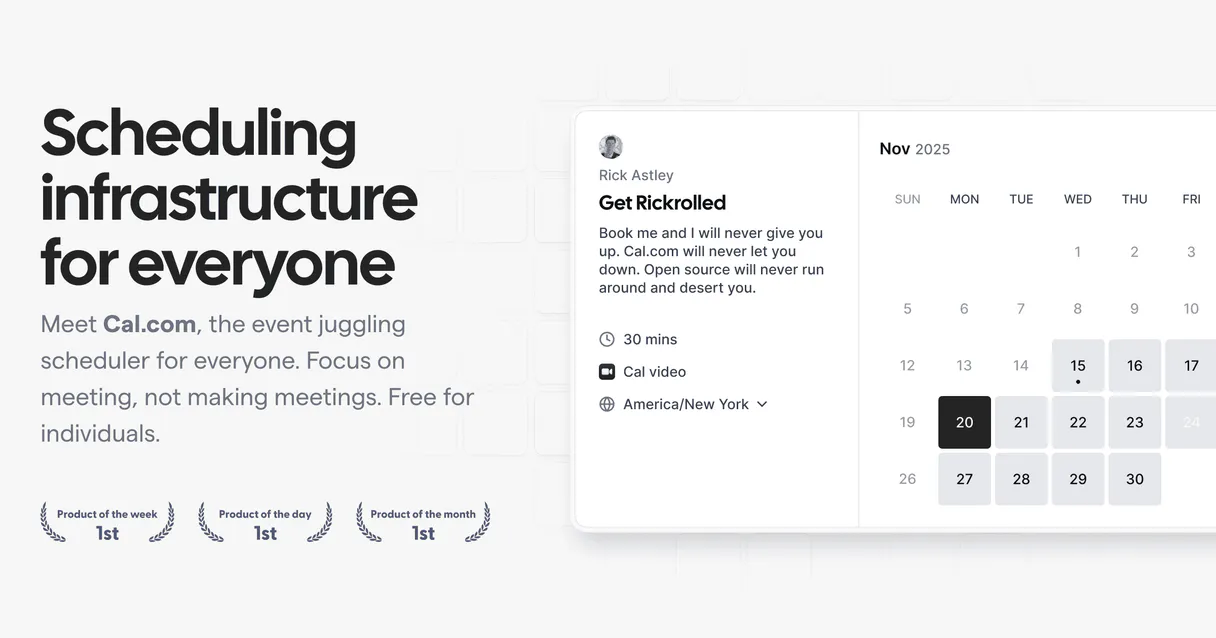
Independent Platform Disclaimer: Vinkius is an independent platform and is not affiliated with, endorsed by, sponsored by, verified by, or otherwise authorized by Cal.com. All third-party trademarks, logos, and brand names are the property of their respective owners. Their use on this website is strictly for informational purposes to identify service compatibility and interoperability.
VINKIUS INFRASTRUCTURE
Cloud Hosted
Managed infra
V8 Isolated
Sandboxed per request
Zero-Trust Proxy
No stored credentials
DLP Enforced
Policy on every call
GDPR Compliant
EU data residency
Token Compression
~60% cost reduction
Works with Claude, ChatGPT, Cursor, and more
The Model Context Protocol standardizes how applications expose capabilities to LLMs. Instead of operating in isolation, your AI gains direct access to external platforms, live data, and real-world actions through secure, standardized connections.
This server provides 10 capabilities that interface natively with Claude, ChatGPT, Cursor, and any MCP client. No middleware. No custom integration required.
Available Capabilities
Juggling calendars across five different tabs is exhausting.
Right now, scheduling means opening Cal.com, clicking into the 'Bookings' tab, switching to the 'Availability' view, cross-referencing the date picker, and then copying the resulting link into Slack or Jira. If you need to check a different person's schedule, you repeat the entire process, moving your mouse and losing context every time.
With this MCP Server, your AI agent manages the whole process. You just tell it, 'Find a slot for a 30-minute call next Tuesday.' The agent runs the necessary tools (`get_available_slots`) and returns a clean, actionable time array directly into your chat interface.
Cal.com MCP Server: Manage all your scheduling from your terminal.
Before this, you had to manually copy UIDs or names and then paste them into separate systems to figure out who was booked, who was free, or what the meeting details were. It was a process of data aggregation, not communication.
Now, your AI agent runs the tools. It pulls the full booking details (via `get_booking`) or lists all events (via `list_bookings`) and hands you a clean, structured JSON object. You get the data, not a web page.
Common Questions About Cal.com MCP
How do I check my general work hours using the list_schedules tool? +
The list_schedules tool locates the core scheduling rules managed by Cal.com. It tells you the native boundaries for your working time, separate from any specific booked events.
Can I use the cancel_booking tool to clear out old appointments? +
Yes. The cancel_booking tool requires a specific booking UID. Once provided, it cancels the booking and fires notifications to both the organizer and all external guests.
What is the difference between list_bookings and get_booking? +
list_bookings gives you a summary of every booking (status, time, attendees). get_booking pulls the complete, deep details for one single booking using its unique UID.
Does the get_available_slots tool account for different time zones? +
Yes. It retrieves the exact time spans, verifying free time across mapped event types and accounting for the organization's time zone settings.
How do I use the get_me tool to check my user profile details? +
The get_me tool retrieves your profile data, including your name, email, timezone, and organization details. It's useful for confirming which user context your AI agent is operating under before making any changes.
What data does the list_bookings tool provide for a specific time range? +
The list_bookings tool returns a standardized list containing attendee names, specific time slots, and the booking status (accepted, pending, cancelled, or rejected). You can filter this list by status to isolate confirmed or canceled events.
Can I use the get_event_type tool to see all my available booking formats? +
Yes, the get_event_type tool extracts detailed configuration information for a specific Cal.com event type. This helps you understand the underlying rules and structure of the booking format you're working with.
If I need to change an appointment, should I use reschedule_booking or get_booking first? +
You should use get_booking first to retrieve the existing booking's UID. Once you have the UID, you pass it to reschedule_booking, which updates the event and triggers necessary email notifications to the guests.
Can it check if my 2:00 PM slot is strictly open inside its origin database matrices? +
Yes. Ask the agent via the get_available_slots interface tool, targeting dates. It cross-examines the true structural Cal parameters securely to verify if open overlapping exist immediately bypassing graphical user errors naturally quickly cleanly.
Can I cancel meeting structures via AI conversational queries exclusively securely easily fluidly quickly natively? +
Absolutely naturally fully completely completely totally definitively accurately effortlessly flawlessly functionally effectively. State you wish to cancel an event and either provide the ID explicitly or let it query. The system runs the termination protocol, alerting your invitees without manually lifting a secondary click internally securely truly natively powerfully organically efficiently properly cleanly smoothly reliably instantly natively naturally swiftly correctly.
Will the AI inform me who booked specific categories dynamically cleanly properly safely natively reliably securely properly? +
Yes naturally properly flawlessly comprehensively effectively directly efficiently easily seamlessly properly exactly reliably successfully strongly surely securely fully. Any simple invocation of the list bookings protocol surfaces arrays listing not just times but total attendees correctly linked with respective details precisely effectively smoothly natively exactly flawlessly.
Use it with your favorite AI tools
Connect this server to Cursor, Claude, VS Code, and more.
More in this category
MindsDB (AI Database & Predictors)
Manage AI-powered data via MindsDB — execute SQL predictions, audit ML models, and connect data sources.
Cal.com
Manage your scheduling via Cal.com — track bookings, manage event types, and coordinate meetings directly from any AI agent.

Dagster
Orchestrate data pipelines via Dagster — monitor jobs, track runs, manage software-defined assets, and audit schedules directly from any AI agent.
You might also like
SEC EDGAR Companies — Ticker Lookup & Company Search
Look up any U.S. public company on SEC EDGAR: resolve stock tickers (AAPL, TSLA, MSFT) to CIK numbers, search 8,000+ registered companies by name, and retrieve full SEC registration profiles including SIC industry codes, exchanges, and fiscal year details.

Appcues
Manage your Appcues flows, segments, and user experiences with AI — track activity and publish content effortlessly.

LinkAce
Manage your bookmarks, tags, and collections via the LinkAce REST API.