
Front MCP. Manage every customer conversation, no matter the channel.
 Gemini
 Works with every AI agent you already use
…and any MCP-compatible client









Just plug in your AI agents and start using Vinkius.
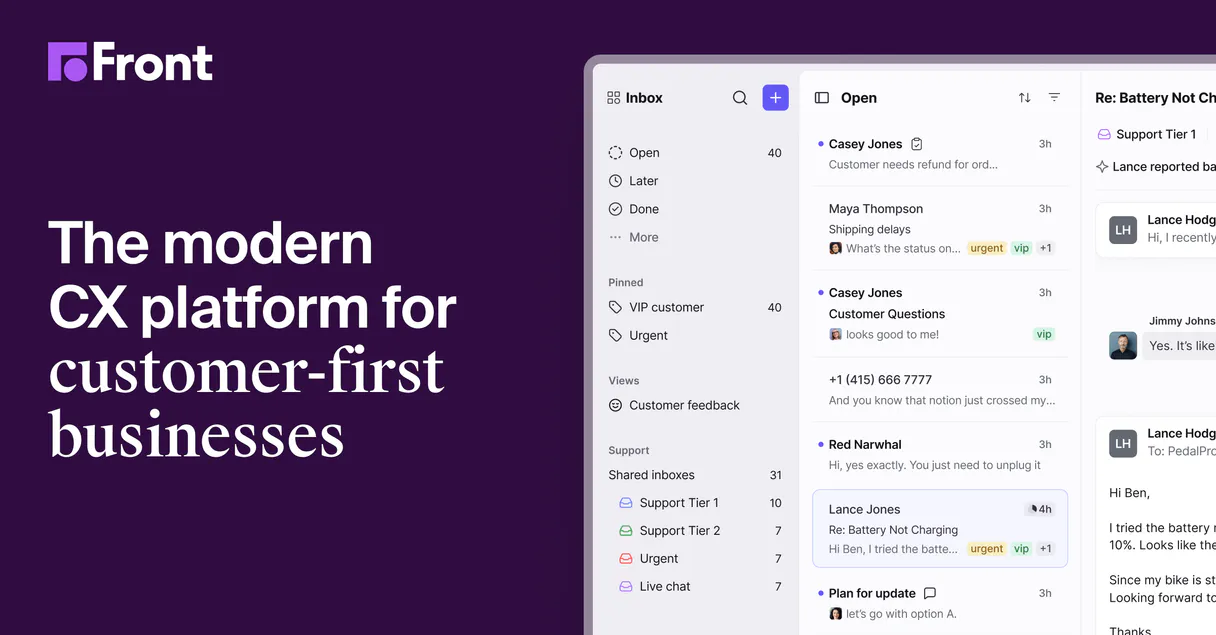
Front MCP Server manages shared inboxes across email, SMS, and social platforms. It lets your AI client treat your team's customer communication like a single stream, allowing you to organize, track, and reply to conversations without jumping between different communication apps.
What your AI agents can do
Get api status
Checks the connection status to the Front API.
Get contact info
Retrieves detailed contact information for a specific person.
Get conversation details
Gets metadata and details for a single customer conversation thread.
Find specific conversations by keywords or date range, and then update their status (e.g., open, archived, spam) using search_conversations_by_query and update_conversation_status.
Retrieve the full message thread, including metadata, for any conversation using list_conversation_messages and get_message_content.
Reply to an existing conversation thread using reply_to_conversation, sending the message from the unified AI interface.
List all team inboxes and active communication channels using list_shared_inboxes and list_active_channels.
Get specific contact information and list all team contacts using get_contact_info and list_team_contacts.
Use the agent to list team contacts and get conversation details to coordinate internal routing and workload distribution.
Ask AI about this MCP
Supported MCP Clients
OAuth 2.0 Compatible Gemini Waiting for input…
Front MCP Server: 12 Tools for Inbox & Channel Ops
Use these tools to list, search, and modify shared inboxes, contacts, and message history across email, SMS, and social channels.
Make your AI actually useful.
Add this MCP to Claude, Cursor, or Windsurf and your AI stops guessing. It gets real tools to look things up, take action, and handle the stuff you keep doing by hand.
Start using Front on Vinkius019dd0f5get api status
Checks the connection status to the Front API.
019dd0f5get contact info
Retrieves detailed contact information for a specific person.
019dd0f5get conversation details
Gets metadata and details for a single customer conversation thread.
019dd0f5get message content
Reads the full text and metadata of a single message.
019dd0f5list active channels
Lists all communication channels (email, chat, SMS) that are currently active.
019dd0f5list conversation messages
Retrieves the entire message history for a given conversation ID.
019dd0f5list conversations
Lists all current team conversations in the shared inboxes.
019dd0f5list shared inboxes
Lists all team shared inboxes configured in Front.
019dd0f5list team contacts
Retrieves a list of all contacts managed by the team.
019dd0f5reply to conversation
Sends a message reply to a specified conversation thread.
019dd0f5search conversations by query
Finds conversations based on a specific search query or criteria.
019dd0f5update conversation status
Changes the status of a conversation thread (e.g., open to resolved).
Choose How to Get Started
Build a custom MCP for your own tools, or connect a ready-made integration from our catalog.
Build Your Own
Turn any API into an MCP. Import a spec, define Agent Skills, or deploy with MCPFusion.
- Import from OpenAPI, Swagger, or YAML specs
- Create Agent Skills with progressive disclosure
- Deploy to edge with MCPFusion framework
- Built in DLP, auth, and compliance on every call
- Real time usage dashboard and cost metering
- Publish to catalog or keep private
Make Your AI Do More
Start with Front, then connect any of our 4,800+ other servers whenever your AI needs more. One click, no limits.
- Use this MCP plus 4,800+ others, all in one place
- Add new capabilities to your AI anytime you want
- Every connection is secured and compliant automatically
- Track usage and costs across all your servers
- Works with Claude, ChatGPT, Cursor, and more
- New servers added to the catalog every week
Independent Platform Disclaimer: Vinkius is an independent platform and is not affiliated with, endorsed by, sponsored by, verified by, or otherwise authorized by Front. All third-party trademarks, logos, and brand names are the property of their respective owners. Their use on this website is strictly for informational purposes to identify service compatibility and interoperability.
VINKIUS INFRASTRUCTURE
Cloud Hosted
Managed infra
V8 Isolated
Sandboxed per request
Zero-Trust Proxy
No stored credentials
DLP Enforced
Policy on every call
GDPR Compliant
EU data residency
Token Compression
~60% cost reduction
Works with Claude, ChatGPT, Cursor, and more
The Model Context Protocol standardizes how applications expose capabilities to LLMs. Instead of operating in isolation, your AI gains direct access to external platforms, live data, and real-world actions through secure, standardized connections.
This server provides 12 capabilities that interface natively with Claude, ChatGPT, Cursor, and any MCP client. No middleware. No custom integration required.
Manually managing customer communication is a time sink.
Today, handling a single customer issue means opening the email client, switching to the chat portal, then opening the CRM just to look up contact details. You copy-paste IDs, toggle tabs, and spend minutes just gathering the full history.
With this server, you tell your agent to 'Get the full history for the Acme account.' Your AI client runs `list_conversations` and `list_conversation_messages` internally, giving you the complete record instantly in the chat window. No switching needed.
Front MCP Server: Manage every conversation thread.
You don't have to manually check if the ticket is still open or who owns it. The agent runs `get_conversation_details` to check the status, and then it can `update_conversation_status` to move it along. You get the full operational visibility, automatically.
It’s not just about reading messages. It’s about controlling the whole workflow. Your AI acts as the coordinator, handling status updates and routing without you ever leaving the chat.
What you can do with this MCP connector
Front MCP Server gives your AI client full control over your team's shared inboxes across email, SMS, and social platforms. It treats all customer communication—emails, chats, and texts—like a single stream. You use this server to organize, track, and reply to conversations without switching between different apps.
Search and Triage Customer Threads
Your agent finds specific conversations by running a search query or checking a date range using search_conversations_by_query. It can also change a conversation's status—marking it open, archived, or spam—with update_conversation_status.
Compile Full Message History
Your agent gets the full message thread, including metadata, for any conversation using list_conversation_messages. You can then read the complete text and metadata of any single message with get_message_content.
Send Targeted Replies
When you need to respond, your agent replies to an existing conversation thread using reply_to_conversation, sending the message through the unified AI interface.
View and Manage Shared Inboxes
It lets your agent list all team shared inboxes configured in Front with list_shared_inboxes, and it lists all communication channels—email, chat, and SMS—that are currently active via list_active_channels.
Gather Contact Details
Your agent pulls specific contact details for a person using get_contact_info, and it can retrieve a full list of all contacts managed by the team with list_team_contacts.
Coordinate Team Workflow
Use the agent to list all current team conversations in the shared inboxes with list_conversations. You can also get conversation details to coordinate internal routing and workload distribution.
Check System Status
Your agent checks the connection status to the Front API with get_api_status.
019dd0f5-6e71-73b3-bc32-d74f16eac860 
How Front MCP Works
- 1 Get your API Token from Front (Settings > Developers > API Tokens).
- 2 Connect your AI client (Claude, Cursor, etc.) to the MCP Server using that token.
- 3 Tell your AI agent what you need (e.g., 'List all open conversations for the billing team'). The agent runs the relevant tools, and you get the answer in the chat.
The bottom line is, your AI client talks directly to Front's backend, so you never leave the chat to manage your shared inboxes.
Who Is Front MCP For?
The Support Manager who needs to know which ticket is stuck because it's sitting in a siloed email folder. The Customer Success Manager who has to copy/paste customer details from a CRM into a ticket. The Operations Lead who spends time manually assigning conversations to the right person. This server cuts the manual handoffs.
Triage high-volume, mixed-channel inboxes by asking the agent to list open conversations or search for specific keywords across all shared inboxes.
Gather full interaction histories for a client by asking the agent to get message content and contact details, keeping all context in one place.
Monitor team activity and manage team assignments by asking the agent to list active channels and manage team contacts.
What Changes When You Connect
- See the full picture of customer interactions. By calling
list_conversation_messagesandget_message_content, you get the entire history, not just the last message. You track sentiment and full context. - Stop bouncing between apps.
list_active_channelslets your agent monitor email, chat, and SMS from one place. You don't have to check three different dashboards. - Keep your team organized. Use
list_shared_inboxesto see all team inboxes. You can then uselist_conversationsto view the threads inside them. - Handle tickets at scale. With
search_conversations_by_query, your agent finds and filters high-volume threads instantly, letting your team focus on the hard stuff. - Close loops quickly. Use
update_conversation_statusto mark a ticket as resolved or archived. The agent handles the status change, keeping your records clean. - Get contact info fast. Call
get_contact_infoorlist_team_contactsto pull customer data and ensure your agent has the latest details before replying.
Real-World Use Cases
The Billing Team Needs to Close a Stale Ticket
A customer complained about a charge two weeks ago, but the ticket is still marked 'open' in the shared inbox. The agent runs search_conversations_by_query to find the thread. Then, it uses get_conversation_details to confirm the customer's name, and finally, it runs update_conversation_status to mark it as resolved, closing the loop.
The CSM Needs Full Context on a High-Value Client
A high-value client calls with an issue. The agent first runs list_conversations to get the ID. Then, it uses list_conversation_messages to pull the full history. Finally, it uses get_contact_info to verify the client's current details before replying.
The Ops Lead Needs to Know Which Channels Are Failing
The operations lead needs to check if SMS or chat is having issues. The agent calls list_active_channels to get a real-time list of all communication streams. This lets the lead verify operational status without logging into multiple vendor dashboards.
The Support Agent Needs to Send a Reply After Research
A customer asks a complex question. The agent first uses get_message_content to pull the specific details from the last message. It then uses reply_to_conversation to send the answer, keeping the entire exchange contained within the unified inbox.
The Tradeoffs
Jumping between dashboards
Manually checking the email inbox, then switching to the chat dashboard, then opening the CRM to get the customer's phone number. This process wastes time and loses context.
→
Use your agent. Tell it: 'Get the full context for customer X.' It runs list_conversations and list_conversation_messages and pulls the contact data using get_contact_info—all in one prompt.
Assuming one tool is enough
Trying to mark a conversation as resolved just by calling update_conversation_status without knowing the full history. You might miss a critical detail or forget to assign the follow-up.
→
First, use list_conversation_messages to read the full history. Then, use get_conversation_details to understand the full scope. Only then, use update_conversation_status to ensure the status change is accurate and complete.
Forgetting to search the whole pool
Only looking at the 'Urgent' shared inbox, missing a critical request that landed in the general 'support' channel. This leads to missed SLA targets.
→
Start by running list_shared_inboxes to see everything. Then, use search_conversations_by_query to search across all inboxes for specific keywords or dates.
When It Fits, When It Doesn't
Use this if your primary bottleneck is context. You need to know what happened, who said it, and where it came from, and you can't afford to manually switch tabs. The best use case is when you need to synthesize data from email, chat, and SMS into one single view. Don't use this if your only task is simple data entry (e.g., 'change the phone number'). For that, a simple contact management tool is fine. You need the orchestration layer this server provides. If you just need to read one single piece of data, stick to the single-purpose tools; if you need to act on data from multiple sources, use the Front MCP Server.
Common Questions About Front MCP
How do I use the `get_message_content` tool with Front MCP Server? +
You ask your agent to 'Read the last message from the client.' The agent calls get_message_content for the specific conversation ID and returns the full text and metadata. This is how you confirm who said what.
Can I use `list_shared_inboxes` to see all my team's mailboxes? +
Yes. The list_shared_inboxes tool lists all team inboxes configured in Front. This lets your agent know what communication pools exist for your team to manage.
What is the difference between `list_conversations` and `search_conversations_by_query`? +
Listing conversations (list_conversations) shows the current pool of threads. Searching (search_conversations_by_query) finds threads based on specific keywords, dates, or criteria across the whole system.
How does `reply_to_conversation` work? +
You instruct your agent to reply to a conversation ID and provide the text. The agent uses reply_to_conversation to send the message through the unified system.
Does Front MCP Server help with SMS messages? +
Yes. The server monitors multiple channels, including SMS, so your agent can pull message history and manage conversations regardless of whether the original message was an email or a text.
How do I use `get_contact_info` to find a customer's details? +
The get_contact_info tool fetches all structured data about a contact. You can pass an email address or name to get their full profile, including phone numbers and associated team members.
What is the purpose of the `update_conversation_status` tool? +
This tool changes the status of a specific conversation. You use it to mark threads as 'archived,' 'spam,' or 'open' directly through your agent, keeping your shared inbox accurate.
Can I list all active channels using `list_active_channels`? +
Yes, list_active_channels retrieves a list of every communication source connected to your account. This helps your agent see if Email, Chat, or SMS streams are currently active for monitoring.
How do I create an API Token in Front? +
Log in to Front, go to Settings > Developers > API Tokens, and click Create Token. Ensure you select the appropriate scopes for your needs.
Can I search for conversations by status? +
Yes! The list_conversations tool allows you to filter results by statuses like 'open', 'archived', 'deleted', or 'spam'.
How do I send a reply via AI? +
Use the reply_to_conversation tool by providing the conversationId and your message body. You can also specify an author_id to send as a specific teammate.
Use it with your favorite AI tools
Connect this server to Cursor, Claude, VS Code, and more.