
Nicereply MCP. Pull CSAT scores and customer feedback into chat.
 Gemini
 Works with every AI agent you already use
…and any MCP-compatible client









Just plug in your AI agents and start using Vinkius.
Nicereply MCP Server lets your agent access deep customer data without opening a browser tab. You can list all surveys, get CSAT/NPS metrics for specific reports, and inspect individual feedback responses or user profiles using tools like `list_surveys` and `get_survey_stats`.
It turns dashboard analysis into natural conversation.
What your AI agents can do
Get customer
Retrieves detailed data for one specific customer profile.
Get me
Fetches the current user's operational details within Nicereply.
Get rating values
Lists all possible rating values and scales used across your surveys.
Retrieves specific customer profiles, including their historical feedback patterns.
Pulls a list of every active survey set up in your Nicereply account.
Fetches detailed, aggregate statistics for any selected survey type or timeframe.
Streams a list of recent customer responses and feedback records.
Grabs the full metadata for one specific response or survey using its unique ID.
Lists workspace users and provides individual ratings or feedback scores for team members.
Ask AI about this MCP
Supported MCP Clients
Gemini Waiting for input…
Nicereply MCP Server: 10 Tools for Feedback & Metrics
These tools let your AI client pull specific metrics from Nicereply, covering everything from listing all users to getting a single customer's full history.
019d75ddget customer
Retrieves detailed data for one specific customer profile.
019d75ddget me
Fetches the current user's operational details within Nicereply.
019d75ddget rating values
Lists all possible rating values and scales used across your surveys.
019d75ddget response
Gets the full content and metadata for a single customer feedback response using its ID.
019d75ddget survey
Retrieves detailed information about one specific survey setup.
019d75ddget survey stats
Pulls aggregated statistics, like CSAT or NPS scores, for a given survey type.
019d75ddlist customers
Provides a list of all customers tracked in the Nicereply system.
019d75ddlist responses
Lists recent customer feedback responses, allowing you to see who rated and when.
019d75ddlist surveys
Gives a list of all surveys configured in your account.
019d75ddlist users
Lists every agent or workspace user who submits feedback or ratings.
Choose How to Get Started
Build a custom MCP for your own tools, or connect a ready-made integration from our catalog.
Build Your Own
Turn any API into an MCP. Import a spec, define Agent Skills, or deploy with MCPFusion.
- Import from OpenAPI, Swagger, or YAML specs
- Create Agent Skills with progressive disclosure
- Deploy to edge with MCPFusion framework
- Built in DLP, auth, and compliance on every call
- Real time usage dashboard and cost metering
- Publish to catalog or keep private
Make Your AI Do More
Start with Nicereply, then connect any of our 4,700+ other servers whenever your AI needs more. One click, no limits.
- Use this MCP plus 4,700+ others, all in one place
- Add new capabilities to your AI anytime you want
- Every connection is secured and compliant automatically
- Track usage and costs across all your servers
- Works with Claude, ChatGPT, Cursor, and more
- New servers added to the catalog every week
What you can do with this MCP connector
Listen up. This isn't just another dashboard view. The Nicereply MCP Server hooks your customer satisfaction data right into your conversation, letting your agent access metrics usually locked deep in a browser tab. It turns dry analysis into natural chat.
Survey Performance and Metrics
To start checking performance, you gotta use list_surveys, which gives you a complete rundown of every survey setup configured in your account. If you need specifics on one particular type, you can call get_survey to pull all the detailed info about that specific survey. Getting numbers is easy with get_survey_stats; this tool pulls aggregated statistics—like CSAT or NPS scores—for any given survey type or timeframe you specify.
Don't forget your rating scale; if you need to know what values are possible, get_rating_values lists all the rating scales and options used across your surveys.
Feedback Deep Dive
Want to see what people are actually saying? You start by listing recent responses using list_responses, which streams a list of customer feedback records, showing you who rated and when they did it. If one response looks interesting, you grab the full metadata—the actual text and context—by calling get_response with its unique ID.
This lets your agent inspect that single piece of feedback in real time.
Customer and Agent Tracking
Need to know who's talking or who's working? You can get a list of every customer tracked by running list_customers. If you need deep background on one person, get_customer pulls detailed data for that specific profile, including their entire history of submitted feedback patterns. For the team side of things, run list_users to see every agent or workspace user who submits ratings.
You can also check your own operational details by calling get_me. If you need to know about a specific person's input, you can get individual rating scores for those users.
How It Works in the Chat
When you connect this server, your AI client handles everything. You don't write API calls; you just ask questions like, 'What was our NPS score last month?' Your agent automatically uses get_survey_stats and spits the clean number right back into the conversation stream. It keeps the data flow moving without forcing anyone to jump between tabs or open a browser window.
You use these tools to analyze patterns, track history, and get numbers instantly.
How Nicereply MCP Works
- 1 Subscribe to the Nicereply server on Vinkius.
- 2 Plug in your private API key (the credential).
- 3 Ask your AI client a question—like, 'What was our CSAT score last week?'—and it executes
get_survey_stats.
The bottom line is: you get structured customer data directly into the chat window without leaving your workflow.
Who Is Nicereply MCP For?
Product Managers and Support Leads need this. If you’re tired of manually exporting CSVs from a web dashboard just to run a quick query or spot-check negative feedback, this is for you. You get real-time metrics pushed into your daily standup notes.
Uses list_responses and get_customer to quickly check if a high-value client submitted new feedback after an interaction.
Runs list_users and checks agent performance metrics (get_rating_values) during daily standups, flagging low performers immediately.
Uses get_survey_stats to analyze overall customer sentiment (NPS/CSAT) after a feature release, tracking specific feedback patterns.
What Changes When You Connect
- Stop hunting through dashboards. Use
get_survey_statsto get a clean, direct score (CSAT/NPS) for any survey without clicking through multiple tabs or filtering dates manually. - Instantly see who's talking. Running
list_responsesgives you a real-time feed of the latest feedback and ratings, letting you spot negative trends seconds after they happen. - Track agent quality easily. With
list_users, you can pull up an agent’s individual rating score or view their history to benchmark performance during sync meetings. - Deep dive on specific cases. If a customer mentions an issue, use
get_responsewith the ID to grab all related metadata—the timestamp, the survey type, and the full text. - Analyze relationships quickly. You can pair tools: first run
list_customers, then useget_customeron one of those IDs to see their complete feedback history.
Real-World Use Cases
Spotting a bad trend after launch
A Product Manager needs to know if the new dashboard broke something. Instead of manually running reports in the web UI, they ask their agent to run get_survey_stats for the 'Post-Feature Rollout' survey. The agent immediately returns the current CSAT score and flags a 10% drop since yesterday.
Reviewing an account after support
A CSM needs to follow up with a top client, Acme Corp. They ask their agent to run get_customer on Acme's ID. The agent returns the profile and shows that Acme hasn't submitted feedback in 90 days, prompting the CSM to schedule an immediate check-in.
Daily team performance review
A Support Lead starts a standup by asking their agent to run list_users and then fetch ratings for each user. The agent compiles the list, quickly showing which agents need coaching on tone or follow-up steps.
Debugging confusing feedback
A PM gets a vague complaint email. They ask their agent to find related data using list_responses and then use get_response on the ID of the most recent entry. This provides the full context: which survey it came from, and exactly when.
The Tradeoffs
Manual Dashboard Exporting
Downloading a spreadsheet every morning just to filter for 'Neutral' or 'Negative' ratings in Excel. This takes 15 minutes of clicking, filtering, and copy-pasting.
→
Just ask your agent: 'Show me all responses with a rating of Neutral from the last week.' The agent handles list_responses and filters it for you automatically.
Guessing data sources
Trying to remember if the survey stats are in the main dashboard or if they need another report. Wasting time clicking through multiple sections.
→
Don't guess. Use list_surveys first to see exactly what surveys exist, then use get_survey_stats on the correct name.
Treating data as static
Running a report and assuming it reflects today's sentiment. The dashboard might show last week’s peak performance.
→
Always include time constraints in your query, or use list_responses to guarantee you are looking at the most recent entries available.
When It Fits, When It Doesn't
Use this server if your primary need is structured data retrieval—you know what metrics (CSAT, NPS) and who (customers, users) you want, and you just need them piped into an agent chat. If you're running complex multi-step logic that requires external system integration (e.g., updating a CRM record based on feedback), this isn't enough; you'll need a full workflow automation platform.
Don't use this if you simply want to browse the UI like a human. The server gives you data endpoints, not visual browsing. If you just need a simple count (e.g., 'How many total customers?'), list_customers handles that perfectly. But if you need to visualize trends or build custom user flows, stick with dedicated analytics tools.
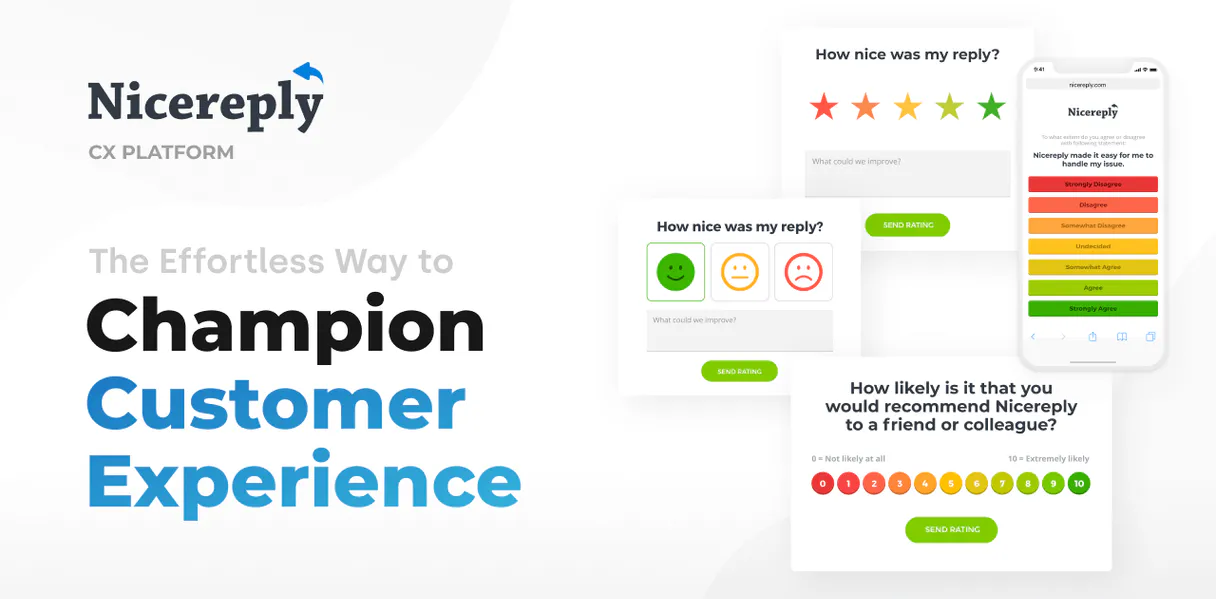
Independent Platform Disclaimer: Vinkius is an independent platform and is not affiliated with, endorsed by, sponsored by, verified by, or otherwise authorized by Nicereply. All third-party trademarks, logos, and brand names are the property of their respective owners. Their use on this website is strictly for informational purposes to identify service compatibility and interoperability.
VINKIUS INFRASTRUCTURE
Cloud Hosted
Managed infra
V8 Isolated
Sandboxed per request
Zero-Trust Proxy
No stored credentials
DLP Enforced
Policy on every call
GDPR Compliant
EU data residency
Token Compression
~60% cost reduction
Works with Claude, ChatGPT, Cursor, and more
The Model Context Protocol standardizes how applications expose capabilities to LLMs. Instead of operating in isolation, your AI gains direct access to external platforms, live data, and real-world actions through secure, standardized connections.
This server provides 10 capabilities that interface natively with Claude, ChatGPT, Cursor, and any MCP client. No middleware. No custom integration required.
Available Capabilities
Pulling insights from dashboards shouldn't require leaving your chat window.
Right now, analyzing customer sentiment means navigating deep into the Nicereply dashboard. You click to view surveys, then you run reports, filter by date range, and finally, copy-paste the resulting numbers or export a CSV. It’s slow, it's clunky, and you lose context every time you switch tabs.
With this MCP server, you bypass all that clicking. You simply ask your agent, 'What was our CSAT score last week?' The tool runs `get_survey_stats` in the background and spits out the precise number right where you are working. No extra steps required.
Nicereply MCP Server: Get specific data points fast.
Before, to check one customer's history, a user had to find the customer ID in one tab, navigate to another section for their feedback, and then manually search through responses. It was always a multi-step process with high friction.
Now, you just tell your agent: 'Get the details for customer 123.' The server runs `get_customer` and hands you all the raw data—the profile, the history, the ratings—in one clean block of text. It cuts out the entire navigation headache.
Common Questions About Nicereply MCP
How do I list surveys using the Nicereply MCP Server? +
Use list_surveys to retrieve a full list of all active survey names and IDs in your account. This is always step one if you aren't sure which survey metrics you need.
Can I get the CSAT score without knowing the Survey ID? (get_survey_stats) +
You generally need to know the survey name or type. First, run list_surveys to find the exact name, then use that in your prompt for get_survey_stats.
What is the difference between list_responses and get_response? +
list_responses gives you a feed of recent responses (a summary). Use get_response when you have a specific ID and need to pull all the detailed metadata for that single piece of feedback.
How do I check agent performance with list_users? +
Run list_users first. This provides the roster of agents. Then, you can follow up by asking to see their specific rating scores using the names returned in that list.
What does get_rating_values do? (get_rating_values) +
get_rating_values shows you what numbers or text options are valid for ratings across your surveys. It prevents you from requesting a score that doesn't exist in the system.
When I use `list_customers`, how do I confirm my API key has permission to read all customer data? +
The system confirms access via a successful call. If you get an authentication error, the scope of your private key is too limited for that action. Check your Nicereply developer settings for necessary permissions.
If I run `get_response` with an ID that doesn't match any record, what kind of message should I expect? +
You will receive a 404 or similar 'Not Found' error. This means the specific response ID you provided either never existed or your agent simply doesn't have access to it.
Does `get_customer` give me insight into that user’s overall feedback history? +
Yes, running get_customer pulls the profile details but also links to a summary of their historical interactions. This helps you see patterns across multiple survey submissions.
Where do I find my Nicereply API Key? +
Log in to Nicereply, go to Settings > API and Integrations, and you will find your 'Private API Key' there.
Does this support NPS surveys? +
Yes! Nicereply supports CSAT, CES, and NPS. You can list all your surveys using the list_surveys tool and get stats for any of them.
Can I see feedback for a specific support agent? +
You can use the list_users tool to find the Agent ID and then filter responses or view individual ratings recorded in the platform.
Use it with your favorite AI tools
Connect this server to Cursor, Claude, VS Code, and more.
More in this category

Zammad
Automate helpdesk workflows via Zammad — manage tickets, users, and organizations directly from any AI agent.
Chattermill
Analyze customer feedback and sentiment via Chattermill — track AI-powered themes, monitor NPS and CSAT, and unify feedback from every channel directly from any AI agent.

Landbot
Build conversational landing pages and chatbot flows with a visual builder that replaces boring forms with engaging conversations.
You might also like
IBGE Full Access — Dados Brasileiros
The ultimate Brazil data Mega-Server: 15 tools spanning census, cities, CNAE economy, name trends, survey indicators, IBGE news, and country comparisons — all of Brazil's official statistics in one zero-auth integration.

GUIDEcx
Automate customer onboarding via GUIDEcx — manage projects, tasks, and time tracking directly from any AI agent.

AppTweak
Bring App Store Optimization (ASO) to your AI agent — track app rankings, fetch keyword volumes, and analyze competitor downloads via chat.