
NPM Registry MCP. Query Package Metadata & Version History Directly
 Gemini
 Works with every AI agent you already use
…and any MCP-compatible client









Just plug in your AI agents and start using Vinkius.
NPM Registry connects your AI agent directly to NPM, the world's largest software package repository. Use this server to search for libraries by keyword or author, check full metadata on any package, or verify specific version details—all without leaving your IDE or chat window.
What your AI agents can do
Get package
Retrieves the full metadata details for a given NPM package name.
Get package version
Gets specific metadata for a defined version or the most recent release of an NPM package.
Get registry meta
Provides metrics and status information about the overall NPM registry instance itself.
Run search_packages to locate libraries using full-text search, filtering results by author, keywords, or stability status.
Call get_package to retrieve the complete metadata for any NPM package name.
Use get_package_version to pull exact details or check the current 'latest' release of a library.
Run get_registry_meta to get system-level information about the NPM registry instance, like its document count and size.
Ask AI about this MCP
Supported MCP Clients
Gemini Waiting for input…
NPM Registry MCP Server: 4 Tools for Package Data
Use these four tools to query the largest software registry. Get package details, search libraries by criteria, and monitor the health of NPM itself.
019e5d3dget package
Retrieves the full metadata details for a given NPM package name.
019e5d3dget package version
Gets specific metadata for a defined version or the most recent release of an NPM package.
019e5d3dget registry meta
Provides metrics and status information about the overall NPM registry instance itself.
019e5d3dsearch packages
Searches the entire package repository using qualifiers (like author or keywords) to find relevant libraries.
Choose How to Get Started
Build a custom MCP for your own tools, or connect a ready-made integration from our catalog.
Build Your Own
Turn any API into an MCP. Import a spec, define Agent Skills, or deploy with MCPFusion.
- Import from OpenAPI, Swagger, or YAML specs
- Create Agent Skills with progressive disclosure
- Deploy to edge with MCPFusion framework
- Built in DLP, auth, and compliance on every call
- Real time usage dashboard and cost metering
- Publish to catalog or keep private
Make Your AI Do More
Start with NPM Registry, then connect any of our 4,700+ other servers whenever your AI needs more. One click, no limits.
- Use this MCP plus 4,700+ others, all in one place
- Add new capabilities to your AI anytime you want
- Every connection is secured and compliant automatically
- Track usage and costs across all your servers
- Works with Claude, ChatGPT, Cursor, and more
- New servers added to the catalog every week
What you can do with this MCP connector
Your AI agent connects you straight to NPM, giving it direct access to the world's biggest software package repository. This server lets you search for libraries, check deep metadata, or verify specific versions—all without having to leave your IDE or chat window and jump through hoops.
Finding Packages by Search Criteria
You can run search_packages to locate any library using full-text search across the entire repository. You'll need this tool when you know what kind of package you want but don't have a specific name. This function lets you filter results based on multiple qualifiers, like pinning down an author or specifying required keywords that must appear in the description.
It also lets you narrow the scope by stability status—you can search only for packages marked as stable releases, skipping all the pre-alpha garbage.
Inspecting Full Package Details
The get_package tool retrieves the complete metadata dump for any NPM package name you throw at it. This isn't just a quick glance; it provides every piece of information attached to that library entry—the full description, the author list, and all associated build details. If you need to know everything about a package before committing to using it, calling get_package is your move.
Verifying Specific Versions
When you use get_package_version, you're drilling down past the general info to look at exact release cycles. You can pull specific details for any version number of a library, say v1.2.3. It also lets you check the current 'latest' release without having to guess what the primary entry point is.
This function ensures that you're working with the precise build data you expect.
Monitoring Registry Status
If you need to know how healthy the NPM registry instance itself is, run get_registry_meta. This tool pulls system-level metrics and status information about the entire database—stuff like its current document count or overall storage size. You use this when you're auditing the environment or just want a quick health check on the source data.
How It Works:
To get started, just subscribe to this server on Vinkius. Your agent handles the rest. If your organization requires it, you can feed your NPM Read-Only Token into the setup (it's only required if you run into rate limits). After that, all you do is tell your AI client exactly what data point you need—like 'What are the keywords for a stable package written by Google?' or 'Give me the full metadata for React.' Your agent routes that request through the correct tool and sends you the clean data.
You'll get accurate results instantly, no manual API calls needed.
How NPM Registry MCP Works
- 1 First, subscribe to the NPM Registry server on Vinkius.
- 2 Next, give your AI client an NPM Read-Only Token (this prevents hitting rate limits).
- 3 Finally, ask your agent for package data. It runs the necessary tool—like
search_packagesorget_package—and returns the raw metadata.
The bottom line is: you get structured, up-to-date package data returned to your chat or IDE context immediately.
Who Is NPM Registry MCP For?
If you're a software engineer constantly checking dependencies, or a DevOps person debugging build failures, this is for you. You need the library metadata without leaving VS Code. Stop switching tabs; get answers right where you are.
You use it to quickly check package dependencies and verify if a specific version of a library exists before committing code.
You run it during pipeline debugging to confirm package availability, check version history, or audit required metadata without running manual commands in the terminal.
You inspect package metadata and maintenance scores using this server to evaluate potential library health risks for your projects.
What Changes When You Connect
- Stop context switching. Instead of leaving your IDE to check npmjs.com, you ask your agent to run
get_packageand get the full metadata right in your chat. - Verify dependencies instantly. Use
search_packagesto find packages based on keywords or authors, narrowing down options much faster than a manual search. - Audit versions safely. Need to know if version 4.17.21 exists for 'lodash'? Run
get_package_versionand get an immediate answer without guessing. - Keep track of the system. Use
get_registry_metawhen you need to check the total document count or database size—useful for monitoring internal tooling limits. - Focus on code, not CLI commands. Your agent handles running complex API calls like
search_packages, letting you just focus on the next block of code.
Real-World Use Cases
Troubleshooting a failed build due to dependency drift
A DevOps engineer notices a build failing because of an outdated library. Instead of manually checking the npm docs, they ask their agent: 'What's the latest stable version for axios?' The agent runs get_package_version, immediately returning the current release number and confirming if it changed since the last successful build.
Starting a new feature that requires an obscure library
A developer needs a niche charting utility. They ask their agent to 'Search for high-quality React chart libraries.' The agent runs search_packages, filtering results by both 'React' and 'charting,' providing a curated list of options with direct links to the metadata.
Security review before deploying code
A security researcher needs to validate that a third-party utility package hasn't been abandoned. They run get_package on the library name and inspect the full metadata, checking for last updated dates or maintenance score warnings.
Verifying project scope during initial setup
A junior engineer is setting up a new microservice and needs to know the official package names. They ask their agent to 'What are the core packages for Node.js web servers?' The agent runs search_packages with broad qualifiers, giving them a clear starting list.
The Tradeoffs
Over-relying on general Google search
Searching 'npm package metadata' in Google and clicking through five different documentation pages just to find out the current version of a library.
→
Just ask your agent. Use get_package or get_package_version. It pulls the authoritative data directly from the registry, skipping all the search noise.
Manual command line checking
Running npm view package-name version --json in a separate terminal window every time you change your mind about a dependency.
→
Let the agent do it. Use get_package_version. It executes the necessary check and keeps all the results contained within your conversation, right next to your code.
Ignoring package context
Searching for a library name but not confirming if you're looking at the stable or unstable version metadata.
→
Always clarify. After searching with search_packages, use get_package to pull the full, detailed metadata to confirm authors and usage before committing.
When It Fits, When It Doesn't
Use this server if your core need is accessing structured metadata about NPM packages—like checking versions, finding names via keywords, or confirming package health. You'll use search_packages for discovery, then get_package or get_package_version for the actual data retrieval.
Don't use this if you just need general advice on how to write a function (use a code completion tool). Also, don't rely on it as a replacement for writing your own logic; it only reads external state. If you are trying to compare multiple package behaviors side-by-side, that's too complex—you just need the raw data from get_package first.

Independent Platform Disclaimer: Vinkius is an independent platform and is not affiliated with, endorsed by, sponsored by, verified by, or otherwise authorized by NPM Registry. All third-party trademarks, logos, and brand names are the property of their respective owners. Their use on this website is strictly for informational purposes to identify service compatibility and interoperability.
VINKIUS INFRASTRUCTURE
Cloud Hosted
Managed infra
V8 Isolated
Sandboxed per request
Zero-Trust Proxy
No stored credentials
DLP Enforced
Policy on every call
GDPR Compliant
EU data residency
Token Compression
~60% cost reduction
Works with Claude, ChatGPT, Cursor, and more
The Model Context Protocol standardizes how applications expose capabilities to LLMs. Instead of operating in isolation, your AI gains direct access to external platforms, live data, and real-world actions through secure, standardized connections.
This server provides 4 capabilities that interface natively with Claude, ChatGPT, Cursor, and any MCP client. No middleware. No custom integration required.
Available Capabilities
Checking dependencies shouldn't feel like a library research project.
Right now, checking if a dependency is up to date means opening npmjs.com, searching the package name, clicking through version history, and then copying down the exact number you need for your `package.json` file. It's slow, and you lose context in that browser tab.
With this MCP server, you just tell your agent: 'What's the latest stable version of X?' The agent runs `get_package_version`, pulls the official data from the registry, and presents it back to you instantly. You get the answer without leaving your IDE.
NPM Registry MCP Server: Get authoritative package metadata in conversation.
Manual checks require running separate terminal commands (`npm view...`) and switching between tabs to gather a complete picture—the version, the author, and whether it's stable. This is painful context-switching that kills flow state.
Now, you ask your agent for package data. It runs multiple tools like `get_package` and combines the results into one clean, actionable block of text in your chat. The workflow stays contained.
Common Questions About NPM Registry MCP
How do I use search_packages to find a library by author? +
You include an author qualifier in your prompt. For example: 'Search for packages with the author:microsoft.' The agent runs search_packages and filters out irrelevant results immediately.
Which tool should I use to check a package's current version? +
Use get_package_version. This is designed specifically for version tracking. It gives you the latest or a specific version number, which is usually all you need.
Does get_package give me enough info to start coding? +
It provides the full metadata. You'll see dependencies and package descriptions, but remember it gives data; you still have to write the code yourself.
What does get_registry_meta tell me about NPM? +
This tool reports on the registry instance itself. It shows metrics like the total document count and database size, which is useful for operational monitoring.
When running `search_packages`, how do I handle rate limiting or ensure reliability? +
You must provide your NPM Read-Only Token when calling search_packages. While the service works for public queries, attaching a token drastically reduces your risk of hitting API rate limits. This ensures consistent results across repeated searches.
Does `get_package` retrieve a package’s full dependency graph? +
The primary metadata returned by get_package includes key dependencies, but it doesn't provide a complete, nested dependency graph. If you need the full list of required packages, check the project's documentation or use alternative build tools.
For complex searches using `search_packages`, what is the correct syntax for combining criteria? +
You combine qualifiers by separating them with commas. For example, to find a package written by 'userA' that also uses 'crypto', you structure your query as: author:userA, keywords:crypto.
If I use `get_package_version` and the specified version doesn't exist, what error do I receive? +
The tool returns a specific package not found status. Instead of failing entirely, your AI client receives an explicit error code indicating that the requested version could not be located in the registry.
Can I check the latest version of a package and its dependencies? +
Yes! Use the get_package_version tool with the version set to 'latest'. It will return the full metadata including dependencies, scripts, and engine requirements for that specific release.
How do I search for packages by a specific author or keyword? +
You can use the search_packages tool. It supports qualifiers in the text field like 'author:name' or 'keywords:word', and allows you to weight results by quality, popularity, or maintenance.
Is it possible to get a faster, smaller response for package metadata? +
Yes, when using the get_package tool, you can set the abbreviated parameter to true. This requests a 'packument' with less data, which is ideal for quick version checks or faster response times.
Use it with your favorite AI tools
Connect this server to Cursor, Claude, VS Code, and more.
More in this category
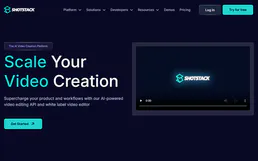
Shotstack
Render and edit videos programmatically with a cloud API that generates personalized video content at scale from templates.
Object Hash Engine
Generate deterministic SHA-256 fingerprints of any JSON object. Keys are automatically sorted so {b:2,a:1} and {a:1,b:2} always produce the exact same hash. Essential for deduplication.

Cloud DNS (Anycast DNS Provider API)
Manage your Anycast DNS infrastructure — list zones, configure records, and automate domain management directly through AI.
You might also like
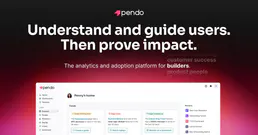
Pendo
Manage product engagement via Pendo — list guides, track page views, and analyze visitor behavior directly from any AI agent.

PingCode
Agile project management and R&D collaboration platform — manage work items, sprints, and wiki pages via AI.
Plecto
Automate KPI dashboards and data tracking via Plecto — manage registrations, dashboards, and teams directly from any AI agent.