
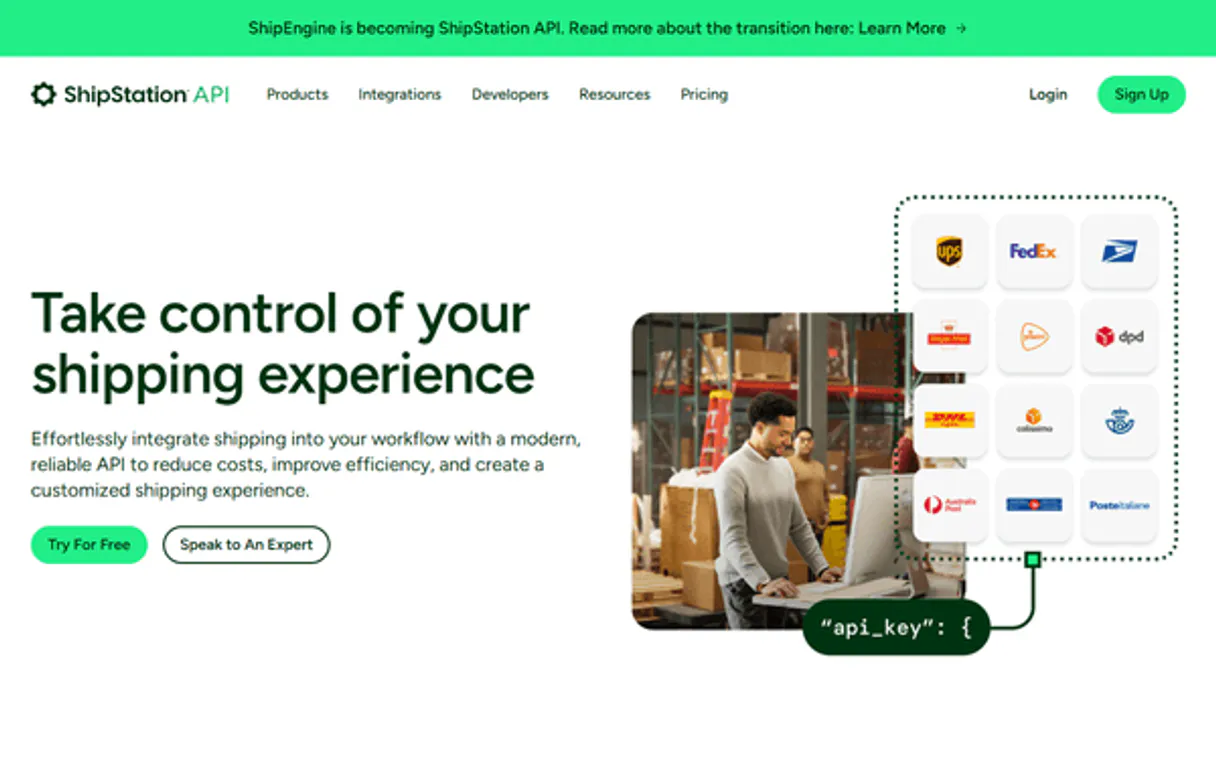
ShipEngine MCP. Get labels and quotes from any carrier in one chat.
 Gemini
 Works with every AI agent you already use
…and any MCP-compatible client









Just plug in your AI agents and start using Vinkius.
ShipEngine MCP Server compares live shipping rates, validates addresses, generates compliant labels, and tracks packages across every major carrier—UPS, FedEx, USPS, and dozens of global services.
Connect this server to your AI client to handle the entire fulfillment process through natural conversation. You can get rate quotes from multiple carriers instantly, validate complex international addresses programmatically, or pull real-time tracking updates without leaving your chat window.
What your AI agents can do
Create shipment object
Builds and saves a new shipment record in the system with all necessary details.
Create shipping label
Generates a finalized, printable shipping label file for a specific package.
Get carrier details
Retrieves profile information and general details about a connected carrier account.
Automatically compares current shipping rates from dozens of carriers (FedEx, UPS, USPS, etc.) based on package dimensions and destination.
Checks both sender and recipient addresses against carrier databases to guarantee accuracy before label generation.
Creates printable, compliant shipping labels for specific packages using the required carrier format.
Builds a complete shipment record in the system, linking rates, addresses, and carriers together.
Retrieves real-time tracking information and status updates for any given shipment ID or package number.
Ask AI about this MCP
Supported MCP Clients
OAuth 2.0 Compatible Gemini Waiting for input…
ShipEngine MCP Server: 12 Tools for Logistics Automation
Run the entire fulfillment process—from rate quotes to label generation—by accessing twelve specific tools in a single workflow.
Make your AI actually useful.
Add this MCP to Claude, Cursor, or Windsurf and your AI stops guessing. It gets real tools to look things up, take action, and handle the stuff you keep doing by hand.
Start using ShipEngine on Vinkius019dd15acreate shipment object
Builds and saves a new shipment record in the system with all necessary details.
019dd15acreate shipping label
Generates a finalized, printable shipping label file for a specific package.
019dd15aget carrier details
Retrieves profile information and general details about a connected carrier account.
019dd15aget connection status
Checks the current API connection health to confirm if all shipping services are operational.
019dd15aget label info
Fetches detailed metadata and status information about a specific generated label.
019dd15aget shipment info
Retrieves comprehensive details for an existing shipment record, including tracking history.
019dd15aget shipping rates
Compares and returns live shipping cost estimates from multiple carriers based on package specifics.
019dd15alist carriers
Lists all the carrier accounts that are currently connected to and active in the system.
019dd15alist created labels
Retrieves a list of labels you have previously purchased or generated within your account.
019dd15alist shipments
Fetches an overview list of recent shipment records created in the system.
019dd15atrack package
Checks and reports the current, real-time delivery status for a package using its tracking number or ID.
019dd15avalidate address
Verifies if an inputted shipping address is accurate and usable by major carriers.
Choose How to Get Started
Build a custom MCP for your own tools, or connect a ready-made integration from our catalog.
Build Your Own
Turn any API into an MCP. Import a spec, define Agent Skills, or deploy with MCPFusion.
- Import from OpenAPI, Swagger, or YAML specs
- Create Agent Skills with progressive disclosure
- Deploy to edge with MCPFusion framework
- Built in DLP, auth, and compliance on every call
- Real time usage dashboard and cost metering
- Publish to catalog or keep private
Make Your AI Do More
Start with ShipEngine, then connect any of our 4,800+ other servers whenever your AI needs more. One click, no limits.
- Use this MCP plus 4,800+ others, all in one place
- Add new capabilities to your AI anytime you want
- Every connection is secured and compliant automatically
- Track usage and costs across all your servers
- Works with Claude, ChatGPT, Cursor, and more
- New servers added to the catalog every week
Independent Platform Disclaimer: Vinkius is an independent platform and is not affiliated with, endorsed by, sponsored by, verified by, or otherwise authorized by ShipEngine. All third-party trademarks, logos, and brand names are the property of their respective owners. Their use on this website is strictly for informational purposes to identify service compatibility and interoperability.
VINKIUS INFRASTRUCTURE
Cloud Hosted
Managed infra
V8 Isolated
Sandboxed per request
Zero-Trust Proxy
No stored credentials
DLP Enforced
Policy on every call
GDPR Compliant
EU data residency
Token Compression
~60% cost reduction
Works with Claude, ChatGPT, Cursor, and more
The Model Context Protocol standardizes how applications expose capabilities to LLMs. Instead of operating in isolation, your AI gains direct access to external platforms, live data, and real-world actions through secure, standardized connections.
This server provides 12 capabilities that interface natively with Claude, ChatGPT, Cursor, and any MCP client. No middleware. No custom integration required.
Handling shipping logistics used to require opening six different browser tabs.
Right now, if you need a quote, you jump to UPS. If you need a label, you go to FedEx. To validate an address for USPS, you open yet another site. You're copy-pasting addresses between systems and manually cross-referencing rate sheets just to see which carrier is cheapest. It’s tedious, error-prone work that costs time.
With the ShipEngine MCP Server, your agent handles all of it. Instead of clicking through six separate websites, you ask one question: 'What's the best way to ship this package?' The agent runs `get_shipping_rates`, pulls data from multiple carriers in sequence, and gives you a single, actionable answer.
ShipEngine MCP Server helps you manage labels and tracking through conversation.
The manual steps that vanish include: logging into separate carrier portals; manually checking address formats for every destination; generating a manifest, saving it to a spreadsheet, and then importing the data somewhere else. This process is slow and brittle.
Now you just tell your agent what needs shipping. It handles the whole chain—from running `validate_address` through `create_shipment_object`, all the way to calling `create_shipping_label`. You get results, not documentation.
What you can do with this MCP connector
Listen up. This ShipEngine MCP Server lets your AI client handle every single piece of shipping crap you deal with—from getting a quote to tracking the package on day three. You're not limited to one carrier; this thing connects to all of 'em: UPS, FedEx, USPS, and dozens more global services.
It handles the whole logistics stack through natural conversation, so you never have to leave your chat window.
First things first, check the setup. Before you do anything else, you can run get_connection_status to confirm that every single shipping service is actually operational and hooked up right. You can also use list_carriers to pull a roster of all the carrier accounts currently active in your system, giving you a quick overview of what's connected.
Need to know about a specific carrier? If you wanna dig into the specifics—like their account profile or general service details—you hit get_carrier_details. It pulls that core information for any given connection. This is your starting point when you’re auditing your whole shipping setup.
Time to quote rates. You don't gotta call three different websites just to find out how much a box costs. Just ask your agent to run get_shipping_rates. It instantly compares live cost estimates from multiple carriers, factoring in the exact package dimensions and where you’re sending it.
Before you commit to anything, you gotta validate that address. Sending stuff to an invalid street name is a one-way ticket to a dumpster fire. You run validate_address first; it checks both the sender's address and the recipient's against major carrier databases. It guarantees the shipping address is accurate and usable before any label gets printed.
Building the shipment record. Once you got the rate and you know the addresses are solid, you build the whole thing out using create_shipment_object. This tool takes all those necessary details—the rates, the validated addresses, the carriers—and saves a complete, structured shipment record in the system.
Generating the label. After the shipment object is saved, you can nail down the physical label. You call create_shipping_label, and it generates that finalized, printable shipping label file using the specific format required by the chosen carrier. It’s compliant, period.
Reviewing labels and shipments. If you need to check on a label you already printed or if you want to see what else you've done, you can use list_created_labels for an overview of all previously purchased or generated labels. Similarly, list_shipments pulls up a list of recent shipment records you’ve made in the system.
If you need specifics on one of those saved records, get_shipment_info gets you comprehensive details, including the entire tracking history.
Tracking and Status. This is where the magic happens when you're waiting for that package to show up. To see exactly where it is right now, use track_package. Just feed it a tracking number or an ID, and it reports the current, real-time delivery status immediately.
Diving into label details. You might need more than just the fact that a label exists. If you run get_label_info, it pulls detailed metadata and the specific status information attached to any generated label transaction. Every piece of data is there for you to review.
It's this full cycle—checking connection health, running rate comparisons, validating addresses, building the shipment object, printing the label, and then tracking the whole damn thing—all through conversation. You handle the entire fulfillment process with your agent using these specific tools.
019dd15a-413a-7160-acb8-6e8f3fcdafad 
How ShipEngine MCP Works
- 1 Subscribe to the ShipEngine MCP Server on Vinkius and enter your API Key into your AI client's settings.
- 2 Ask your agent to perform a logistics task (e.g., 'What is the cheapest way to ship this?'). The agent will use tools like
get_shipping_rates. - 3 The system returns validated data, allowing you to confirm details and execute actions like calling
create_shipping_label.
The bottom line is that your AI client acts as a dedicated logistics clerk, running complex multi-step operations without you having to switch between tabs or manually input data.
Who Is ShipEngine MCP For?
Logistics Managers and fulfillment specialists who spend hours switching between carrier websites just to compare rates. Developers building e-commerce tools that need reliable, multi-carrier shipping logic built in. If your job involves sending anything, this saves you time.
Uses the agent to quickly validate customer addresses and then runs get_shipping_rates to present the best shipping options before checkout.
Builds large shipment records using create_shipment_object and generates batches of labels via list_created_labels without leaving their main dashboard.
Integrates the API calls into custom AI workflows, relying on tools like validate_address to ensure data integrity before a transaction commits.
What Changes When You Connect
- Stop guessing rates. By using
get_shipping_rates, you instantly compare costs across UPS, FedEx, USPS, and more carriers without running multiple searches. - Eliminate bad addresses before they cost money. Running
validate_addressguarantees your sender and recipient details are correct, saving failed deliveries and customs headaches. - Generate labels on demand. After confirming the best rate, call
create_shipping_labelto get a compliant, ready-to-print label file—no more downloading PDFs into separate apps. - Track everything in one place. Instead of logging into carrier websites, use
track_packageto pull real-time status updates directly from your agent chat interface. - Build the record fully. Use
create_shipment_objectfirst, thenget_shipment_info, allowing you to build a complete shipment history before generating any physical labels.
Real-World Use Cases
Handling Checkout Rate Comparison
A customer is checking out. The agent detects the address and runs validate_address. Then, it calls get_shipping_rates for five different carriers and presents the cost breakdown to the user immediately, letting them pick the cheapest option.
Batch Label Printing
A fulfillment specialist has 50 orders ready. Instead of generating labels one by one, they ask the agent to list_shipments and then process the entire batch using create_shipping_label for all listed items.
Investigating a Delayed Package
The customer calls support. The agent uses the provided tracking number with track_package. It instantly reports the current status (e.g., 'Delayed at sorting facility') and can cross-reference this with get_shipment_info for full history.
Setting up a New Market
A developer is expanding to Europe. They use the agent to check available carriers via list_carriers, review their profile details using get_carrier_details, and plan out how to structure new shipments before writing code.
The Tradeoffs
Skipping Address Validation
A user rushes by calling create_shipping_label immediately after gathering coordinates, assuming the address is fine. This fails because a simple coordinate pair isn't enough for carriers.
→
Always call validate_address first with the full street address and postal code. If that passes, then run get_shipping_rates. Only proceed to create_shipping_label after validation.
Treating Rates as Final
The user gets a rate quote from the agent but assumes it's locked in. They try to generate a label without confirming the full shipment object details.
→
After running get_shipping_rates, you must confirm the parameters and use create_shipment_object first. This locks the rates and builds the necessary record before calling create_shipping_label.
Ignoring API Health
The process fails mysteriously when trying to list shipments or get rates, wasting time debugging the client side.
→
Check system stability first. Always run get_connection_status at the start of a session. This confirms if the connection is active before making any calls.
When It Fits, When It Doesn't
Use this server when your process involves multiple, external steps: checking costs, validating data, and then generating physical assets (labels). Don't use it if you just need to calculate a simple distance or tax estimate; basic math functions are enough for that. You must use this when the rate of shipping depends on complex variables like carrier service level, package dimensions, and destination country. If your workflow requires validating an address and getting live quotes from three different carriers before deciding which label to print, ShipEngine is necessary. If you only need basic tracking (e.g., just checking a number), track_package works fine on its own. But for any end-to-end fulfillment task—from input data to final printed document—this server provides the required orchestration.
Common Questions About ShipEngine MCP
How do I check if my connection is working with get_connection_status? +
Run get_connection_status first. This confirms your API key and all external carrier services are online before you attempt any rate calculations or label generation.
What's the difference between create_shipment_object and get_shipment_info? +
create_shipment_object builds a new shipment record. get_shipment_info pulls all existing data about a specific, already created shipment.
Can I compare rates for multiple carriers using get_shipping_rates? +
Yes, that's the main purpose. It automatically queries multiple connected carriers (like UPS and FedEx) to return the cost comparison in one payload.
Do I need validate_address before creating a label? +
Absolutely. Running validate_address ensures the carrier accepts the address format. Using it first prevents failed label generation and saves you time debugging bad inputs.
How do I track a package using track_package? +
You just provide the tracking number or ID to your agent, which executes track_package. It then reports the current status and last known scan location directly in chat.
If I need to know what labels I've already generated, how do I use the `list_created_labels` tool? +
It retrieves a list of your purchased shipping label records. This lets you see historical transaction data and metadata for all labels bought through ShipEngine, regardless of whether they have been physically shipped yet.
How does using `get_carrier_details` help me manage my connected carriers? +
This tool pulls specific profile metadata directly from the carrier. You use it to confirm account details or check general status information for a particular service provider, beyond just verifying if the API key works.
I need to see records of shipments that aren't currently being tracked; what is the best way using `list_shipments`? +
The list_shipments tool provides a record of your recent shipments. You can pull up a summary list of past orders and their associated metadata without needing a specific tracking ID.
Can my AI automatically validate a shipping address just by providing the street, city, and zip code? +
Yes! Use the validate_address tool. Your agent will check if the address is valid, residential/commercial, and formatted correctly according to carrier standards.
How do I compare shipping rates for a specific package across different carriers? +
Simply ask the agent to run the get_rates action with the shipment details. It will retrieve and compare pricing from all configured carrier accounts.
How do I find my ShipEngine API Key? +
Log in to your ShipEngine dashboard, navigate to Settings > API Management, and you will find your unique secret API Key there.
Use it with your favorite AI tools
Connect this server to Cursor, Claude, VS Code, and more.