
TripGo MCP. Plan any trip, track any bus. All in one call.
 Gemini
 Works with every AI agent you already use
…and any MCP-compatible client









Just plug in your AI agents and start using Vinkius.
TripGo provides multimodal transit planning by connecting your AI agent to a massive global network of transit data. Plan complex journeys combining buses, trains, subways, bikes, or walking on the spot.
It tracks live vehicle locations and gives real-time arrival/departure estimates for any major city worldwide.
What your AI agents can do
Get arrivals
Gets upcoming arrivals at a specific stop ID, including route names and delay estimates. Use this when you need to know if the next bus is late.
Get departures
Checks upcoming departures from a stop ID, providing estimated times for your next available ride.
Get nearby stops
Finds the IDs and details of all transit stops near a specific GPS coordinate, helping you pinpoint where to start.
Calculates the best route between two points, combining buses, trains, walking, cycling, and ferries into a single itinerary.
Tracks active transit vehicles on the map by their route ID, showing live GPS positions.
Retrieves scheduled and estimated times for trains or buses leaving or arriving at a specific stop ID.
Finds the closest available transit stops to any given GPS coordinate, along with their distance.
Identifies a stop's ID and location when you only know its name or intersection (e.g., 'Main St & 5th Ave').
Ask AI about this MCP
Supported MCP Clients
Gemini Waiting for input…
TripGo MCP Server: 9 Tools for Global Transit Management
These nine tools let you manage every step of a journey—from finding the nearest stop to calculating the final itinerary using real-time data.
019d7616get arrivals
Gets upcoming arrivals at a specific stop ID, including route names and delay estimates. Use this when you need to know if the next bus is late.
019d7616get departures
Checks upcoming departures from a stop ID, providing estimated times for your next available ride.
019d7616get nearby stops
Finds the IDs and details of all transit stops near a specific GPS coordinate, helping you pinpoint where to start.
019d7616get regions
Lists all major global regions supported by TripGo. You run this first to confirm if your city is covered before attempting any other trip planning.
019d7616get route info
Retrieves detailed information about a specific transit route, letting you understand its coverage and stops before planning a journey on it.
019d7616get stop details
Gathers facility info—like accessibility or amenities—for a specific stop ID. Use this when you need to know if the station has an elevator, for example.
019d7616get vehicle positions
Provides real-time GPS data on transit vehicles running a route, allowing you to track them live on a map.
019d7616plan trip
Calculates the best multimodal itinerary between two coordinates. The result includes step-by-step instructions and total time for walking/biking/riding.
019d7616search stops
Finds transit stops by name or address (like an intersection). This gives you the stop ID even if you don't have exact GPS coordinates.
Choose How to Get Started
Build a custom MCP for your own tools, or connect a ready-made integration from our catalog.
Build Your Own
Turn any API into an MCP. Import a spec, define Agent Skills, or deploy with MCPFusion.
- Import from OpenAPI, Swagger, or YAML specs
- Create Agent Skills with progressive disclosure
- Deploy to edge with MCPFusion framework
- Built in DLP, auth, and compliance on every call
- Real time usage dashboard and cost metering
- Publish to catalog or keep private
Make Your AI Do More
Start with TripGo, then connect any of our 4,700+ other servers whenever your AI needs more. One click, no limits.
- Use this MCP plus 4,700+ others, all in one place
- Add new capabilities to your AI anytime you want
- Every connection is secured and compliant automatically
- Track usage and costs across all your servers
- Works with Claude, ChatGPT, Cursor, and more
- New servers added to the catalog every week
What you can do with this MCP connector
TripGo connects your AI agent to a massive global transit data network. You don't gotta open five different apps just to get across town; you ask your agent, and it figures out the whole route. It handles everything from buses and subways to bikes and walking.
Before running anything else, you should run get_regions. This tells you if your city is even covered by TripGo’s data set. Once you know you're in a supported area, figuring out where you need to go is simple. You can use search_stops when all you got is an intersection or a street name—like 'Grand St & 4th Ave.' That tool finds the specific stop ID for you.
If you already have coordinates, you don't gotta search by name; just run get_nearby_stops to pull up IDs and details for every transit stop near your GPS location.
Once you've got a stop ID, you can check what’s going down there. You use get_stop_details to see if the station has amenities like an elevator or is accessible—it’s good practice to know that before you wait around for a train. For route planning itself, you can run get_route_info on any specific line to check its full coverage and all the stops it hits along the way.
When you're ready to move, plan_trip calculates the absolute best multimodal itinerary between two coordinates. The result gives you step-by-step instructions for everything—walking sections, biking legs, or train rides—plus total time estimates. For pinpointing your next ride, you check what’s leaving with get_departures, which gives you estimated times for any available ride from a specific stop ID.
To see when the next bus is coming in, run get_arrivals; that tells you upcoming arrivals at a stop ID, complete with route names and delay estimates.
For real-time tracking, TripGo doesn't just give you schedules; it tracks the vehicles themselves. You use get_vehicle_positions to get live GPS data on any transit vehicle running a specific route, letting your agent track it right on the map. This whole system gives you an end-to-end view of how NYC—or any major city—moves when you’re relying on public transport.
How TripGo MCP Works
- 1 First, ask your AI agent to find the required transit stops using
get_nearby_stops(if you have coordinates) orsearch_stops(if you know the address). - 2 Next, pass the relevant stop IDs and target destination to the
plan_triptool. This combines all necessary data—routes, schedules, and walking segments—into one optimal journey. - 3 Finally, if tracking is needed, use
get_vehicle_positionswith the route ID to get real-time updates on where vehicles are located.
The bottom line is: your agent manages all the complex calls in sequence so you just ask for the trip plan and get a single answer.
Who Is TripGo MCP For?
Anyone who relies on public transit or needs to navigate large, mixed-mode urban environments. This is for the traveler who can't afford delays—the commuter who hates having to switch between Google Maps, the MTA app, and a separate bike share tracker.
Needs reliable morning routines. They use this to compare bus vs. subway options in real-time and check if their usual route is delayed before leaving the house.
Designs complex itineraries for visitors, ensuring they include multimodal segments (e.g., 'walk from this point to catch the tram'). They use plan_trip constantly.
Manages groups or deliveries across a city and needs to know exactly when multiple vehicles will arrive at different, known stops using get_arrivals.
What Changes When You Connect
- Saves you from app switching. Instead of opening a mapping service, then checking the subway schedule, then looking up bike paths—you let your agent run
plan_tripand gets the whole route instantly. - Know exactly when to move. Use
get_arrivalsorget_departuresat a stop ID to see if that bus is late, preventing you from standing around waiting for nothing. - Builds confidence in travel planning. Before committing, run
get_stop_detailsto confirm the location has an elevator or bike racks—you don't assume anything when traveling. - Handles unknown starting points. If you only know the intersection name ('Main St & 5th Ave'), use
search_stopsfirst; it gives you the necessary ID for all subsequent calls likeplan_trip. - Provides true real-time data. Use
get_vehicle_positionsto see a bus moving on the map, not just an estimated time. It shows where the vehicle is right now.
Real-World Use Cases
Need to plan a cross-city trip with multiple modes
A traveler needs to get from their hotel (coordinates) to a museum, which requires taking a subway and then walking three blocks. Instead of guessing the route, you ask your agent to plan_trip. The agent returns a step-by-step guide showing exactly when to walk, where to transfer, and how long it'll take overall.
The commuter needs to check for delays before leaving
It’s 7:45 AM. A user is near a major intersection but isn't sure of the stop ID. They first run search_stops using the street name, get several potential stops, and then use those IDs with get_arrivals to confirm which subway line is actually running on time today.
Managing a group delivery route
A logistics manager needs to know if two separate vans are close enough to meet at a depot. They use get_vehicle_positions, filtering by the specific route ID, allowing them to see both vehicles moving simultaneously on the map and confirming they will arrive within minutes of each other.
Checking feasibility for an event
You are planning a festival that needs access to multiple stops. Before drawing up the final guide, you run get_nearby_stops using the general coordinates of the venue. This immediately tells you which specific transit hubs are accessible and how far away they really are.
The Tradeoffs
Treating all tools equally
Calling plan_trip without first running get_regions. You get an error because the service doesn't know if your city is supported, wasting time and effort.
→
Always run get_regions first. This validates that TripGo covers your area before you waste calls on tools like plan_trip or search_stops. It’s a necessary check.
Guessing coordinates
Trying to use get_nearby_stops with rough estimates of GPS data, only to find the results are irrelevant because your starting point was inaccurate.
→
If you don't have precise coordinates, start by using search_stops. This finds a known stop ID based on an address or intersection name first. Then use that ID for everything else.
Ignoring the multi-step process
Calling get_arrivals but forgetting to specify which route ID is relevant, causing the tool to fail because it needs more context than just a stop ID.
→
Remember that transit data relies on IDs. If you are checking arrivals, use search_stops or get_nearby_stops first to get the correct Stop ID, and then pass that ID to get_arrivals.
When It Fits, When It Doesn't
Use this server if your problem involves movement through an urban environment. Specifically, if you need to combine more than one mode of transport (e.g., bus + bike), or if the timing is critical (real-time delays). You absolutely must use it when calculating a route because plan_trip handles the complex logic of transfers and duration estimates automatically.
Don't use this server just to look up static data like 'What are the hours at Stop X?' for an unrelated service. For simple, single-point queries (like finding out if a specific train line exists), you might only need get_route_info. But whenever time or location is key, TripGo's combination of search, planning, and real-time tracking makes it the right choice.
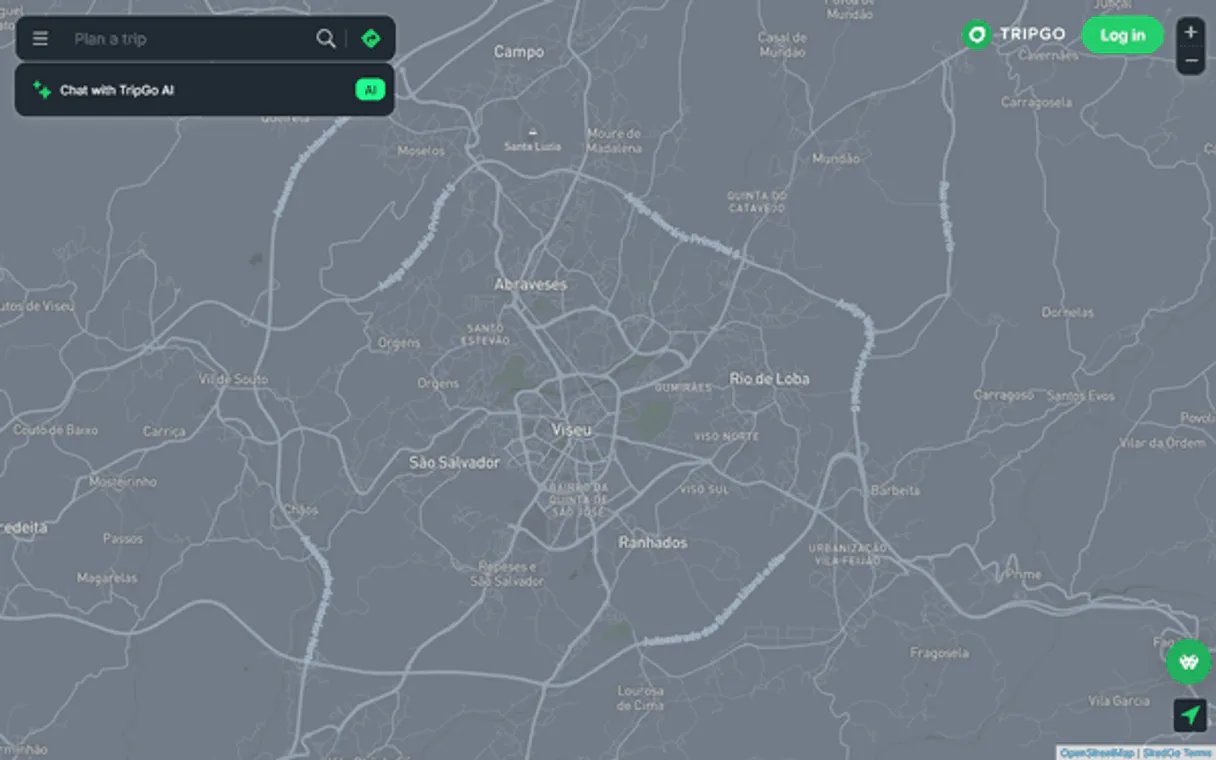
Independent Platform Disclaimer: Vinkius is an independent platform and is not affiliated with, endorsed by, sponsored by, verified by, or otherwise authorized by TripGo. All third-party trademarks, logos, and brand names are the property of their respective owners. Their use on this website is strictly for informational purposes to identify service compatibility and interoperability.
VINKIUS INFRASTRUCTURE
Cloud Hosted
Managed infra
V8 Isolated
Sandboxed per request
Zero-Trust Proxy
No stored credentials
DLP Enforced
Policy on every call
GDPR Compliant
EU data residency
Token Compression
~60% cost reduction
Works with Claude, ChatGPT, Cursor, and more
The Model Context Protocol standardizes how applications expose capabilities to LLMs. Instead of operating in isolation, your AI gains direct access to external platforms, live data, and real-world actions through secure, standardized connections.
This server provides 9 capabilities that interface natively with Claude, ChatGPT, Cursor, and any MCP client. No middleware. No custom integration required.
Available Capabilities
Finding your route shouldn't feel like navigating a giant, broken website.
Think about what happens today: You start by checking Google Maps for general directions. Then you open the subway app to see if it's running. If that fails, you switch to a separate bus tracker site just to check delays. You copy names, paste addresses, and cross-reference four different screens before you even leave the house.
With this MCP server, your agent does all of that in one go. You tell it: 'I need to get from A to B.' It uses `plan_trip` internally—combining data from bus schedules, train lines, and walking paths—and gives you a single, reliable itinerary with precise timings.
get_vehicle_positions MCP Server: See exactly where the ride is.
Before this server, 'real-time' meant an estimated time window (e.g., 3–5 minutes). You were just guessing based on a schedule that could be wrong. To check if a bus was running late, you had to hope the transit authority updated their website fast enough.
Now, using `get_vehicle_positions` gives you live map data. It shows actual GPS coordinates of the vehicle as it moves. You stop guessing and start knowing. That's the difference.
Common Questions About TripGo MCP
How do I find a transit stop ID using get_nearby_stops? +
You provide your GPS coordinates (latitude/longitude). The tool returns a list of nearby stops, each with its unique Stop ID, name, and distance from your exact location.
What is the best way to plan a trip using plan_trip? +
Provide two coordinates: your start point and your end point. You can also optionally specify preferences, like 'only public transit' or 'must include cycling,' for better results.
Can I check bus schedules with get_departures if I only know the street name? +
No. get_departures requires a specific Stop ID. First, you must use search_stops or get_nearby_stops to find the correct Stop ID associated with that location.
What does get_vehicle_positions track? +
It tracks live GPS data for specific transit vehicles (buses, trains) on a given route. It doesn't predict; it shows where the vehicle is right now.
Before running any major query, how do I verify region coverage using get_regions? +
Run get_regions first. This tool lists all supported regions across major global cities (North America, Europe, etc.). Checking the list ensures your intended destination is covered before you attempt trip planning or real-time tracking.
What specific facilities and amenities does get_stop_details provide for a transit stop? +
It gives detailed information about the stop, including accessibility status and available amenities. You can use this to confirm if a location meets necessary criteria—like wheelchair access—before planning your journey.
How does get_arrivals handle discrepancies between scheduled and estimated times? +
It returns both the scheduled time and the real-time estimated arrival. This allows your agent to calculate the exact delay and alert users immediately when a vehicle's expected time shifts significantly.
If I only know an intersection, how can search_stops help me locate the right stop ID? +
Supply names or intersections (like "Main St & 5th Ave"). The tool returns matching stops with unique IDs and relevance scores. This lets you pinpoint the exact transit stop needed for subsequent commands.
Which cities does TripGo cover? +
TripGo covers major cities worldwide including Sydney, Melbourne, Brisbane, Auckland, Portland, and many more regions. Use the get_regions tool to see the complete list of supported areas. Coverage includes bus, train, tram, ferry, and bike share networks.
Does TripGo provide real-time transit data? +
Yes! TripGo integrates real-time GTFS-RT feeds where available. The get_departures and get_arrivals tools return both scheduled and estimated real-time arrivals with delay information. Vehicle positions also provide live GPS coordinates when transit agencies broadcast them.
Can I plan bike-friendly multimodal routes? +
Absolutely! Use the plan_trip tool with modes including 'bike' or 'bicycle' to find routes that combine cycling with public transit. TripGo will suggest bike-friendly paths, bike share stations, and transit connections that accommodate bicycles. Perfect for eco-conscious commuters.
Use it with your favorite AI tools
Connect this server to Cursor, Claude, VS Code, and more.
More in this category
Booking Manager
Manage yacht charters via Booking Manager — track yachts, check availability, and manage bookings directly from any AI agent.

Innform
Manage learners, courses, and results via Innform LMS API.

Guestmeter
Automate guest feedback collection and reputation management via Guestmeter directly from any AI agent.
You might also like

Interact Software
Manage intranet people, content, and groups via Interact Software API.
Nominatim
Geocode addresses, reverse geocode coordinates and explore OpenStreetMap data — no API key required.

FindThatLead
Uncover business email addresses from domain names and LinkedIn profiles to fuel your outbound prospecting pipeline.