
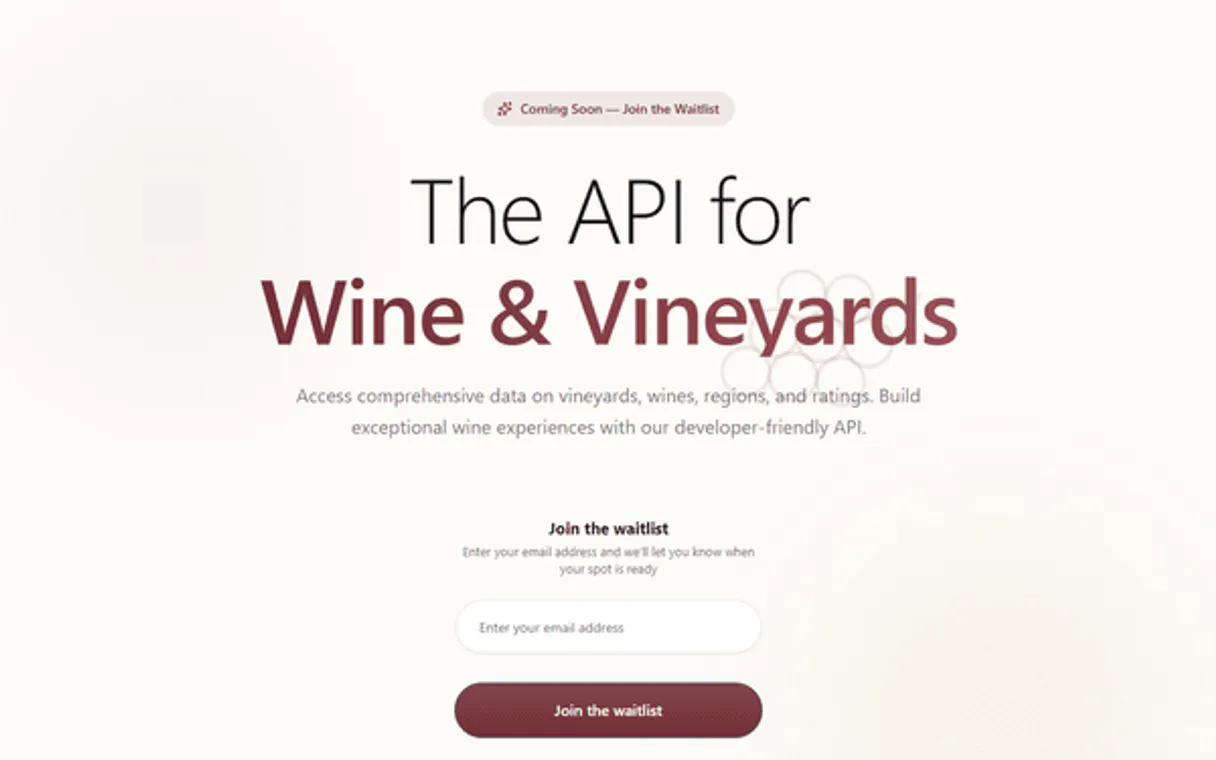
VineRadar MCP. Audit global wine records and vineyard metadata instantly.
 Gemini
 Works with every AI agent you already use
…and any MCP-compatible client









Just plug in your AI agents and start using Vinkius.
VineRadar connects your AI agent to global wine and vineyard data, allowing you to query vast records using natural language.
Search for specific wines by keyword, audit entire regional vineyards by location, or list every supported grape varietal in the catalog.
It turns complex database searches into simple conversations.
What your AI agents can do
Check api status
Confirms whether the VineRadar API connection is currently operational.
Get vineyard details
Retrieves full metadata and information for a single vineyard using its unique ID.
Get wine details
Fetches comprehensive details, ratings, and vintage data for a specific wine ID.
Your agent finds multiple wine entries and provides detailed metadata based on a simple search query.
The system searches regional databases to locate specific vineyard profiles using geographic inputs.
You retrieve all available metadata about a single, specified vineyard record.
The agent pulls every piece of information—ratings, vintage, etc.—for a specific wine identifier.
You pull a master list showing every type of grape supported by the database.
Ask AI about this MCP
Supported MCP Clients
Gemini Waiting for input…
VineRadar: 6 Tools for Wine & Vineyard Data
These tools let you search, list, and retrieve deep metadata on wine and vineyard records using specific functions.
019d8499check api status
Confirms whether the VineRadar API connection is currently operational.
019d8499get vineyard details
Retrieves full metadata and information for a single vineyard using its unique ID.
019d8499get wine details
Fetches comprehensive details, ratings, and vintage data for a specific wine ID.
019d8499list wine varietals
Provides a complete list of all grape varietals supported by the VineRadar database.
019d8499search vineyards
Finds vineyards and returns profiles based on provided geographic location criteria.
019d8499search wines
Searches the entire wine catalog using keywords or specific names to find matching bottles.
Choose How to Get Started
Build a custom MCP for your own tools, or connect a ready-made integration from our catalog.
Build Your Own
Turn any API into an MCP. Import a spec, define Agent Skills, or deploy with MCPFusion.
- Import from OpenAPI, Swagger, or YAML specs
- Create Agent Skills with progressive disclosure
- Deploy to edge with MCPFusion framework
- Built in DLP, auth, and compliance on every call
- Real time usage dashboard and cost metering
- Publish to catalog or keep private
Make Your AI Do More
Start with VineRadar, then connect any of our 4,700+ other servers whenever your AI needs more. One click, no limits.
- Use this MCP plus 4,700+ others, all in one place
- Add new capabilities to your AI anytime you want
- Every connection is secured and compliant automatically
- Track usage and costs across all your servers
- Works with Claude, ChatGPT, Cursor, and more
- New servers added to the catalog every week
What you can do with this MCP connector
You connect your AI agent to global wine records using VineRadar. This isn't some clunky database interface you gotta learn; it lets your agent talk shop with industry-level data. Instead of running complex SQL queries, you just ask what you want—whether you’re auditing a whole region or checking the vintage on one specific bottle.
It turns deep market research into a conversation.
check_api_status confirms if the VineRadar connection is up and running right now. You can run this first to make sure your agent's tools are live before you start pulling data.
Wine Catalog Deep Dives
When you need info on wine, search_wines lets your agent scour the entire catalog. If you throw in a keyword or a specific name—like 'Cabernet' or 'Chateau Stellar'—it pulls back multiple entries and gives you the metadata for every match. For a deep dive on one bottle, use get_wine_details. You give it a wine ID, and your agent delivers everything: ratings, vintage year, specific production details, and more.
It’s the full picture.
Vineyard Mapping & Records
Need to track down grapes by where they grow? Use search_vineyards by feeding in geographic coordinates or a region name. Your agent finds vineyard profiles based on those locations. If you've got the specific ID for a vineyard, get_vineyard_details pulls every piece of metadata available about that single property—its history, its size, and all its unique identifiers.
Master Data Lists & Varietals
To map out what's actually in the game, run list_wine_varietals. This gives you a clean, complete list of every type of grape varietal supported by the database. You can see all the grapes available to track global trends without knowing which specific wine you want yet.
How Your Agent Uses It
You'll use your agent to pull data in several ways. For instance, you can ask it to search for wines using search_wines and then immediately ask it to get the full specs for a returned ID using get_wine_details. You don't have to switch tools or contexts—it just flows. Similarly, if you want to check a vineyard by location via search_vineyards, your agent can use that resulting profile ID and immediately hit up get_vineyard_details for the full story.
It’s all about making those complex database searches feel like simple chat commands. Your AI client handles the heavy lifting, giving you instant access to global wine data without ever breaking a sweat.
How VineRadar MCP Works
- 1 First, subscribe to this server and enter your unique VineRadar API Key.
- 2 Next, connect that key to your preferred AI client (Claude, Cursor, etc.) via the MCP connector.
- 3 Finally, prompt your agent with a specific query. For example: 'Search for all Bordeaux varietals' or 'What are the details for vineyard ID 987?'
The bottom line is that you send one natural language request to your client, and the agent handles the sequence of necessary tool calls internally.
Who Is VineRadar MCP For?
This is for anyone who works with deep product catalogs—wine merchants needing inventory checks, sommeliers auditing cellars, or market analysts tracking varietal shifts. If you spend time cross-referencing wine ratings and vineyard locations across different spreadsheets, this tool saves your day.
Verifies the current availability of specific grape varietals or audits regional distribution patterns for their catalog.
Checks wine ratings and retrieves detailed metadata on individual vintages to assist with cellar management or client recommendations.
Runs queries to understand the technological and regional distribution of specific grape types across global markets.
What Changes When You Connect
- Stop jumping between tabs. Instead of manually checking multiple sources for ratings, use
get_wine_detailsto pull every piece of metadata for a single wine ID in one go. - Map out regional trends fast. Run
list_wine_varietalsand immediately see the full distribution of specific grape types without leaving your chat window. - Pinpoint locations instantly. Use
search_vineyardsto narrow down production areas by location, giving you a clear view of regional supply lines. - Audit massive inventories with precision. You can use
search_winesto find all wines matching a keyword (like 'Reserve' or 'Merlot') across thousands of entries. - Simplify deep dives. If you know the ID, using
get_vineyard_detailsgives you immediate access to core vineyard data without needing complex filtering.
Real-World Use Cases
Checking a client's cellar collection
A collector needs to check the vintage and rating for three specific bottles. Instead of manually searching by label, they prompt their agent: 'What are the details for wine ID 12345, wine ID 67890, and wine ID 11223?' The agent runs get_wine_details three times and returns a clean comparative summary.
Market research on new regions
A merchant wants to know what's being grown in Sonoma County. They ask the agent to 'Find vineyards in Sonoma.' The agent runs search_vineyards, providing a list of locations and IDs, which the merchant then uses for follow-up queries.
Tracking grape type trends
A market analyst wants to know if Cabernet Sauvignon is trending globally. They simply ask: 'List all available wine varietals.' The agent runs list_wine_varietals and provides the full list, allowing the analyst to cross-reference data.
Inventory check for a specific keyword
You're checking your current stock against a new client request. You ask: 'Search for all wines containing 'Bordeaux' in their name.' The agent executes search_wines and lists every relevant title, saving hours of manual searching.
The Tradeoffs
Asking the chat model to 'find wine data'
The user just asks: 'Tell me about Bordeaux wines.' The agent might give general text and fail to pull specific, structured metadata.
→
You must use a targeted tool. If you want to search by name/keyword, run search_wines. If you want location-based data, use search_vineyards.
Trying to compare three wines at once
The user lists 10 wine IDs and expects a single output. The system can't know which tool to prioritize.
→
If you have multiple specific IDs, call get_wine_details for each ID sequentially or ask the agent to process them in batches.
Assuming location equals vineyard
The user asks: 'What are all the wines from Napa Valley?' The system needs a specific search tool, not just general knowledge.
→
Use search_vineyards first to confirm the region's existence. Then use that data or keywords in search_wines.
When It Fits, When It Doesn't
Use this server if your job requires querying highly structured, technical metadata about wines and vineyards—think databases, not conversation. You need mechanisms like searching by specific IDs (get_wine_details) or listing exhaustive categories (list_wine_varietals). Don't use it if you just want a general chat about wine history or pairing suggestions; for that, your agent's core LLM capabilities are enough. If your goal is broad data discovery (e.g., 'What's the best wine to pair with steak?'), you need general knowledge tools. But if the goal is: 'Give me the 4.5-star Merlot from Napa Valley,' this server, with its specific search_wines and detail retrieval tools, is what you need.
Independent Platform Disclaimer: Vinkius is an independent platform and is not affiliated with, endorsed by, sponsored by, verified by, or otherwise authorized by VineRadar. All third-party trademarks, logos, and brand names are the property of their respective owners. Their use on this website is strictly for informational purposes to identify service compatibility and interoperability.
VINKIUS INFRASTRUCTURE
Cloud Hosted
Managed infra
V8 Isolated
Sandboxed per request
Zero-Trust Proxy
No stored credentials
DLP Enforced
Policy on every call
GDPR Compliant
EU data residency
Token Compression
~60% cost reduction
Works with Claude, ChatGPT, Cursor, and more
The Model Context Protocol standardizes how applications expose capabilities to LLMs. Instead of operating in isolation, your AI gains direct access to external platforms, live data, and real-world actions through secure, standardized connections.
This server provides 6 capabilities that interface natively with Claude, ChatGPT, Cursor, and any MCP client. No middleware. No custom integration required.
Available Capabilities
Sifting through wine data used to feel like manual detective work.
Today, researching a single region's wine profile means opening the database, running location searches in one tab. Then, you copy IDs into a second spreadsheet tool for ratings checks. You cross-reference varietals on a third site just to confirm if that grape type is even available anywhere else.
With this MCP server, your agent handles the whole sequence. You ask it once: 'Show me all Cabernet Sauvignon vineyards in Bordeaux.' The result isn't three links and four copy/pastes—it's one clean list of relevant IDs and details.
VineRadar MCP Server: Get deep wine data instantly.
You no longer have to run multiple, separate queries just to understand a single product. Want to know the rating *and* the vineyard location for a specific wine? You don't click two buttons; you ask your agent to combine `get_wine_details` and `get_vineyard_details` into one actionable summary.
The difference is that you get structured data back, ready for use. The process shifts from 'Click A, then copy B, then paste C' to simply asking the question.
Common Questions About VineRadar MCP
How do I find wines in a specific region using search_wines? +
You can include the region name as a keyword. For example, 'Search for Pinot Noir from Burgundy.' The agent runs search_wines and filters results based on that keyword match.
What is the best way to audit my current collection using get_wine_details? +
If you have a list of specific wine IDs, ask your agent to run get_wine_details for each one. This pulls all rating and vintage metadata into a single report.
Should I use search_vineyards or get_vineyard_details? +
Use search_vineyards when you only know the location (e.g., 'Napa Valley'). Use get_vineyard_details only when you have the exact vineyard ID.
Can I see all types of grapes supported by VineRadar? +
Yes, run list_wine_varietals. This tool provides a comprehensive list of every varietal currently in the catalog for your research.
How do I confirm API connectivity using `check_api_status` before running a large query? +
It confirms if the VineRadar service is currently operational. Running this tool first gives you immediate feedback on the server's health, ensuring your agent doesn't waste time attempting requests against a downed endpoint.
Are there any limits on how frequently I can run `search_wines` or `search_vineyards`? +
The API has defined rate limits to manage usage. You should implement a small delay between consecutive calls, especially when iterating through large result sets, to prevent hitting those usage caps.
What data format does the `get_wine_details` tool return for parsing? +
It returns structured JSON objects containing all available metadata. This standardized format makes it simple for your agent's code to reliably parse and extract specific fields like vintage, rating, or varietal type.
When using `search_vineyards`, can I filter results by production volume or harvest year? +
You can refine searches beyond just location. The tool supports filtering criteria such as minimum production capacity and specific vintage ranges, allowing for highly targeted regional audits.
How do I find my VineRadar API Key? +
Log in to your VineRadar dashboard, and you will find your API Key under the 'Integrations' or 'Developer' section. Copy and paste it below.
Can the agent search for vineyards by region? +
Yes. Use the search_vineyards tool providing the location name (e.g., 'Napa Valley' or 'Bordeaux'). Your agent will return matching vineyards instantly.
Is vintage information included? +
Yes. The wine records retrieved by your agent include the vintage year and specific characteristics associated with that production cycle.
Use it with your favorite AI tools
Connect this server to Cursor, Claude, VS Code, and more.
More in this category

Atlan
Search and discover data assets, business glossaries, classifications, policies, and personas directly via your AI agent.

Arcsecond.io
Access astronomical data and manage observatories with Arcsecond.io — search objects and track night logs via AI.

AddSearch
Equip your AI agent with AddSearch to query your indexed site content, push new documents, and retrieve search analytics instantly.
You might also like
Lanhu
Product design collaboration platform — manage design files, handoffs, and team feedback via AI.

FirstQuadrant Alternative
Orchestrate AI-driven sales and marketing campaigns. Manage API keys, user registration, and campaign execution directly through your AI agent.

Prowlarr (Indexers)
Manage Prowlarr indexers—list, add, test, and monitor health status of your Usenet and Torrent indexers directly from your AI agent.