
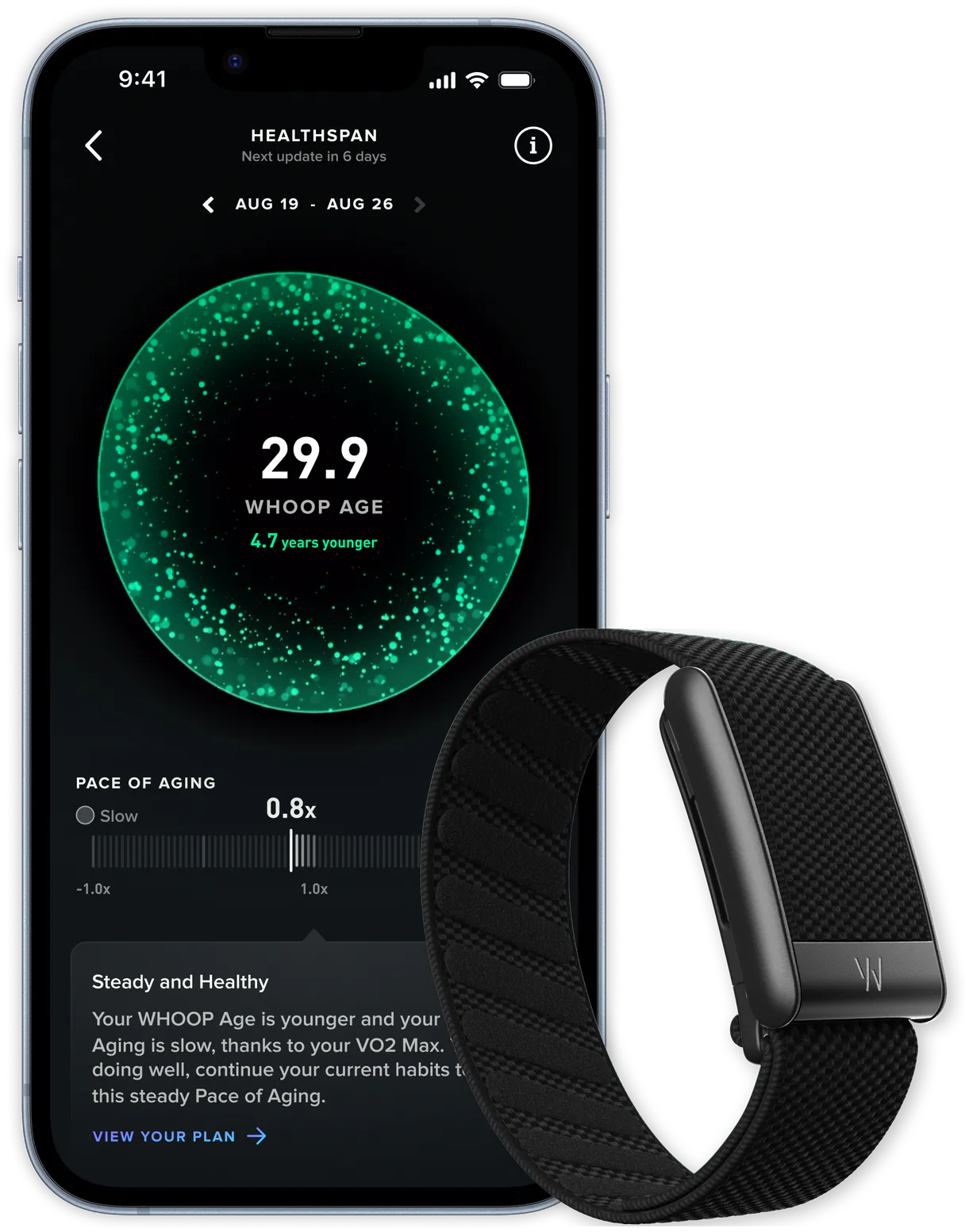
WHOOP MCP. Analyze your biometrics and optimize training loads.
 Gemini
 Works with every AI agent you already use
…and any MCP-compatible client









Just plug in your AI agents and start using Vinkius.
WHOOP connects any AI client to your personal biometrics data—sleep cycles, recovery scores, workouts, and body measurements. Get instant analysis on strain, sleep performance, HRV trends, and how your physical activity impacts recovery.
Stop guessing if you're ready for a hard session; ask your agent directly what the numbers say.
What your AI agents can do
Get body measurement
Retrieves physical metrics like weight, height, and max heart rate for tracking body changes.
Get cycle
Gets a single 24-hour data snapshot that combines sleep, recovery, strain, and heart rate information.
Get cycle recovery
Retrieves the dedicated recovery score for one specific WHOOP cycle period.
Retrieves combined data covering sleep, recovery scores, strain levels, and heart rate metrics from any given day.
Provides a detailed breakdown of sleep duration, including light, deep, REM, and awake time, alongside disturbance counts.
Tracks key recovery indicators like the score, HRV (heart rate variability), resting heart rate, and overall sleep balance.
Gathers specific workout data points including strain scores, average heart rates in different zones, duration, and calories burned.
Accesses fundamental body measurements like height, weight, and maximum heart rate for longitudinal trend analysis.
Ask AI about this MCP
Supported MCP Clients
OAuth 2.0 Compatible Gemini Waiting for input…
WHOOP: 11 Health Data Tools
These tools let you pull every piece of biometric data available from WHOOP, enabling deep analysis of sleep cycles, workouts, and recovery trends.
Make your AI actually useful.
Add this MCP to Claude, Cursor, or Windsurf and your AI stops guessing. It gets real tools to look things up, take action, and handle the stuff you keep doing by hand.
Start using WHOOP on Vinkius019d849dget body measurement
Retrieves physical metrics like weight, height, and max heart rate for tracking body changes.
019d849dget cycle
Gets a single 24-hour data snapshot that combines sleep, recovery, strain, and heart rate information.
019d849dget cycle recovery
Retrieves the dedicated recovery score for one specific WHOOP cycle period.
019d849dget cycle sleep
Provides detailed sleep data, including stages and performance percentage, for a single 24-hour cycle.
019d849dget cycles
Fetches historical WHOOP cycle data over a date range, allowing you to view patterns in recovery and strain.
019d849dget profile
Verifies your user account details and provides the necessary ID for other endpoints.
019d849dget recovery
Gets WHOOP recovery data over a defined date range, useful for tracking long-term health trends.
019d849dget sleep
Retrieves historical sleep metrics across specified dates with pagination options.
019d849dget sleep by id
Gets a single, detailed record of sleep stages and respiratory rate for one specific night's sleep.
019d849dget workout
Retrieves all data for a single workout session, including strain score and GPS information.
019d849dget workouts
Fetches historical workout records over a date range, showing total activity load.
Choose How to Get Started
Build a custom MCP for your own tools, or connect a ready-made integration from our catalog.
Build Your Own
Turn any API into an MCP. Import a spec, define Agent Skills, or deploy with MCPFusion.
- Import from OpenAPI, Swagger, or YAML specs
- Create Agent Skills with progressive disclosure
- Deploy to edge with MCPFusion framework
- Built in DLP, auth, and compliance on every call
- Real time usage dashboard and cost metering
- Publish to catalog or keep private
Make Your AI Do More
Start with WHOOP, then connect any of our 4,800+ other servers whenever your AI needs more. One click, no limits.
- Use this MCP plus 4,800+ others, all in one place
- Add new capabilities to your AI anytime you want
- Every connection is secured and compliant automatically
- Track usage and costs across all your servers
- Works with Claude, ChatGPT, Cursor, and more
- New servers added to the catalog every week
Independent Platform Disclaimer: Vinkius is an independent platform and is not affiliated with, endorsed by, sponsored by, verified by, or otherwise authorized by WHOOP. All third-party trademarks, logos, and brand names are the property of their respective owners. Their use on this website is strictly for informational purposes to identify service compatibility and interoperability.
VINKIUS INFRASTRUCTURE
Cloud Hosted
Managed infra
V8 Isolated
Sandboxed per request
Zero-Trust Proxy
No stored credentials
DLP Enforced
Policy on every call
GDPR Compliant
EU data residency
Token Compression
~60% cost reduction
Works with Claude, ChatGPT, Cursor, and more
The Model Context Protocol standardizes how applications expose capabilities to LLMs. Instead of operating in isolation, your AI gains direct access to external platforms, live data, and real-world actions through secure, standardized connections.
This server provides 11 capabilities that interface natively with Claude, ChatGPT, Cursor, and any MCP client. No middleware. No custom integration required.
Sifting through manual dashboards for sleep-to-performance correlations.
Right now, figuring out if you're truly recovered is a mess. You open your workout app to see strain scores; then you switch tabs to the sleep tracker to check REM duration. Next, you jump to the recovery page just to find the HRV number. Then you have to manually cross-reference all three pages in Excel—it takes time and it's easy to miss a correlation.
With this MCP, you ask your agent one question: 'How did last night’s sleep affect my ability to handle yesterday’s workout strain?' The agent handles the multiple API calls internally. You get the answer immediately without opening a single dashboard.
WHOOP gives you full visibility into your biometrics and recovery scores.
You don't have to manually track every body measurement, or correlate a low sleep performance percentage with high workout strain. You simply ask the agent for the combined picture of cycles, sleep, and workouts.
The difference is that you get an immediate analysis based on all your data sources, not just disconnected data points.
What you can do with this MCP connector
You can query deep physiological data about yourself using natural conversation. Instead of navigating multiple dashboards to cross-reference metrics, simply ask your agent questions like, “How did my sleep affect yesterday’s workout strain?” Your agent pulls together sleep stages, recovery scores, and heart rate variability for a clear answer. You'll get insights into things like optimal training loads or spotting unusual drops in your resting heart rate that need attention.
This MCP lets you track everything from basic body measurements (height, weight) to complex 24-hour cycles combining sleep quality, strain, and recovery metrics. When working with this kind of sensitive data, security matters. That's why Vinkius manages all connections through a zero-trust proxy; your keys pass through in transit but never sit on disk.
This means you can focus purely on the insights without worrying about where the credentials are stored.
Whether you're an athlete trying to dial up training or just tracking general health trends, this MCP gives you a single source of truth for continuous performance monitoring.
019d849d-ccc6-7358-844d-2ba0fe0302a7 
How WHOOP MCP Works
- 1 Connect your WHOOP credentials to your AI client.
- 2 Ask your agent a question about a specific time frame or metric (e.g., 'Show me my recovery score for last Tuesday').
- 3 Your agent processes the request, pulls the relevant data, and returns a clear summary.
The bottom line is you can ask questions about your health metrics instead of clicking through dashboards.
Who Is WHOOP MCP For?
This MCP serves coaches who need to monitor athlete workloads remotely, athletes trying to optimize training cycles, and biohackers tracking daily recovery trends. It’s for anyone whose performance depends on understanding their body's current state.
Needs to check if an athlete's sleep data or recovery scores suggest they are ready for high-intensity training before the next competition.
Uses it to correlate poor sleep performance (via get_sleep_by_id) with workout strain (get_workout) to adjust their weekly mileage plan.
Checks daily trends in HRV and body measurements (get_body_measurement) over months to spot subtle shifts in overall fitness or stress levels.
What Changes When You Connect
- Pinpoint performance gaps: By combining
get_sleepwithget_workouts, you can see if poor sleep directly correlates to lower strain scores during runs or lifts. You're not guessing; the data tells you why. - Track long-term trends: Use
get_recoveryandget_body_measurementover months to spot subtle, critical shifts in your resting heart rate or overall recovery status before they become major issues. - Optimize training load immediately: The agent can compare the current cycle's strain (via
get_cycle) against historical averages to advise if you need a deload week or if pushing harder is safe. - Deep sleep analysis: Instead of just seeing 'Good Sleep,' use
get_sleep_by_idto confirm if your Deep and REM stages are hitting optimal targets for recovery. This helps validate lifestyle changes. - Manage workload remotely: Coaches can pull aggregated data using
get_cyclesacross a team's history, giving them a full view of who is overworked or under-trained without ever needing manual dashboard exports.
Real-World Use Cases
The athlete needs to adjust their peak week training.
An endurance runner asks: 'Based on my last three cycles, what's my average recovery score and how does that compare to the workout strain I put in?' The agent calls get_cycles and get_cycle_recovery, telling the runner they are currently over-training based on sustained low scores.
The coach needs to check a new trainee's baseline.
A personal trainer asks: 'What is this client's current profile and average body measurements?' The agent uses get_profile followed by get_body_measurement, giving the coach immediate starting metrics for goal setting.
The biohacker needs to correlate sleep quality with physical output.
A user asks: 'Show me my workouts from last week, but only if I had less than 6 hours of deep sleep.' The agent uses get_sleep and filters the results against multiple calls to get_workouts, providing a clear pattern.
The user is worried about chronic fatigue.
A user asks: 'Has my resting heart rate trend been stable over the last 3 months?' The agent runs queries using get_recovery and get_sleep, providing a historical graph view of key metrics.
The Tradeoffs
Treating data like simple spreadsheets
Asking the agent to 'just list all my sleep stages.' This only provides raw, uncontextualized lists of numbers that require manual comparison.
→
Don't ask for a list. Ask the agent to analyze it: 'Compare my REM stage duration last week versus my average deep sleep hours and suggest how I can improve both.' Use get_sleep in combination with analysis.
Over-relying on single points of data
Only checking the recovery score from one day. This ignores crucial context like recent workouts or chronic stress trends.
→
Always contextualize. Instead, ask: 'Given this week's strain (from get_workouts) and my current sleep balance (get_cycle_sleep), what is my optimal action for tomorrow?'
Forgetting to check basic metrics
Only focusing on workouts while ignoring body changes or general health trends. This leads to incomplete performance reviews.
→
Start with the big picture. Always run get_body_measurement and cross-reference that data against your long-term recovery scores using get_recovery.
When It Fits, When It Doesn't
Use this MCP if you need to answer a 'why' question about your body, not just a 'what' question. You use it when you need to correlate multiple time series—like linking poor sleep performance (from get_cycle_sleep) to low recovery scores (using get_cycle_recovery). Don't use this if all you need is raw data for a simple database dump; in that case, querying the specialized endpoints directly might be faster. However, if your goal is understanding causation—for example, 'Did the workout strain of Saturday cause today's low recovery?'—this MCP and its ability to chain tools together are necessary.
Common Questions About WHOOP MCP
How do I get WHOOP API credentials? +
Visit developer.whoop.com, create an app to get a Client ID and Client Secret. Then complete the OAuth2 flow to obtain an Access Token. All three are required for API access.
What is a WHOOP cycle? +
A WHOOP cycle represents a 24-hour period combining your sleep, strain and recovery data. Each cycle starts when you wake up and includes the previous night's sleep, the day's strain, and your recovery score for the next day.
How much historical data can I access? +
You can access all historical data recorded by your WHOOP device. Use the start and end date parameters (ISO 8601 format) to filter results. Pagination returns up to 25 records per request; use the nextToken to retrieve more.
Does the API include heart rate data? +
Yes! Heart rate data (average and max) is included in the cycle, workout and recovery responses. There's no dedicated heart rate endpoint, but the data is nested within these resources.
How do I confirm my WHOOP connection using the `get_profile` tool? +
Use get_profile to verify your credentials and retrieve your unique user ID. This call confirms that your agent has successfully connected to the platform, making it ready for all other data endpoints.
When I need a full day's metrics, should I use `get_cycles`, or do I use multiple tools? +
Start with get_cycles because it summarizes the 24-hour period, including sleep and recovery. After that summary, you can drill down to get specific details using tools like get_cycle_sleep or get_cycle_recovery.
If I want a year's worth of data from `get_workouts`, how do I handle pagination? +
You must use date range filtering with get_workouts. For large datasets, always check the response for a next page token and repeat the call until you fetch all available records.
What specific data points does `get_body_measurement` provide that aren't related to activity? +
This tool fetches physical metrics like height, weight, and max HR. It keeps these static measurements separate from your dynamic daily logs, giving you a clear picture of body composition.
Use it with your favorite AI tools
Connect this server to Cursor, Claude, VS Code, and more.