
Dialpad MCP. Manage contacts, SMS, and call logs from your chat.
 Gemini
 Works with every AI agent you already use
…and any MCP-compatible client









Just plug in your AI agents and start using Vinkius.
Dialpad. Connect your AI agent to your office phone system to send SMS, check team directories, and monitor call logs.
Your agent can update status, list contacts, and audit calls using natural language, all without leaving your chat interface.
What your AI agents can do
Dispatch office sms
Sends an outbound business text message to a specified E.164 phone number.
Get agent profile
Retrieves the detailed profile information for a specific team member.
Get person details
Pulls structural property details for a contact associated with a specific extension.
The agent provisions outbound text messages to any E.164 formatted phone number.
The agent fetches structured details about specific team members or general contacts within the organization.
The agent accesses and lists raw call logs and statistics, showing missed, rejected, or connected calls.
The agent updates your working status and custom presence markers across your team.
The agent identifies active groupings and structures within your Interactive Voice Response (IVR) system.
The agent can add, modify, or delete specific business contact records in the directory.
Ask AI about this MCP
Supported MCP Clients
Gemini Waiting for input…
Dialpad MCP Server: 10 Tools for Communications
These tools let your agent send SMS messages, check directory details, and monitor call logs for your entire organization.
019d7585dispatch office sms
Sends an outbound business text message to a specified E.164 phone number.
019d7585get agent profile
Retrieves the detailed profile information for a specific team member.
019d7585get person details
Pulls structural property details for a contact associated with a specific extension.
019d7585list call statistics
Gathers statistics and logs about call paths, like missed or rejected calls.
019d7585list ivr departments
Identifies and lists all active groupings within the IVR system.
019d7585list raw call logs
Inspects deep, raw arrays of real-time call logs and telephony data.
019d7585list team contacts
Lists all contacts within the business directory, using E.164 capacity.
019d7585update presence status
Changes your current working status or custom marker across your team's presence system.
019d7585upsert business contact
Adds or updates a contact record in the business directory.
019d7585wipe directory entry
Permanently removes a specific contact record from the business directory.
Choose How to Get Started
Build a custom MCP for your own tools, or connect a ready-made integration from our catalog.
Build Your Own
Turn any API into an MCP. Import a spec, define Agent Skills, or deploy with MCPFusion.
- Import from OpenAPI, Swagger, or YAML specs
- Create Agent Skills with progressive disclosure
- Deploy to edge with MCPFusion framework
- Built in DLP, auth, and compliance on every call
- Real time usage dashboard and cost metering
- Publish to catalog or keep private
Make Your AI Do More
Start with Dialpad, then connect any of our 4,700+ other servers whenever your AI needs more. One click, no limits.
- Use this MCP plus 4,700+ others, all in one place
- Add new capabilities to your AI anytime you want
- Every connection is secured and compliant automatically
- Track usage and costs across all your servers
- Works with Claude, ChatGPT, Cursor, and more
- New servers added to the catalog every week
What you can do with this MCP connector
Your AI agent hooks right into your office phone system, letting you send texts, check who's in the directory, and audit calls—all through natural talk. You don't have to jump between apps to get anything done. When you use this, your agent can handle a bunch of core tasks.
Send Business SMS Messages: Your agent provisions outbound business texts to any E.164 number you give it.
Retrieve Agent and Person Profiles: It pulls detailed info for specific team members using get_agent_profile, and it can grab structural details for any contact tied to an extension using get_person_details. You can also list every contact in the business directory using list_team_contacts, or you can add or change a record using upsert_business_contact or wipe_directory_entry.
Review Call Activity: It accesses deep call logs and statistics. You can check raw data using list_raw_call_logs, or you can see general call paths and stats for missed or rejected calls using list_call_statistics. You can also see what groups exist in the IVR system by running list_ivr_departments.
Manage Team Availability: Your agent lets you update your working status or set custom markers across your team using update_presence_status.
How Dialpad MCP Works
- 1 Connect the Dialpad integration to your AI client and authorize it with your API Key.
- 2 Tell your agent what you need—for example, 'What were the missed calls this morning?' or 'Send an SMS to 123-456-7890.'
- 3 The agent runs the necessary tool (like
list_raw_call_logsordispatch_office_sms) and reports the outcome directly back to you.
The bottom line is, you manage all your company's communications and directory data through a single, conversational flow.
Who Is Dialpad MCP For?
This is for the operations manager who is tired of switching between a CRM, a phone dashboard, and a spreadsheet. You need a single source of truth for communications and contacts. It's for the sales rep who can't afford to leave the chat window while doing admin work, or the support agent who needs instant access to call history.
Uses the agent to check the call history (list_raw_call_logs) and instantly send a follow-up SMS (dispatch_office_sms) without logging into a separate phone system.
Runs reports on call metrics (list_call_statistics) and manages team directories (list_team_contacts) directly in the chat to keep the whole team aligned.
Uses the agent to verify a prospect's contact details (get_person_details) and update their status or profile (upsert_business_contact) before a meeting.
What Changes When You Connect
- Manage team status updates instantly. Use
update_presence_statusto change your availability marker—no more manually updating a dashboard when you step away for lunch. - Get a full picture of call activity. Running
list_raw_call_logslets you audit every missed or rejected call, giving you data you can't get from a simple dashboard view. - Streamline contact management. Instead of opening the CRM, use
list_team_contactsto see the directory, andupsert_business_contactto correct details right away. - Cut down on communication silos. Send a follow-up text message using
dispatch_office_smsright after a call, keeping the entire conversation thread in one place. - Audit telephony performance. Use
list_call_statisticsto see aggregate data on call paths, helping you spot patterns in why calls might be failing before they happen. - Quickly find people's info. Need a person's direct line? Use
get_person_detailsorget_agent_profileto pull structured data without guessing.
Real-World Use Cases
Investigating a Cold Call Failure
A sales rep gets a call that drops. They ask their agent, 'Check the logs for the last 30 minutes.' The agent runs list_raw_call_logs, finds the dropped call, and then uses get_agent_profile to pull the contact's title, giving the rep the full context needed to follow up.
Mass Status Updates for a Team
The ops manager needs to tell the whole team to stop taking calls for a mandatory training. They ask the agent to 'Set everyone's status to Training.' The agent uses update_presence_status to enforce the change across the board.
Updating a Key Account's Details
A support agent talks to a client and realizes their phone number is wrong. They use the agent to run upsert_business_contact with the new details, immediately correcting the record and ensuring future calls go to the right place.
Pre-Meeting Contact Vetting
Before a big client meeting, a team lead asks, 'What's the best contact info for John Doe?' The agent runs list_team_contacts, pulls the full details with get_person_details, and sends the verified data right into the chat for review.
The Tradeoffs
Manually Checking Call Logs
Logging into the Dialpad web portal, navigating to 'Reporting,' applying date filters, and manually scrolling through pages of call records to find one missed call.
→
Ask your agent to run list_raw_call_logs and filter by date/time range. The agent pulls the data and summarizes it in the chat instantly.
Updating Status in Multiple Places
Leaving a status update in Slack, then going to the Dialpad dashboard, and finally updating the status in the CRM—and forgetting one.
→
Just tell your agent to update_presence_status. It handles the status change across all linked platforms in one command.
Adding Contacts in Bulk Spreadsheets
Trying to manage contacts by exporting a CSV, cleaning it up, and re-uploading it to the directory, which often fails on formatting errors.
→
Use upsert_business_contact directly through the agent. It validates the data and adds or updates the contact record correctly in the system.
When It Fits, When It Doesn't
Use this if your job requires constantly switching contexts: checking a CRM, looking at a phone dashboard, and writing an email. It's essential if you need your agent to perform multiple steps—like 'List the contacts for John, check his call logs, and send him a text'—because it coordinates those actions. Don't use this if you only need to perform a single, isolated function, like just looking up a single user profile. For that, a dedicated directory lookup tool might be simpler. However, because it combines so many functions, it's usually the right choice if you deal with communication data all day.

Independent Platform Disclaimer: Vinkius is an independent platform and is not affiliated with, endorsed by, sponsored by, verified by, or otherwise authorized by Dialpad. All third-party trademarks, logos, and brand names are the property of their respective owners. Their use on this website is strictly for informational purposes to identify service compatibility and interoperability.
VINKIUS INFRASTRUCTURE
Cloud Hosted
Managed infra
V8 Isolated
Sandboxed per request
Zero-Trust Proxy
No stored credentials
DLP Enforced
Policy on every call
GDPR Compliant
EU data residency
Token Compression
~60% cost reduction
Works with Claude, ChatGPT, Cursor, and more
The Model Context Protocol standardizes how applications expose capabilities to LLMs. Instead of operating in isolation, your AI gains direct access to external platforms, live data, and real-world actions through secure, standardized connections.
This server provides 10 capabilities that interface natively with Claude, ChatGPT, Cursor, and any MCP client. No middleware. No custom integration required.
Available Capabilities
Tracking down who missed a call or what a contact's status is shouldn't take half an hour.
Today, if a call goes wrong, you have to jump through hoops. You check the phone dashboard to see if it was answered, then you switch to the CRM to check the contact's title, and finally, you open a separate messaging app to send a follow-up. It's a cycle of tabs and copies.
With the Dialpad MCP Server, you keep it all in the chat. You just tell your agent what you need. It runs the necessary tools—like `list_raw_call_logs` and `get_agent_profile`—and gives you the full story, immediately.
Dialpad MCP Server: Send SMS and Manage Contacts
You don't have to open the messaging app to send a quick follow-up text. You don't have to log into the directory just to verify a number. The agent handles both the communication (`dispatch_office_sms`) and the data lookup (`list_team_contacts`) when you need it.
It means your workflow stays in one place. You talk to your agent, and the agent handles the complex, multi-step backend operations. Period.
Common Questions About Dialpad MCP
How do I use the `dispatch_office_sms` tool with Dialpad MCP Server? +
Just ask your agent to send the message and include the full E.164 number. The agent handles the API formatting and queues the message for delivery via your Dialpad account.
Can I use `list_call_statistics` to see missed calls? +
Yes, list_call_statistics aggregates call paths. You can ask the agent to specifically filter for missed or rejected rings, and it will provide the count and details.
What is the difference between `get_agent_profile` and `get_person_details`? +
The agent uses get_agent_profile to get the full identity details of a team member. get_person_details pulls structural properties for a contact linked to a specific extension.
How do I update my working status with `update_presence_status`? +
Simply tell your agent, 'Set my status to Out of Office until tomorrow.' The agent calls update_presence_status and changes your status across all connected tools.
How do I manage my team contacts using the `list_team_contacts` tool? +
The list_team_contacts tool provides a directory of all bounded routing spaces. You can use this to see a full list of contacts, or then use upsert_business_contact to add or change specific entries.
What can I do with `list_raw_call_logs` for auditing purposes? +
It gives you deep internal arrays parsing real-time telephony data. This means you can inspect every call path, including details on rejected calls and call duration, which is crucial for auditing.
If I need to change a contact, should I use `upsert_business_contact` or `wipe_directory_entry`? +
Use upsert_business_contact to create or update a contact record. Remember, wipe_directory_entry permanently deletes a contact and cannot be undone.
How do I find out the available departments for IVR setups using `list_ivr_departments`? +
The list_ivr_departments tool identifies all precise active arrays spanning the IVR groupings. This lets you map out exactly what departments are available for routing within your Dialpad setup.
How do I get a Dialpad API Key? +
Log in to your Dialpad admin dashboard, navigate to Admin Settings > My Company > Authentication > API Keys, and generate a new key with the required scopes.
Can the agent receive SMS messages? +
This integration currently focuses on sending SMS and auditing logs. Incoming SMS can be monitored through the call and message logs in your account history.
Does it support international numbers? +
Yes, as long as your Dialpad account is configured for international calling/messaging, the agent can send SMS to any valid E.164 formatted number.
Use it with your favorite AI tools
Connect this server to Cursor, Claude, VS Code, and more.
More in this category
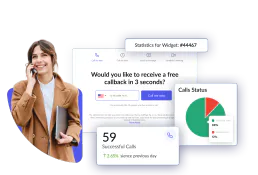
CallPage
Manage callbacks and leads via CallPage — track calls, manage widgets, and coordinate with your sales team directly from any AI agent.

Bird (Omnichannel Communication)
Manage omnichannel communication via Bird (MessageBird) — send SMS, WhatsApp messages, and track delivery logs.

Odoo Helpdesk
Create and manage support tickets, track SLAs, organize helpdesk teams — Odoo Helpdesk through natural conversation.
You might also like

Amplemarket
Sales automation and lead generation — manage sequences, leads, and custom signals via AI.
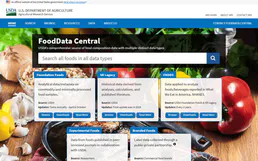
USDA FoodData Central
Access the gold standard in nutrition data — 300,000+ foods with scientific-grade nutrient profiles from the U.S. Department of Agriculture.

Oracle NetSuite
Manage financials, sales orders, inventory, and customer records on Oracle NetSuite — the leading cloud ERP.