
Front MCP. Manage shared inboxes and conversation threads from your agent.
 Gemini
 Works with every AI agent you already use
…and any MCP-compatible client









Just plug in your AI agents and start using Vinkius.
Front MCP Server. Manages shared inboxes, tracks conversations, and handles customer communication workflows directly from your AI agent. Use this to list shared inboxes, search open conversations, fetch message history, assign messages, and send replies—all without leaving your chat interface.
What your AI agents can do
Get conversation details
Retrieves metadata for a single customer conversation.
Get inbox details
Retrieves metadata for a specific shared inbox.
List address book
Retrieves a list of all contacts in your workspace.
Retrieves metadata for a specific shared inbox, giving you an overview of its current state.
Gathers a complete list of all shared inboxes connected to your Front account.
Searches across all conversations, allowing you to filter by status (open/archived) or assignment.
Retrieves the full, chronological message thread for any given conversation ID, maintaining context.
Drafts and sends a reply to an active conversation directly from your AI agent.
Changes the status of a conversation (e.g., to 'archived' or 'open') or reassigns it to a different teammate.
Ask AI about this MCP
Supported MCP Clients
Gemini Waiting for input…
Front MCP Server: 12 Tools for Inbox & Contact Ops
These tools let your AI agent perform all core functions of a customer operations platform: listing inboxes, searching threads, and sending messages.
019d75a1get conversation details
Retrieves metadata for a single customer conversation.
019d75a1get inbox details
Retrieves metadata for a specific shared inbox.
019d75a1list address book
Retrieves a list of all contacts in your workspace.
019d75a1list all conversations
Lists every conversation in your account, regardless of its current status.
019d75a1list conversation messages
Fetches the full, chronological list of messages within a conversation thread.
019d75a1list inbox teammates
Lists all team members who have access to the shared inbox.
019d75a1list inbox threads
Lists all conversation threads within a specific shared inbox.
019d75a1list shared inboxes
Retrieves a list of all shared inboxes connected to your account.
019d75a1search conversations
Searches all conversations using specific filters like inbox ID or status (open/archived).
019d75a1send inbox reply
Sends a reply to an active conversation thread.
019d75a1update conversation status
Changes the status (open/archived) or reassigns the owner of a conversation.
019d75a1verify api status
Checks if the connection to the Front API is currently active and working.
Choose How to Get Started
Build a custom MCP for your own tools, or connect a ready-made integration from our catalog.
Build Your Own
Turn any API into an MCP. Import a spec, define Agent Skills, or deploy with MCPFusion.
- Import from OpenAPI, Swagger, or YAML specs
- Create Agent Skills with progressive disclosure
- Deploy to edge with MCPFusion framework
- Built in DLP, auth, and compliance on every call
- Real time usage dashboard and cost metering
- Publish to catalog or keep private
Make Your AI Do More
Start with Front, then connect any of our 4,700+ other servers whenever your AI needs more. One click, no limits.
- Use this MCP plus 4,700+ others, all in one place
- Add new capabilities to your AI anytime you want
- Every connection is secured and compliant automatically
- Track usage and costs across all your servers
- Works with Claude, ChatGPT, Cursor, and more
- New servers added to the catalog every week
What you can do with this MCP connector
When you connect your Front account through this MCP Server, your AI agent handles all your shared inbox comms. You'll use it to list all shared inboxes connected to your account, check the status of every inbox with get_inbox_details, and grab a complete list of every inbox with list_shared_inboxes. You can also see which teammates have access to any shared inbox by calling list_inbox_teammates.
When you need to track down a conversation, you can list every single conversation in your account with list_all_conversations or narrow your search using search_conversations, filtering by status or inbox ID. You can also list all the conversation threads inside a specific shared inbox using list_inbox_threads. For any single conversation, you can get its metadata with get_conversation_details and grab the full message history, keeping all the context, using list_conversation_messages.
You can also list all your contacts in the workspace by running list_address_book. Need to send a reply? You can send a reply to an active conversation thread directly from your agent using send_inbox_reply. You can also update a conversation's status—you can change it to 'archived' or 'open' or reassign the owner—by calling update_conversation_status.
Finally, you can check the health of the connection to the Front API using verify_api_status.
How Front MCP Works
- 1 Subscribe to the Front MCP Server on the Vinkius Marketplace and provide your Front API Token.
- 2 Your AI client calls a specific tool, like
list_shared_inboxes, to begin the workflow. - 3 The server executes the API call, returns the structured data (e.g., a list of inboxes), and your AI agent uses that data to proceed with the task (e.g., searching a specific inbox).
The bottom line is, your AI agent talks to Front using these tools, so you don't have to copy-paste data or switch screens.
Who Is Front MCP For?
The Customer Support lead who spends hours switching between the support dashboard and their AI tool. The Operations Manager who needs to audit conversations or automate cleanup. Any team relying on shared communication channels that requires quick, context-aware actions.
Uses search_conversations to find open issues, then uses list_conversation_messages to pull the full history before typing a reply using send_inbox_reply.
Runs list_shared_inboxes to verify all operational channels are covered, and uses update_conversation_status to archive resolved tickets in bulk.
Checks the status of client communication using get_conversation_details and sends follow-ups via send_inbox_reply without opening the main web app.
What Changes When You Connect
- See the full context of a client issue instantly. Instead of manually navigating to a ticket, run
list_conversation_messagesto fetch the entire message history, no matter how long the thread is. You're ready to reply immediately. - Keep your inboxes clean with automation. Use
update_conversation_statusto programmatically archive resolved tickets or reassign them, keeping your team focused only on open, actionable items. - Never lose track of who owns what. Run
search_conversationsto find open issues, filtering specifically by status or the assigned owner, so you know exactly who needs to take action. - Collaborate on replies without leaving your tool. Use
send_inbox_replyto draft and send a response on behalf of a teammate, keeping the workflow contained within your AI chat. - Get a quick overview of all operational channels. Run
list_shared_inboxesto list every inbox connected to your account, ensuring your agent knows where to look for client comms. - Build out a complete contact list. Use
list_address_bookto pull contact details and teammate lists (list_inbox_teammates) before sending a targeted message, guaranteeing accurate routing.
Real-World Use Cases
Client has a complex, multi-touchpoint issue.
A support agent gets a ticket. They need the full background. They run list_conversation_messages to pull the complete thread history, then check get_conversation_details for the latest status. They use this context to write a perfect reply via send_inbox_reply, closing the loop without switching tabs.
The team needs to clear out old, resolved tickets.
The operations manager runs list_shared_inboxes to see all channels. They then use search_conversations to find all tickets marked 'resolved' and run update_conversation_status to archive them. The inboxes stay clean and actionable.
Quickly checking a client's communication status.
An account manager needs to know if a client replied to a follow-up. They use get_conversation_details to check the current status and thread owner. This saves them from having to log into the main platform just for a status check.
Routing a ticket to the right expert.
A support agent spots a new issue in the 'Billing' inbox. They use list_inbox_teammates to confirm who is available for billing issues and then use update_conversation_status to reassign the ticket to the correct person.
The Tradeoffs
Trying to find a conversation by name.
Simply asking the agent to 'Find the message from Jane about the invoice' and hoping it works. The agent can't just guess the ID.
→
First, use list_shared_inboxes to narrow down the source, then use search_conversations with specific filters (like the inbox ID and 'open' status) to pinpoint the correct conversation ID.
Manually updating ticket status.
A user sees a resolved ticket and then has to click through three pages in the web UI to mark it as closed. This is slow and error-prone.
→
Instead, use update_conversation_status directly from your agent. You tell it to 'Archive conversation X,' and the status updates instantly, keeping your workflow in one place.
Not knowing the conversation owner.
Sending a reply to a ticket, but not knowing if the right teammate is assigned to handle the next steps, leading to internal confusion.
→
Before sending a reply, run get_conversation_details to confirm the current owner and status. If needed, use update_conversation_status to reassign ownership to the correct person.
When It Fits, When It Doesn't
Use this if your core need is managing the lifecycle of customer communications—from initial message to resolved status. You need to track context, assign tasks, and automate cleanup.
Don't use this if your goal is merely reading historical reports or aggregating data into a spreadsheet. For raw reporting, you're better off using dedicated BI tools that connect directly to your data warehouse. If you only need to list contacts, list_address_book works, but if you need to act on those contacts (like sending a reply), you need the full server.
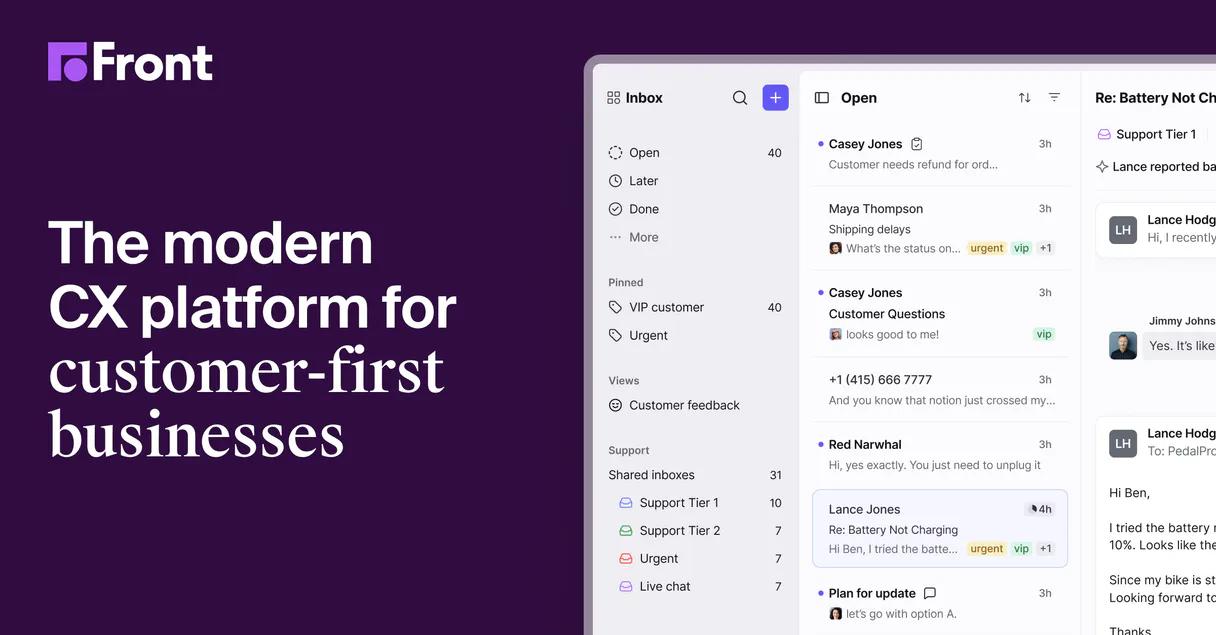
Independent Platform Disclaimer: Vinkius is an independent platform and is not affiliated with, endorsed by, sponsored by, verified by, or otherwise authorized by Front. All third-party trademarks, logos, and brand names are the property of their respective owners. Their use on this website is strictly for informational purposes to identify service compatibility and interoperability.
VINKIUS INFRASTRUCTURE
Cloud Hosted
Managed infra
V8 Isolated
Sandboxed per request
Zero-Trust Proxy
No stored credentials
DLP Enforced
Policy on every call
GDPR Compliant
EU data residency
Token Compression
~60% cost reduction
Works with Claude, ChatGPT, Cursor, and more
The Model Context Protocol standardizes how applications expose capabilities to LLMs. Instead of operating in isolation, your AI gains direct access to external platforms, live data, and real-world actions through secure, standardized connections.
This server provides 12 capabilities that interface natively with Claude, ChatGPT, Cursor, and any MCP client. No middleware. No custom integration required.
Available Capabilities
Finding a customer's message history shouldn't take 10 clicks.
Right now, you open the support dashboard. You find the client's ticket. You scroll up and down through the message chain, cross-referencing dates and names. If the thread is long, you're just wading through text and trying to figure out where the actual issue started.
With the Front MCP Server, you tell your agent to fetch the thread. The agent runs `list_conversation_messages`, pulling the complete message history directly into your chat window. You get the full context, instantly, without ever leaving your AI client.
Send Inbox Reply MCP Server: Send replies without leaving your agent.
Before this, writing a reply meant copying the conversation ID, logging into Front, finding the specific thread, and manually composing the response in the web UI. It's a full context switch every single time.
Now, you just tell your agent to reply. It uses `send_inbox_reply` on the active conversation. The reply goes out, and the status updates—all within your single, unified chat session.
Common Questions About Front MCP
How do I use the list_shared_inboxes tool with Front MCP Server? +
You call list_shared_inboxes to get a list of all operational inboxes. This is the first step if you don't know which inbox holds the conversation you're looking for.
Can I search for a conversation using the search_conversations tool? +
Yes. You provide filters like the inbox ID or status (e.g., 'open'). The tool runs a targeted search, returning only the relevant conversation IDs.
Does send_inbox_reply require the conversation ID? +
Yes. The send_inbox_reply tool requires an active conversation ID to know where the reply should go. You can get this ID first using get_conversation_details.
How do I mark a ticket as resolved using update_conversation_status? +
You use update_conversation_status and pass the conversation ID along with the desired new status (e.g., 'archived'). This updates the record immediately.
What is the difference between list_all_conversations and list_inbox_threads? +
list_all_conversations lists everything in your account. list_inbox_threads limits the list to only the conversations within a specific, targeted shared inbox.
How do I use the list_inbox_teammates tool to find a colleague's details? +
It lists all workspace teammates. This helps you confirm who owns a conversation or find a teammate's name for accurate replies.
When should I use the list_conversation_messages tool to get the full context? +
Use this tool to pull the complete message history. It ensures you have all the context needed before drafting a reply or making a status update.
Does the update_conversation_status tool accept specific status values? +
Yes, it accepts defined statuses (like 'archived', 'open', or 'resolved'). You must provide the conversation ID and the desired new status.
How do I get an API Token for Front? +
Log in to your Front account, click the gear icon (Settings), go to 'Developers' > 'API Tokens', and create a new token with 'Shared Resources' scope.
Can I search for specific types of conversations? +
Yes, use the 'search_conversations' tool. It accepts standard Front search syntax, such as 'is:open' or 'inbox:support'.
Is it possible to reply to an email via the agent? +
Yes! Use the 'send_inbox_reply' tool. You must provide the Conversation ID, the message body, and the Teammate ID of the sender.
How do I archive a conversation? +
Use the 'update_conversation_status' tool and set the status parameter to 'archived'. This updates the global status for the shared inbox.
Use it with your favorite AI tools
Connect this server to Cursor, Claude, VS Code, and more.
More in this category

Netease Yunxin IM
Equip your AI Agent with Netease Yunxin to massively manage Live Chat Rooms, moderate IM participants, and broadcast messages.

Cloopen / 容联云
Leading cloud communication platform in China — manage SMS, voice calls, and applications via AI.
DoubleTick
Equip your AI agent to manage WhatsApp conversations, track contacts, and monitor message delivery via the DoubleTick API.
You might also like

SQL Syntax Validator
Audit SQL queries for syntax errors before executing them. Prevent DB crashes and deadlocks with local AST parsing.

Ordergroove
Subscription management for eCommerce — manage recurring orders and customer loyalty via Ordergroove.

Walmart Marketplace
Manage your Walmart Marketplace catalog, inventory, and dynamic pricing natively.