
Type.fit MCP. Access a vast quote database instantly.
 Gemini
 Works with every AI agent you already use
…and any MCP-compatible client









Just plug in your AI agents and start using Vinkius.
Type.fit provides a connection to a large database of inspirational quotes. Your AI agent uses this server's tools to retrieve wisdom from historical thinkers and authors directly into your workflow.
It's designed for content creation, developer prototyping, or simply getting a daily burst of motivation without leaving your chat client.
What your AI agents can do
Get quotes
Retrieves inspirational quotes from the Type.fit database based on search criteria or general request.
Calls the get_quotes tool to pull a full list of inspirational quotes from the database.
Searches the quote library for specific topics, like persistence or genius.
Requests a single, random quote to start content generation or boost morale.
Allows the agent to confirm which historical figures have quotes in the database (e.g., Confucius).
Ask AI about this MCP
Supported MCP Clients
Gemini Waiting for input…
Type.fit MCP Server: 1 Tool for Quotes
Use the single `get_quotes` tool to pull inspiration, quotes, and motivational data from a massive library of historical sources.
019e5d63get quotes
Retrieves inspirational quotes from the Type.fit database based on search criteria or general request.
Choose How to Get Started
Build a custom MCP for your own tools, or connect a ready-made integration from our catalog.
Build Your Own
Turn any API into an MCP. Import a spec, define Agent Skills, or deploy with MCPFusion.
- Import from OpenAPI, Swagger, or YAML specs
- Create Agent Skills with progressive disclosure
- Deploy to edge with MCPFusion framework
- Built in DLP, auth, and compliance on every call
- Real time usage dashboard and cost metering
- Publish to catalog or keep private
Make Your AI Do More
Start with Type.fit, then connect any of our 4,700+ other servers whenever your AI needs more. One click, no limits.
- Use this MCP plus 4,700+ others, all in one place
- Add new capabilities to your AI anytime you want
- Every connection is secured and compliant automatically
- Track usage and costs across all your servers
- Works with Claude, ChatGPT, Cursor, and more
- New servers added to the catalog every week
What you can do with this MCP connector
Type.fit connects your AI agent directly to a huge database of inspirational quotes. This server lets you use the get_quotes tool, pulling real wisdom from historical figures straight into your chat window. You won't need any other service for finding quick inspiration or developing content ideas; it’s all right here in your client.
When you call get_quotes, your agent can pull a full list of quotes, letting you see everything the database holds. If you know what kind of vibe you're going for—say, something about persistence or genius—you can search that library specifically by theme to narrow down the results. You also don't have to pick a topic; if you just want some random daily kick in the pants to start your writing, you tell your agent to grab one quote at random.
To keep things straight, you can confirm exactly who wrote what using the tool that lists available authors; this shows you which historical figures, like Confucius or Buddha, actually have quotes stored here. This gives you immediate proof of source material before you build anything.
The mechanism works by letting your AI client execute get_quotes against the Type.fit database. The agent gets back structured data containing the quote text and its attributed author. You can use these retrieved snippets to write social media posts, draft newsletter sections, or even prototype developer content. It's pure source material you drop right into your conversation flow.
Think of it this way: instead of opening a browser tab and searching through quotes manually, your agent handles the whole process. You just ask for what you need—a quote about determination, or maybe five random lines from Edison—and boom, it's there. The tool lets you pull insights directly into whatever conversation you’re having, making content generation faster and more focused.
It's a simple connection that gives you reliable access to a deep pool of thought leadership without ever leaving your chat client.
How Type.fit MCP Works
- 1 Your AI client sends a request to the Type.fit server, specifying what kind of quote data you need.
- 2 The agent executes
get_quotesagainst the public database, which handles the search or random retrieval logic. - 3 The retrieved text—the quotes and their authors—is returned to your chat window for immediate use.
The bottom line is: you tell your agent what kind of quote you need, and it fetches it directly from Type.fit.
Who Is Type.fit MCP For?
This server is for people who constantly write content or build apps that require motivational text. If you're a developer trying to prototype an 'inspiration feed,' or a marketer whose job depends on punchy copy, this saves you from manual web searching.
Uses get_quotes to find the perfect quote for a social media caption or newsletter opening without leaving their drafting tool.
Integrates motivational data into an app's UI or uses quotes as sample data when building prototypes in code environments.
Asks the agent for a random quote to share in Slack channels, providing quick team motivation without needing a separate resource site.
What Changes When You Connect
- Find the perfect anchor for your writing. Instead of searching web forums, run
get_quotesto pull proven insights from authors like Buddha or Confucius directly into your draft. - Quickly prototype data sets. Developers can use
get_quotesto feed motivational text into apps, treating real quotes as ready-to-use sample content for testing.
Real-World Use Cases
Drafting a newsletter opener
A marketing manager needs an opening hook. Instead of spending 20 minutes searching for catchy lines, they ask their agent to use get_quotes to find a quote about 'perseverance.' The agent returns the quote and attribution instantly, letting them start writing immediately.
Building an internal motivation feed
A developer is building a mini-app for team dashboards. They use get_quotes repeatedly to pull random quotes about 'genius' or 'learning,' populating the app with varied, high-quality sample data.
Quickly boosting team morale
A team lead wants a daily shareable piece of content. They simply ask their agent for a random quote using get_quotes. The server pulls it, and the manager copies the text straight into Slack—done in seconds.
Researching philosophical themes
A student needs quotes on 'leadership' for an essay. They instruct their agent to use get_quotes specifically filtered by the topic, gathering multiple sourced examples they can cite immediately.
The Tradeoffs
Treating it like a general knowledge search
Asking your agent: 'What is the meaning of life?' and expecting deep philosophical paragraphs. The server only provides quotes, not essays.
→
If you need inspiration, use get_quotes to retrieve specific quotes from named thinkers (e.g., 'quote about purpose'). Don't ask for general answers.
Copy/pasting web content manually
Opening 10 different websites just to find a quote that fits your tone or topic, then copy-pasting them into your document.
→
Use get_quotes with a specific theme (e.g., 'success') and let the agent handle the retrieval from the dedicated database.
Ignoring attribution
Using a quote without knowing who said it, making your content seem unauthoritative.
→
The get_quotes tool always returns the author and source alongside the text, giving you proper context to use in your writing.
When It Fits, When It Doesn't
Use this server if your task requires injecting external, quotable wisdom—historical or otherwise—into written content. If you're building an article that needs a punchy opening line, or if you need data samples for an app prototype, Type.fit is perfect. However, don't use it if you simply need general knowledge (like current stock prices or weather). For those tasks, you need a different tool type—a real-time API connector. This server exists solely to provide quote context. If your goal isn't quotes, skip this one.

Independent Platform Disclaimer: Vinkius is an independent platform and is not affiliated with, endorsed by, sponsored by, verified by, or otherwise authorized by Type.fit. All third-party trademarks, logos, and brand names are the property of their respective owners. Their use on this website is strictly for informational purposes to identify service compatibility and interoperability.
VINKIUS INFRASTRUCTURE
Cloud Hosted
Managed infra
V8 Isolated
Sandboxed per request
Zero-Trust Proxy
No stored credentials
DLP Enforced
Policy on every call
GDPR Compliant
EU data residency
Token Compression
~60% cost reduction
Works with Claude, ChatGPT, Cursor, and more
The Model Context Protocol standardizes how applications expose capabilities to LLMs. Instead of operating in isolation, your AI gains direct access to external platforms, live data, and real-world actions through secure, standardized connections.
This server provides 1 capabilities that interface natively with Claude, ChatGPT, Cursor, and any MCP client. No middleware. No custom integration required.
Available Capabilities
Finding good quotes shouldn't require three browser tabs.
Right now, finding a solid quote is a process. You start on Google, find a blog post with a nice line, copy it, then you have to go through the whole site just to make sure you got the author's name right. It's messy, and you lose momentum.
With Type.fit, your agent handles the whole thing. You just tell it what kind of quote you need—say, one about resilience—and `get_quotes` pulls the text, the author, and the context instantly into your chat window. Zero clicks outside the client.
Type.fit MCP Server: Get Quotes from Anywhere
The manual steps that disappear? The search engine hopping, the copy/paste errors, and the time spent verifying sources. You stop needing to juggle multiple tabs just for a single line of text.
Now, you talk to your agent like you're talking to a research assistant who specializes in wisdom. It’s immediate, structured data retrieval that keeps your workflow moving.
Common Questions About Type.fit MCP
How can I retrieve the full list of available quotes? +
Simply use the get_quotes tool. The agent will fetch the entire database of inspirational quotes, which you can then filter by author or keyword.
Does this server require a paid API key? +
No. Type.fit provides a public dataset of quotes. You can connect and start using the get_quotes tool immediately without any subscription costs.
Can the AI filter quotes by a specific author like 'Albert Einstein'? +
Yes. While the get_quotes tool retrieves the list, your AI agent can automatically process the results to find quotes specifically attributed to your requested author.
What format does `get_quotes` return when it fetches quotes? +
The data comes back in standard JSON format. You'll receive a structured list containing fields like the quote text, the author's name, and sometimes the source era. This makes processing the output straightforward for your agent.
Are there any rate limits or performance concerns when using `get_quotes`? +
For typical usage, the server handles high volumes reliably. We recommend checking Vinkius marketplace guidelines for specific throughput caps. If you hit a limit, simply implement a brief delay and retry the call.
How do I use `get_quotes` to search for quotes based on a specific theme or concept? +
You pass the desired topic as a keyword parameter when calling get_quotes. The database searches across its collection of wisdom, pulling relevant quotes tied to that subject. For example, searching for 'resilience' works well.
Does the `get_quotes` tool work with all MCP-compatible AI agents? +
Yes, it adheres strictly to the Model Context Protocol (MCP). Any client supporting this open standard—like Claude or Cursor—can connect and use the tools exposed here. It's designed for universal compatibility.
What should I do if the `get_quotes` function returns an error? +
First, verify your input parameters to ensure they are formatted correctly. If inputs are good, treat it as a temporary network failure and use standard exponential backoff logic for retrying the call.
Use it with your favorite AI tools
Connect this server to Cursor, Claude, VS Code, and more.
More in this category

BrightHR
Simplify people management with holiday tracking, shift scheduling, and absence management built for UK and ANZ businesses.

TheySaidSo
Access the world's largest quote API — retrieve the Quote of the Day, search by author, and fetch random inspiration directly via AI.

Kit (ConvertKit) Alternative
Automate your creator marketing — manage subscribers, tags, and forms via AI.
You might also like

Atlan
Search and discover data assets, business glossaries, classifications, policies, and personas directly via your AI agent.
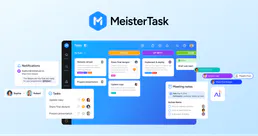
MeisterTask
Organize team tasks with visual Kanban boards, recurring workflows, and integrations that connect to your favorite tools.

FRED Tags & Sources — Data Discovery
Discover FRED series through intelligent tagging: search tags like 'gdp', 'inflation', 'monthly', combine multiple tags to find exactly the right series, and explore all 107 official data sources from BLS to the Census Bureau.