
Integrate Conduit with Claude, Cursor, Chatbots & AI Agents MCP Server
 GDPR Free for Subscribers
Compatible with every major AI agent and IDE
 Gemini
Get run status on Conduit
Returns detailed status, timing, and error information. Retrieve the current status of a specific workflow run
Get workflow on Conduit
Returns source, destination, and current status. Retrieve detailed information about a specific workflow
List available destinations on Conduit
Retrieve available data destination connector types supported by Conduit
List available sources on Conduit
Retrieve available data source connector types supported by Conduit
List connections on Conduit
Retrieve a list of all active source and destination connections
List workflow runs on Conduit
Returns the execution history with status and timestamps for each run. Retrieve the history of runs for a specific workflow
List workflows on Conduit
Use this as a starting point to discover workflow IDs for subsequent operations. Retrieve a list of all data integration workflows in Conduit
Trigger workflow on Conduit
Use list_workflows first to find the workflow ID. Manually trigger a run for a specific workflow
Security & Code Integrity Audit
Every tool in the Conduit MCP Server is continuously audited by the Vinkius Security Engine. We guarantee zero-trust payload isolation, strict data boundaries, and deterministic execution for enterprise-grade AI agents.
How Vinkius protects your data
Can I set different limits for each virtual assistant on my team?
Absolutely. You have full control in our command center. You can create an AI agent that only "reads" data so the support team can answer questions, and another superpowered agent that can "edit" and "create" information exclusively for your operations team. Each AI gets exactly the level of access you allow.
Is there a risk of the AI "going crazy" and deleting important company data?
No. With Vinkius, the AI operates on "rails". It can only make the exact moves you authorized in the tool's settings. It cannot invent routes, access other networks in your company, or decide to delete random files. If the action isn't in the approved catalog, the attempt is blocked instantly.
How does the AI access my passwords and credentials?
It simply doesn't. On Vinkius, your passwords, API keys, and login details are kept in a secure vault. The AI (like ChatGPT or Claude) merely "asks" Vinkius to perform the task. Vinkius opens the door, does the work, and hands the result back to the AI. Your credentials are never seen, read, or learned by the artificial intelligence.
How do I systematically obtain an active API Key targeting the Conduit platform?
Depending absolutely on how your infrastructure deployed the program (standalone desktop executable, core Docker containerized setups, or external Cloud instance providers), keys are defined at setup. Generally, navigate your hosted interface configurations to visually spot specific 'API section' panels or define standard keys via backend environment base configurations (for Docker setup instances, parameters typically refer natively mapping to 'CONDUIT_API_URL'). Insert keys properly downwards with other core data completely preserving original syntax precisely achieving seamless valid interactive integrations securely effortlessly resolving requirements seamlessly connecting completely natively without technical failures preventing operations running clearly correctly natively actively continuously stably.
What can AI Agents do with Conduit?
Integrate Conduit to provide your custom AI agents with direct read and write access to the capabilities listed below.
AI Semantic Routing for data streaming
Add data streaming functionality to your custom chatbots. The Conduit MCP handles the payload formatting required for ChatGPT and Claude to interface with developer tools endpoints.
The Future of pipeline synchronization
Provide Claude Code and Cursor with read and write access to pipeline synchronization. The Conduit toolkit handles all necessary routing for developer tools integrations.
Conduit. Runs on everything.
From IDE to framework. Every connection governed by Vinkius.
Anthropic's native desktop app for Claude with built-in MCP support.
AI-first code editor with integrated LLM-powered coding assistance.
GitHub Copilot in VS Code with Agent mode and MCP support.
Purpose-built IDE for agentic AI coding workflows.
Autonomous AI coding agent that runs inside VS Code.
Anthropic's agentic CLI for terminal-first development.
Python SDK for building production-grade OpenAI agent workflows.
Google's framework for building production AI agents.
Type-safe agent development for Python with first-class MCP support.
TypeScript toolkit for building AI-powered web applications.
TypeScript-native agent framework for modern web stacks.
Python framework for orchestrating collaborative AI agent crews.
Leading Python framework for composable LLM applications.
Data-aware AI agent framework for structured and unstructured sources.
Microsoft's framework for multi-agent collaborative conversations.
Explore More MCP Servers
View all →
SimpleFatoora
20 toolsConnect your AI agents to SimpleFatoora for ZATCA-compliant e-invoicing with full product, customer, and tax document management.
Pingdom
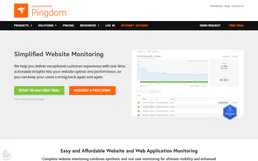
10 toolsMonitor website uptime and performance via Pingdom — list checks, track response times, and manage alerts directly from any AI agent.

DBeaver (CloudBeaver)
19 toolsManage database connections, users, and server configurations via CloudBeaver's API — inspect drivers, manage teams, and query server status directly.

AdaptiveWork (Clarizen)
6 toolsEnterprise project management — manage projects, tasks, resources, and portfolios via AI.