
Integrate Salary.com API with Claude, Cursor, Chatbots & AI Agents MCP Server
 GDPR Free for Subscribers
Compatible with every major AI agent and IDE
 Gemini
Check api status on Salary.com API
com API is operational. Check if the Salary.com API is operational
Get job details on Salary.com API
Get full details for a specific job ID
Get salary benchmark on Salary.com API
Get salary benchmarks for a job title and location
Get salary market trends on Salary.com API
Get market salary trends for a specific job title
List job categories on Salary.com API
List all available job categories
Search jobs on Salary.com API
Search for open jobs by keyword and location
Security & Code Integrity Audit
Every tool in the Salary.com API MCP Server is continuously audited by the Vinkius Security Engine. We guarantee zero-trust payload isolation, strict data boundaries, and deterministic execution for enterprise-grade AI agents.
How Vinkius protects your data
Is there a risk of the AI "going crazy" and deleting important company data?
No. With Vinkius, the AI operates on "rails". It can only make the exact moves you authorized in the tool's settings. It cannot invent routes, access other networks in your company, or decide to delete random files. If the action isn't in the approved catalog, the attempt is blocked instantly.
Can I set different limits for each virtual assistant on my team?
Absolutely. You have full control in our command center. You can create an AI agent that only "reads" data so the support team can answer questions, and another superpowered agent that can "edit" and "create" information exclusively for your operations team. Each AI gets exactly the level of access you allow.
How do I find my Salary.com API Key?
Log in to your Salary.com Developer portal, and you will find your API Key under the 'API Settings' or 'My Keys' section. Copy and paste it below.
What if the AI ends up reading customer data or confidential information?
We have a built-in digital "bodyguard" called DLP (Data Loss Prevention). If a tool fetches data and the response contains social security numbers, credit cards, or personal customer info, Vinkius magically blocks and erases that information before it is delivered to the AI. The AI works only with what is strictly necessary, and your sensitive data never leaks.
Supported Use Cases for Salary.com API
Build automated workflows with Cursor and Claude Code by connecting to the Salary.com API MCP server.
compensation data & AI Execution
Connect your AI agent to Salary.com API for comprehensive compensation data coverage. The integration features standard schemas for reliable human resources tool execution.
Claude Code Integration for salary benchmarks
Integrate Salary.com API to access native salary benchmarks capabilities. This allows LLMs to perform secure, deterministic execution of human resources tasks without hard-coded API scripts.
Salary.com API. Runs on everything.
From IDE to framework. Every connection governed by Vinkius.
Anthropic's native desktop app for Claude with built-in MCP support.
AI-first code editor with integrated LLM-powered coding assistance.
GitHub Copilot in VS Code with Agent mode and MCP support.
Purpose-built IDE for agentic AI coding workflows.
Autonomous AI coding agent that runs inside VS Code.
Anthropic's agentic CLI for terminal-first development.
Python SDK for building production-grade OpenAI agent workflows.
Google's framework for building production AI agents.
Type-safe agent development for Python with first-class MCP support.
TypeScript toolkit for building AI-powered web applications.
TypeScript-native agent framework for modern web stacks.
Python framework for orchestrating collaborative AI agent crews.
Leading Python framework for composable LLM applications.
Data-aware AI agent framework for structured and unstructured sources.
Microsoft's framework for multi-agent collaborative conversations.
Explore More MCP Servers
View all →
Open Beauty Facts
2 toolsUniversal cosmetics intelligence — search ingredients, allergens, and brands via AI.
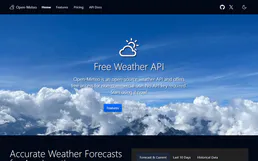
Open-Meteo Geocoding & Elevation
3 toolsResolve any city, village, or address into GPS coordinates instantly: multilingual search, population data, timezones, and terrain elevation at 90m precision — the perfect companion for all weather tools.
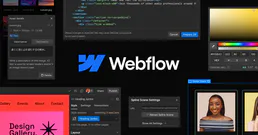
Webflow
8 toolsDesign and build professional websites visually with a no-code platform that generates clean, production-ready HTML and CSS.

Unleash (Feature Toggles)
11 toolsManage feature flags, strategies, and environments via Unleash — evaluate toggles, list projects, and monitor metrics directly from your AI agent.