
Integrate Salesforce Sales Cloud with Claude, Cursor, Chatbots & AI Agents MCP Server
 GDPR Free for Subscribers
Compatible with every major AI agent and IDE
 Gemini
Sf create lead on Salesforce Sales Cloud
lastName and company are required fields in Salesforce. Status defaults to "Open - Not Contacted". Once qualified, leads can be converted to Contact + Account + Opportunity in the Salesforce UI. Returns the created lead with its 18-character Salesforce ID. Create a new lead in Salesforce Sales Cloud with name, company, email, phone, title, and initial status
Sf log activity on Salesforce Sales Cloud
Link to a person via whoId (Contact or Lead ID) and/or to a record via whatId (Account or Opportunity ID). Status defaults to "Completed". Priority: High, Normal, Low. Use to log completed calls, meetings, or emails for activity tracking and reporting. Log a call, meeting, or email as a completed Task in Salesforce linked to a contact, lead, account, or opportunity
Sf opportunities by stage on Salesforce Sales Cloud
Returns deals sorted by amount descending. Standard stages: Prospecting, Qualification, Needs Analysis, Value Proposition, Id. Decision Makers, Perception Analysis, Proposal/Price Quote, Negotiation/Review, Closed Won, Closed Lost. Use for questions like "what deals are in Negotiation?" or "total value of Closed Won this quarter." Get all Salesforce opportunities at a specific pipeline stage for bottleneck analysis, forecasting, or stage review
Sf pipeline summary on Salesforce Sales Cloud
Returns the number of deals and total monetary value at each stage. Perfect for pipeline health checks, forecasting conversations, and identifying bottleneck stages. Use when the user asks "how is the pipeline?", "what is our total pipeline value?", or "which stage has the most deals?" Get an aggregate snapshot of the open sales pipeline — deal count and total value per stage for a quick health check
Sf search accounts on Salesforce Sales Cloud
Returns account name, industry, annual revenue, number of employees, phone, website, billing city/state/country, and owner. Accounts are the company-level records that contacts and opportunities are linked to. Use when the user asks about a company or needs account-level data. Search Salesforce accounts (companies) by name to find organizations with industry, revenue, employee count, and location
Sf search contacts on Salesforce Sales Cloud
Returns contact name, email, phone, account name, title, department, and mailing address. Contacts are qualified individuals linked to accounts — different from leads (unqualified prospects). Use when the user asks about a specific customer contact. Search Salesforce contacts by name or email to find people at customer accounts with title, department, and phone
Sf search leads on Salesforce Sales Cloud
Returns lead name, company, email, phone, title, status (e.g., Open - Not Contacted, Working, Closed - Converted), rating (Hot/Warm/Cold), lead source, and assigned owner. Use when the user wants to find a specific prospect, check lead status, or review unqualified pipeline. Search Salesforce leads by name, email, or company to find prospective customers in the sales pipeline
Sf search opportunities on Salesforce Sales Cloud
Returns opportunity name, stage (Prospecting/Qualification/Needs Analysis/Value Proposition/Id. Decision Makers/Perception Analysis/Proposal/Negotiation/Closed Won/Closed Lost), amount, close date, probability percentage, and assigned owner. Use for pipeline review, deal lookup, or forecasting queries. Search Salesforce opportunities by name to find deals with stage, amount, probability, close date, and owner
Sf update lead on Salesforce Sales Cloud
Only specified fields are updated. Common operations: change Status to "Working" or "Closed - Converted", set Rating to Hot/Warm/Cold for prioritization, or update contact details. Requires the 18-character Salesforce ID. Update an existing Salesforce lead — change status, rating, contact info, or other fields to reflect qualification progress
Sf update opportunity on Salesforce Sales Cloud
Common operations: advance StageName when deal progresses, update Amount after negotiation, push CloseDate when timeline shifts, set StageName to "Closed Won"/"Closed Lost" to close. Only specified fields change. Update a Salesforce opportunity — advance stage, change amount, update close date, or add notes to reflect deal progress
Security & Code Integrity Audit
Every tool in the Salesforce Sales Cloud MCP Server is continuously audited by the Vinkius Security Engine. We guarantee zero-trust payload isolation, strict data boundaries, and deterministic execution for enterprise-grade AI agents.
How Vinkius protects your data
Is there a risk of the AI "going crazy" and deleting important company data?
No. With Vinkius, the AI operates on "rails". It can only make the exact moves you authorized in the tool's settings. It cannot invent routes, access other networks in your company, or decide to delete random files. If the action isn't in the approved catalog, the attempt is blocked instantly.
Can I create and update records?
Yes! You can create Leads and Tasks, update Leads and Opportunities (stage, amount, close date), and log activities — all through natural conversation.
How does the AI access my passwords and credentials?
It simply doesn't. On Vinkius, your passwords, API keys, and login details are kept in a secure vault. The AI (like ChatGPT or Claude) merely "asks" Vinkius to perform the task. Vinkius opens the door, does the work, and hands the result back to the AI. Your credentials are never seen, read, or learned by the artificial intelligence.
What happens if the underlying API rate limits my agent?
Our edge infrastructure automatically handles backoffs, queueing, and throttling. If an AI agent sends too many erratic requests, Vinkius manages the rate limits gracefully, ensuring your backend doesn't crash.
Supported Use Cases for Salesforce Sales Cloud
The Salesforce Sales Cloud integration provides structured, LLM-friendly schemas for reliable tool execution within your agentic workflows.
The Future of pipeline management
Build automated workflows involving pipeline management by connecting Salesforce Sales Cloud. It provides Claude and ChatGPT with direct API hooks into your industry titans ecosystem.
Automating lead qualification with AI
Use the Salesforce Sales Cloud MCP to manage lead qualification requests. Models like Claude Code utilize this connection to perform reliable industry titans updates.
Salesforce Sales Cloud. Runs on everything.
From IDE to framework. Every connection governed by Vinkius.
Anthropic's native desktop app for Claude with built-in MCP support.
AI-first code editor with integrated LLM-powered coding assistance.
GitHub Copilot in VS Code with Agent mode and MCP support.
Purpose-built IDE for agentic AI coding workflows.
Autonomous AI coding agent that runs inside VS Code.
Anthropic's agentic CLI for terminal-first development.
Python SDK for building production-grade OpenAI agent workflows.
Google's framework for building production AI agents.
Type-safe agent development for Python with first-class MCP support.
TypeScript toolkit for building AI-powered web applications.
TypeScript-native agent framework for modern web stacks.
Python framework for orchestrating collaborative AI agent crews.
Leading Python framework for composable LLM applications.
Data-aware AI agent framework for structured and unstructured sources.
Microsoft's framework for multi-agent collaborative conversations.
Explore More MCP Servers
View all →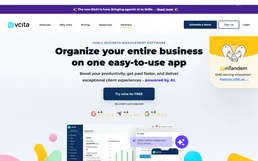
vCita
12 toolsRun your small business with online scheduling, payment collection, and client management that keeps everything in one place.

Deno Deploy
15 toolsManage your Deno Deploy infrastructure — list apps, create deployments, and stream logs directly from your AI agent.

Rev.com
11 toolsAutomate human-powered transcription via Rev.com — manage orders, captions, and file metadata with AI.

WooCommerce Order Status Reader
1 toolsThis MCP gives your AI agent the ability to check the real-time status and tracking information of any WooCommerce order using an Order ID or a Customer Email. Perfect for automating "where is my order?" (WISMO) support queries.